

Gwal - AI Agents on Mobile
Goloak Vrindavan Inc. · Productivity
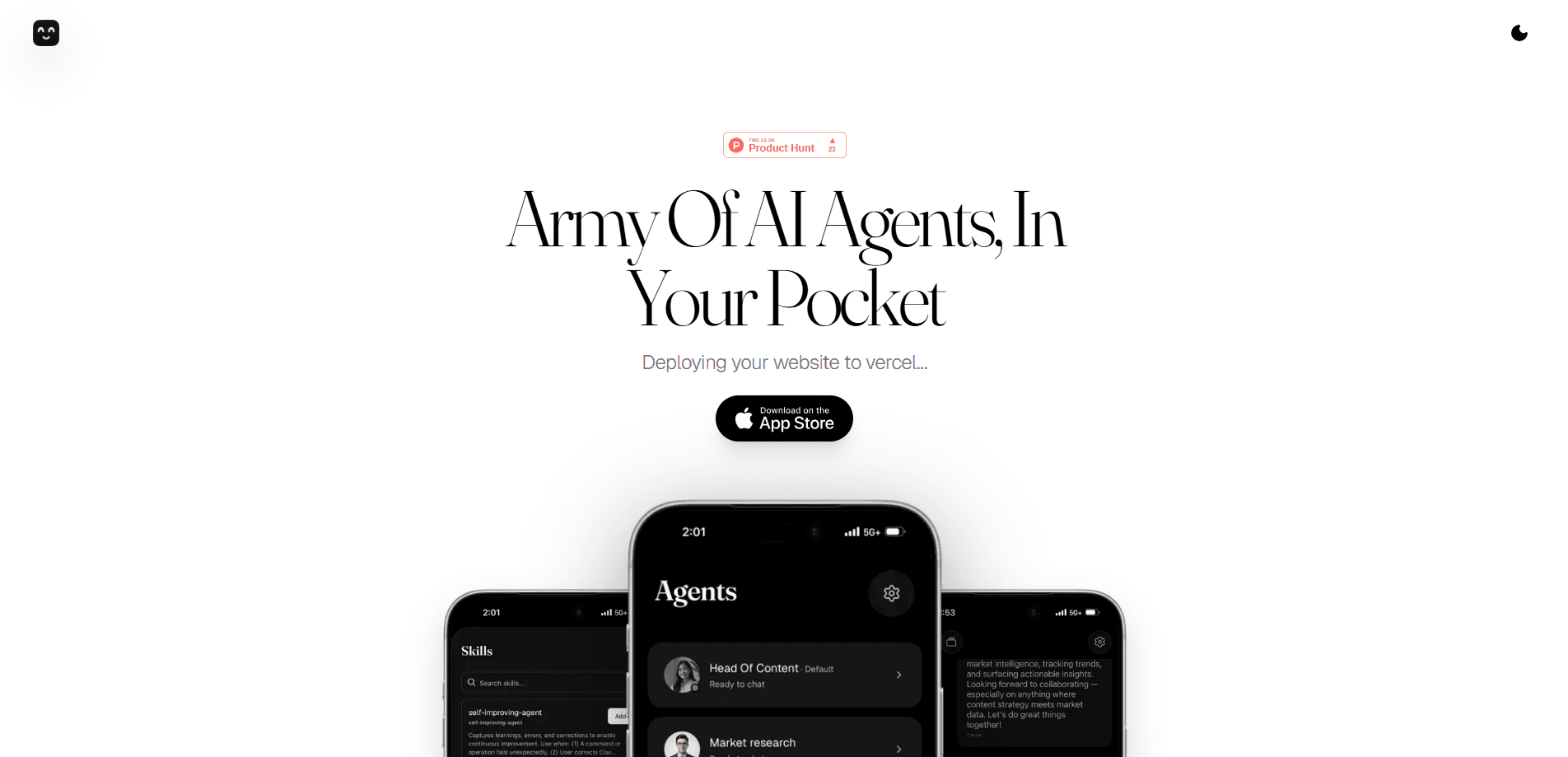
Gwal - AI Agents on Mobile is a browser-based platform that runs a set of specialized AI agents from your phone. Think of it as an AI automation app: instead of one chatbot answering questions, Gwal deploys multiple agents that work on tasks across the apps and services you already use. The idea is simple. You describe the outcome you want. Then the agent layer handles the steps. Plans are built around AI credits and a library of 8000+ skills, so what you can do grows with your subscription rather than being locked to a single model. It's a genuine mobile AI agent platform, not a chatbot with extra buttons.
About Gwal - AI Agents on Mobile
What Is Gwal - AI Agents on Mobile
Gwal is a mobile-first AI agent platform from Goloak Vrindavan Inc. It puts several specialized agents in one place and lets them run tasks for you around the clock, which is why some users treat it as their main AI agent app. The pitch on the official site is an "army of specialized AI agents in your pocket," and the agents are designed to collaborate rather than sit in separate apps.
The main problem it targets is the friction of doing routine digital work by hand. Repetitive tasks, small research jobs, and multi-step chores that normally mean jumping between apps can be handed off to an agent that keeps working after you close the tab. Gwal runs in the browser, so there's nothing to install and no setup to fight through.
The biggest limitation is transparency. Gwal is a young product, and public documentation about its agents, data handling, and model access is thin. Pricing is subscription-based with AI credits. Heavy users should watch how quickly credits burn. If you need a fully documented enterprise platform, this isn't it yet.
Getting Started
- Open gwal.ai in your mobile browser and create an account. Nothing downloads, so you can start from a phone.
- Pick the subscription tier that matches how much you plan to use. Each plan bundles a set amount of AI credits and access to the skills library.
- Describe the task you want handled, in plain language, and let Gwal choose the agents that fit.
- Review what the agents produce, then refine the request or hand off a follow-up job.
Product Information
A quick look at Gwal - AI Agents on Mobile's pricing, supported platforms, and performance.
Best for
The users, tasks, and scenarios where this tool fits best.
Users
- Busy professionals
- Small business owners
- AI-curious tinkerers
Tasks
- Automating repeating daily chores
- Research and summary gathering
- Cross-app workflows
Scenarios
- Managing daily admin from a phone
- Personal project upkeep
- Trying multiple AI agents without setup
Key features
Multiple specialized AI agents
Gwal's core idea is that different jobs get different agents. Rather than one general model doing everything, the platform assigns specialized agents to specialized work. That means a research task and a scheduling task don't compete for the same context. Big deal when you're running several things at once.
Runs entirely in the browser
There's no app to download. No environment to configure either. You open gwal.ai, sign in, and start. For mobile users this removes the biggest barrier to trying an AI agent tool, since you aren't waiting on an install or a setup wizard before you get value.
8000+ skills library
The subscription includes access to a library of more than 8000 skills that extend what each agent can do. This is the part that keeps the product from being a fixed set of canned actions. As the skill library grows, so does the range of tasks you can attempt without switching tools.
AI credits model
Usage runs on AI credits, and each plan includes a set number. This makes cost predictable up to a point, but it also means the value of a plan depends on how efficiently the agents complete your tasks. Heavy, complex jobs will consume credits faster than simple ones. Simple stuff stays cheap.
Access to frontier AI models
Gwal says plans include full access to the latest frontier AI models. In practice this means the platform is a layer on top of current AI models rather than a single frozen model. The trade-off is that model availability can shift as vendors update their offerings.
Automatic updates
The platform updates itself, so your agents stay on the latest release without you managing versions. For a browser-based tool, that's expected, and it's a real convenience compared with desktop AI setups you have to patch by hand.
Works from anywhere
Because the agents run through the browser, location and device matter less. You can start a task on your phone, and the work continues on the platform's side while you get on with your day.
Pros and cons
Pros
- Mobile-first design means you can run AI agents from a phone without installing anything.
- Multiple specialized agents handle different task types instead of forcing one model to do everything.
- The 8000+ skill library gives you room to grow beyond a fixed feature set.
- Credit-based pricing keeps small tasks cheap and predictable.
- Browser access lowers the barrier to trying a multi-agent workflow.
Cons
- Public documentation is thin, so it's hard to verify exactly how agents handle your data.
- A paid plan is required since there's no free tier, which is a real barrier for testing.
- Credit consumption is hard to predict until you've used the platform for a while.
- Platform details, including API availability, aren't clearly published.
Frequently asked questions
Gwal runs specialized AI agents that handle tasks across the apps and services you use, from routine automation to research. You describe the outcome, and the agent layer works through the steps. The exact task range depends on which skills your plan unlocks.
Related content
Explore related tools, skills, and articles for Gwal - AI Agents on Mobile.
Gwal - AI Agents on Mobile Alternatives

Swms
Swms AI · Writing · Productivity · BusinessSwms is an AI safety compliance tool that turns a plain description of a job into ready-to-use safety documents. Describe your project, trade, and known hazards, and it writes a safe work method statement, job hazard analysis, safe work procedure, RAMS, or safety data sheet in seconds. It also ships with Oscar, a chat assistant that answers workplace safety questions in any language. Teams in construction, mining, transport, and warehousing use it to cut the paperwork that usually eats into a workday.

Wordly AI Translation
Wordly · Voice & Language · ProductivityWordly AI Translation is a real-time AI translation and captioning platform built for meetings, conferences, and events. It delivers live translation, captions, transcripts, and summaries in more than 60 languages, and attendees join by scanning a QR code or opening a link instead of using dedicated headsets. The platform works with Zoom, Microsoft Teams, Google Meet, and Webex, and it's designed for organizations that want multilingual access without hiring human interpreters for every session. Simple as that.

Rows
Rows (Superhuman) · Productivity · BusinessRows is an AI spreadsheet and data analysis tool that imports live data from more than 50 sources, then lets you work with it using plain language instead of SQL queries or nested formulas. You can pull numbers out of PDFs, connect ad platforms, databases, and bank accounts, and ask the AI to build reports, merge datasets, or set up models that recalculate themselves. It runs in the browser, works like a spreadsheet, and now sits under the Superhuman umbrella.