

Hailuo AI: Image&Video Maker
MiniMax · Video · China AI
Hailuo AI: Image&Video Maker is a text-to-video and image-to-video generator that turns prompts or photos into short 720p clips for creators.
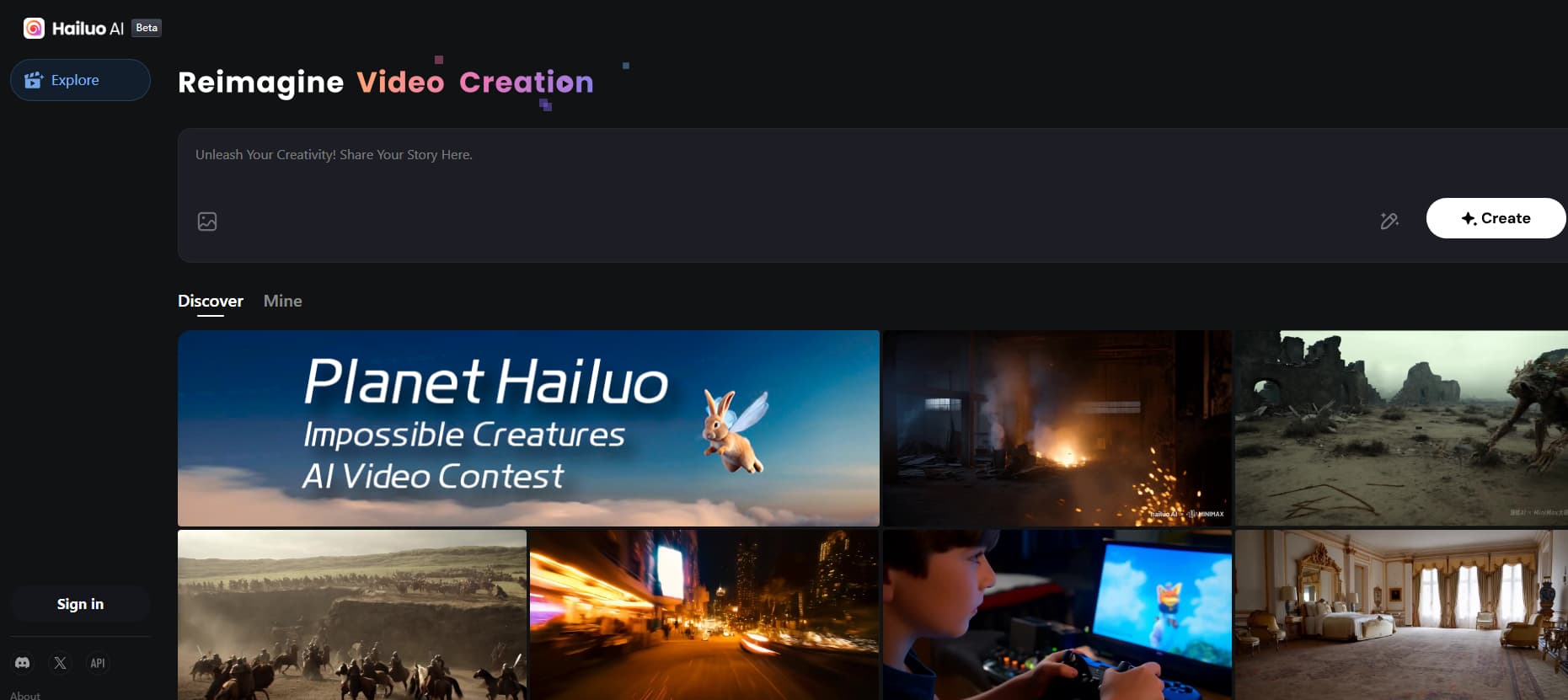
About Hailuo AI: Image&Video Maker
What Is Hailuo AI: Image&Video Maker
Hailuo AI: Image&Video Maker is the consumer video product from MiniMax, a Chinese AI company founded in 2021 and backed by investors including Alibaba and Tencent. You type a prompt or upload a photo, and it renders a short clip with camera movement, fairly stable subjects, and lighting that holds together. The core draw is motion. Most early AI video tools produced drift and wobble; this one gained traction in late 2024 for keeping figures and scenes coherent through a shot.
It solves a specific problem. If you need a six-second b-roll clip, a product teaser, or a quick social hook, you'd normally shoot it or hunt through stock footage. This generates it from words in a couple of minutes. That's the practical appeal for marketers, short-form creators, and people testing an idea before committing budget to a real shoot.
The limits are real, so plan around them. Clips run about six seconds at 720p. That's short. Longer or higher-resolution output pushes you into paid credits or newer models. Copyright and commercial use depend on your plan tier, and free generations carry restrictions. Read the terms before you build a client campaign on it. The company keeps a heavy public profile on the tech side but releases pricing and model details in waves, so numbers shift often.
Getting Started
- Sign in on the web app with an email or a third-party account, or install the Android or iOS app.
- Pick a mode: text-to-video if you're starting from a written idea, image-to-video if you have a photo.
- Write a prompt describing the subject, the action, and the camera move, or upload your still image.
- Choose an aspect ratio and resolution, then generate and let it render for a minute or two.
- Preview the clip, regenerate if the motion misfires, and download or share the result.
Product Information
A quick look at Hailuo AI: Image&Video Maker's pricing, supported platforms, and performance.
Best for
The users, tasks, and scenarios where this tool fits best.
Users
- Short-form creators
- Marketers and small brands
- Hobbyists testing ideas
Tasks
- Turning a written scene into video
- Animating a still photo
- Storyboarding a concept
Scenarios
- Making a six-second hook for a social post
- Visualizing a product in motion
- Bringing a character or pet photo to life
Key features
Text-to-Video Generation
Type what you want to see and the tool builds the scene. You describe the subject, the action, and the camera. It handles the rest. For people who can't shoot or edit, that's the whole point. The prompt quality drives the result more than any menu setting, so learning to write a clear shot description matters more than fiddling with options.
Image-to-Video Animation
Upload a still and add motion. This is the feature photographers and illustrators reach for, because it keeps the composition you already like and animates it instead of generating something new from scratch. Results hold the original subject well, which is where earlier tools tended to fail.
Cinematic Camera Control
You can ask for specific moves such as a push-in, a pan, or an orbit. Camera direction is often what separates a clip that looks intentional from one that looks like a random loop. Want a slow push toward a face? Say so. Getting the move right in the prompt does more for the final result than most paid upgrades.
Prompt-Optimized Motion
The model responds to how you phrase movement and timing. A prompt that says what the subject does and when reads better on screen than a list of adjectives. This is a learned skill, not a switch, so expect a few tries before a shot lands.
Daily Free Credits
New and free accounts get a small daily allowance of generations. It's enough to test the tool and finish a short project without paying. The quota refreshes each day. Heavy or commercial work will push you into a subscription.
Cross-Platform Access
The product runs in the browser and as Android and iOS apps, plus a developer API for teams that want to build on the model. Your creations sync through your account. Start on a phone, finish on desktop. That flexibility matters when you're sketching an idea on the move and refining it later at a desk.
Pros and cons
Pros
- Strong motion coherence: subjects and scenes hold together through a short clip, which is where early AI video struggled.
- Fast turnaround: a usable clip in a couple of minutes instead of a shoot and an edit.
- Clean image-to-video results that respect the original photo's composition.
- Free daily credits make it low-risk to try before paying.
- Native Android and iOS apps, so you're not tied to a desktop.
Cons
- Clips are short, around six seconds at 720p on the standard tier, which limits anything that needs a longer continuous take.
- Generation is unpredictable; the same prompt can produce different results, so you'll often reroll to get a usable take.
- Costs add up for frequent use, and higher resolutions sit behind pricier plans.
- Prompt writing has a learning curve; vague input produces vague motion.
Frequently asked questions
It's an AI video generator from MiniMax that creates short clips from text prompts or still images. You describe or upload what you want, and it renders a few seconds of video with motion and camera movement.
Related content
Explore related tools, skills, and articles for Hailuo AI: Image&Video Maker.
Hailuo AI: Image&Video Maker Alternatives

ngram 2.0
ngram · Video · Marketingngram 2.0 is an AI video generator for teams. It turns a prompt, a screen recording, or a product URL into a narrated explainer, product demo, or AI avatar video, and every scene stays editable.

OpenScreen 2
OpenScreen (open-source project) · Video · ProductivityOpenScreen 2 is a free, open-source screen recorder and demo video editor for Windows, macOS, and Linux, with automatic zooms, styled frames, local captions, and agent edits.

Skreno
Skreno · Video · ProductivitySkreno is a browser screen recorder that captures a tab, a window or your whole display, then attaches AI transcripts, summaries and console logs to one share link.