

Happy Horse
Alibaba (ATH Business Group) · Video
Happy Horse is Alibaba's AI video model for turning a text prompt or a single image into short clips where dialogue, sound effects and room tone come out of the same pass as the picture.
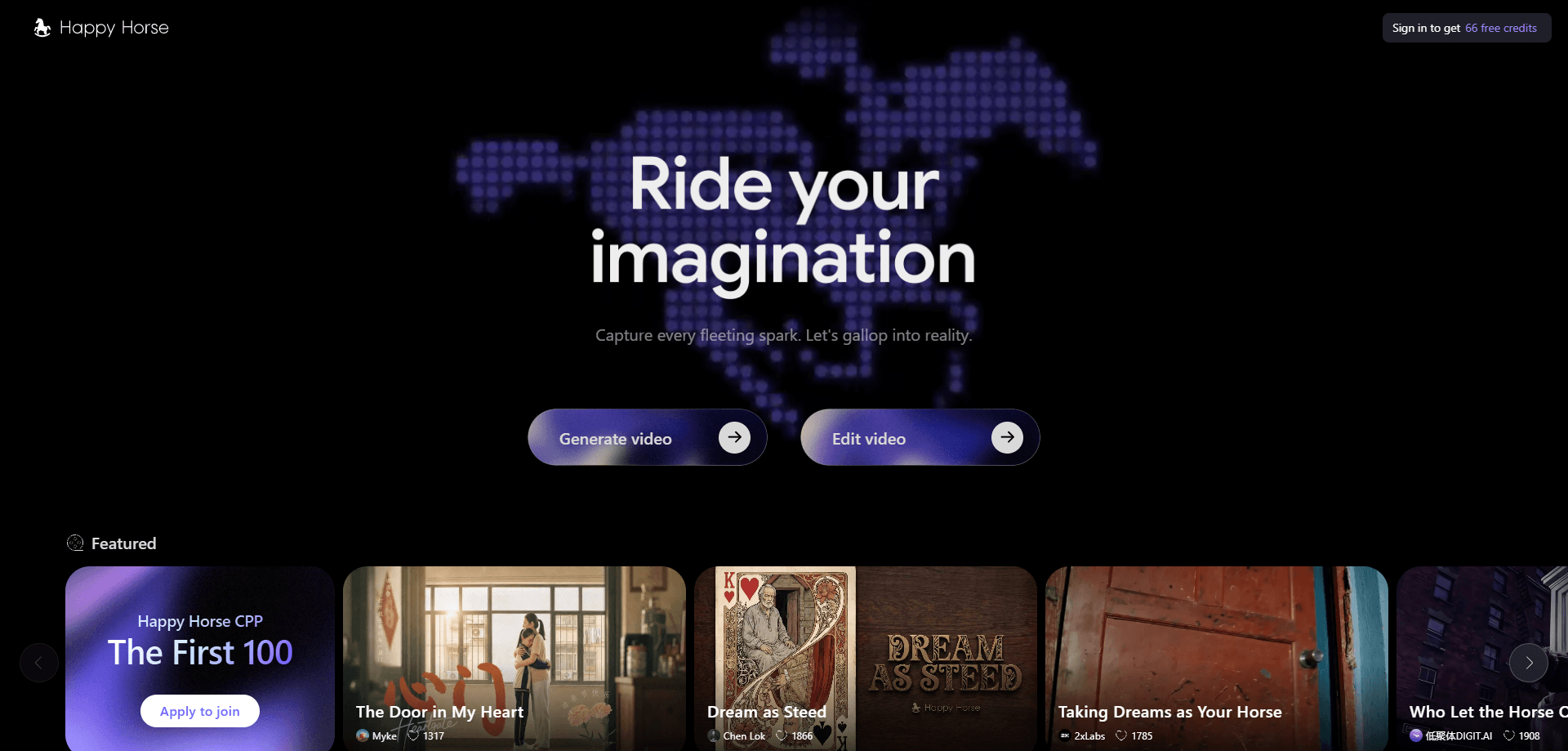
About Happy Horse
What Is Happy Horse
Happy Horse is the English name for the video model built by the ATH business group inside Alibaba, a new unit that reports directly to group CEO Eddie Wu. The first public version, HappyHorse-1.0, appeared anonymously on Artificial Analysis's Video Arena leaderboard in April 2026 and took first place on both the text-to-video and image-to-video tracks before Alibaba confirmed ownership on April 10. A 1.1 release followed in June with better motion, steadier characters and cleaner audio.
The pitch is simple. Most AI video with audio means silent footage plus a separate dubbing session in an editor. Happy Horse puts text, image, video and audio tokens into one 15-billion-parameter Transformer and generates them together. Lip movements follow the spoken line because the audio was produced at the same moment as the face.
The catch is access. There are no downloadable weights, and the model doesn't run on your own GPU. You use it through the official site, the Qwen app, or Alibaba Cloud's Model Studio API, which puts Chinese billing, Chinese documentation and Chinese content rules in the middle of your workflow.
Getting Started
- Open happyhorse.cn in a browser, or update the Qwen app and tap the Happy Horse entry on the home screen.
- Sign in with an Alibaba or Qwen account. New accounts get a small free allowance; the web studio then runs on credits.
- Pick text to video or image to video, upload a reference still if you have one, and set aspect ratio, length and resolution. Clips run 3 to 15 seconds at up to 1080p.
- Write the prompt. Name the shot size, the camera move, the light and any line you want spoken, because the model treats all of it as direction.
- Generate, preview, then download. Expect a few minutes per clip at 1080p; lower resolutions come back faster.
Product Information
A quick look at Happy Horse's pricing, supported platforms, and performance.
Best for
The users, tasks, and scenarios where this tool fits best.
Users
- Short drama and vertical series creators
- Small ad and ecommerce teams
- Social media editors
Tasks
- Talking-head clips
- Storyboard to motion
- Multi-language versions of one ad
Scenarios
- A weekly product drop where you need five short clips and no crew.
- Pitching a scene to a client before anyone books a location.
- Localizing an existing campaign for Japanese or German viewers without re-shooting.
Key features
Audio and video in one pass
Happy Horse is an AI video generator that writes the soundtrack as part of the same inference step that builds the frames. Speech, impacts and background hum land on the beat they belong to, which removes the usual drift between a dubbed voice and a moving mouth. You can also ask for silence when a shot needs no sound.
Seven-language lip sync
As a lip sync video generator, it handles Mandarin, Cantonese, English, Japanese, Korean, German and French natively. Alibaba reports a word error rate of 14.60% across those languages, well below the 19% to 40% range it cites for other open models. For a team shipping the same ad in four markets, that's four renders instead of four voice sessions.
Clips up to 1080p and 15 seconds
Output goes to 1080p with 720p and 480p drafts available, in 16:9, 9:16 and 1:1. A single clip tops out at 15 seconds, which suits ads and short drama beats rather than long scenes. Longer stories are built by stitching several generations.
Camera direction from the prompt
Shot size, angle and movement are read as instructions rather than random variation. Ask for a low angle push-in and the model tends to push in, and it changes framing when the beat of the scene changes. That saves the trial and error of rerolling until a usable angle appears.
Fast inference on modest hardware
DMD-2 distillation cuts denoising to eight steps and drops classifier-free guidance, and FP8 quantization fits the model on one H100. Alibaba puts a five-second 1080p clip with audio at about 38 seconds of compute, roughly two to three times quicker than the models it compares against.
Reference images that hold a character
Version 1.1 added stronger multi-image reference, so several characters can share a frame without their faces blending. Storyboards and nine-grid layouts keep their look across cuts, which is the difference between a test clip and a series.
Pros and cons
Pros
- Sound arrives with the picture, so there's no separate dubbing or foley stage.
- Lip sync covers seven languages, which makes one campaign reusable across markets.
- Camera work follows written direction instead of a fixed preset list.
- 1080p output with three aspect ratios fits both wide-format ads and vertical feeds.
- API access through Alibaba Cloud Model Studio suits teams already on that stack.
Cons
- No weights and no local option. Your footage leaves your machine and you depend on Alibaba's uptime and pricing.
- The interface, invoices and help docs lean Chinese, so non-Chinese teams do extra setup work.
- Fifteen seconds per clip is a hard ceiling. Anything longer needs manual stitching.
- Per-second billing adds up on long sessions, and heavy days can hit queue times.
Frequently asked questions
Partly. The Qwen app and the web studio hand out a small free allowance, enough to try a handful of clips. Regular work runs on credits or per-second API billing, with 720p list pricing between ¥0.44 and ¥0.9 per second.
Related content
Explore related tools, skills, and articles for Happy Horse.
Happy Horse Alternatives

ngram 2.0
ngram · Video · Marketingngram 2.0 is an AI video generator for teams. It turns a prompt, a screen recording, or a product URL into a narrated explainer, product demo, or AI avatar video, and every scene stays editable.

OpenScreen 2
OpenScreen (open-source project) · Video · ProductivityOpenScreen 2 is a free, open-source screen recorder and demo video editor for Windows, macOS, and Linux, with automatic zooms, styled frames, local captions, and agent edits.

Skreno
Skreno · Video · ProductivitySkreno is a browser screen recorder that captures a tab, a window or your whole display, then attaches AI transcripts, summaries and console logs to one share link.