

HeadshotCam™
HeadshotCam · Image
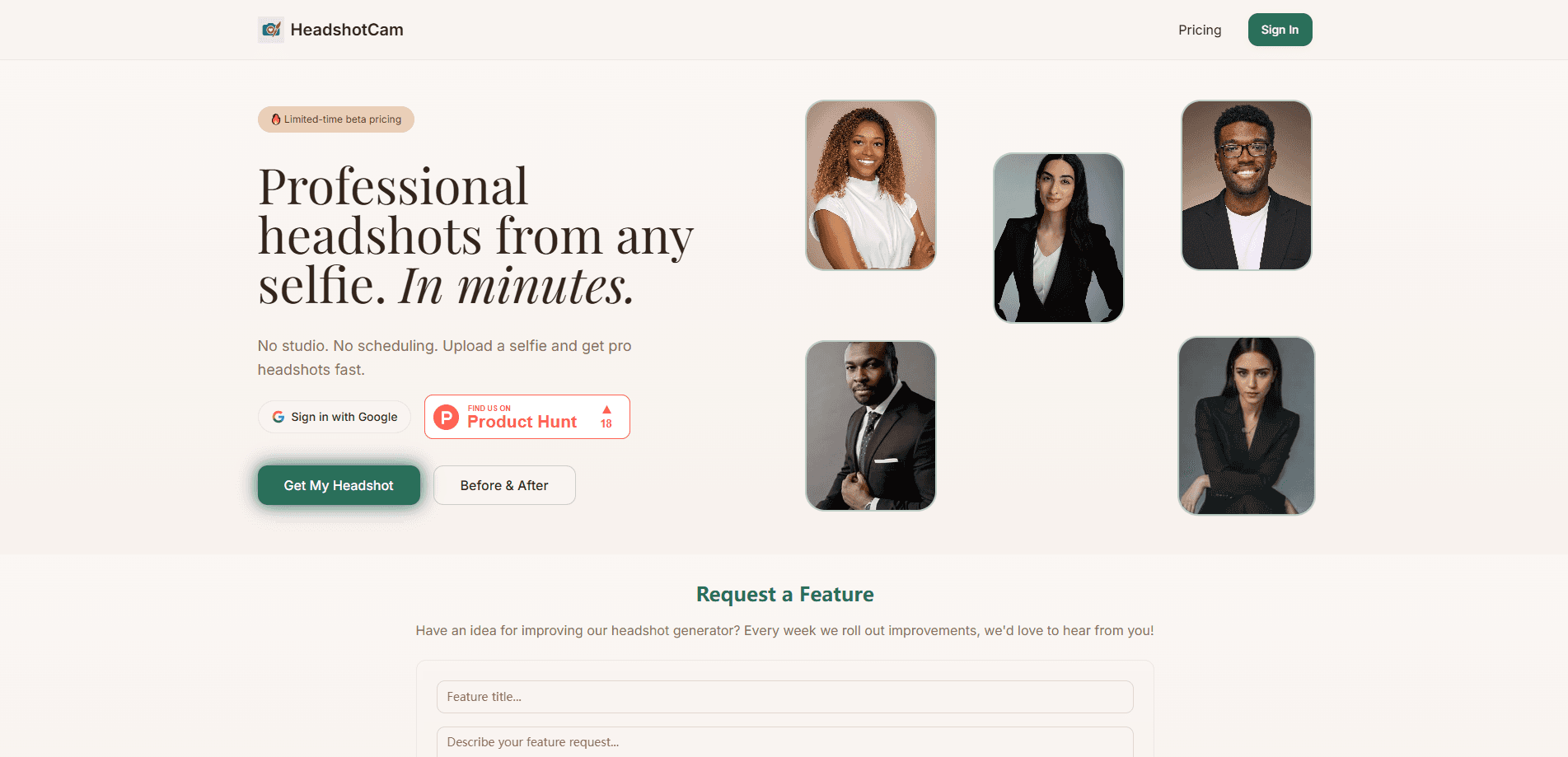
HeadshotCam™ is an AI headshot generator that converts ordinary selfies into professional headshots in minutes. It targets people who need a clean, studio-style portrait for LinkedIn, resumes, company pages, or social profiles but don't want to book a photographer. You upload a set of phone photos, let the AI generate a batch of styled portraits, then download the ones you like.
About HeadshotCam™
What Is HeadshotCam™
HeadshotCam™ is a web-based AI headshot tool. The pitch is simple: instead of paying $150 to $500 for a studio session and waiting weeks for retouching, you hand over a handful of selfies and get a gallery of professional headshots back. The service handles lighting, background, and wardrobe styling automatically, so the output looks like it came from a lit set rather than a kitchen with a ring light.
The obvious win is speed and cost. The trade-off is control. You're picking from generated results, not directing a photographer, and quality depends heavily on the selfies you feed it. Blurry input fails. Dark input fails too. So does anything heavily filtered. If you need a very specific corporate look, you may still want a real shoot.
Getting Started
- Create an account on the HeadshotCam™ website and sign in.
- Upload a set of clear selfies: good light, face toward the camera, no sunglasses or hats.
- Pick the headshot style, background, and outfit options that match where you'll use the photo.
- Let the AI generate your batch of headshots, then review the gallery.
- Download the high-resolution images you want and use them on LinkedIn, a resume, or a company page.
Why People Pick It
The core appeal is turnaround. A typical photoshoot means scheduling, travel, and a second round of editing before you get a usable file. An AI headshot generator collapses that into an upload and a short wait, which matters when a job application or a profile refresh is due this week. It also removes the awkwardness many people feel in front of a camera, since you're working from photos you already have. The tool doubles as a general AI photo generator, so the same upload can produce a LinkedIn photo and a warmer shot for a personal site.
Product Information
A quick look at HeadshotCam™'s pricing, supported platforms, and performance.
Best for
The users, tasks, and scenarios where this tool fits best.
Users
- Job seekers
- Professionals and founders
- Students and recent graduates
Tasks
- Making a LinkedIn headshot
- Building a resume photo
- Standing out on dating and social profiles
Scenarios
- A job application is due and your only photo is an old phone snapshot
- A team page needs consistent portraits but there's no budget for a photographer
- You dislike being photographed
Key features
Selfie to Headshot Conversion
The main draw is turning ordinary phone photos into a studio-style portrait. You feed a batch of selfies into the headshot maker, and the AI produces finished headshots with adjusted lighting and a clean background. Results vary with input quality, so a set of sharp, evenly lit photos works far better than a single dim one. For most users, this single feature is the reason to use the tool.
Style and Background Options
HeadshotCam™ lets you choose a look rather than accepting one fixed template. You can pick from different backgrounds, outfit styles, and lighting setups, and preview samples before you commit a generation. That matters if you want a corporate look for LinkedIn but something more relaxed for a personal site. The selection is narrower than a custom shoot, but wide enough for typical professional use. Want a formal boardroom shot and a casual outdoor one from the same upload? You can generate both.
Batch Generation and Selection
One upload produces a batch of headshots, not a single image. You review the gallery and keep the ones that work, which raises the odds of getting a usable result without paying per photo. Volume beats precision here. For anyone who's tried a one-shot AI tool, that difference is the practical advantage.
Fast Turnaround
Generation runs in minutes rather than days, which is the whole point when you're up against a deadline and the alternative is waiting two weeks for a photographer to send back a folder of edited files. Compared with that multi-week cycle of booking, shooting, and retouching, this changes what's possible on short notice. It's the feature that makes the tool worth trying when a profile update can't wait.
Web-Based Access
The service runs in the browser, so there's no app to install and no device lock-in. You can start from a laptop or a phone, and your generated headshots download as standard image files you can reuse anywhere. Nothing to update. Nothing to uninstall.
Pros and cons
Pros
- Turns existing selfies into professional headshots, so you skip scheduling and travel for a photoshoot.
- Costs far less than a typical $150 to $500 studio session.
- Produces a batch of options per upload, improving the odds of a keeper.
- Runs in the browser with no app install and no platform restrictions.
Cons
- Output quality depends on your selfies, so poor lighting or blurry input leads to weak results and there's no refund of time spent.
- You can't direct the shoot the way you'd guide a photographer, so a very specific corporate look may not come through.
- No free plan means you pay before you see whether the results suit you.
Frequently asked questions
It creates professional-looking headshots from selfies you already have, and people use it for LinkedIn profiles, resumes, company pages, and social profiles whenever they need a polished portrait but don't want the cost and delay of booking an actual photographer and scheduling a session around a busy week.
Related content
Explore related tools, skills, and articles for HeadshotCam™.
HeadshotCam™ Alternatives

X Ray Interpreter
X-ray Interpreter · ImageX Ray Interpreter is a web-based AI radiology tool that turns X-rays, CT scans, MRI, ultrasound, and PET images into plain-language reports. You upload a scan, get a preliminary X-ray interpretation in moments, then ask follow-up questions if something needs explaining. It works as a second opinion and a learning aid, not as a medical diagnosis.

Aieasypic
AIEasyPic · ImageAIEasyPic is an AI image generator that turns plain text prompts into finished artwork in seconds. You can also train custom models on your own photos, swap faces in existing images, and create short video clips from text, all from a browser. It suits casual creators who want quick visuals and hobbyists who want to build a personal model without touching any code.

Chargen
Chargen · ImageChargen is an AI character generator and worldbuilding toolkit built for Dungeons & Dragons and other tabletop RPGs. It turns a one-line idea into a painted character portrait, spins up NPCs, monsters, maps and encounters from the same session, and keeps every creature's details close at hand. The tabletop RPG art side runs on a credit system called Gold, while the text generators stay free for everyone.