

Dropbox Sign
Dropbox (HelloSign, Inc.) · Productivity
Dropbox Sign is an eSignature platform from Dropbox that lets teams send, sign, and track legally binding agreements online, and it offers a developer API for embedding signing into apps.
About Dropbox Sign
What Is Dropbox Sign
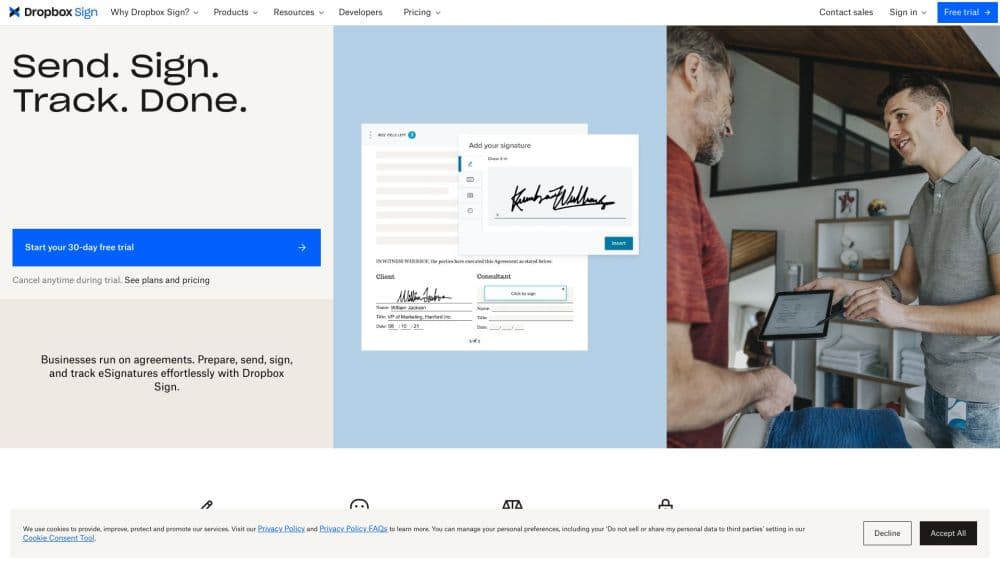
Dropbox Sign is an eSignature platform built by Dropbox. It works as an electronic signature tool and a document signing software for teams and individuals. It started life as HelloSign, a service launched in 2012 and bought by Dropbox in 2019, then renamed to Dropbox Sign in 2022. You upload a document, drop in the fields where people need to sign, and send it off. This lets you sign documents online without leaving your browser, and you get a tamper-proof copy with a full audit trail when they finish.
The product solves a specific headache: getting a signature on a contract, offer letter, or NDA without the print-sign-scan loop that eats hours and creates messy versions. As digital signature software, it handles that in one place, from a web dashboard or embedded straight into another app through the API. Dropbox Sign also covers the process around the signature, not just the signing itself, with reminders, templates, a signer attachment field, and reporting.
The main limits are pricing and scope. There is no permanent free plan, only a 14-day trial, so individuals pay roughly $15 a month from the start. The tool is built for signing workflows, so it will not help you draft a contract or manage the legal side of one. Teams that only need a few signatures a year often find a cheaper single-purpose option, while anyone signing at volume gets more value.
Getting Started
- Sign up for a Dropbox Sign account and start the free trial.
- Upload a document, or pick a ready-made template from the gallery, then place the fields people need to fill.
- Add the signer email addresses and set the signing order if you need more than one person.
- Send the request and track progress from the dashboard, with automatic reminders doing the chasing for you.
- Download the signed file once everyone is done, or pull it back into your app through the API.
Product Information
A quick look at Dropbox Sign's pricing, supported platforms, and performance.
Best for
The users, tasks, and scenarios where this tool fits best.
Users
- Small businesses and solo operators
- HR and recruiting teams
- Sales teams
- Developers and SaaS builders
Tasks
- Sending a contract for signature
- Collecting a signed NDA
- Getting a form filled with attached files
- Tracking turnaround
Scenarios
- A hiring wave with dozens of offers
- Signing from a phone on site
- Verifying a high-value signer
Key features
Legally Binding eSignatures
Dropbox Sign produces signatures that hold up under ESIGN, UETA, and eIDAS rules, which is what makes the output usable for real contracts. Each finished document carries a digital seal, and the platform keeps a tamper-proof record so a signed file cannot be quietly altered afterward.
Developer API and SDKs
The eSignature API lets you send, sign, and manage documents from your own application, and there are SDKs for common languages including Node, Python, PHP, Java, Ruby, and .NET. Embedded signing drops the whole signing flow into your site or app so users never leave it. This is the piece that separates Dropbox Sign from tools that only work through a web dashboard.
Templates and Template Gallery
You can turn the documents you send over and over into templates, then reuse them with the fields already in place. A built-in gallery offers starting points for common agreements. Template links convert a saved template into a shareable URL, handy when the same form needs to go out to a stream of people.
Audit Trail and Reporting
Every action on a document is logged with a timestamp and cannot be edited, so you have a clear record of who did what and when. Reporting shows how many requests were sent and signed, plus turnaround time, and the audit trail is the evidence you would lean on if a signature were ever questioned.
Integrations with Everyday Tools
Dropbox Sign plugs into Dropbox, Google Drive, Salesforce, Microsoft 365, Slack, and HubSpot, so you can send requests and store finished files without bouncing between apps. Selected integrations on higher plans extend this further, letting teams stay inside the software they already open every day.
Branding and Embedded Experience
You can add your company logo and custom messaging so signature requests look like they came from you. On embedded plans the entire signing page carries your brand, which matters for marketplaces and platforms that want the process to feel native rather than like a detour to a third-party site.
Security and Compliance
Documents are encrypted at rest with AES 256-bit encryption, and the platform meets SOC 2 Type II, ISO 27001, eIDAS, and GDPR requirements. Two-factor authentication and SMS signer verification add extra layers. For regulated teams, that compliance set is often the reason they pick a managed eSignature tool over a homegrown one.
Pros and cons
Pros
- Unlimited signature requests on every paid plan, so there are no overage surprises as volume grows.
- The eSignature API and SDKs make it a fit for product teams that need embedded signing, not just a dashboard.
- Templates, reminders, and bulk send cut the manual work out of repetitive agreements.
- Audit trails and digital seals give each signed document a defensible record.
- Integrations with Dropbox, Salesforce, Microsoft 365, and Slack keep the workflow inside tools teams already use.
- Compliance with SOC 2 Type II, ISO 27001, eIDAS, and GDPR satisfies regulated buyers.
Cons
- There is no permanent free plan, only a 14-day trial, so light users pay from the first month.
- Standard pricing is charged per user, which adds up quickly for larger teams that all need to send.
- Premium and Enterprise cost is quote-only, so you cannot compare prices without talking to sales.
- Deeper features like SMS authentication, SSO, and advanced reporting sit on upper plans, not the entry level.
- It focuses on the signing step, so it will not draft or negotiate the contract for you.
Frequently asked questions
No. There is a 14-day free trial, but no permanent free tier. After the trial you pick a paid plan, with Essentials starting around $15 a month for an individual. Dropbox does offer a separate lightweight free eSignature tool for occasional personal use, which is not the same as the commercial platform.
Related content
Explore related tools, skills, and articles for Dropbox Sign.
Dropbox Sign Alternatives

Swms
Swms AI · Writing · Productivity · BusinessSwms is an AI safety compliance tool that turns a plain description of a job into ready-to-use safety documents. Describe your project, trade, and known hazards, and it writes a safe work method statement, job hazard analysis, safe work procedure, RAMS, or safety data sheet in seconds. It also ships with Oscar, a chat assistant that answers workplace safety questions in any language. Teams in construction, mining, transport, and warehousing use it to cut the paperwork that usually eats into a workday.

Wordly AI Translation
Wordly · Voice & Language · ProductivityWordly AI Translation is a real-time AI translation and captioning platform built for meetings, conferences, and events. It delivers live translation, captions, transcripts, and summaries in more than 60 languages, and attendees join by scanning a QR code or opening a link instead of using dedicated headsets. The platform works with Zoom, Microsoft Teams, Google Meet, and Webex, and it's designed for organizations that want multilingual access without hiring human interpreters for every session. Simple as that.

Rows
Rows (Superhuman) · Productivity · BusinessRows is an AI spreadsheet and data analysis tool that imports live data from more than 50 sources, then lets you work with it using plain language instead of SQL queries or nested formulas. You can pull numbers out of PDFs, connect ad platforms, databases, and bank accounts, and ask the AI to build reports, merge datasets, or set up models that recalculate themselves. It runs in the browser, works like a spreadsheet, and now sits under the Superhuman umbrella.