

HelpLook
SAASBASE PTE. LTD. · Leaning · Chatbot
HelpLook is a no-code platform for building AI knowledge bases, help centers, and documentation sites, with an AI chatbot and search widget that answer customer questions from your own articles.
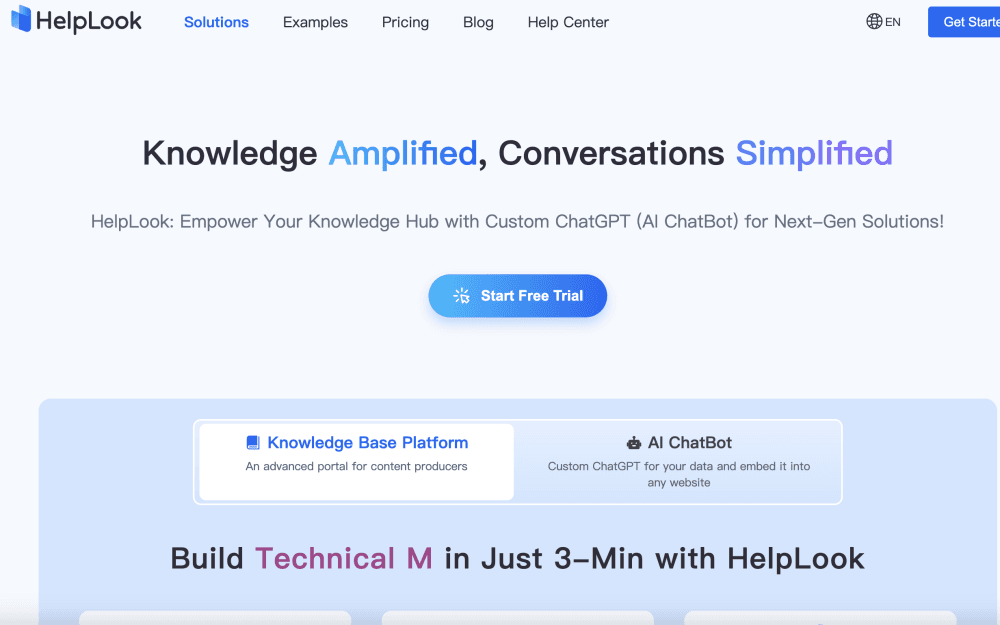
About HelpLook
What Is HelpLook
HelpLook is a hosted knowledge base builder from SAASBASE PTE. LTD., a Singapore-registered company with a product team in Guangzhou. It does two jobs in one account: it publishes a branded documentation site, and it turns that site's articles into an AI assistant that answers visitor questions. Think of it as a documentation tool with a support desk attached.
The pitch is self-service support. A support team writes an article once, and the AI chatbot reuses it in chat, in site search, and inside a widget embedded on the main product site. Answers come with links back to the source article, so a reader can check the reasoning instead of trusting a black box.
The limits are practical. AI answers are only as good as the documentation behind them, and the monthly AI credits cap how many questions the chatbot can handle. Pricing is charged per site, so a company running five brands pays five times. Full API access sits on the Enterprise plan.
Getting Started
- Create an account at portal.helplook.com. The Free plan needs no card and includes 100 articles.
- Build a site, pick a template, then add categories and articles in the WYSIWYG or Markdown editor. You can import existing docs from a file or paste them in.
- Create an AI chatbot, point it at the documents you want it to read, and set a prompt that matches your brand voice. A token connects the widget to your site.
- Connect a custom domain, adjust colors and navigation, then publish. Use the reports after the first week to see which searches returned nothing useful.
Product Information
A quick look at HelpLook's pricing, supported platforms, and performance.
Best for
The users, tasks, and scenarios where this tool fits best.
Users
- SaaS support teams
- Technical writers and docs leads
- Internal operations and HR
- Small software studios
Tasks
- Cutting repeat support tickets
- Publishing a product manual
- Keeping internal procedures current
- Translating a help center
Scenarios
- Launching a help center the week before a release
- Supporting customers in several languages
- Onboarding new staff
Key features
No-Code Site Builder With Custom Domain
You pick a layout, set brand colors, and connect a domain without touching code. The site supports custom headers, footers, navigation links, social icons, and a dark mode option. Professional and Enterprise plans add a custom domain with SSL, which matters if the help center needs to live on your own subdomain.
AI Search That Links to Sources
The search box understands a full question, not just keywords, and returns a short answer with links to the articles it used. HelpLook indexes public docs on a schedule, so new articles become searchable without manual work. Readers can open the source page when an answer looks thin.
Embeddable AI Chatbot Widget
A JavaScript snippet puts the help desk widget on any website, app, or CMS page. You control the avatar, name, colors, launcher position, and suggested messages, and a contact form can collect email addresses before the conversation continues. The widget is responsive, so the same embed works on phones and desktops.
Dual Editor With Review Workflow
Writers switch between a rich text view and Markdown in the same article. Drafts autosave, version history stores earlier copies, and article templates cut the setup work for recurring formats. A publish status separates what the team is editing from what visitors can see.
Permissions, SSO, and Private Sites
Each site can be public, password protected, limited to authorized readers, or mixed by section. Roles cover read, edit, publish, and admin, and SSO connects the login to an existing identity provider. That combination lets one account host a public help center and a private internal wiki.
Search Analytics and Content Gap Reports
Reports show what visitors searched for, which pages they opened, where traffic came from, and how often a search ended with no click. The unanswered queries are the useful part: they read like a to-do list for the docs team. Reader ratings add a second signal on article quality.
Multilingual Documentation and Translation
Articles can be written in more than 20 languages, and a one-click job translates a single page or the whole site. Language switching appears on the published site, so a visitor lands on the version they can read. Paid plans include a monthly translation allowance, and Enterprise raises it to 100,000 characters.
Developer API and Integrations
HelpLook exposes a GPT-style chat endpoint, a search API, a leads API, and endpoints for listing documents and pulling article content. Free, Starter, and Professional plans get the GPT endpoint only; the full set requires Enterprise. A JS embed path covers tools that can't call an API directly.
Pros and cons
Pros
- Fast first publish: a usable help center can go live in an afternoon, and the Free plan is enough to test the workflow.
- Answers stay traceable: AI responses link to the article they came from, which makes wrong answers easy to spot and fix.
- Sensible editor: Markdown and rich text coexist, autosave works, and version history covers the mistakes editors actually make.
- Private and public in one place: access rules per site and per article mean internal docs don't need a second tool.
- Own AI key support: you can plug in an OpenAI or Azure key, which helps teams with an existing vendor contract or data policy.
Cons
- Credits run out quietly: the chatbot draws on a monthly AI credit pool, and a busy support site can burn through the Professional allowance before the month ends.
- Per-site billing adds up: each brand or product site is a separate subscription, so agencies and multi-product companies pay for every site.
- Full API is Enterprise only: teams that need document and search endpoints on a $59 plan can't get them.
- Design ceiling: templates and color controls cover the basics, but a team that wants a fully custom front end will hit the limits of the builder.
Frequently asked questions
HelpLook is a hosted platform for building help centers, knowledge bases, product manuals, and company blogs, with an AI search layer and chatbot that answer questions from your published articles.
Related content
Explore related tools, skills, and articles for HelpLook.
HelpLook Alternatives
Coddy
Coddy · Coding · LeaningCoddy is a gamified platform to learn to code through short interactive lessons in 20+ languages, with a browser editor, an AI tutor and free certificates.

Marv
Cameron (independent developer) · Coding · Productivity · LeaningMarv is an AI cursor companion for Windows and Mac. It sees your screen, answers out loud, and draws arrows and highlights that show you the next click.

Teachoo
iAsk AI · Leaning · ChatbotTeachoo is a free AI homework helper that walks students through math, science, writing and coding problems one step at a time, with photo input, hints and flashcards.