

Hera
Hera (YC S25) · Video
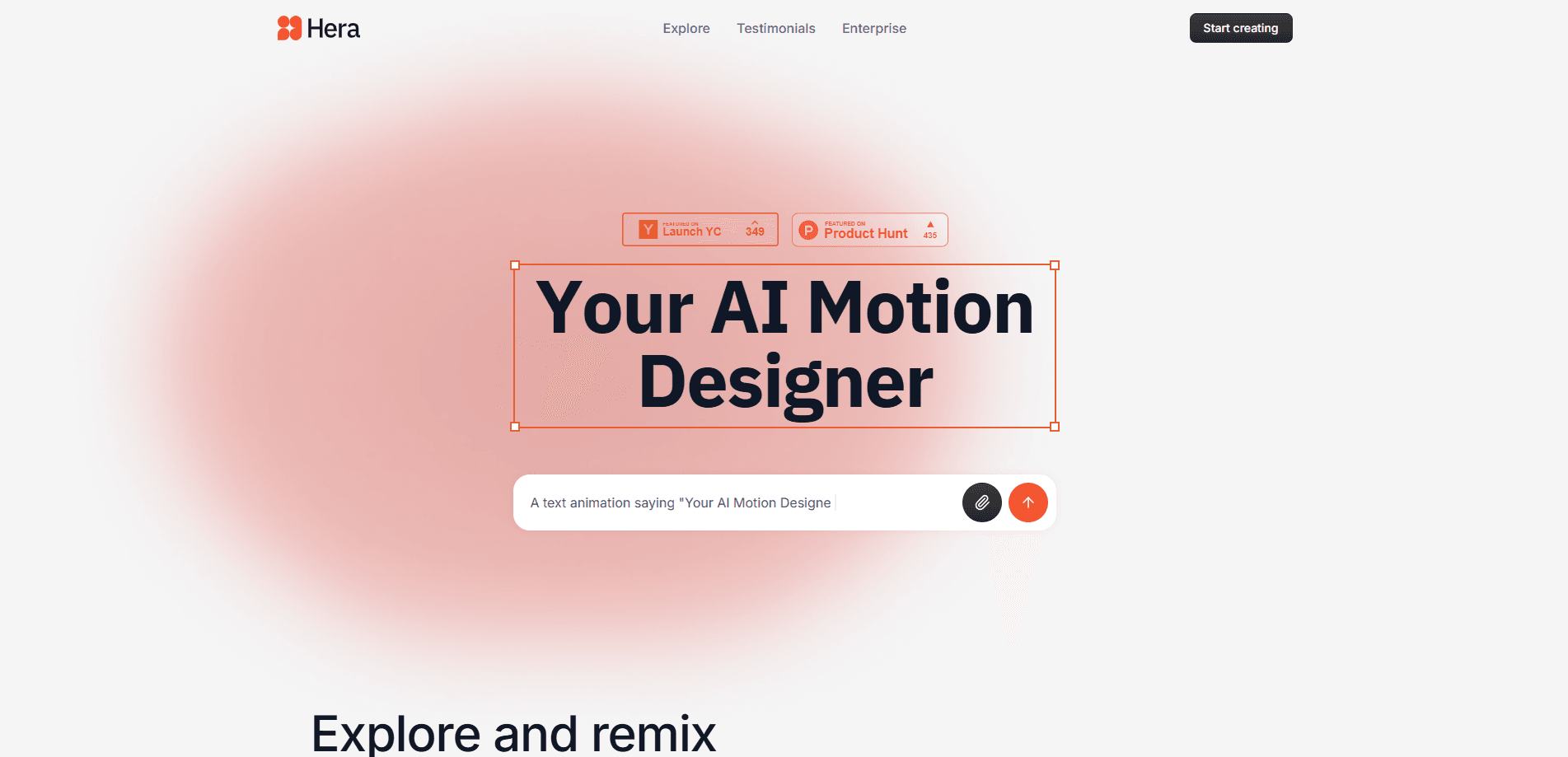
Hera is an AI motion designer that turns text prompts and Figma frames into polished, editable animated videos, letting content creators build motion graphics without touching a timeline.
About Hera
What Is Hera
Hera is a browser-based AI motion design tool built by a small team backed by Y Combinator (S25). You describe what you want in plain language, and Hera generates an animated scene you can then direct with more prompts or adjust by hand. The pitch the company makes is simple: it compresses motion projects that used to take hours into tasks measured in minutes.
The tool targets people who need motion graphics but don't want to learn keyframing. Marketers, product teams, and solo creators can start from a template or a Figma frame and end up with a short launch video, an ad, or a social clip. Hera also ships Launch, an opinionated mode that decides pacing, typography, and motion curves for you instead of waiting for a perfect prompt.
The main constraint is scope. Hera focuses on motion graphics and typographic animation, not on photoreal footage or full character animation. If your project needs live-action video or complex 3D, you'll still reach for a different tool.
Getting Started
- Go to hera.video and open the web app at app.hera.video.
- Sign in, then start a new project from scratch, from one of the public styles, or by importing a Figma frame.
- Write a prompt describing the scene you want, and Hera generates an animated draft.
- Refine it by prompting further or editing elements directly until the animation looks right.
- Export the finished clip and use it in your launch page, ad campaign, or social post.
Product Information
A quick look at Hera's pricing, supported platforms, and performance.
Best for
The users, tasks, and scenarios where this tool fits best.
Users
- Content creators and social media managers
- Startup and product marketing teams
- Designers who can't animate
Tasks
- Turning static mockups into motion
- Building product launch videos
- Producing social and ad clips
Scenarios
- A startup preparing a launch week
- A marketing team testing ad concepts
- A solo creator keeping a posting schedule
Key features
Prompt to Editable Animation
You describe a scene and Hera builds an animated version you can keep working on. Nothing locks after generation, so you can prompt changes or fine-tune individual elements yourself. That combination of speed and control is the core of what the tool sells.
Figma Import
Hera lets you select any frame in Figma and animate it directly with one click. There's no manual keyframing and no timeline setup, and once a frame is in, you can keep adding elements and turn it into a full launch video. For teams already designing in Figma, this removes a whole handoff step.
Public Styles
Hera ships more than 30 public styles, each with its own visual identity. You pick a style, write a prompt, and the animations come out consistent rather than generic. It's a fast way to keep a campaign's motion looking like it belongs together.
Hera Launch
Launch is an opinionated mode for product launch videos that decides pacing, typography, and motion curves for you. Most AI video tools leave quality up to your prompt, which assumes you want to spend hours tuning it. Launch takes the opposite stance and aims for a watchable result fast.
Template Library
The app offers hundreds of templates you can explore and remix. Starting from a template lowers the blank-page problem and gives you a structure that already looks intentional before you change a thing.
Directable Output
Hera is built around the idea that the output stays editable, in the app's words, "editable animation." You aren't stuck with whatever the first generation produced. Directing and refining the same scene keeps the project in one place instead of bouncing between tools.
Pros and cons
Pros
- Generated animations stay editable, so you can direct them after the first pass.
- Figma import animates an existing frame in one click with no keyframing.
- 30+ public styles keep output consistent within a campaign.
- Launch mode handles pacing and typography instead of relying on a perfect prompt.
- Runs in the browser, so there's nothing to install.
Cons
- Focused on motion graphics and typography, not photoreal footage or full character animation.
- Pricing tiers aren't easy to confirm from public pages, so budgeting takes some digging.
- Best results still depend on describing what you want clearly, which takes practice.
- There's no public API, so it doesn't slot into an automated pipeline.
Frequently asked questions
Hera generates animated motion graphics from text prompts and Figma frames. You describe a scene or import a design, and it produces an editable animation you can refine and export.
Related content
Explore related tools, skills, and articles for Hera.
Hera Alternatives

ngram 2.0
ngram · Video · Marketingngram 2.0 is an AI video generator for teams. It turns a prompt, a screen recording, or a product URL into a narrated explainer, product demo, or AI avatar video, and every scene stays editable.

OpenScreen 2
OpenScreen (open-source project) · Video · ProductivityOpenScreen 2 is a free, open-source screen recorder and demo video editor for Windows, macOS, and Linux, with automatic zooms, styled frames, local captions, and agent edits.

Skreno
Skreno · Video · ProductivitySkreno is a browser screen recorder that captures a tab, a window or your whole display, then attaches AI transcripts, summaries and console logs to one share link.