

HeyVigo AI
Axon AI Ltd · Video · Productivity · Marketing
HeyVigo AI is an AI video production workspace that keeps scripts, storyboards, reusable assets and generation in one place instead of scattering them across chat apps and shared drives. It's aimed at creators and teams who need to produce video at volume. Here's what that looks like in practice: you can run text to video, image-to-video and video-to-video generation across several leading AI models under one project.
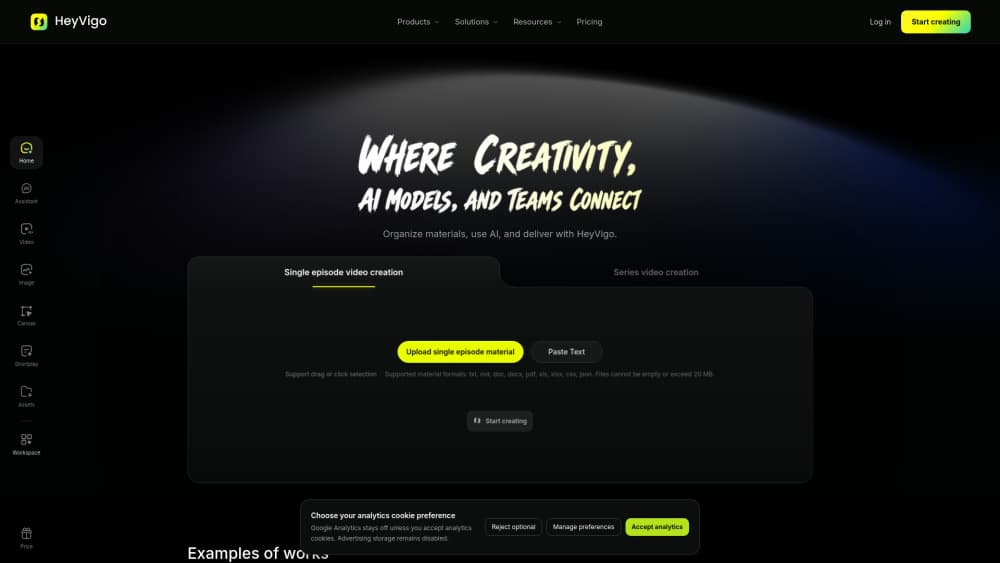
About HeyVigo AI
What Is HeyVigo AI
HeyVigo AI is a browser-based workspace for AI video generation, built by Axon AI Ltd. The pitch is simple: a general AI tool gives you a prompt box, while HeyVigo gives you a structured pipeline that a team can actually work in. You upload reference media, build a storyboard, generate shots across models, then review and deliver without leaving the project.
That structure matters once more than one person touches a video. On a solo project, you can keep the whole thing in your head. On a team, models, assets and expectations drift apart fast. You end up with five versions of the same clip. That's the problem team video collaboration is meant to solve. HeyVigo's answer is a shared workspace where roles, credits and assets stay visible to everyone, so nobody has to ask which file is the real one.
The main limitation is scope. This is a production tool, not a one-click generator for casual users. The heaviest features assume a paid plan with enough credits to run real workloads. So who is it really for? Teams that ship video every week, not someone who wants a single clip on a whim.
Getting Started
- Sign up at the official site and create a workspace for your project.
- Upload source media, such as reference images, character libraries and style packs, so the models understand your visual language.
- Build a workflow: add AI nodes and human review points around the shots you need, then write the script and storyboard.
- Generate in parallel across multiple AI models and queues, then review, score and annotate the results together.
- Deliver the final video in one click once the team signs off.
Product Information
A quick look at HeyVigo AI's pricing, supported platforms, and performance.
Best for
The users, tasks, and scenarios where this tool fits best.
Users
- Marketing and ad teams
- Solo creators with a steady output
- Production studios
Tasks
- Turning a script into storyboarded shots
- Reusing characters and brand assets across videos
- Reviewing and revising AI output as a team
- Injecting a brand's own model or style
Scenarios
- High-volume ad production where you need many variants of the same message.
- Educational and e-commerce content that needs consistent visuals across episodes.
- Short-drama and action sequences that depend on character continuity between shots.
Key features
Structured Production Workflow
HeyVigo organizes work into nodes and review points instead of a single prompt box. You define the shots you need, attach human checkpoints, and let generation and manual review run in the same project. Simple idea, big effect. For a team, that means less time chasing which version is current and more time on the parts that need a human eye.
Multi-Model Parallel Generation
Rather than locking you to one engine, HeyVigo runs generation across multiple AI models and queues in parallel. The site claims this can be up to five times faster than a single queue. That speed claim is the vendor's, so treat it as a target, not a guarantee. In practice you can compare output from different models on the same shot and keep whichever one fits the scene.
Reusable Asset Libraries
You upload reference images, character libraries and style packs once, and the workspace reuses them across shots. This is how the tool tackles consistency, the hardest part of AI video. Keep the face stable. Keep the product's look stable. That's what separates a usable sequence from a lucky clip.
Storyboards and Script Planning
Scripts and storyboards live inside the project, not in a separate document. You can plan a scene, split it into shots, and generate against that structure, which gives the models far more control than a single text prompt. Control, not luck. The team can review the storyboard before anyone spends credits on generation.
Shared Credits and Token Management
Workspaces hold a shared credit pool, and admins allocate it precisely across members, with public or internal distribution. For anyone paying per generation, that visibility is the point. You can see where the budget is going instead of guessing. No surprise bills at the end of the month.
Review, Scoring and Delivery
Reviewers can comment, score and annotate results online, then deliver the final video from the same place. The scoring layer is meant to standardize feedback across different teams and roles. That way a correction means the same thing to everyone. No more guessing what "make it better" refers to.
Private Model Injection
Teams can inject their own brand-private models into the shared asset pool. If you've trained a model on a specific product or character, HeyVigo lets that sit alongside the built-in ones. The whole team gets access. No one has to rebuild the same setup from scratch.
Pros and cons
Pros
- Keeps generation, assets and review in one workspace, which cuts down on version confusion for teams.
- Runs multiple AI models in parallel, giving you real choices per shot instead of a single engine's output.
- Reusable character and style libraries address the consistency problem that trips up most AI video projects.
- Shared credit management makes generation costs visible to admins.
- Scales from a single creator up to larger teams through tiered plans and invite limits.
Cons
- No free-forever tier with meaningful capacity: the entry plan still needs credits for real work, so casual testing runs out fast and anyone evaluating the tool seriously will have to pay before they can judge whether the parallel generation is actually worth it.
- Concurrent task limits on the lower tiers slow down high-volume production, meaning bigger teams have to pay more to avoid queuing.
- The product leans toward professional workflows, which adds a learning curve for someone who just wants a quick clip from a prompt.
- API availability isn't publicly documented, so developers who want to build on top of it should check with the vendor first.
Frequently asked questions
It's an AI video production workspace. You upload assets, plan shots in a storyboard, generate across multiple AI models, then review and deliver the video, all inside one project. It's built for teams producing video at volume. Casual one-off clips aren't really the target. You can still make them, but the tool is designed around repeatable work.
Related content
Explore related tools, skills, and articles for HeyVigo AI.
HeyVigo AI Alternatives

Vadu AI
Vadu AI · Image · VideoVadu AI is a web-based AI video generator that turns written prompts or still images into short clips, and it can also generate images on its own. You type what you want, pick a model and style, and the platform renders the result in minutes. A free plan covers light testing, while paid tiers run from $9 to $77.40 per month based on how many credits you burn.

Mykaraoke Video
MyKaraoke Video · VideoMykaraoke Video is an online karaoke video maker and lyric video maker that turns any song into a finished, lyrics-synced video right in your browser. It handles the slow part for you. The AI pulls vocals out of the mix and locks the lyrics to the beat, then lets you customize background, fonts, and colors before exporting in 1080p MP4. If you make lyric videos for social media, party nights, or music promotion, it skips the software installs and manual timing work entirely. Want a karaoke video generator that doesn't eat your whole evening? That's the pitch here.

Finalframe
Finalframe · VideoFinalframe is a set of free, browser-based tools for grabbing exact frames out of a video clip. Its best-known feature, the Final Frame Extractor, lets you extract the last frame of any video so you can use it as the starting image for AI video tools like Luma Dream Machine, Runway, or Kling. Want to keep a clip going? That last frame is your starting point. The tool runs locally in your browser, needs no sign-up, and costs nothing. A separate paid AI video-generation app from the same team is currently offline while it's rebuilt.