
Hifun
Hifun AI · Image
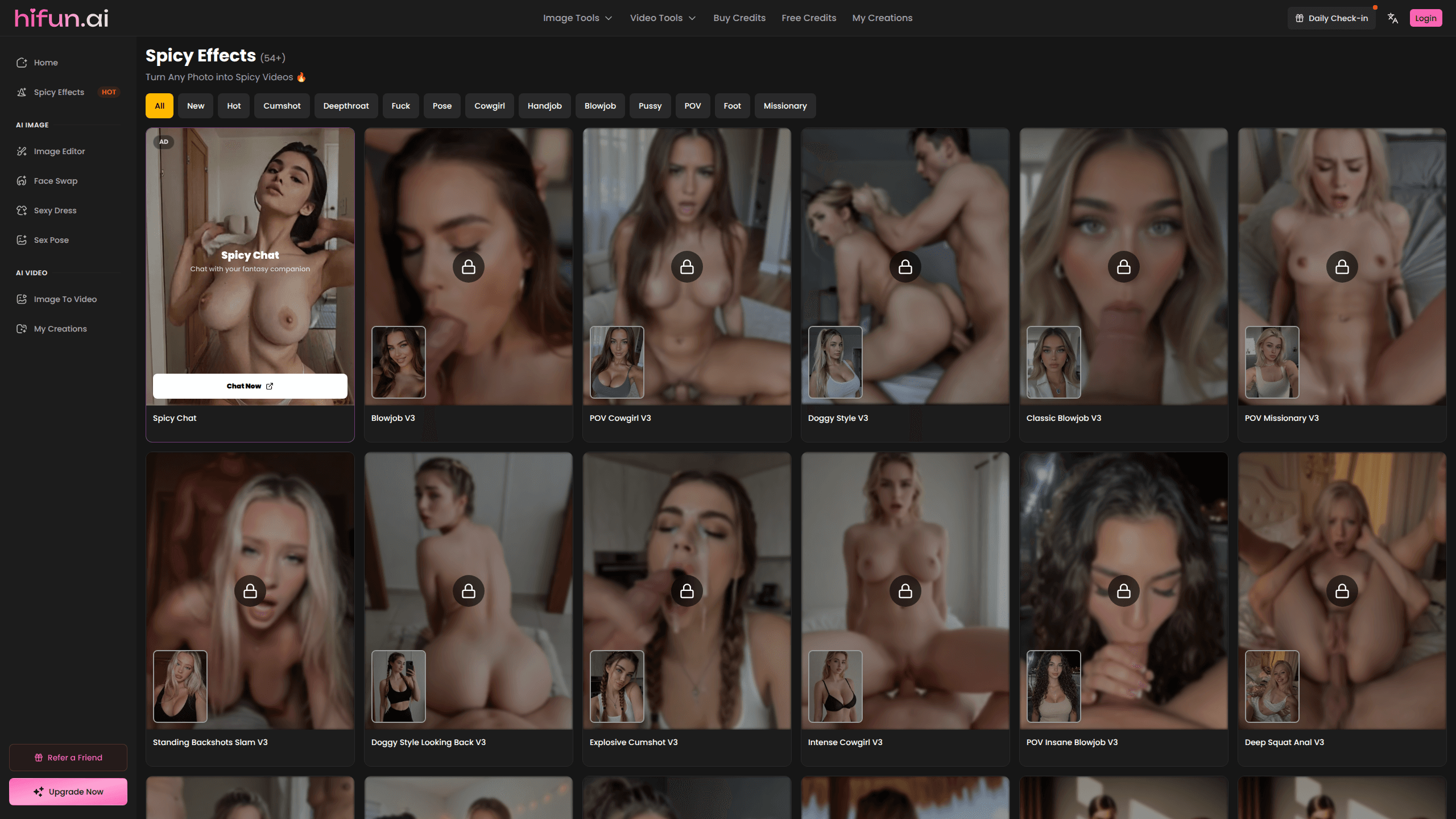
Hifun AI is an uncensored image editor for adults who want to reshape a photo without fighting moderation filters. You upload a picture, type a prompt in English, and the tool handles object removal, quality repair, face swaps, outfit changes, and short video clips. It works as an adult AI image generator and an image to video AI tool in the same place. It runs in the browser, charges by credits, and keeps its output under a simple one-time payment model rather than a monthly subscription.
About Hifun
What Is Hifun AI
Hifun AI is a browser-based editing platform built for adult content. It covers image editing and short video generation in one place, and it doesn't apply the content bans that most mainstream editors use. That single design choice shapes everything else about the product.
The tool targets a specific problem: general-purpose editors block anything they flag as explicit, so users who need that kind of output end up stitching together several apps. Hifun AI bundles the common jobs (cleanup, faces, clothing, poses, motion) into a credit pool you spend as you go. It says it serves over 500,000 users and lets files auto-delete after processing.
The catch is the audience gate and the credit math. You must be 18 or older, and free credits only cover a small number of generations. Heavier jobs like video cost far more credits than a still image. That's the trade-off.
Getting Started
- Open hifun.ai and create an account with an email address, since most features sit behind a login.
- Grab the free credits or buy a credit pack; one-time payment, no subscription required.
- Pick a tool from the left menu, such as Image Editor, Face Swap, or Image to Video.
- Upload a JPEG, PNG, or WebP file and write a prompt in English for the cleanest results.
- Run the job, then download the result from your My Creations gallery.
Product Information
A quick look at Hifun's pricing, supported platforms, and performance.
Best for
The users, tasks, and scenarios where this tool fits best.
Users
- Adult creators
- Privacy-focused editors
- Casual experimenters
Tasks
- Cleaning up photos
- Face swapping
- Video generation
Scenarios
- Building a private image set
- Quick one-off edits
- Testing an idea
Key features
Uncensored Image Editor
The core tool takes a single photo or a batch and applies your prompt without the usual content blocks. You can remove objects, improve detail, and upscale resolution on the same image. It costs 10 credits per run, so it's cheap enough to iterate on. The main limit is prompts work best in English, and results vary by source photo quality. Garbage in, garbage out.
AI Face Swap
Hifun AI splits faceswapping into two modes: a standard face swap that maps a source face onto a target photo, and a head swap that replaces more of the head. Both run at 2 credits, the cheapest job on the platform. You upload two images, one for the face and one for the body, and the tool blends them. Clean, front-facing, well-lit photos give noticeably better output. Blurry or angled shots don't.
Sexy Dress-Up
This AI dress up tool redresses a subject in a chosen outfit, and the platform suggests starting from a nude base for a tighter fit. You select a dress type and let the model handle the rest. It costs 10 credits. So what's the trade-off? Limited control. You pick from set categories rather than describing a fully custom garment. That's the limit.
Sexy Pose
Pose lets you place a subject in a specific stance, either from preset poses or with a custom prompt. Like dress-up, it works best when you start from a base image without clothing. At 10 credits a run, it pairs naturally with the dress-up tool when you're building a set. The custom prompt route needs English text and some trial and error. Simple enough.
Image to Video
The Image to Video V2 tool turns a still photo into a short clip. You upload an image, pick a spicy effect, and add a prompt that describes the motion you want. Pricing is length-based: 5 seconds for 40 credits, 10 seconds for 80. Watch that number. It's the most credit-hungry feature here, so it makes sense to save it for a still you're already happy with.
Nano Banana Image Combiner
This combines elements from multiple images into one result, useful for compositing backgrounds, subjects, or styles. It sits alongside the cleaner tools like background removal. It's a good fit when a single edit isn't enough and you need to merge two references into one frame. Expect to spend a few credits. Find the right balance.
Pros and cons
Pros
- No content filters, so adult projects don't get blocked mid-workflow.
- One-time credit purchases instead of a forced monthly subscription.
- Files auto-delete after processing, which suits privacy-conscious users.
- Multiple tools share one credit balance, so you don't juggle separate subscriptions.
- Low entry cost: face swaps run at 2 credits and image edits at 10.
Cons
- Strictly 18+, so it isn't an option for younger users or general audiences.
- Video generation is expensive, at 40 credits for just 5 seconds.
- Prompts return better results in English, which adds friction for other languages.
- No API, so you can't wire it into an automated pipeline or third-party app.
- Free credits are limited, meaning most real work needs a paid pack.
Frequently asked questions
It's an uncensored AI image and video editing platform for adults. You upload a photo, describe the change you want in a prompt, and the tool edits the picture or turns it into a short clip.
Related content
Explore related tools, skills, and articles for Hifun.
Hifun Alternatives

X Ray Interpreter
X-ray Interpreter · ImageX Ray Interpreter is a web-based AI radiology tool that turns X-rays, CT scans, MRI, ultrasound, and PET images into plain-language reports. You upload a scan, get a preliminary X-ray interpretation in moments, then ask follow-up questions if something needs explaining. It works as a second opinion and a learning aid, not as a medical diagnosis.

Aieasypic
AIEasyPic · ImageAIEasyPic is an AI image generator that turns plain text prompts into finished artwork in seconds. You can also train custom models on your own photos, swap faces in existing images, and create short video clips from text, all from a browser. It suits casual creators who want quick visuals and hobbyists who want to build a personal model without touching any code.

Chargen
Chargen · ImageChargen is an AI character generator and worldbuilding toolkit built for Dungeons & Dragons and other tabletop RPGs. It turns a one-line idea into a painted character portrait, spins up NPCs, monsters, maps and encounters from the same session, and keeps every creature's details close at hand. The tabletop RPG art side runs on a credit system called Gold, while the text generators stay free for everyone.