

HighlightGPT
Jiqiren AI · Chatbot
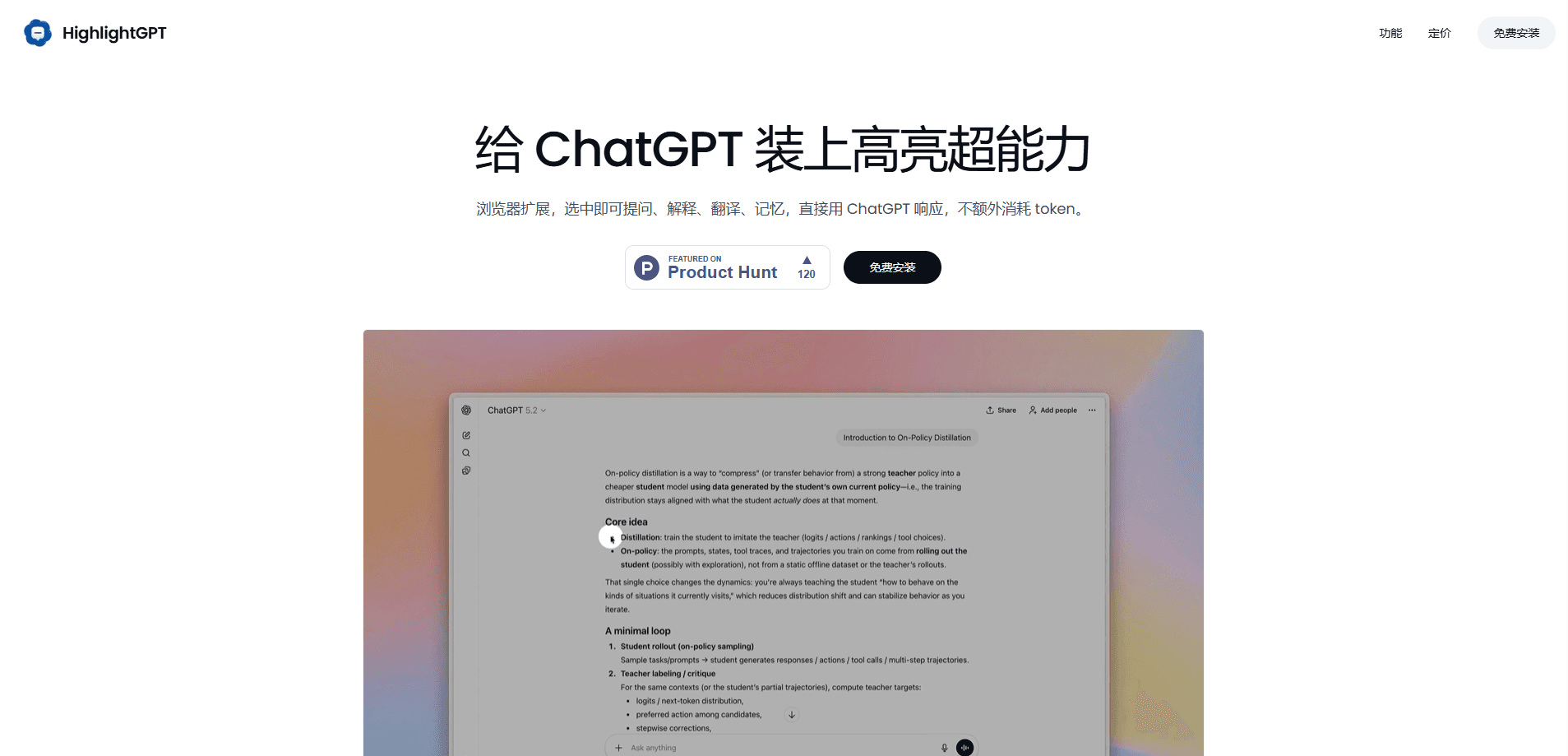
HighlightGPT is a lightweight browser extension that turns highlighted text inside ChatGPT into an instant action menu. Instead of retyping a passage or starting a new thread, you select text and ask, explain, translate, or memorize it using ChatGPT's own responses. The pitch is simple: it costs zero extra tokens because the answers still come from your existing ChatGPT session.
About HighlightGPT
What Is HighlightGPT
HighlightGPT is a Chrome-style browser extension built specifically for people who spend a lot of time reading inside ChatGPT. It drops a small toolbar over any text you highlight, so a question about a paragraph you just reread doesn't force you to scroll down, quote it by hand, and wait for a fresh reply. The extension routes your highlight straight into ChatGPT and shows the answer in a side panel next to the chat.
The main problem it solves is friction. When you're working through a long document or a dense answer, stopping to copy a sentence and rebuild context breaks your reading flow. HighlightGPT keeps you in place: highlight, pick "Ask," "Explain," or "Translate," and keep going. No copy-paste. No new thread.
The tradeoff is that it depends entirely on ChatGPT. It doesn't run its own model, so you need to be logged into ChatGPT in the same browser for anything to work, and the quality of every answer is whatever ChatGPT gives you. There's also a personal preference question about whether a floating toolbar over your text feels helpful or intrusive.
Getting Started
- Install the HighlightGPT extension from your browser's extension store and pin it to the toolbar.
- Open ChatGPT in the same browser and make sure you're signed in to your account.
- Highlight any text inside a conversation. A small toolbar appears over the selection.
- Pick Ask, Explain, or Translate to get a response, or Save to push the answer into ChatGPT memory.
- Read the result in the side panel without leaving the current chat.
Product Information
A quick look at HighlightGPT's pricing, supported platforms, and performance.
Best for
The users, tasks, and scenarios where this tool fits best.
Users
- Students
- Language learners
- Researchers and writers
Tasks
- Explaining a confusing paragraph
- Translating a sentence
- Saving key answers
- Asking follow-up questions
Scenarios
- Reading long ChatGPT responses
- Working in a second language
- Building up ChatGPT memory
Key features
Highlight-to-Ask Toolbar
Highlight any text inside ChatGPT and a small toolbar pops up over the selection. From there you can ask a question, request an explanation, or trigger a translation without typing the passage again. It's the core loop the whole extension is built around, and it's what separates it from a plain ChatGPT session.
Side Panel Answers
Answers show up in a panel beside the chat rather than replacing it. That means you can keep the original conversation visible and compare what you asked against what came back. For anyone reading a long thread, not losing the source text is the whole point. So why does that matter? Because your context stays intact.
Zero Extra Tokens
Because answers are generated by your existing ChatGPT session, HighlightGPT doesn't burn tokens on top of what you're already spending. The extension's own claim is that everything runs through ChatGPT's native responses, so the cost math stays the same as chatting normally. Nothing extra. Nothing hidden.
Translate from Highlights
The translate action turns highlighted text into another language on the spot. It's aimed at people reading in a language they're still learning or working through bilingual material, where stopping to open a translator would break the rhythm. You highlight, you translate text in ChatGPT, and you move on.
Save to ChatGPT Memory
Pro users can manually push answers into ChatGPT memory, so a useful explanation reappears in later conversations. Free users get a limited version of this, which is enough to test the workflow before paying.
One-Time Pro Upgrade
Pro is a one-time $8 purchase, not a subscription, and it removes ads, unlocks unlimited saving to ChatGPT memory, and adds priority support plus early access to new features. For a single-purpose extension, a lifetime price is an easy sell.
Pros and cons
Pros
- No extra token cost, since answers come from your existing ChatGPT session.
- Highlight, ask, translate, and save actions all work from the same toolbar, so there's little to learn.
- Answers appear in a side panel, so you never lose your place in the original chat.
- One-time $8 Pro price with no recurring subscription.
- Unlimited saving to ChatGPT memory on the paid tier.
Cons
- It only works inside ChatGPT. If you read or write elsewhere in the browser, there's nothing here for you.
- It doesn't run its own model, so answer quality and availability rise and fall with ChatGPT itself. When ChatGPT is down, the extension is too.
- Ads on the free tier, and saving to ChatGPT memory is capped until you upgrade.
- It's a browser extension, so it's tied to one browser on one device rather than following you across machines.
Frequently asked questions
It adds a toolbar to ChatGPT that appears when you highlight text. You can then ask a question about the selection, get an explanation, translate it, or save the result to ChatGPT memory, all without retyping the passage.
Related content
Explore related tools, skills, and articles for HighlightGPT.
HighlightGPT Alternatives

Knocket
Knocket (Tencent RTC team) · Productivity · Business · ChatbotKnocket is a free live chat and contact page tool that lets visitors message you from your website, app, or a shareable link, with every reply handled from Telegram or one inbox.
Agibot
Agibot · Productivity · AI Assistant · ChatbotAgibot is a personal AI agent for Mac that keeps running after you close the window, runs routines on a schedule, and works from Telegram or Slack with your own API keys.

Melete
Melete · Productivity · AI Assistant · ChatbotMelete is an AI workspace for teams where agents research, draft, and act in Slack, Notion, Linear, and GitHub. Shared memory and approval gates keep people in control.