
HitPaw Video Enhancer
HitPaw · Video
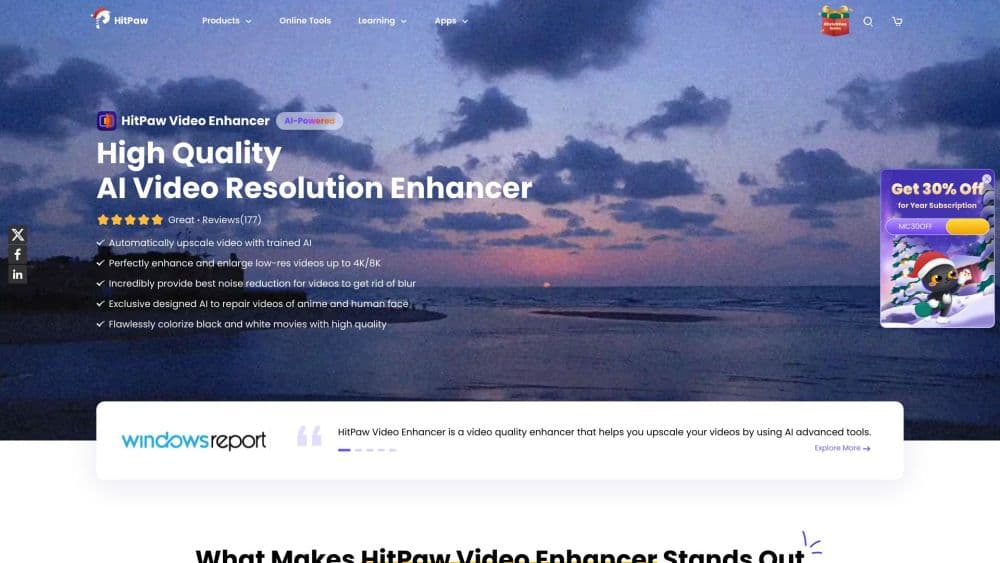
HitPaw Video Enhancer (also sold as HitPaw VikPea) upscales blurry clips to 4K and 8K, repairs old footage, and adds AI color and motion fixes on Windows and Mac.
About HitPaw Video Enhancer
What Is HitPaw Video Enhancer
HitPaw Video Enhancer is a desktop AI video upscaler from HitPaw that runs models over your footage to raise resolution, cut noise, and repair damage. You drop in a clip, pick a model, and the software reworks each frame. The same tool ships stabilize and frame interpolation modes, so shaky or low-frame-rate video can come out smoother.
It fits people who already have footage they can't reshoot. Wedding videographers cleaning up a soft cut, families digitizing camcorder tapes, and creators fixing a compressed upload all use it for the same reason: the source clip stays the source, only the quality changes. The software is sold under the VikPea name on the official store, and HitPaw Video Enhancer is the older label for the same product line.
The trade-off is hardware. Upscaling is heavy work, and a weak GPU turns a short clip into an overnight job. HitPaw offers cloud rendering to move that load off your machine, but the free tier and cloud credits stay limited.
Getting Started
- Download the Windows or macOS build from the official HitPaw site and install it. The app needs Windows 10 or 11, or macOS 13 and later.
- Add a video file. It reads MP4, MOV, MKV, AVI, FLV, WMV, and other common formats without a separate conversion step.
- Pick an AI model that matches the footage, such as a general sharpen model, a portrait model, or an animation model.
- Preview the result, then export. Choose cloud rendering if your own GPU can't handle the job quickly.
- Save the enhanced file and open it in your editor to compare against the original.
Product Information
A quick look at HitPaw Video Enhancer's pricing, supported platforms, and performance.
Best for
The users, tasks, and scenarios where this tool fits best.
Users
- Video editors
- Families restoring old footage
- Social media creators
Tasks
- Upscaling low-resolution video
- Repairing damaged or compressed files
- Colorizing and brightening old video
Scenarios
- Fixing a client's wedding film
- Archiving family memories
- Polishing an AI-generated clip
Key features
One-Click 4K and 8K Upscaling
The core job is raising resolution without losing the look of the frame. You pick an output target up to 8K and one model, and the software rebuilds detail across every frame. It suits anyone who wants to upscale video to 4K or higher from an existing clip rather than a reshoot, and the model handles the work instead of manual sharpening.
Scene-Specific AI Models
HitPaw ships several models tuned to different footage. A general model covers most old video, a portrait model sharpens faces and skin texture, and an animation model targets hand-drawn scenes. Choosing the right one matters more than adjusting settings, since each model is built for a specific kind of source.
Video Restoration and Denoise
This mode cleans up footage that looks soft, grainy, or worn. It reduces visible noise, repairs compression damage, and recovers detail the encoder threw away. The payoff is a clip that reads as cleaner on a phone screen, which is where most shared video ends up.
Frame Interpolation and Stabilization
The interpolation model lifts 15 or 30 frames per second to a smooth 60, which helps fast action look less choppy. A separate stabilization model cuts camera shake from handheld shots. Together they fix motion problems that resolution alone can't touch.
Color Enhancement and Colorization
Black-and-white footage can be colorized, and faded or dark clips get their brightness, contrast, and saturation lifted. An SDR to HDR mode extends the tonal range for a punchier image. The color work aims for natural skin tones rather than a stylized look.
Cloud Rendering and API Access
Cloud rendering offloads heavy enhancement to HitPaw's servers, so a machine without a strong GPU still finishes large jobs. HitPaw also publishes a Video Enhancer API and an MCP server, which lets developers fold the same models into their own workflows. Both sit behind paid plans or separate credits.
Pros and cons
Pros
- Upscales low-resolution video up to 4K and 8K with detail rebuilt per frame
- Dedicated models for general, portrait, and animation footage remove guesswork
- Restoration, colorization, interpolation, and stabilization cover more than scaling
- Cloud rendering handles large files on machines without a strong GPU
- A published API and MCP server open the models to developer workflows
Cons
- Enhancement is GPU-heavy, so a weak machine turns a short clip into a long wait
- Cloud rendering and the API sit behind paid tiers or extra credits
- Output quality shifts with the source clip, so a badly degraded file won't fully recover
- Desktop only, with no mobile app for editing on a phone
Frequently asked questions
It raises the quality of existing video. You load a clip, pick an AI model, and the software upscales it toward 4K or 8K while reducing noise and repairing damage. It also colorizes black-and-white footage and smooths shaky or low-frame-rate motion.
Related content
Explore related tools, skills, and articles for HitPaw Video Enhancer.
HitPaw Video Enhancer Alternatives

Vadu AI
Vadu AI · Image · VideoVadu AI is a web-based AI video generator that turns written prompts or still images into short clips, and it can also generate images on its own. You type what you want, pick a model and style, and the platform renders the result in minutes. A free plan covers light testing, while paid tiers run from $9 to $77.40 per month based on how many credits you burn.

Mykaraoke Video
MyKaraoke Video · VideoMykaraoke Video is an online karaoke video maker and lyric video maker that turns any song into a finished, lyrics-synced video right in your browser. It handles the slow part for you. The AI pulls vocals out of the mix and locks the lyrics to the beat, then lets you customize background, fonts, and colors before exporting in 1080p MP4. If you make lyric videos for social media, party nights, or music promotion, it skips the software installs and manual timing work entirely. Want a karaoke video generator that doesn't eat your whole evening? That's the pitch here.

Finalframe
Finalframe · VideoFinalframe is a set of free, browser-based tools for grabbing exact frames out of a video clip. Its best-known feature, the Final Frame Extractor, lets you extract the last frame of any video so you can use it as the starting image for AI video tools like Luma Dream Machine, Runway, or Kling. Want to keep a clip going? That last frame is your starting point. The tool runs locally in your browser, needs no sign-up, and costs nothing. A separate paid AI video-generation app from the same team is currently offline while it's rebuilt.