

Hopper
Hypercubic, Inc. · Coding
Hopper is a desktop development environment for mainframe engineers that bundles a TN3270 terminal, datasets and jobs browsers, and an AI agent into one window. It's one app, not five tools. Instead of copying screen text into a chatbot, you point the agent at your live z/OS session and let it read COBOL, submit JCL, decode VSAM records, and walk through CICS work in plain English. It runs on macOS, Windows, and Linux, connects to your own mainframe, and pauses for approval before it changes anything.
About Hopper
What Is Hopper
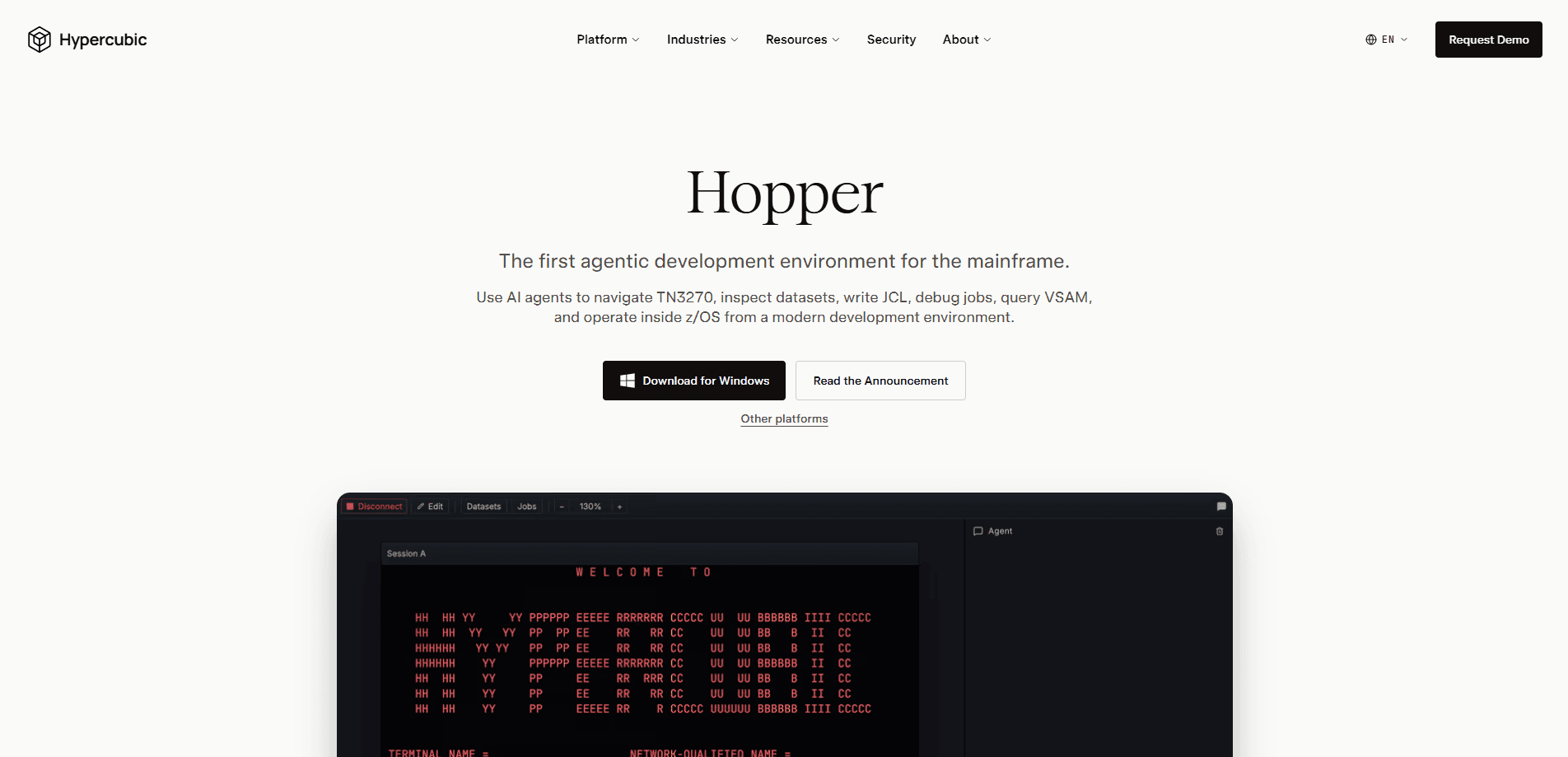
Hopper is a mainframe AI agent built by Hypercubic, Inc. as a desktop application for z/OS engineers. It wraps four tools into a single interface: a TN3270 terminal, a datasets browser, a jobs browser, and a chat agent. All four share one session, so you can start a task in the chat and finish it by clicking through the terminal.
The problem it targets is old and familiar. Mainframe work means green screens, cryptic abend codes, and long SDSF triage. Hopper's agent reads the same screens you do, then explains what it found and drafts the change. According to Hypercubic, the agent spans six tool categories covering datasets, jobs, terminal, CICS, COBOL, and data taps, and it can chain work across subsystems within one conversation turn.
The biggest limit is scope. Hopper is a terminal client, not a replacement for your mainframe tooling or your sysprog. It also needs FTP credentials for a lot of its value, since the datasets browser, jobs browser, builds, and most agent tools stay disabled without them. TN3270 alone gets you the terminal and little else.
Getting Started
- Download the Hopper desktop build for your platform. macOS has separate Apple Silicon and Intel builds, Windows uses an x64 installer, and Linux ships as a .deb package or AppImage.
- Open the app and connect to your mainframe over TN3270 using your existing network. No mainframe-side install is needed.
- Add optional FTP credentials when prompted. This turns on the datasets browser, the jobs browser, builds, and most agent tools.
- Type a request in the agent panel, like asking it to read a COBOL program or decode a failing job.
- Review the draft change and approve it before Hopper ships anything.
Product Information
A quick look at Hopper's pricing, supported platforms, and performance.
Best for
The users, tasks, and scenarios where this tool fits best.
Users
- Mainframe and z/OS engineers who spend hours in ISPF and SDSF, and want the routine triage handled for them
- COBOL and JCL developers who need a faster way to read source, pull records, and reason about a failing step
- Teams piloting AI on the mainframe who can't install agents on z/OS, since Hopper runs entirely on the laptop
Tasks
- Debugging a failed batch job
- Writing and submitting JCL
- Reading COBOL source
- Decoding VSAM records
Scenarios
- SDSF triage that would eat an afternoon of scrolling, handled in one @-tag against the job
- A quick check of what a dataset actually holds before you touch it, without breaking flow
- Onboarding onto an unfamiliar mainframe, where the agent maps out datasets and jobs while you learn the layout
Key features
Agentic Job Compilation and Shipping
Hopper's agent doesn't just suggest JCL, it drives it. It submits the job, waits for completion, parses the JES return codes, and NEWCOPYs the result into CICS. The part that matters for production work is the approval gate: it pauses for your sign-off before every change rather than shipping on its own.
Job Failure Debugging
Failed jobs normally mean scrolling through SDSF output to find the abend code and the step that broke. Hopper's agent decodes JESMSGLG, JESYSMSG, and SYSUDUMP, then hands you the abend code, the failing step, and the source line. That's the whole point. What used to be hours of triage lands in a single request.
A Real TN3270 Terminal
Under the agent sits an actual TN3270 terminal with full PF, PA, and attention-key support. You click any cell to place the cursor, type into input fields, and send keys from your keyboard. The screen you see is the screen the mainframe sent, so nothing is simulated or approximated.
Datasets Browser
A clickable view of the mainframe filesystem. The search bar opens pre-seeded with your HLQ, so your own datasets show first, and you can widen the pattern with filters like DSORG and RECFM. Clicking a PDS expands its members, and you can preview a member inline or full screen.
Jobs Browser
A live view of the JES queue that updates in real time. Each tracked job shows its return code and spool counts on the row, so you can watch a batch run move without leaving the app. It pairs with the agent, which can pull the same job data when you ask.
Natural Language Across Subsystems
The agent works in plain English across six tool categories: datasets, jobs, terminal, CICS, COBOL, and data taps. You can ask it to read source, submit and monitor jobs, decode VSAM records, and drive ISPF. It chains tasks across subsystems within one turn instead of switching contexts. That covers most JCL automation you'd otherwise script by hand, and it saves mainframe development tools users a lot of window juggling.
Pros and cons
Pros
- Runs entirely on your laptop, so no mainframe-side install and no sysprog deployment
- The approval gate means the agent drafts and proposes changes, you stay in control of what ships
- One shared session across terminal, datasets, jobs, and chat, so context carries between them
- Free Hobby tier with all core features and no credit card, on all three desktop platforms
- Handles the thankless work, like abend decoding and SDSF triage, that nobody wants to do by hand
Cons
- Most agent tools and both browsers need FTP credentials, so TN3270 alone delivers limited value
- It's a desktop app for engineers, not something a non-technical user can pick up casually
- Enterprise features like SAML SSO, MCP Server access, and on-prem deployment are custom-priced, so you have to talk to sales
- Nothing runs on z/OS, which is good for deployment but means the agent can't reach anything your laptop connection doesn't
Frequently asked questions
Hopper is an agentic development environment for z/OS. It gives mainframe engineers an AI agent that reads COBOL and JCL, submits and monitors batch jobs, decodes VSAM records, and drives ISPF, all from a desktop app on macOS, Windows, or Linux.
Related content
Explore related tools, skills, and articles for Hopper.
Hopper Alternatives
Forefront
Forefront · CodingForefront is a web platform for building with open-source AI. It lets you fine-tune leading open-source language models on your own data, evaluate how they perform, and run them through an API or export them to host yourself. Developers who want the convenience of a closed-source platform but insist on owning their models and data are the target audience here.

Startkit
StartKit.AI · CodingStartkit is a boilerplate for building AI SaaS and AI wrapper products. Think of it as an AI startup boilerplate with the boring parts already wired up: authentication, Stripe and Lemon Squeezy payments, usage limits, transactional email, and an AI API starter that talks to OpenAI, Anthropic, Groq, or Llama. You clone the repo, set your price, and start on the part of your product that people actually pay for. It's Next.js under React and Tailwind, so most of the boilerplate code already feels familiar.
Testim
Tricentis · CodingTestim is an AI-powered test automation platform for building and running end-to-end tests across web, mobile, and Salesforce applications. It leans on machine learning to keep tests stable when an interface changes, so teams spend less time fixing broken selectors. Not bad for an automated testing tool you can start using today. You create tests by recording actions in a browser, then optionally add JavaScript when you need more control. It's a solid pick for busy QA teams.