

HoundDog.ai
HoundDog.ai · Coding
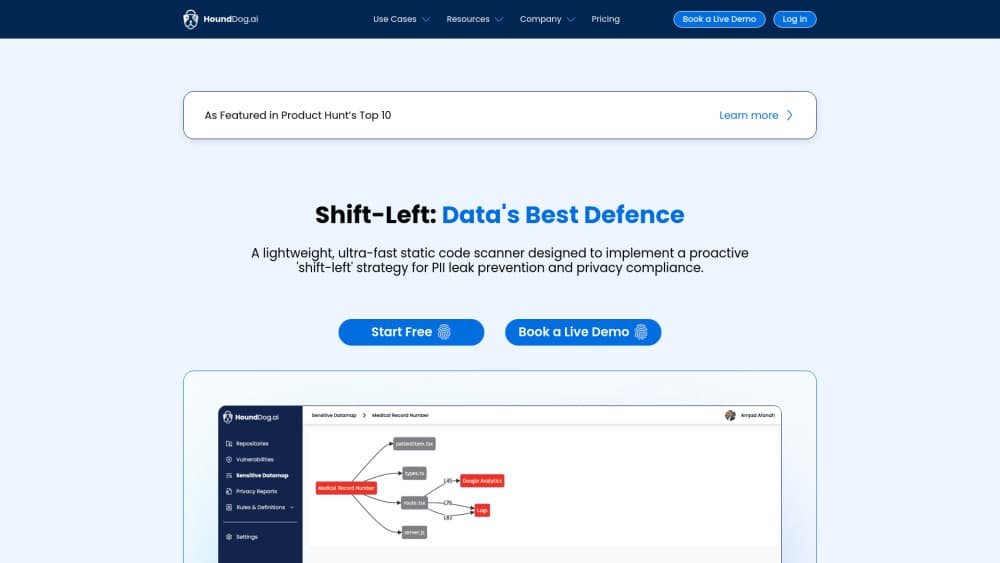
HoundDog.ai is a privacy code scanner and dataflow context engine that traces where sensitive data flows in your source code and maps your APIs for AI coding agents.
About HoundDog.ai
What Is HoundDog.ai
HoundDog.ai is a static code scanner that reads your source code and shows where sensitive data goes. It runs as a local binary on Linux, macOS, and Windows, and your code stays on your machine by default. The company markets it to engineering, security, and privacy teams, and says Fortune 1000 firms use it for privacy by design work.
As a sensitive data flow scanner, it sits behind one clear idea: privacy problems start in code. A developer drops an email address into a log line, an API key into a temp file, or a medical record into a third-party SDK, and nobody notices until an audit or a leak. HoundDog.ai traces those paths before the code ships. It tracks 103 sensitive data elements across more than 800 sinks out of the box, and flags risky dataflows in logs, files, cookies, local storage, third-party calls, and AI prompts.
The results are deterministic. The same commit produces the same report every time, which is the opposite of what you get from a language model asked to review code. That predictability is the main thing to weigh. The tradeoff is coverage: the free tier handles Python, JavaScript, and TypeScript, and the deeper dataflow analysis, custom rules, and the wider language set sit behind the enterprise plan.
Getting Started
- Install the scanner on Linux or macOS with
curl -fsSL https://raw.githubusercontent.com/hounddogai/hounddog/main/install.sh | sh, or on Windows withirm https://raw.githubusercontent.com/hounddogai/hounddog/main/install.ps1 | iex. - Change into your project directory and run
hounddog scan .to produce both a privacy dataflow map and an API and service catalog. - Add
--traceto inspect detailed dataflow paths, or--output-format=markdown --output-path=report.mdto write a report you can open in a browser. - Install the VS Code, JetBrains, or Cursor extension if you want findings surfaced in the editor as you type.
- Wire the scanner into CI with the GitHub integration or a pipeline job so every pull request gets checked, then review privacy reports such as RoPA on the cloud platform.
Product Information
A quick look at HoundDog.ai's pricing, supported platforms, and performance.
Best for
The users, tasks, and scenarios where this tool fits best.
Users
- Backend developers handling personal data
- Security engineers running data minimization
- Privacy and compliance teams building GDPR or HIPAA evidence
- Platform teams giving AI coding agents real context
Tasks
- Mapping sensitive data flows
- Finding leaks to risky sinks
- Reviewing API changes across repos
- Preparing compliance evidence
- Catching shadow AI
Scenarios
- Shipping a privacy review before release
- Onboarding a new microservice
- Cutting token spend on large repos
- Auditing a vendor integration
Key features
Privacy code scanning
A single scan traces sensitive values as they move through assignments, transformations, and function calls to the places data lands. Its PII detection covers 103 data elements split into PII, PHI, PIFI, and secret categories, and it watches more than 800 sinks such as logs, files, databases, HTTP APIs, cookies, and third-party SDKs. Each flow gets a severity based on the highest sensitivity of the data it exposes, so a leaked credit card number ranks above an email address.
Deterministic, AI-free analysis
Scans run on a rule-based static analysis engine written in Rust, not on a language model. The same commit produces the same result every time, so you can compare scans across builds without the findings drifting. The engine can scan a million or more lines of code in seconds on a modern laptop. Optional AI review exists on the enterprise tier, but it is off by default and only runs when your organization wires up its own provider.
Dataflow Context Engine
The second pillar builds a live catalog of every gRPC and Thrift service, its method definitions, and the servers and clients that use them, resolved down to file, line, branch, and commit. It answers a question IDL files leave open: which services consume this API and what breaks if a field or RPC changes. The context is meant for AI coding agents so they stop rediscovering your architecture on every prompt. REST support is on the roadmap.
IDE and CLI coverage
This static code scanner runs from the command line or from extensions for VS Code, JetBrains IDEs, and Cursor. The CLI takes flags for severity, dataflow traces, and Markdown report output, and separate commands print the current list of supported data elements and sinks. Developers get findings without leaving the editor, and pipeline jobs get the same output for automated checks.
CI and pull request integration
On the enterprise tier, the scanner plugs into GitHub, GitLab, and Bitbucket, and runs on Azure Pipelines, CircleCI, GitHub Actions, GitLab CI/CD, and Jenkins. The self-hosted deployment refreshes the cross-repo catalog in CI on every pull request, so the API context stays current at the speed your team ships. Findings also flow into issue trackers such as Jira and Linear, and into Slack or email alerts.
Self-hosted deployment and controls
Organizations can run the platform entirely inside their own network, with the code and the resulting catalog staying within their infrastructure. Self-hosting adds SSO, role-based access control, and audit logs, and connects to the wider platform. For teams that cannot send source to a third party, this is the setup that makes the tool usable at all.
Compliance-oriented reporting
The enterprise tier turns scan results into structured privacy output. It generates RoPA, supports PIA and DPIA work, and maps activity against GDPR, HIPAA, CCPA, and EU AI Act obligations. Each finding carries code-based evidence, so a review points to a specific file and line rather than a note someone typed into a form.
Pros and cons
Pros
- Deterministic results make scans comparable across commits, which suits CI gates and audits.
- A free tier with 103 data elements and 800-plus sinks means a solo developer can start with no budget.
- Tracing values through assignments and transformations catches flows that secrets scanners miss.
- The Dataflow Context Engine gives AI coding agents stable API context and can reduce token use on large repos.
- A local binary and a self-hosted option keep source code inside your own network by default.
Cons
- The free tier covers only Python, JavaScript, and TypeScript, so Go, Java, C#, SQL, and OpenAPI need the enterprise plan.
- Full dataflow coverage, custom rules, and privacy reports are enterprise-only, which means the free scanner shows a limited slice of risky flows.
- There is no published list price, so cost requires a sales conversation before you can compare it with rivals.
- The REST support for the Dataflow Context Engine and the direct MCP server for agents are still in the works, so cross-repo agent context needs the self-hosted or enterprise setup today.
Frequently asked questions
HoundDog.ai is a code scanner that traces sensitive data flows in your source code and builds an API and service catalog for AI coding agents. It runs locally as a binary and covers two areas: privacy risks in data flows, and the context agents need to reason about API changes.
Related content
Explore related tools, skills, and articles for HoundDog.ai.
HoundDog.ai Alternatives
Forefront
Forefront · CodingForefront is a web platform for building with open-source AI. It lets you fine-tune leading open-source language models on your own data, evaluate how they perform, and run them through an API or export them to host yourself. Developers who want the convenience of a closed-source platform but insist on owning their models and data are the target audience here.

Startkit
StartKit.AI · CodingStartkit is a boilerplate for building AI SaaS and AI wrapper products. Think of it as an AI startup boilerplate with the boring parts already wired up: authentication, Stripe and Lemon Squeezy payments, usage limits, transactional email, and an AI API starter that talks to OpenAI, Anthropic, Groq, or Llama. You clone the repo, set your price, and start on the part of your product that people actually pay for. It's Next.js under React and Tailwind, so most of the boilerplate code already feels familiar.
Testim
Tricentis · CodingTestim is an AI-powered test automation platform for building and running end-to-end tests across web, mobile, and Salesforce applications. It leans on machine learning to keep tests stable when an interface changes, so teams spend less time fixing broken selectors. Not bad for an automated testing tool you can start using today. You create tests by recording actions in a browser, then optionally add JavaScript when you need more control. It's a solid pick for busy QA teams.