

HumanLayer
HumanLayer · Coding
HumanLayer is a multiplayer coding agent workspace where dev teams run AI agents, review plans, and ship code together.
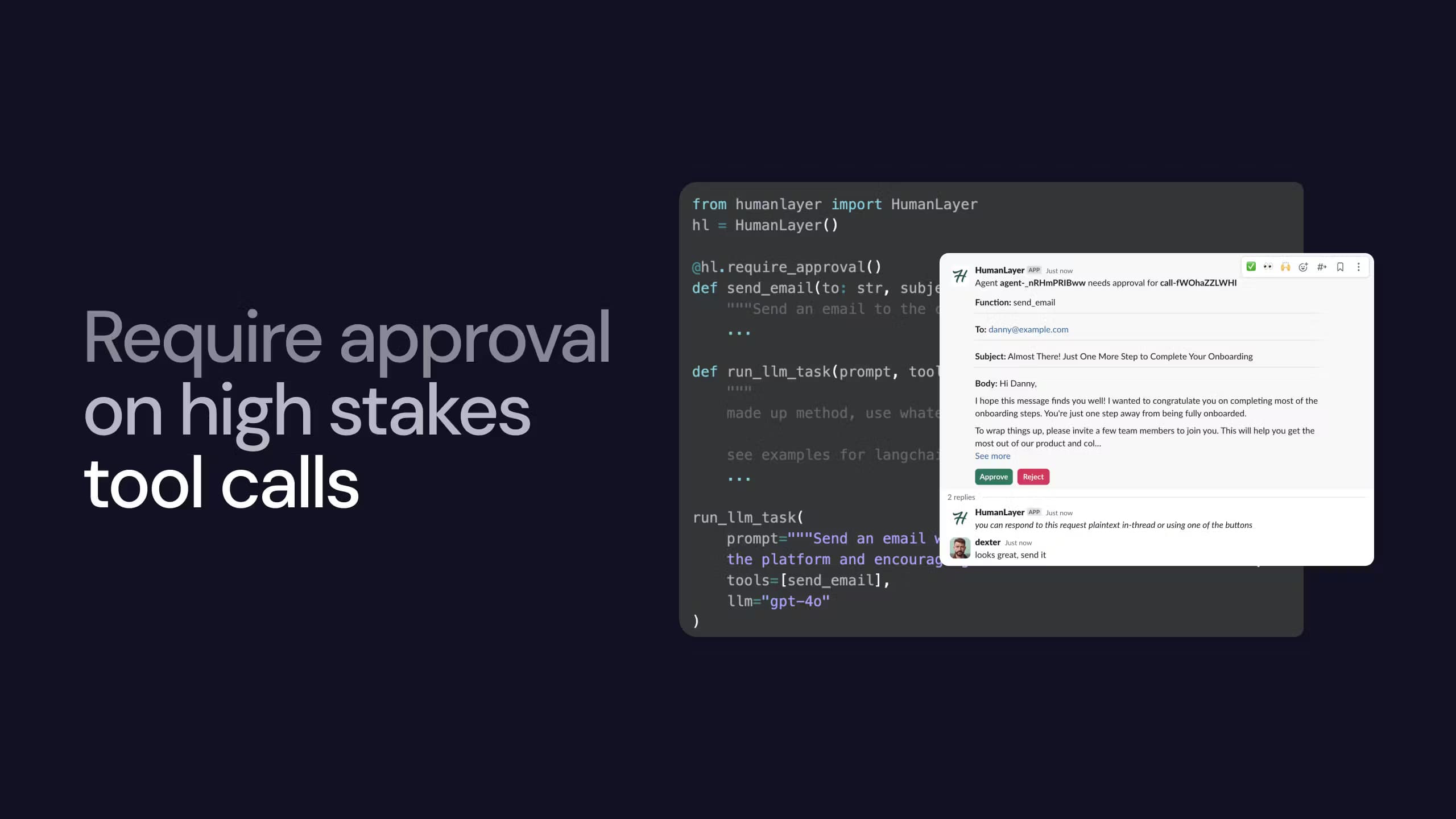
About HumanLayer
What Is HumanLayer
HumanLayer is a multiplayer coding agent IDE and cloud, and it's built for teams that run AI coding agents on real codebases. It puts agent sessions, plan artifacts, and code diffs in one workspace so engineers can watch, steer, and approve what an agent does before it lands. Think of it as an AI coding agent platform for groups, not one coder in a terminal.
The pitch is simple. Most agent tools assume one developer talking to one model in a terminal. HumanLayer assumes several people need to see the same work, argue about it, and sign off. Plans and diffs become shared artifacts. Not private scrollback.
It's made by the team behind the original "context engineering" repo and the 12 Factor Agents write-up, and the design leans hard on squeezing the most out of agents like Claude Code and Codex. The main limit? It's a developer tool. There's no drag-and-drop builder, and you still bring your own AI subscription rather than paying HumanLayer per token.
Getting Started
- Install the CLI on your workstation with Homebrew (
brew trust humanlayer/humanlayerthenbrew install humanlayer/humanlayer/humanlayer), or open the cloud workspace at cloud.humanlayer.com instead. - Sign in and connect an existing AI subscription or API key, such as Claude Code or Codex, since HumanLayer runs on your own model access.
- Point the workspace at a repository. Let the agent draft a plan for the task you want done.
- Review the plan and any diffs. Drop comments. Approve or redirect the agent.
- Let remote daemons run background agents. Merge the reviewed work like any other pull request.
Product Information
A quick look at HumanLayer's pricing, supported platforms, and performance.
Best for
The users, tasks, and scenarios where this tool fits best.
Users
- Software teams of 2-10 engineers
- Senior engineers reviewing agent output
- Platform and DevEx folks building an internal software factory
Tasks
- Reviewing AI-generated pull requests
- Turning a rough task into a plan
- Running long background jobs
Scenarios
- A design review that used to live in Notion
- Onboarding a new engineer
- Rolling agents out across a whole team
Key features
Multiplayer Coding Agent IDE
The workspace is built around more than one person, and shared agent sessions, plans, and diffs mean a teammate can pick up context you left behind without asking you to re-explain it. It even covers human-in-the-loop review, since approvals route back through the same shared space. That matters when you're coordinating agents across a codebase, not just prompting one.
Bring Your Own Key
HumanLayer doesn't sell tokens. You plug in existing Claude Code, Codex, or other subscriptions and API keys, and there's no separate per-token bill from HumanLayer to monitor. Because the model access stays yours, switching providers later costs you nothing beyond the keys you already hold.
Plan Artifacts and Code Diffs
Agents produce plans and diffs as first-class objects you can open, comment on, and revise. Instead of scrolling a chat log, you review the actual proposed change. If a plan looks wrong you can reshape it before a single line of code gets written, which is the core of the human-in-the-loop workflow the product is named for.
Remote Daemons and Background Agents
Agents can run on remote workers instead of your workstation. Long tasks keep going after you close the laptop. Results flow back into the same workspace for review. This is the part teams notice most once they stop babysitting a terminal.
Multi-Repo Workspaces and Worktrees
Pro plans support working across several repositories and Git worktrees at once. That fits teams whose changes span more than one service, which in a real software factory is most of them. You stop shuttling between checkouts and keep the agent focused on the whole change.
Inline Diagrams and Mockups
You can drop diagrams and mockups into artifacts alongside the code discussion. Layout and flow questions get answered in the same thread as the implementation.
Compounding Engineering
The product aims to make agents better over time as they accumulate your team's decisions and workflows. In practice that means fewer repeated corrections. The payoff depends on how consistently your team uses it.
Pros and cons
Pros
- Keeps sessions, plans, and diffs in one shared place. That cuts the back-and-forth of pasting agent output into chat.
- The BYOK model means no double billing and no surprise token markup from HumanLayer itself.
- Runs from a workstation to remote workers. Background agents keep working when you step away.
- Built by people with a track record in context engineering and agent workflows. The defaults reflect real practice.
- The Enterprise tier adds SSO, audit logs, and on-prem or private VPC options for regulated teams.
Cons
- It targets developers. Non-technical teammates won't get much out of the workspace.
- Pricing is a leap. The free Starter tier covers tiny teams, and the next step up is $100 per user per month with no middle option for solo heavy users.
- You need your own AI subscription or API keys. It isn't a one-stop purchase.
- The product has shifted direction over time. Older tutorials and docs may describe an older, more human-review-focused tool.
Frequently asked questions
It's a shared workspace for teams running AI coding agents. It brings agent sessions, plans, and code diffs together so multiple engineers can review and steer the agent's work in one place.
Related content
Explore related tools, skills, and articles for HumanLayer.
HumanLayer Alternatives
Forefront
Forefront · CodingForefront is a web platform for building with open-source AI. It lets you fine-tune leading open-source language models on your own data, evaluate how they perform, and run them through an API or export them to host yourself. Developers who want the convenience of a closed-source platform but insist on owning their models and data are the target audience here.

Startkit
StartKit.AI · CodingStartkit is a boilerplate for building AI SaaS and AI wrapper products. Think of it as an AI startup boilerplate with the boring parts already wired up: authentication, Stripe and Lemon Squeezy payments, usage limits, transactional email, and an AI API starter that talks to OpenAI, Anthropic, Groq, or Llama. You clone the repo, set your price, and start on the part of your product that people actually pay for. It's Next.js under React and Tailwind, so most of the boilerplate code already feels familiar.
Testim
Tricentis · CodingTestim is an AI-powered test automation platform for building and running end-to-end tests across web, mobile, and Salesforce applications. It leans on machine learning to keep tests stable when an interface changes, so teams spend less time fixing broken selectors. Not bad for an automated testing tool you can start using today. You create tests by recording actions in a browser, then optionally add JavaScript when you need more control. It's a solid pick for busy QA teams.