

IDScan.net
IDScan.net · Image · AI Detection
IDScan.net is an ID scanning software platform for reading licenses and passports, confirming ages, and flagging fakes. The VeriScan app runs on phones, tablets, and Windows PCs.
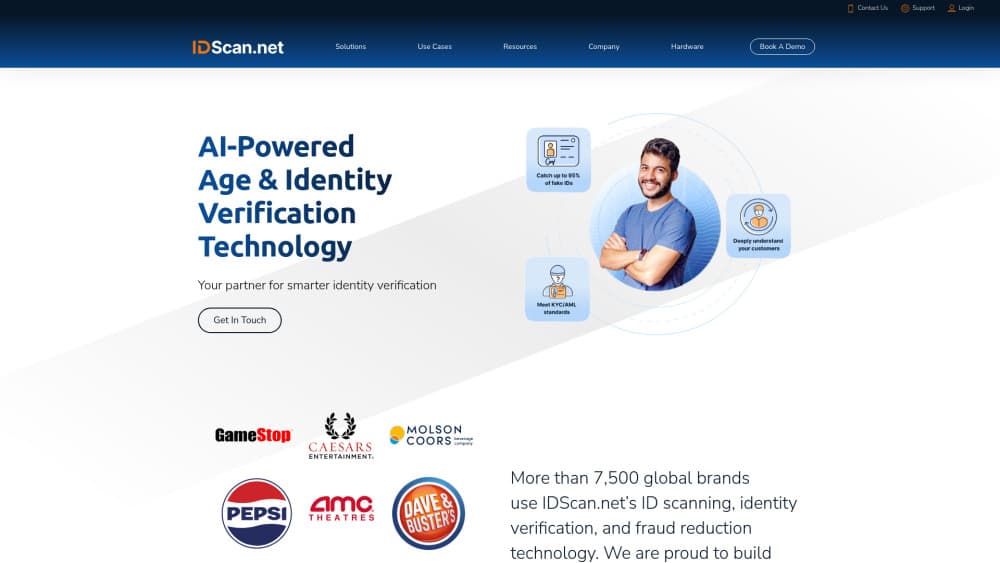
About IDScan.net
What Is IDScan.net
IDScan.net sells software that reads identity documents. Three products carry the lineup: VeriScan, an ID scanner app with visitor management built in, ParseLink for pushing ID data into systems that have no API, and DIVE for remote checks inside a website or app. Scanners are sold separately, and the software also runs on a phone camera when no hardware is at hand.
The product exists because door checks are slow and inconsistent. A bouncer glancing at a license catches the obvious fakes and misses the good ones, and nobody writes down who came in. IDScan.net turns that moment into a scan that logs a name, a birth date, and a confidence score. Age verification at a dispensary, a casino, or a warehouse gate then follows the same script every time.
The limits are mostly physical. Document authentication at the highest level needs a UV and infrared scanner, which costs real money per lane. Pricing is per device, so a venue with many entrances pays for each one. Coverage also leans toward North America, and international licenses often need specialty hardware to read at all.
Getting Started
- Pick a plan on the pricing page and start the free trial. VeriScan installs from the App Store, Google Play, or a Windows installer.
- Sign in and connect a scanner over USB or Bluetooth. Skip this step if you plan to scan with the camera.
- Build your lists. The app ships with VIP, banned, and trespassed groups, and custom lists take a minute to add.
- Scan a test ID and check the record in the cloud portal. Alerts and reports start working as soon as the first scan lands.
Product Information
A quick look at IDScan.net's pricing, supported platforms, and performance.
Best for
The users, tasks, and scenarios where this tool fits best.
Users
- Bar and dispensary staff
- Front desk teams
- Security and event crews
- Developers
Tasks
- Checking age at a busy door
- Catching mass produced fakes
- Keeping a visitor record
- Pre registering a guest
Scenarios
- High volume venues with a line outside
- Multi location operations
- Regulated retail
- Online onboarding
Key features
Barcode and MRZ Scanning
North American driver's licenses and state IDs carry a 2D barcode, and passports carry a machine readable zone. VeriScan reads both and turns the data into a structured record with name, birth date, document number, and expiry. A scan takes about a second on a phone camera. Passport cards work as long as the MRZ sits flat and clear in the frame.
Document Authentication
Fake ID detection gets serious once you attach a scanner with ultraviolet and infrared light. The software checks holograms, watermarks, microprint, and security marks that only appear under IR. IDScan.net says the setup catches about 95% of fake IDs, a claim that assumes the matching hardware and holds up less well on camera scans alone.
2D Barcode Security Checks
Some fakes give themselves away in the data before anyone looks at the plastic. Wrong field lengths, impossible dates, and formatting that no DMV printer produces all get flagged on every scan. IDScan.net puts this at up to 50% of fakes caught with software alone, which makes the entry level plan useful even without a scanner.
Front and Back Crossmatch
With an authentication capable device, the app reads the barcode and runs OCR on the printed side of the card. If the two sets of data disagree, the scan gets marked. That one check catches the most common forgery trick, where a genuine card carries a swapped photo.
Visitor Management Lists and Alerts
VIP, banned, and trespassed lists come preloaded, and custom lists accept tags for anything else you track. A multi scan alert fires when the same ID appears twice in a short window, which usually means a license got passed to a friend. Email and SMS alerts push the same flags to a manager's phone.
Remote Identity Verification
An add on sends a link or text message, and the customer scans their own ID plus a selfie from wherever they are. Results land in the same portal as in person scans, so a receptionist works from one queue. Offices, clinics, and property managers use it to clear a visitor before they show up.
ParseLink Data Automation
ParseLink runs on Windows 10 and 11 and types scanned ID data into the visitor management system you already own. Map each field once, then every scan fills the form, writes a CSV log, or sends data over a virtual COM port. If the other system has no API, this is the workaround, and it needs no coding.
DIVE Identity Verification API
DIVE handles checks inside your own product: document parsing, tamper analysis, selfie match, liveness detection, and risk scoring from several sources. Plans start at $200/mo for 400 verifications and reach $795/mo for 2,000. A barcode parsing API sells separately for teams that only want raw ID data.
Pros and cons
Pros
- One account covers door scanning, visitor records, and online checks, so you aren't stitching three vendors together.
- VeriScan plans carry no per scan fee, which keeps a high volume door affordable.
- Offline mode keeps scanning for up to 14 days on paid tiers when the venue Wi Fi drops.
- ParseLink feeds data into older visitor systems with no integration project and no developer time.
Cons
- Strong fake ID detection depends on a UV and IR scanner, and those cost several hundred dollars per lane.
- Per device pricing multiplies fast. A ten door venue pays ten subscriptions.
- Document coverage leans North American. Non US licenses need specialty hardware and read less reliably.
Frequently asked questions
It reads IDs and passports, confirms age, checks whether a document looks genuine, and stores a record of each scan. Most customers use it at an entrance to verify people in person, while DIVE handles the same job online.
Related content
Explore related tools, skills, and articles for IDScan.net.
IDScan.net Alternatives

Tractionwave
TractionWave · Image · MarketingTractionWave is an AI attention heatmap tool for static ads. Upload a PNG or JPG and it returns predicted attention, ranked hotspots, and fixes before you spend budget.

Imejis.io
Imejis.io · Image · MarketingImejis.io is an AI design studio for agents and marketing teams. Describe an image in plain words, and it writes the copy, builds the layout, reflows it to every size, then exports a finished file.

Layoutr
Van Dijk Ontwikkeling · Image · China AILayoutr is a browser floor plan tool that scales your own plan, places furniture at true size, shows the room in 3D and renders it with AI.