

Idyllic
Idyllic · Image
Idyllic is a browser AI image generator for artwork, avatars, posters and logos. You refine each result by chatting with it. A free tier covers short trials, Premium runs $10.50 per month.
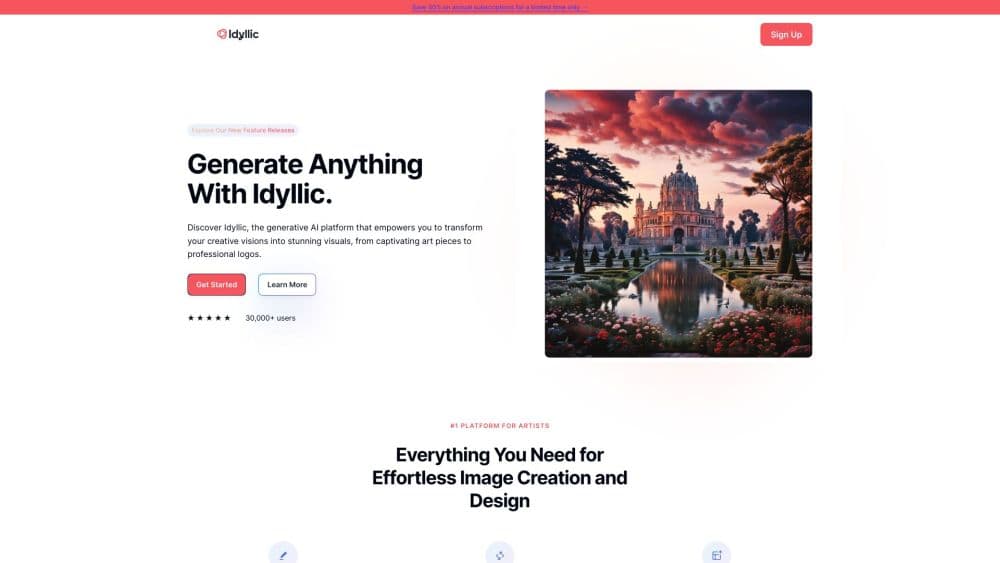
About Idyllic
What Is Idyllic
Idyllic is a web app for making pictures with words. You type what you want, it produces a set of images, and you keep talking to it until the picture looks right. The people who use it most are casual creators: students making project covers, streamers needing avatars, small brands wanting a logo idea before hiring a designer.
The draw is the conversation. Most image generators reset with every new prompt, so a small change means rewriting the whole description. Idyllic keeps a thread of memory, which means "make the background darker" or "give her shorter hair" works as a follow up instruction rather than a fresh start.
Two things set the boundary. The free tier limits how many images you get each day, so it works for experimenting and not for production volume. And the output is concept art, not finished design files. You get a strong starting point, then you finish the job in a design tool or hand it to someone who will.
Getting Started
- Open idyllic.app and sign in. The account is free, and you can start generating without entering payment details.
- Type a description of the image you want. You can write it in whatever language you think in, since the prompt field handles multiple languages.
- Look at the first round of results and reply in the same thread. Say what to change and it adjusts the image instead of starting over.
- Download the frames you like. Premium accounts get HD output and a commercial use licence, which the free tier does not include.
Product Information
A quick look at Idyllic's pricing, supported platforms, and performance.
Best for
The users, tasks, and scenarios where this tool fits best.
Users
- Hobby artists exploring styles
- Students and teachers
- Small business owners and solo founders
- Streamers and tabletop players
Tasks
- Turning a written idea into artwork
- Making an avatar or profile picture
- Drafting a logo direction
- Combining existing images
Scenarios
- Classroom prep the night before
- Warming up a brand launch
- Interior planning on a budget
- Weekend roleplay worldbuilding
Key features
Conversational Image Editing
Each Idyllic project runs as a thread with memory, so the model carries forward what it already made. You can drop in a sentence like "make the background darker" or "remove the hat" and it edits that image rather than generating a stranger. This is the feature that separates Idyllic from prompt only tools, and it makes the last ten percent of a picture far less frustrating.
Text to Image Generation
The core generator takes a written prompt and returns finished artwork in seconds. Prompt templates sit alongside the generator, so you can start from a known recipe instead of an empty box. For anyone who has stared at a blank prompt field, that starting point matters more than the raw model quality.
Edits and Blends
Edits apply smart adjustments to an image that already exists, and Blends merge separate design elements into one picture. In practice that means photo cleanup, restyling a reference shot, or putting a generated motif onto a surface. Both are quick actions rather than a full editor, so you still want a separate tool for precise retouching.
Style Specific Generators
Idyllic ships dozens of focused tools rather than one general generator: AI poster maker, anime character generator, AI logo generator, wallpaper generator, interior design generator, coloring page generator, pixel art generator and more. Each one preloads a prompt structure for that use case, which shortens the gap between an idea and a usable result.
Community Gallery
The platform hosts a public collection of community art, character concepts and memes. The gallery works as an idea source when you are stuck, and the prompt on a piece you like shows how a similar result was reached. It is also the closest thing Idyllic has to a social layer.
Thread Privacy and Commercial Licence
Premium accounts get private threads, which keeps your images out of any shared space, and a commercial use licence. That licence is the practical difference between hobby use and client work, since a free account producing a logo concept cannot legally turn it into a brand mark.
Pros and cons
Pros
- Conversational editing keeps the image you liked and changes only the part you name, which removes most of the re-roll cycle other generators force on you.
- Prompt templates and dozens of dedicated generators mean you do not need to know how to write a good prompt on day one.
- The free tier is real. You can generate and judge output before paying, and Premium at $10.50 per month sits below most comparable tools.
- Premium includes a commercial use licence, so client work and paid projects are covered.
- The site runs in a browser, so there is nothing to install on a laptop or a school computer.
Cons
- Daily image limits on the free tier make it unsuitable for batch work. You will hit the cap before finishing a set of variations.
- HD output and private threads are Premium only. Free users get watermarked, shared results.
- There is no public API, so teams that want to plug image generation into their own app cannot do it here.
- Edits and blends are smart adjustments, not a layer-based editor. Fine retouching still needs Photoshop or a dedicated alternative.
Frequently asked questions
Idyllic is an AI art generator that turns written prompts into images. You describe what you want, it returns a few interpretations, and you keep refining the one you like by replying in the same thread.
Related content
Explore related tools, skills, and articles for Idyllic.
Idyllic Alternatives

Tractionwave
TractionWave · Image · MarketingTractionWave is an AI attention heatmap tool for static ads. Upload a PNG or JPG and it returns predicted attention, ranked hotspots, and fixes before you spend budget.

Imejis.io
Imejis.io · Image · MarketingImejis.io is an AI design studio for agents and marketing teams. Describe an image in plain words, and it writes the copy, builds the layout, reflows it to every size, then exports a finished file.

Layoutr
Van Dijk Ontwikkeling · Image · China AILayoutr is a browser floor plan tool that scales your own plan, places furniture at true size, shows the room in 3D and renders it with AI.