
Image Effects
Sound Effects AI · Image
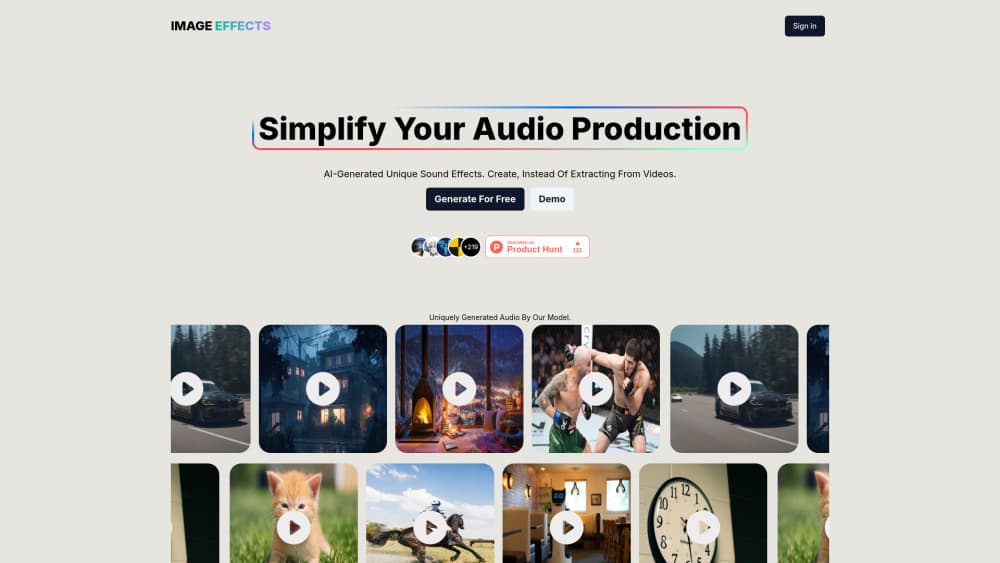
Image Effects is a web tool that turns a photo or a text prompt into a fresh sound effect in seconds. The site now runs as Sound Effects AI, and the free plan gives you 3 credits a month.
About Image Effects
What Is Image Effects
Image Effects is a browser based AI sound effects generator. It works as a plain sound design tool too: no timeline, no plugins, no audio training needed. You give it a still image or a short description, and a generative model returns an audio clip built for that input. The service started life under the Image Effects name and now runs at sound-effects-ai.com under the Sound Effects AI brand, so both names point to the same product.
The idea is to create a cue instead of hunting for one. Stock libraries reward whoever describes a sound best in a search box, and the result is usually a file thousands of other editors already used. As an AI audio generator it writes the audio from scratch, so a shot of a rusted gate gets a sound built around rust and metal rather than the third page of a sample pack.
The limits are real. Clips run from 5 seconds on the free plan to 20 seconds on Premium, so this is a tool for hits, stingers, whooshes, and short ambience, not for a five minute soundscape. Every generation costs a credit, history sits behind a paid plan, and the whole thing lives in a browser tab with an English interface and pricing in pounds.
Getting Started
- Open sound-effects-ai.com and create a free account. No card is needed, and the free tier starts with 3 credits a month.
- Choose your input: upload a still image, or type what you want to hear in plain words.
- Hit generate and listen to the result in the browser. Each run uses one credit, so spend the first few on different descriptions of the same sound.
- Download the clip you like. Paid plans also keep a history, which matters when a project gets reopened weeks later.
Product Information
A quick look at Image Effects's pricing, supported platforms, and performance.
Best for
The users, tasks, and scenarios where this tool fits best.
Users
- Video editors on short-form work
- Game jam teams and indie developers
- Podcast and YouTube producers
- Beginners curious about sound design
Tasks
- Matching a cue to a specific shot
- Filling a gap in a finished edit
- Replacing audio pulled from a video
- Testing a sound direction early
Scenarios
- A late edit with one missing cue
- Prototyping a game level
- A weekly upload schedule
Key features
Image to Sound
This is the feature the product is named after. You upload a photo, and the model reads what's in it before generating audio that fits the scene. A street at night, a crowded kitchen, and a close-up of a broken hinge each pull a different result. It works best with a clear subject and decent light, since the model is reading visual content rather than file names.
Text to Sound
Typing a description is the faster route when you already know what you want. Short, concrete prompts work better than long ones: "heavy wooden door closing in a stone hall" gives the model something to grip, while "sad and atmospheric" leaves it guessing. The same box accepts both inputs, so switching between them costs nothing.
Instant Generation and Preview
Results arrive in seconds and play in the browser, which keeps the loop short enough to iterate. Most people run three or four variations before settling, and that habit is worth the credits. You hear the clip before you download it, so a bad take costs a credit but not a file on your drive.
Clip Length Tied to Your Plan
Output length is the main thing the plans change. Free caps clips at 5 seconds, Starter at 10 seconds, and Premium at 20 seconds. For a UI click or a punch, 5 seconds is plenty. For ambience under a scene, 20 seconds is still short, and you'll be looping or layering the file in your editor.
Generation History
Starter and Premium keep a record of everything you've generated, and the free plan doesn't. That sounds minor until a project comes back from review and you need the exact clip you made three weeks ago. Without history, that cue is gone and you're paying credits to rebuild something close to it.
Royalty Free Output
The site sells royalty free sound effects, which is the practical reason to use a generator rather than a sample library with per-track licences. Read the terms before a commercial campaign, since royalty free covers the audio rights the site controls and says nothing about how you use the sound in context. For a YouTube video or an indie game build, the paperwork is simpler than a stock licence.
Pros and cons
Pros
- The free plan needs no card, so you can test the output quality before paying anything.
- Sound effects from images are a genuine shortcut, especially when the cue has to match a specific frame rather than a general mood.
- Generating instead of searching means your cue isn't the same file every other editor already licensed.
- Pricing is simple: 3 credits free, 100 generations for £7 a month, 500 for £15.
- Everything runs in a browser, with no install, no plugin, and no DAW requirement.
Cons
- The 20 second ceiling on Premium rules out long ambience beds and full scene audio.
- 3 free credits a month disappear fast, roughly three experiments before you're asked to subscribe.
- History is locked to paid plans, so free users lose access to earlier clips unless they download immediately.
- There's no documented API, no batch export, and no bulk download, which hurts anyone scoring a whole level or episode.
- Pricing is in pounds and the interface is English only, which adds a conversion step for buyers elsewhere.
Frequently asked questions
Image Effects is a web sound effect maker that generates audio from an image or a text description. It's the same product now sold as Sound Effects AI at sound-effects-ai.com. You upload a photo or type a prompt, the model returns a short audio clip, and you download the take you like.
Related content
Explore related tools, skills, and articles for Image Effects.
Image Effects Alternatives

Tractionwave
TractionWave · Image · MarketingTractionWave is an AI attention heatmap tool for static ads. Upload a PNG or JPG and it returns predicted attention, ranked hotspots, and fixes before you spend budget.

Imejis.io
Imejis.io · Image · MarketingImejis.io is an AI design studio for agents and marketing teams. Describe an image in plain words, and it writes the copy, builds the layout, reflows it to every size, then exports a finished file.

Layoutr
Van Dijk Ontwikkeling · Image · China AILayoutr is a browser floor plan tool that scales your own plan, places furniture at true size, shows the room in 3D and renders it with AI.