

Image To Video AI
ImgToVid AI · Video
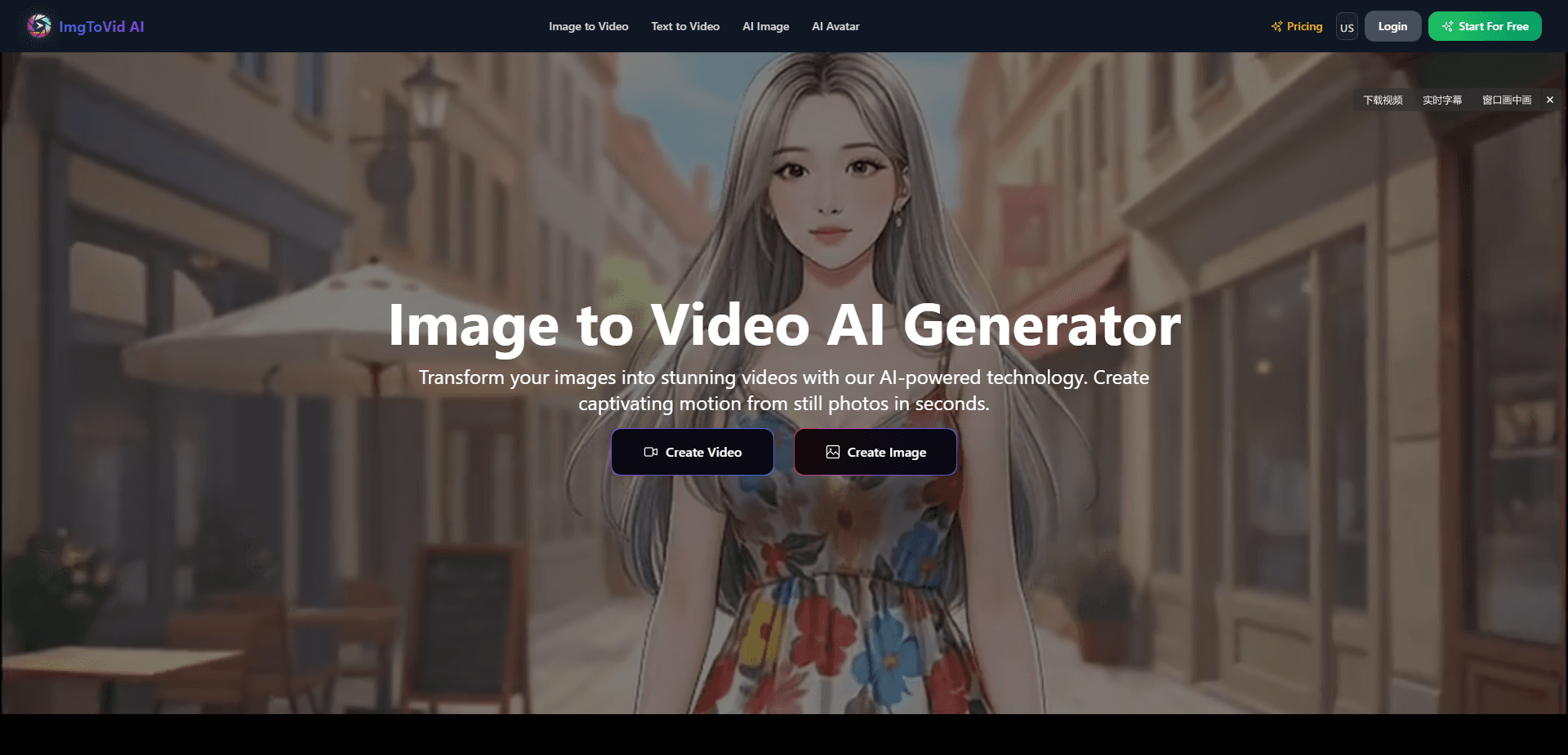
Image To Video AI is a browser-based creative platform that turns static images into moving video clips. You upload a photo, illustration, character, or product shot, add a short prompt, and the Image To Video AI generator handles motion, camera movement, and transitions for you. It also bundles text to video, AI image generation, AI avatars, and video editing tools, so you can build a full clip from one starting point. It runs on a credit system. A free tier covers basic work. Paid plans handle heavier use.
About Image To Video AI
What Is Image To Video AI
Image To Video AI (the product is branded ImgToVid AI on its own site) is an AI video generator built around one core idea: you should be able to make a video from something you already have, not from a blank timeline. Upload a still image, describe the motion you want, and the platform produces a short clip with movement, camera sweeps, and transitions.
The bigger draw is the model library. Instead of being locked to one engine, ImgToVid AI lets you pick among several AI video models, each tuned for different results. Some favor cinematic quality, some favor speed, and some trade resolution for lower cost. That choice matters a lot when your goal is a smooth product ad versus a quick social post.
The main limits are worth knowing up front. Outputs are short, typically a few seconds to about 30 seconds depending on the model you pick. Most of the good models cost credits, so heavy free use gets capped to basic generations. And like any image to video tool, the AI can produce odd motion on tricky inputs, like hands or fine text in a photo. Test those first.
Getting Started
- Create a free account on the ImgToVid AI site and open the Image to Video workspace.
- Upload a starting image, or choose a text to video mode if you'd rather begin from a prompt.
- Pick an AI video model from the library, then set duration and resolution for your clip.
- Write a short prompt describing the motion, camera angle, or mood you want.
- Generate the clip, review it, and download or share. If a generation fails, credits are refunded automatically.
Product Information
A quick look at Image To Video AI's pricing, supported platforms, and performance.
Best for
The users, tasks, and scenarios where this tool fits best.
Users
- Social media creators
- Marketers and small brands
- Designers
- Storytellers and AI creators
Tasks
- Animating a still photo
- Making product teasers
- Prototyping motion concepts
- Turning illustrations into clips
- Generating video from a prompt
Scenarios
- You need a fresh social post fast and only have a phone photo on hand.
- You're pitching a campaign concept and want a moving mockup, not a static slide.
- You want to test how a character looks in motion before commissioning full animation.
- You're exploring AI video for the first time and want a free trial before paying.
Key features
Image to Video Generator
The core tool takes a still image and produces a short video with AI-driven motion, camera moves, and transitions, letting you direct how the subject moves and how the camera frames it through a plain text prompt rather than a timeline of manual keyframes. It's the fastest path from a photo to a finished clip.
A Library of AI Video Models
Rather than one engine, the platform offers several AI video models with different strengths. Some favor cinematic quality, some favor speed, and some keep costs low at lower resolutions. This lets you match the model to the job instead of accepting one fixed output style. So which model wins? It depends on the clip.
Text to Video
If you don't have a starting image, text to video does the opposite: you describe a scene and the platform generates the clip from the prompt alone. It's useful for abstract shots, B-roll, or ideas you haven't visualized yet. You can also combine a prompt with an image for hybrid control.
Image to Video Between Frames
Beyond animating a single start image, the platform supports motion between a first and last frame, plus reference images to guide style. That gives finer control over how a clip begins and ends, which matters for sequences that need to flow together.
AI Image Generation and Avatars
The platform extends past video. AI image generation creates stills from text prompts, and AI avatars turn a photo into a talking character. Having images, avatars, and video in one tool means you can move a single idea across formats without switching apps. One upload. Three formats.
Video Editing and Effects
An AI video editor and a set of creative effects round out the toolkit, letting you restyle existing footage, apply quick effects, and refine a clip after it's generated without ever leaving the same browser workspace you started in. Effects like themed one-tap transforms let you get a stylized result without manual editing.
Pros and cons
Pros
- Multiple AI video models in one place, so you can trade quality against speed and cost.
- Starts from an image you already have, which lowers the effort versus building a video from scratch.
- Free tier supports basic generations, so you can test before paying.
- Credits roll over and don't expire, even if you cancel a subscription.
- Bundles image generation, avatars, and video editing alongside image to video.
Cons
- Most of the stronger models cost credits, so the genuinely free output is limited to basic generation.
- Clips are short, roughly a few seconds up to about 30 seconds, which rules out anything feature-length.
- No public API is documented, so you can't wire the generator into your own app or workflow.
- Motion on tricky images, such as hands or fine text, can come out distorted and needs a retry.
Frequently asked questions
It turns a static image into a short video clip using AI. You upload a photo or illustration, add a prompt describing the motion you want, and the platform generates a clip with movement, camera effects, and transitions.
Related content
Explore related tools, skills, and articles for Image To Video AI.
Image To Video AI Alternatives

ngram 2.0
ngram · Video · Marketingngram 2.0 is an AI video generator for teams. It turns a prompt, a screen recording, or a product URL into a narrated explainer, product demo, or AI avatar video, and every scene stays editable.

OpenScreen 2
OpenScreen (open-source project) · Video · ProductivityOpenScreen 2 is a free, open-source screen recorder and demo video editor for Windows, macOS, and Linux, with automatic zooms, styled frames, local captions, and agent edits.

Skreno
Skreno · Video · ProductivitySkreno is a browser screen recorder that captures a tab, a window or your whole display, then attaches AI transcripts, summaries and console logs to one share link.