
AI Enlarger: Image Upscaler
ImgLarger · Image
AI Enlarger is ImgLarger's AI image upscaler. It rebuilds small or soft photos, anime, and product shots at 2x, 4x, or 8x in a browser, with no install.
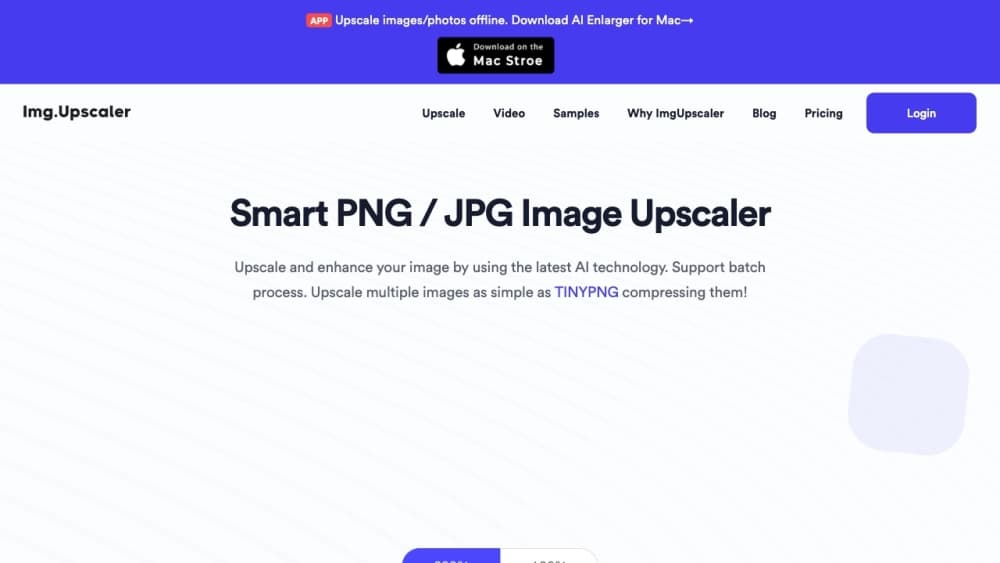
About AI Enlarger: Image Upscaler
What Is AI Enlarger
AI Enlarger is an online image upscaler from ImgLarger. It takes low-resolution, compressed, or pixelated files and rebuilds them at a larger size instead of stretching the pixels that are already there. The tool covers the images people actually deal with day to day: product photos, portraits, anime artwork, and scanned pictures that need more usable resolution.
The pitch is simple. Upload a file, pick a ratio, and the AI fills in cleaner edges and texture. ImgLarger credits its SRCNN structure, a super-resolution model, for rebuilding detail the source file never captured. As an AI photo upscaler it also leans toward anime and line art, where clean edges matter most.
Two limits shape how you use it. The free tier handles single images only, so batch work needs a paid plan. And bigger files or an 8x ratio take longer, since large inputs demand more processing on the server.
Getting Started
- Open imglarger.com and pick the AI Image Enlarger tool.
- Drag in a JPG, PNG, WebP, or AVIF file you want to enlarge.
- Choose a ratio: 2x, 4x, or 8x.
- Start the process and let the AI rebuild the image.
- Check the before-and-after preview, then download the result.
Product Information
A quick look at AI Enlarger: Image Upscaler's pricing, supported platforms, and performance.
Best for
The users, tasks, and scenarios where this tool fits best.
Users
- Online sellers
- Photographers
- Anime and illustration fans
Tasks
- Enlarging product photos
- Restoring old or scanned pictures
- Preparing web and social assets
- Cleaning up low-resolution downloads
Scenarios
- Running a small online shop
- Prepping a portfolio or deck
- Reviving a scanned photo album
Key features
AI super-resolution upscaling
When you upscale an image online with AI Enlarger, the tool rebuilds it with super-resolution models rather than stretching its pixels. ImgLarger points to its SRCNN structure as the base for this. The result usually shows sharper edges and cleaner texture than plain resizing.
2x, 4x, and 8x enlargement
You decide how much bigger the output should be. The 2x and 4x options suit web assets and standard prints, while 8x pushes small originals toward larger display and print sizes. Higher ratios take more time and resources, and the free tier caps at 2x.
Batch image processing
Paid plans unlock batch work, so you can enlarge a set of images without repeating the upload and download steps. This matters for sellers and teams with recurring image jobs rather than one-off edits.
Photo and anime modes
As an AI photo upscaler and anime upscaler in one, the tool covers both photographic and illustrated images. That means product shots and portraits on one side, and anime artwork and line illustrations on the other, where keeping edges crisp counts most.
Before-and-after preview
Every workflow shows a comparison before you download. You can judge whether the enlargement looks natural or over-smoothed and redo it if the first pass does not hold up.
Automatic file deletion
Uploaded and processed images are removed automatically within hours rather than stored in a permanent gallery. ImgLarger states a six-hour window for the web tool.
Browser-based access with no install
The tool runs in the browser on Windows, macOS, iOS, and Android, so there is nothing to install. That makes it easy to reach from a phone or a shared computer without a desktop app.
Pros and cons
Pros
- Enlarges images up to 8x with AI reconstruction rather than basic pixel stretching
- Runs in the browser on desktop and mobile, with nothing to install
- Free tier covers single-image upscaling up to 2x without a sign-up
- Handles photos, anime, and product images in one place
- Files are auto-deleted within hours, limiting how long uploads sit on servers
Cons
- Batch processing is locked behind paid plans, so free users face slow single-image workflows
- Large files and 8x enlargement take noticeably longer to finish
- No public API, which rules out automated pipelines for developers
- Free web processing shows ads, which clutters the workspace
Frequently asked questions
AI Enlarger enlarges and sharpens images online. People use it to raise the resolution of photos, anime art, product images, and old pictures that look soft or pixelated.
Related content
Explore related tools, skills, and articles for AI Enlarger: Image Upscaler.
AI Enlarger: Image Upscaler Alternatives

Tractionwave
TractionWave · Image · MarketingTractionWave is an AI attention heatmap tool for static ads. Upload a PNG or JPG and it returns predicted attention, ranked hotspots, and fixes before you spend budget.

Imejis.io
Imejis.io · Image · MarketingImejis.io is an AI design studio for agents and marketing teams. Describe an image in plain words, and it writes the copy, builds the layout, reflows it to every size, then exports a finished file.

Layoutr
Van Dijk Ontwikkeling · Image · China AILayoutr is a browser floor plan tool that scales your own plan, places furniture at true size, shows the room in 3D and renders it with AI.