

Intangible AI
Intangible · Image
Intangible AI is an AI 3D studio built for creative work that has to hold up in the real world. You describe a scene in plain language, and the platform generates 3D worlds, animated characters, and polished video you can actually direct. It targets film, commercials, retail, events, and architecture teams that need high-stakes visuals fast, not playful toy renders. Deliberately so.
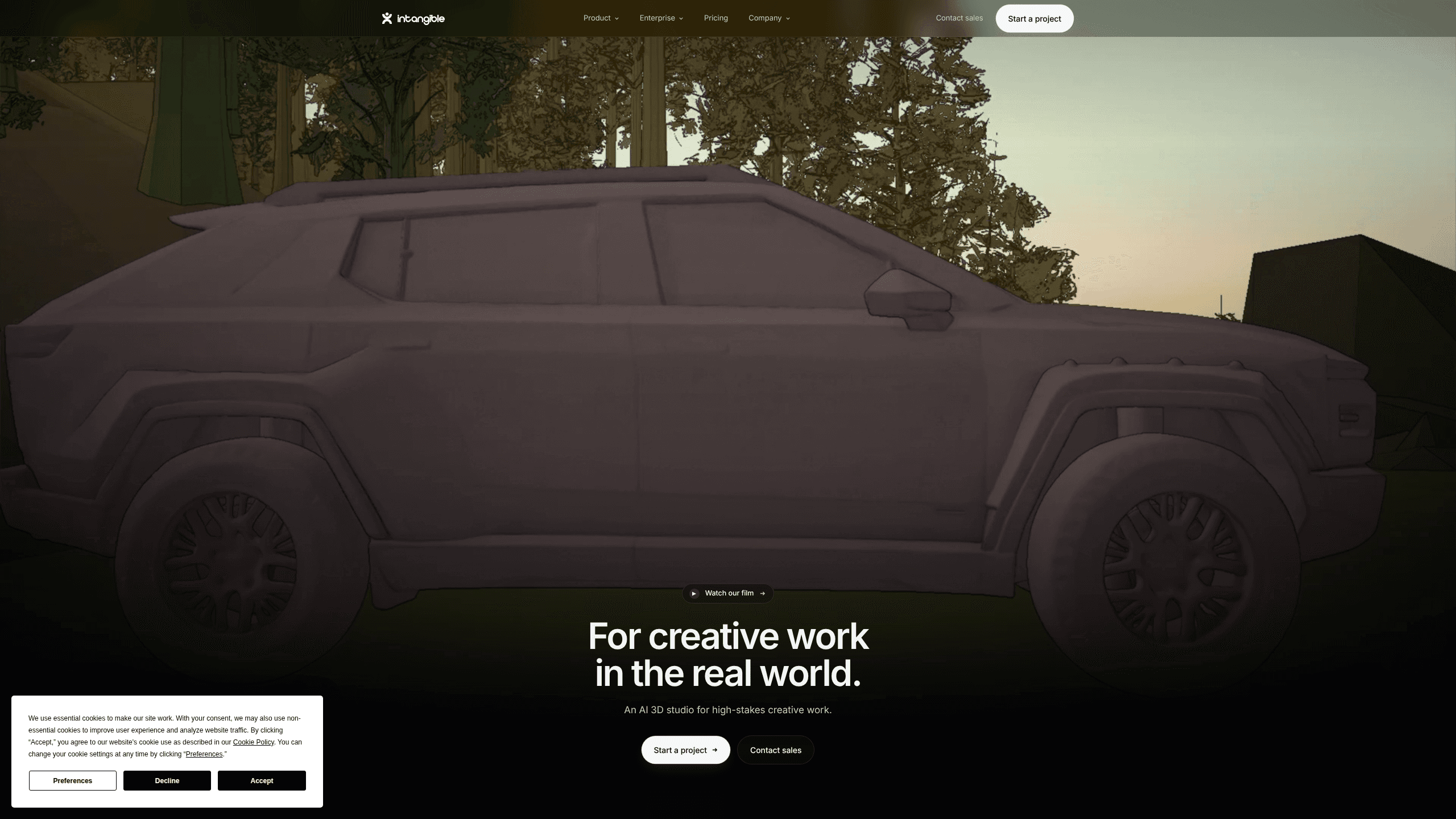
About Intangible AI
What Is Intangible AI
Intangible AI is an AI 3D design tool from Intangible, a technology company focused on spatial intelligence. Most AI tools work with words and flat images. This one adds a sense of objects and spaces: where things sit, how they relate, and how the camera should move around them. It's a different kind of tool.
That matters because regular text-to-image tools give you a picture. Intangible AI gives you a scene. You can change a camera angle, swap a prop, or program a character to walk across a set, then export the result. The work stays editable instead of freezing into a finished frame. That's the whole point of AI world building done well.
The catch is scope. This is a production tool with a learning curve, and the free tier is a trial rather than a full workspace. It runs in the browser at studio.intangible.ai, so you don't install anything, but you do need a modern machine and a stable connection to work comfortably. Not a dealbreaker, just a reality.
So who's it for? Working creatives. Teams with a brief, a deadline, and a client watching.
Getting Started
- Sign up at studio.intangible.ai and claim the free plan, which includes 150 credits, 1 project, and 1 scene.
- Pick a template or start a blank scene, then describe the space you want in plain language.
- Use the AI Composer to place objects, set a camera, and adjust the shot until it matches your idea.
- Generate images and video, then review the output in the storyboard view.
- Export your scene in 3D or download watermark-free assets once you're on a paid plan.
Product Information
A quick look at Intangible AI's pricing, supported platforms, and performance.
Best for
The users, tasks, and scenarios where this tool fits best.
Users
- Film and commercial directors
- Brand and retail teams
- Event and festival producers
- Deeptech and architecture studios
Tasks
- Shoting a previs sequence
- Building a 3D world from a brief
- Creating a storyboard
- Programing character behavior
Scenarios
- Pitching a campaign before production
- Planning a store redesign
- Prepping a shoot day
- Early project research
Key features
Text to 3D World Building
You type a description and the platform generates a full interactive scene, not just a still image. Objects, layout, and lighting come together in one space you can rotate and edit. It's the fastest way to go from a written idea to something a client can actually see. Think of it as a 3D scene generator that respects how a real space is built.
Spatial Intelligence Engine
Intangible built its own engine so that language models and generative image and video models understand objects, spaces, and how they sit in relation to each other, which is what separates a controllable scene from a lucky still frame. In practice, that means the AI knows a chair belongs on the floor and a camera moves through a room, which cuts down on the odd, physically impossible results you get from image-only tools. It sounds like a small detail. It isn't.
Camera and Shot Control
You direct shots the way a cinematographer would. Set the camera, pick the angle, and adjust framing, then generate the image or video for that exact view. Because the scene is real 3D underneath, changing one camera angle doesn't force you to rebuild everything else. Small change, big time saved.
Always-On Agents
AI agents handle the repetitive 3D work in the background, powered by language models and generative models. They take care of placement and workflow steps so you can focus on creative choices instead of housekeeping. Boring tasks, handled.
Character Animation and Behaviors
You can program character animation, interaction, and more complex behaviors using natural language and simple controls, so a character can walk, react, or follow a path across a set without you ever touching a keyframe timeline. That speeds up previz and event planning in a way manual animation simply can't match. No timeline skills required.
Storyboards, Images, and Video in One Place
Every plan, down to Free, includes storyboards, image generation, video generation, and 3D world creation. You move from a rough storyboard to a finished clip inside the same project, so there's no exporting between tools. One project, start to finish.
Asset Library and Import
Paid plans open up a larger 3D asset library and let you import your own assets. The Free tier caps you at a limited set of roughly 5,000 assets, so anyone with existing models will want to upgrade. Bring your own files.
Teams and Real-Time Collaboration
The Business plan adds a Teams feature for real-time collaboration, plus credit pooling for groups. It's aimed at studios where several people touch the same scene, and it's the main reason to move up from Explorer. Shared scenes, shared credits.
Pros and cons
Pros
- Generates full, editable 3D scenes from plain language rather than flat images.
- Built-in spatial reasoning keeps layout and camera work physically believable.
- Camera and shot control give directors real precision over the output.
- Everything from storyboard to video lives in one browser-based project.
- Free plan and a 2-week trial on paid tiers let you test before spending.
Cons
- Free plan is limited to 1 project, 1 scene, and 10 shots, so it works as a demo rather than a workspace.
- Downloads are watermarked on Free, which rules it out for any client-facing work.
- Credits expire at the end of each billing period, so unused monthly credits are gone.
- Steeper learning curve than a simple image generator, since you're working in 3D.
Frequently asked questions
It's used to create 3D worlds, animated characters, and video for real-world creative work like film previz, commercials, retail design, events, and architecture, where a wrong camera angle or a floating prop would stop a project cold. The focus is on professional visuals you can direct and export, not casual image generation.
Related content
Explore related tools, skills, and articles for Intangible AI.
Intangible AI Alternatives

X Ray Interpreter
X-ray Interpreter · ImageX Ray Interpreter is a web-based AI radiology tool that turns X-rays, CT scans, MRI, ultrasound, and PET images into plain-language reports. You upload a scan, get a preliminary X-ray interpretation in moments, then ask follow-up questions if something needs explaining. It works as a second opinion and a learning aid, not as a medical diagnosis.

Aieasypic
AIEasyPic · ImageAIEasyPic is an AI image generator that turns plain text prompts into finished artwork in seconds. You can also train custom models on your own photos, swap faces in existing images, and create short video clips from text, all from a browser. It suits casual creators who want quick visuals and hobbyists who want to build a personal model without touching any code.

Chargen
Chargen · ImageChargen is an AI character generator and worldbuilding toolkit built for Dungeons & Dragons and other tabletop RPGs. It turns a one-line idea into a painted character portrait, spins up NPCs, monsters, maps and encounters from the same session, and keeps every creature's details close at hand. The tabletop RPG art side runs on a credit system called Gold, while the text generators stay free for everyone.