

InVideo
InVideo · Video
InVideo is an AI video generator for text to video creation, turning a prompt or script into a finished clip with script, visuals, and voiceover handled by AI.
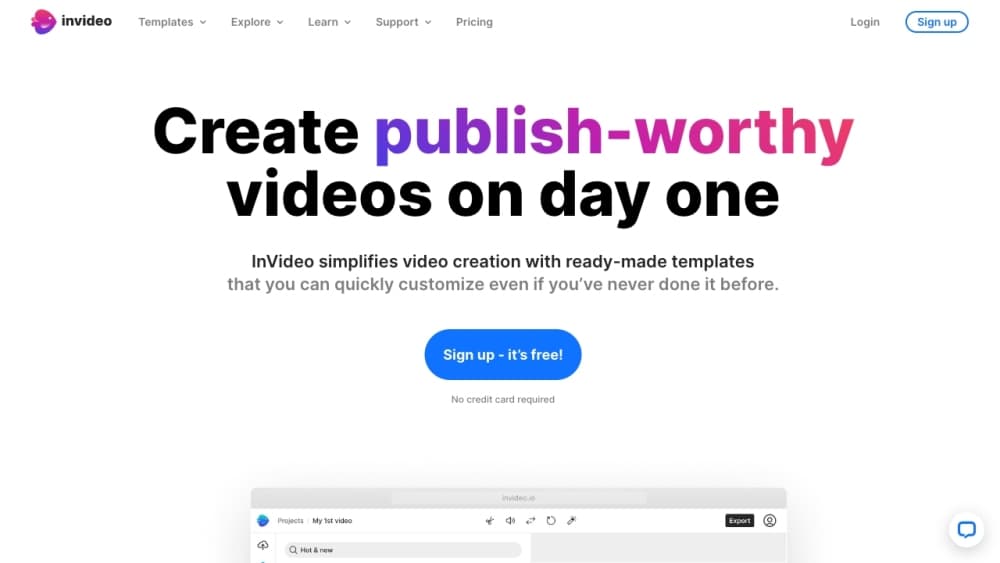
About InVideo
What Is InVideo
InVideo is a browser-based video creation platform that builds videos from a written prompt. You describe what you want, and its AI writes a script, picks visuals, adds a voiceover and subtitles, and lays everything on a timeline you can still edit by hand. The same account works for quick social clips and longer, more structured projects.
As an AI video editor, the product now leans on AI agents. Instead of assembling a video shot by shot, you hand the agent a direction and it applies the change across every clip, which is the main draw for people who post often. Companies like Amazon Prime, Mahindra, and several film studios run content through it, according to InVideo.
The tradeoff is control. AI-generated footage can look generic, and heavy projects burn through credits fast, so the plan you pick matters more than it does with a fixed-price editor.
Getting Started
- Sign up for a free InVideo account with an email address or a Google login.
- Describe your video idea, or start from a script or an idea you already have.
- Let the AI generate the script, visuals, voiceover, and subtitles, then review the draft.
- Edit with a text prompt, or open the timeline to fine-tune scenes, music, and timing yourself.
- Export the finished video or publish it directly to your channels.
Product Information
A quick look at InVideo's pricing, supported platforms, and performance.
Best for
The users, tasks, and scenarios where this tool fits best.
Users
- Social media creators
- Marketers and small business owners
- Agencies and teams
- Educators and trainers
Tasks
- Making a video from a text prompt
- Editing by describing changes
- Generating a voiceover in another language
- Turning a script into a shot-by-shot plan
- Adding subtitles and captions
Scenarios
- Posting daily to social feeds
- Promoting a product for a small shop
- Producing a training or explainer video
- Repurposing one video for several platforms
Key features
Prompt to Video Generation
This is the core of the product. You type what the video is about, set a few specifics such as length, platform, and voice, and InVideo produces a finished draft with a script, visuals, and narration. It reaches a publishable cut in minutes for a simple clip, and you keep full control to revise anything afterward.
AI Editing Agents
InVideo's agents watch your footage and act on plain-language directions. One command applies the same change across every clip, from cutting pauses to matching the look, so you avoid repeating yourself on forty separate shots. The editing agent runs on a real multitrack timeline you can take over at any frame.
Voiceover and Voice Cloning
The platform generates human-sounding narration in over 50 languages, matching the tone of the words rather than reading them flat. Voice cloning lets you keep a consistent narrator across videos, which suits a channel that needs a recognizable voice.
AI Avatars and Video Translation
You can produce videos with an AI avatar presenter instead of your own on-camera take. The translator tool also dubs a finished video into other languages, which is aimed at creators who want one clip to travel beyond a single market.
16 Million Stock Assets and Templates
InVideo bundles more than 16 million stock photos and videos, plus templates, so you can fill a video without shooting anything. A template library speeds up common formats for YouTube, Instagram, and TikTok.
Multiplayer and Timeline Editing
Multiplayer mode lets a team edit one project at once with live cursors, so a producer, editor, and writer can work on the same cut. Underneath sits a timeline editor for people who want frame-level control over scenes, music, and pacing.
Pros and cons
Pros
- Builds a full video from a text prompt, including script, visuals, and voiceover, so beginners can publish without editing skills.
- AI agents apply one instruction across every clip, which saves time on channels that post often.
- Voiceovers cover over 50 languages, and the translator turns one video into several language versions.
- Collaborative editing with live cursors makes it practical for teams rather than solo users.
- A free plan lets you test the workflow before paying.
Cons
- AI-generated visuals can look generic, so heavily AI-made clips need manual polish to stand out.
- Credits are the limiting factor; long or many videos drain them quickly, and unused credits do not roll over.
- The cheapest Starter plan is a single seat, so small teams must move up to collaborate.
- No clearly published public API, which rules out wiring InVideo into automated pipelines.
Frequently asked questions
InVideo turns a text prompt or script into a finished video. Its AI writes the script, chooses visuals and music, adds a voiceover and subtitles, and lets you refine the result with text commands or a timeline editor.
Related content
Explore related tools, skills, and articles for InVideo.
InVideo Alternatives

ngram 2.0
ngram · Video · Marketingngram 2.0 is an AI video generator for teams. It turns a prompt, a screen recording, or a product URL into a narrated explainer, product demo, or AI avatar video, and every scene stays editable.

OpenScreen 2
OpenScreen (open-source project) · Video · ProductivityOpenScreen 2 is a free, open-source screen recorder and demo video editor for Windows, macOS, and Linux, with automatic zooms, styled frames, local captions, and agent edits.

Skreno
Skreno · Video · ProductivitySkreno is a browser screen recorder that captures a tab, a window or your whole display, then attaches AI transcripts, summaries and console logs to one share link.