

Invoke
Yugin Tech Pvt Ltd · Coding
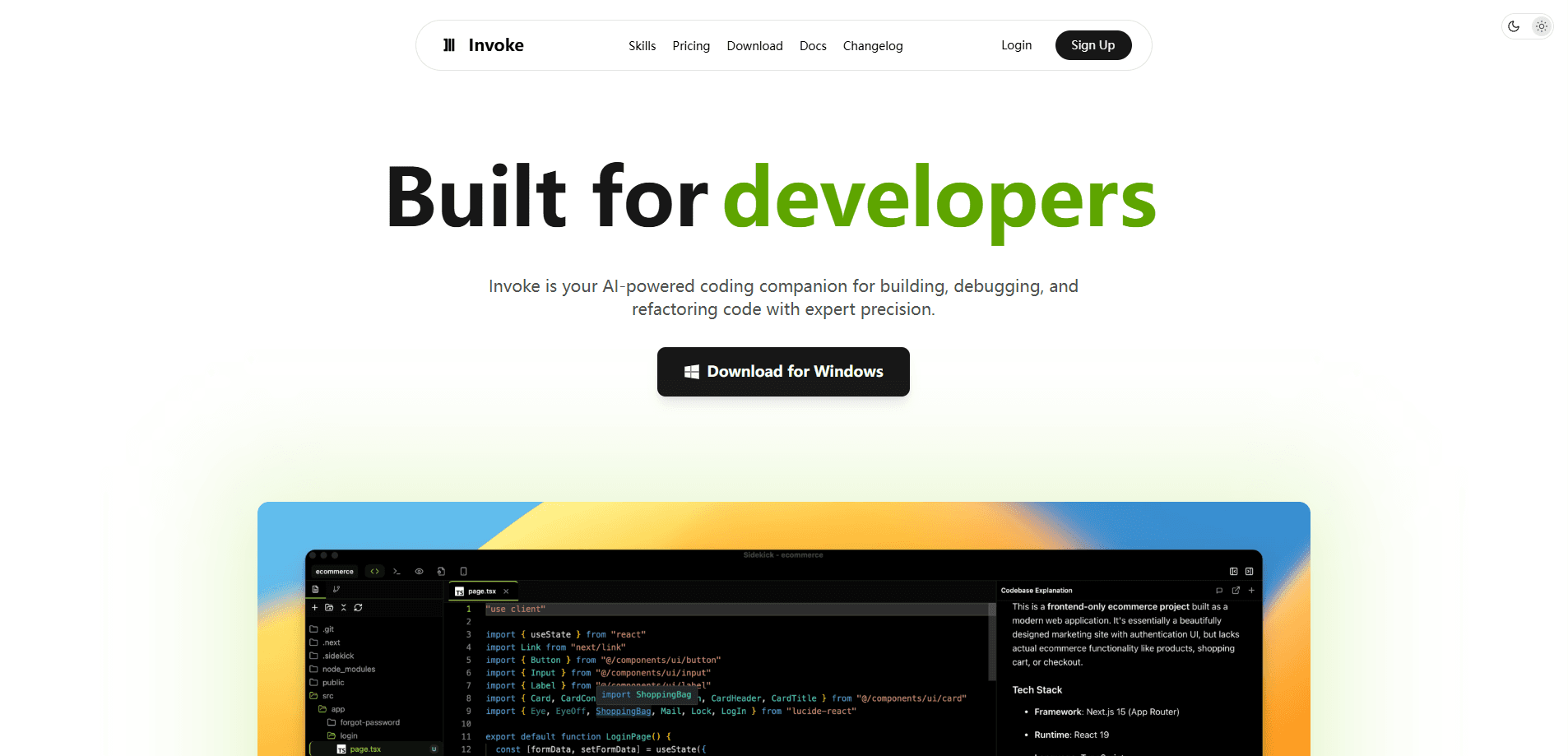
Invoke is a desktop AI coding agent by Yugin Tech that puts Claude and other large language models directly inside your workspace. It goes past autocomplete. You get autonomous agents that plan and run tasks, a visual board for mapping features, a built-in API client, and terminal control, all in one app. It's built for developers who want an AI coding assistant that understands a whole project, not just the file open on screen. Think of it as AI pair programming with the whole repo in view.
About Invoke
What Is Invoke
Invoke is a desktop application that blends an AI coding assistant with a full editing and workspace environment. Instead of sending snippets to a separate chat window, you work with agents that read your codebase, make changes, and report back while you stay in the editor. It supports multiple AI providers, so you can connect Anthropic, OpenAI, Google, or local models through Ollama, and you can bring your own API keys if you'd rather control cost and provider directly.
The main problem it solves is context. Most AI coding assistants answer in isolation. That means you spend time pasting files and re-explaining your setup. Invoke keeps project context, memories, and reusable skills on hand, so an agent already knows how your code is organized before you type the first word of a request. Its Orchestrator mode can spin up several sub-agents at once for work that has more than one moving part.
The tradeoff is weight. This is a desktop app with a large feature surface. So there's a real setup step before it feels useful, and the credit-based pricing means heavy use of premium models adds up fast.
For developers who mostly want quick inline suggestions, that's more machinery than necessary. If you're running multi-file changes, or juggling several branches while new requirements land mid-sprint, the structure starts to pay for itself.
Getting Started
- Download the desktop installer from the official site and install it on Windows, macOS, or Linux.
- Sign in and connect your AI provider, either using the built-in credits or your own API keys.
- Open or create a project so Invoke can index the codebase and set up its workspace.
- Pick a mode, then describe your task in plain language and let the agent work.
- Review the diff, approve commands in the terminal, and keep or restore from a checkpoint.
Product Information
A quick look at Invoke's pricing, supported platforms, and performance.
Best for
The users, tasks, and scenarios where this tool fits best.
Users
- Professional developers working across multi-file codebases
- Small teams that want one workspace
- Developers who prefer local or self-hosted models
Tasks
- Automated code generation
- Debugging and refactoring
- Testing API endpoints
Scenarios
- Shipping a feature with several dependencies
- Running parallel experiments
- Onboarding into an unfamiliar repo
Key features
Agent Modes for Different Jobs
Invoke ships with four modes that map to how development actually flows. Agent mode lets the AI work autonomously through complex tasks and make decisions on its own, Plan mode keeps it in a thinking-and-outlining role before any code changes, Browser mode gives the agent access to web context, and Orchestrator mode coordinates sub-agents when a task has too many parts for one pass. You switch modes instead of rewriting prompts. That's the whole idea.
Visual Boards and Canvas
Boards turn planning into something you can see. You lay out features as cards, draw connections to show what depends on what, then hit Build to send the entire plan to an agent as a prompt. Canvas handles design work. Sandbox gives you a safe place to test ideas without touching your main project. It's a different way to brief an AI coding assistant than typing a paragraph and hoping the scope is right.
Built-in API Client
The API client is a REST tool inside the workspace. You can test endpoints, manage base URLs, chain requests, and scan your project for APIs. No jumping to Postman mid-task. Developers who build or consume services daily will notice the difference. That loop stays in the same window as the code.
Sub-Agents and Parallel Work
Orchestrator mode can run several independent sub-agents at once, each in its own tab. On the Free plan you get up to three sub-agents, and the paid tiers raise that ceiling to 10, 50, or unlimited. When you're running the same task against different approaches, or clearing a pile of unrelated chores in a single sitting, this is the feature that changes what's realistic to finish in an afternoon.
Multi-Provider and BYOK
Invoke supports more than 10 LLM providers. That list covers Anthropic, OpenAI, Google, and local models through Ollama. Bring Your Own Keys means you can plug in your own API credentials and control provider choice and cost directly. Ollama integration matters if privacy or offline work is a priority, since the model runs on your own hardware.
MCP, Skills, and Slash Commands
Model Context Protocol support extends what the agent can reach. Skills are reusable bundles of instructions, scripts, and references you can apply across projects. A slash command creates skills, spawns agents, or scans your APIs. These pieces make Invoke feel less like a chatbot and more like a configurable coding tool. It's a genuine AI developer tool, not a wrapper.
Terminal Control and Checkpoints
The integrated terminal runs commands with AI assistance. You set which commands are allowed or blocked for safety. Checkpoints let you roll back to an earlier state, and you can restore either the conversation alone or the conversation and files together. For an agent that edits real code, that safety net is the difference between experimenting freely and hesitating.
Workspace and Customization
Floating panels can be rearranged to fit how you like to work, a command palette handles navigation and actions, and themes are fully editable. Detached agent windows stay on top while you work elsewhere, and live preview shows changes as you make them, which means you can watch a refactor land without switching tabs to a browser. None of this is exotic, but it adds up to an environment you shape around your own habits.
Pros and cons
Pros
- Runs Claude, OpenAI, Google, and local models in the same desktop app, so you're not locked to one provider.
- Solid as a Claude coding assistant out of the box, with the option to switch models per task.
- Orchestrator mode with parallel sub-agents handles multi-part tasks that single-agent tools struggle with.
- Boards turn project planning into a visual prompt you can hand straight to an agent.
- Checkpoints and command allow/block lists give you real control when the agent touches your code.
- Free plan includes up to three sub-agents and your own API keys, so you can test it without paying.
Cons
- It's a desktop app, not a browser tool, so you can't just open a tab and start.
- Credit-based pricing means premium models burn through your monthly allowance faster, and code reviews also consume credits.
- The feature surface is large, and new users will need time to learn modes, skills, and workspace setup before it clicks.
Frequently asked questions
Invoke is an AI coding agent built by Yugin Tech Pvt Ltd. It's a desktop application that combines AI-assisted editing, autonomous agents, and workspace tools. It supports multiple LLM providers, including Anthropic, OpenAI, and Google.
Related content
Explore related tools, skills, and articles for Invoke.
Invoke Alternatives
Forefront
Forefront · CodingForefront is a web platform for building with open-source AI. It lets you fine-tune leading open-source language models on your own data, evaluate how they perform, and run them through an API or export them to host yourself. Developers who want the convenience of a closed-source platform but insist on owning their models and data are the target audience here.

Startkit
StartKit.AI · CodingStartkit is a boilerplate for building AI SaaS and AI wrapper products. Think of it as an AI startup boilerplate with the boring parts already wired up: authentication, Stripe and Lemon Squeezy payments, usage limits, transactional email, and an AI API starter that talks to OpenAI, Anthropic, Groq, or Llama. You clone the repo, set your price, and start on the part of your product that people actually pay for. It's Next.js under React and Tailwind, so most of the boilerplate code already feels familiar.
Testim
Tricentis · CodingTestim is an AI-powered test automation platform for building and running end-to-end tests across web, mobile, and Salesforce applications. It leans on machine learning to keep tests stable when an interface changes, so teams spend less time fixing broken selectors. Not bad for an automated testing tool you can start using today. You create tests by recording actions in a browser, then optionally add JavaScript when you need more control. It's a solid pick for busy QA teams.