
iPromise
Odd Lab · Productivity
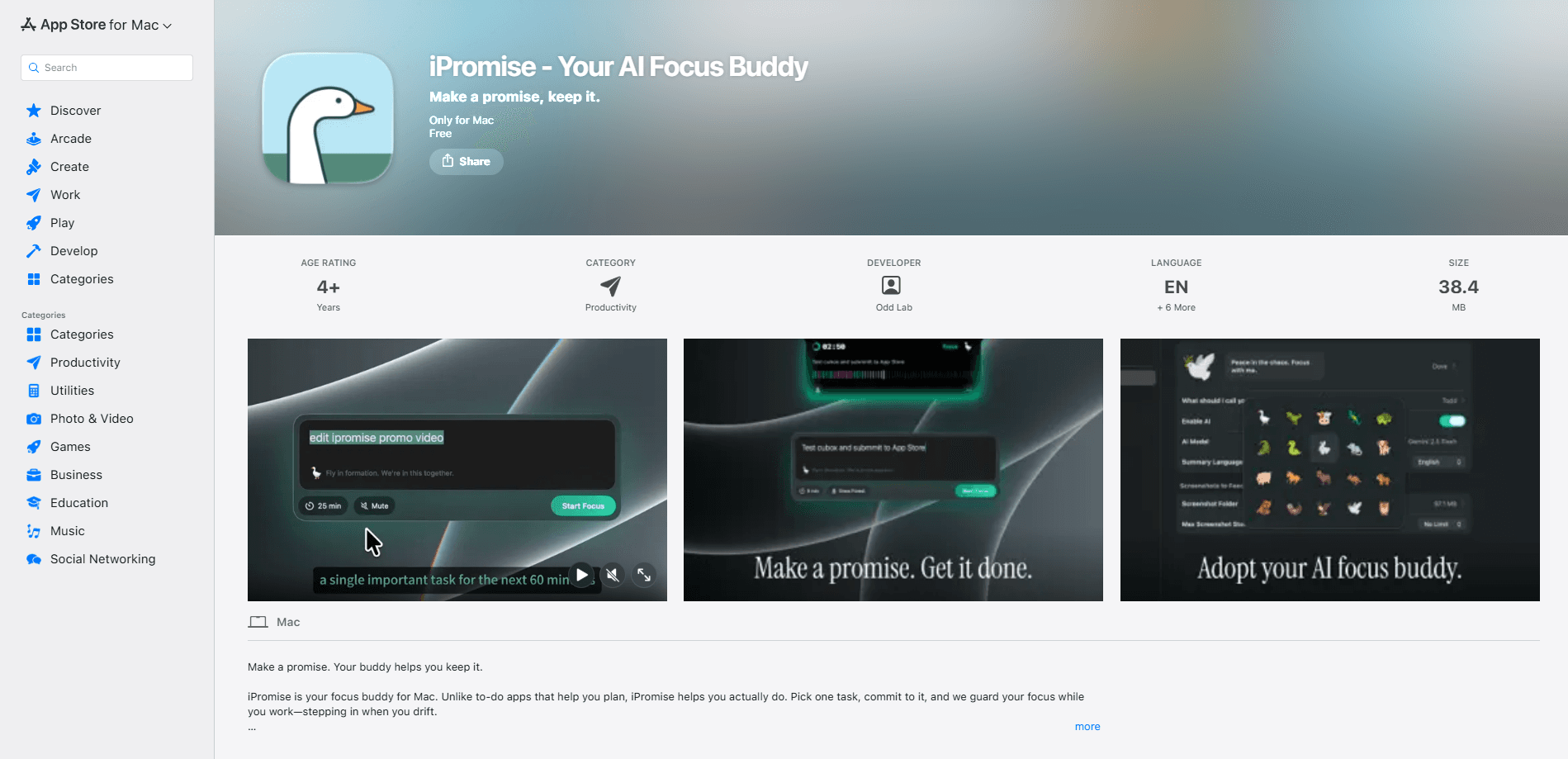
iPromise is a Mac-only AI focus buddy from Odd Lab that turns a single chosen task into a timed commitment, then watches your screen to catch you drifting. You name the work, set the clock, and pick a virtual pet to keep you honest. When the session ends you get a report, a streak, and a record of how the time actually went. It runs on your own AI provider and API key, so the distraction detection happens through a model you already pay for rather than a subscription baked into the app. So what makes one worth installing at all? For this productivity app, the answer is the mix of a timed commitment, an AI watchdog, and a pet that notices when you stop caring.
About iPromise
What Is iPromise
iPromise is a focus app for Mac built around a simple deal: name one task, promise a block of time, and let a companion hold you to it. Odd Lab built it for people who can start work fine but can't stay on it. The app pairs a countdown with a small virtual pet. The pet reacts as your session goes well or falls apart.
The interesting part is how it decides if you're still working. Instead of just blocking sites, iPromise uses an AI model to look at what's on your screen and judge if it matches the task you committed to. Open something unrelated and it notices. That's also where the design gets opinionated: you supply your own AI provider and API key. It keeps costs low. It also adds a setup step most focus apps skip entirely.
The biggest limitation is platform. There's no iPhone, iPad, Android, or web version. If you split your day across devices, iPromise covers only the Mac portion. The streaks it builds won't follow you to your phone.
Getting Started
- Download iPromise from the Mac App Store and open it on your Mac.
- Connect your own AI provider and paste in an API key so the distraction detection has a model to run.
- Pick a task, set a time block, and choose the companion pet you want watching the session.
- Start the timer and work; keep iPromise visible so it can track your on-screen context.
- Finish the block and review the session report, then watch your streak build across days.
Product Information
A quick look at iPromise's pricing, supported platforms, and performance.
Best for
The users, tasks, and scenarios where this tool fits best.
Users
- Freelancers and remote workers
- Students writing long papers
- Developers in deep-work blocks
Tasks
- Writing a report or thesis section
- Coding through a feature branch
- Studying for an exam
Scenarios
- Early-morning focus before anyone else is online
- Fighting the urge to check social feeds mid-task
- Rebuilding a work habit after a scattered month
Key features
Task-Based Timed Commitments
Instead of a generic timer, iPromise asks you to name the exact task and commit to a block of time for it. You're not tracking "work" in the abstract; you're promising to finish a specific thing by a specific point. That framing separates it from a stopwatch. It's also the first thing you set up in any session.
AI-Powered Distraction Detection
The app uses an AI model to read your on-screen context and decide if you're still on task. Open a page unrelated to what you committed to and it flags the drift. Because it judges context rather than blocking a fixed list of sites, it can catch distraction on a site you never thought to block. That matters if you want a distraction blocker for Mac that adapts instead of one you keep patching. The trade-off is the setup. The model runs on a provider and key you bring yourself.
Virtual Companion Pets
Each session comes with a small virtual pet that reacts to how you're doing. Stay on task and the pet thrives; drift and it shows it. It sounds like a gimmick. Then the pet sulks at you for the third time in an afternoon. The pet is the emotional layer that a bare countdown lacks, and it's the part most people remember.
Session Reports and History
When a block ends, iPromise shows you how the time went rather than just handing back a number. You can see where focus held and where it slipped. No guesswork. Over a week, those reports turn into a picture of when you actually work well, which is more useful for planning than any single session.
Streaks That Reward Consistency
The app tracks streaks across days, so a run of completed commitments builds into something you don't want to break. It's the same mechanic as a habit tracker, applied to focus blocks instead of workouts. Some people love it. Others find it nagging. That reaction says a lot about whether iPromise fits how you work.
iCloud-Synced Session Data
Session history syncs through iCloud, so your records aren't stranded on one machine. If you use more than one Mac, the history travels with your Apple ID. That's a real convenience. Note that the app itself is Mac-only; the sync covers your data, not a mobile app, so there's nothing to open on a phone.
Pros and cons
Pros
- Focuses on one named task per session instead of a vague timer, which makes the commitment concrete.
- Judges distraction by what's actually on your screen rather than a static blocklist you have to maintain.
- Bring-your-own AI key keeps the app's own cost low for anyone already paying for a model.
- The pet and streaks add a habit layer that plain timers don't have.
- Session reports give you data on when you focus best, not just whether you finished.
Cons
- Mac only, so the streaks and history stop at the edge of your laptop; there's no iPhone or Android companion.
- The AI key setup is a real hurdle. Expect people who want a turnkey app to bounce off it.
- Committing to one task at a time suits long-form work better than a day of quick switching.
- Syncing through iCloud means there's no cross-platform account, so you're tied to Apple's setup.
Frequently asked questions
iPromise is a Mac focus app that turns a task into a timed commitment, watches your screen for distraction using an AI model, and gives you a session report afterward. A virtual pet and daily streaks add a habit layer on top.
Related content
Explore related tools, skills, and articles for iPromise.
iPromise Alternatives

Swms
Swms AI · Writing · Productivity · BusinessSwms is an AI safety compliance tool that turns a plain description of a job into ready-to-use safety documents. Describe your project, trade, and known hazards, and it writes a safe work method statement, job hazard analysis, safe work procedure, RAMS, or safety data sheet in seconds. It also ships with Oscar, a chat assistant that answers workplace safety questions in any language. Teams in construction, mining, transport, and warehousing use it to cut the paperwork that usually eats into a workday.

Wordly AI Translation
Wordly · Voice & Language · ProductivityWordly AI Translation is a real-time AI translation and captioning platform built for meetings, conferences, and events. It delivers live translation, captions, transcripts, and summaries in more than 60 languages, and attendees join by scanning a QR code or opening a link instead of using dedicated headsets. The platform works with Zoom, Microsoft Teams, Google Meet, and Webex, and it's designed for organizations that want multilingual access without hiring human interpreters for every session. Simple as that.

Rows
Rows (Superhuman) · Productivity · BusinessRows is an AI spreadsheet and data analysis tool that imports live data from more than 50 sources, then lets you work with it using plain language instead of SQL queries or nested formulas. You can pull numbers out of PDFs, connect ad platforms, databases, and bank accounts, and ask the AI to build reports, merge datasets, or set up models that recalculate themselves. It runs in the browser, works like a spreadsheet, and now sits under the Superhuman umbrella.