

Jogg.ai
JOGG PTE. LTD. · Video · Marketing
JoggAI is an AI avatar video generator that turns product URLs, scripts, and photos into short videos with lifelike presenters. Marketers use it to ship ad creative without filming.
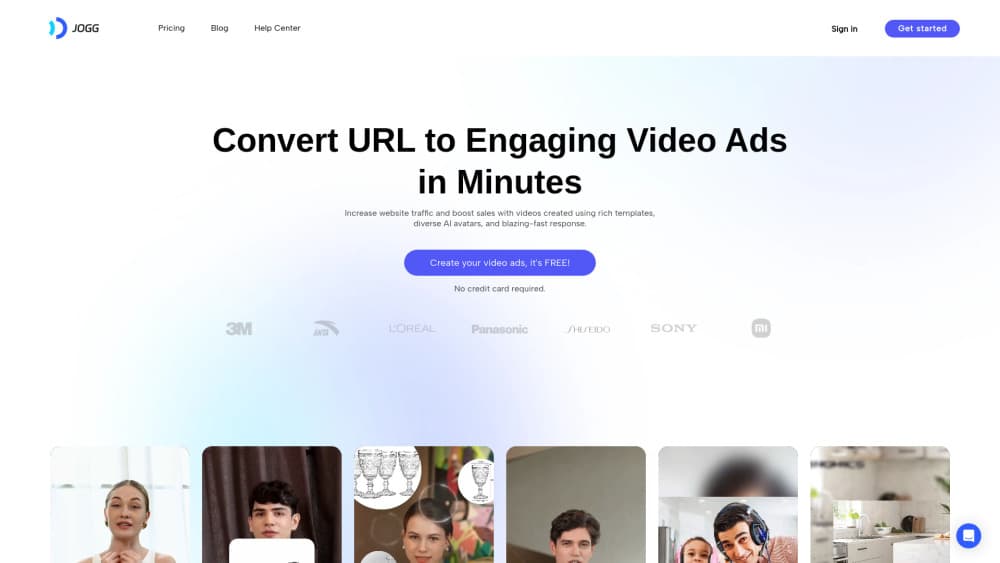
About Jogg.ai
What Is JoggAI
JoggAI is a browser-based video platform built around AI avatars. You hand it a script, a photo, a podcast file, or a product page URL, and it returns a finished video with a presenter who speaks in a stock or cloned voice, plus captions and b-roll. The company behind it is JOGG PTE. LTD., based in Singapore, and the product launched publicly in October 2024. JoggAI says more than 800,000 marketers, creators, and businesses use it.
Most people arrive with the same problem. Video converts well, but shooting takes a crew, a studio, and a week of editing. JoggAI removes the camera. A solo seller can publish five versions of a product ad before lunch, and a training team can update a course module by editing text instead of reshooting a presenter. The output leans toward AI video ads and explainers, not cinema.
The limits matter. Everything runs on credits, and premium models burn through them much faster than a standard avatar clip. Close-up renders still show small artifacts around the mouth and hands, so brand films usually keep a human on camera. The free tier works more like a trial: 200 promotional credits for 31 days, one custom avatar, and a watermark on exports.
Getting Started
- Create an account with email or Google. New accounts get 200 promotional credits and no card is required.
- Pick a starting point: paste a product URL, open a template, upload a portrait for a talking photo, or write a script from scratch.
- Choose an avatar and a voice, then edit the generated script. Voice cloning needs a paid plan.
- Render the video, check captions and lip sync, then export in vertical or widescreen formats. Upgrade when you need watermark removal or longer runtime.
Product Information
A quick look at Jogg.ai's pricing, supported platforms, and performance.
Best for
The users, tasks, and scenarios where this tool fits best.
Users
- E-commerce sellers
- Camera-shy creators and podcasters
- Marketing teams running localized campaigns
Tasks
- Turning a product listing into ad variations
- Producing training or explainer videos
- Dubbing a finished video into another language
Scenarios
- Weekly ad testing on a small budget
- Repurposing a podcast episode
- Launching in several markets at once
Key features
URL to Video
Paste a product or landing page URL and JoggAI reads the page, drafts a script, and builds a video around an avatar presenter. Product shots, benefit lines, and a call to action come out in one pass. It's the fastest route from a live listing to a testable ad, and the main reason sellers pick this tool over a general editor.
Custom Avatars and AI Twin
Upload footage or record with a webcam, and JoggAI builds an avatar that copies your face, gestures, and voice. Paid plans add more avatar slots and looks, and the Team plan allows 50. This is what makes a repeatable channel possible: record once, then publish weekly updates without touching a camera.
Talking Photo and Lip Sync
A single portrait becomes a speaking presenter. Lip sync drives the mouth from the audio track, so a still headshot can deliver a 60-second pitch. It works well for real estate listings and quick announcements where booking a presenter makes no sense. Expect some stiffness in the neck and shoulders.
AI Script Writer and Templates
Describe the offer and the script writer returns a structured short-form script with a hook, body, and CTA. Templates cover common formats like product ads, testimonials, and explainers, and the API can call a template directly for batch work. Editing text is faster than editing a timeline, so most fixes happen there.
Voice Cloning and Video Translation
Paid plans include up to 50 voice clones a month, and the platform ships a stock library of AI voices in multiple languages and accents. Video translation takes an existing clip, swaps the audio, and re-syncs the lips. A single campaign can run in several markets without hiring a voice actor for each one.
200+ Video and Image Models
Beyond avatars, JoggAI gives you access to third-party generation models such as Seedance 2.5, Seedance 2.0, MiniMax H3, HappyHorse, Veo 3, and Wan3 for b-roll and image shots. Having them inside the same project means you don't export to another tool mid-edit. Credits are shared, so a premium model clip costs more than a plain avatar scene.
Batch Creation and API Access
The REST API exposes avatar video, photo to avatar, URL to video, template to video, and script generation, all drawing on the same credits as the web app. Agencies use it to render dozens of variants from a spreadsheet. Enterprise plans add higher concurrency and dedicated support.
Pros and cons
Pros
- URL to Video removes the blank page problem for product ads, which is where most small sellers stall.
- One credit balance works across the web app, API, MCP, and plugins, so you don't buy separate pools.
- The model library covers avatar clips and b-roll in one place, including Seedance 2.5 and Veo 3.
- Annual plans grant the full year of credits upfront, and unused monthly credits roll over for up to three months.
Cons
- Credit pricing is hard to forecast. A premium model clip can cost many times more than a standard avatar video, so budgets drift.
- Close-up avatar renders still show small artifacts around the mouth, which rules out premium brand films.
- The free plan works as a 31-day trial: 200 credits, one custom avatar, a watermark on exports, and no talking photo or video translation.
Frequently asked questions
It makes short videos with AI presenters. Common uses are product ads from a URL, talking-head explainers, podcast clips, training modules, and translated versions of an existing video.
Related content
Explore related tools, skills, and articles for Jogg.ai.
Jogg.ai Alternatives

ngram 2.0
ngram · Video · Marketingngram 2.0 is an AI video generator for teams. It turns a prompt, a screen recording, or a product URL into a narrated explainer, product demo, or AI avatar video, and every scene stays editable.

OpenScreen 2
OpenScreen (open-source project) · Video · ProductivityOpenScreen 2 is a free, open-source screen recorder and demo video editor for Windows, macOS, and Linux, with automatic zooms, styled frames, local captions, and agent edits.

Skreno
Skreno · Video · ProductivitySkreno is a browser screen recorder that captures a tab, a window or your whole display, then attaches AI transcripts, summaries and console logs to one share link.