

JoyFun AI: Image to Image, Video
JoyFun AI · Video
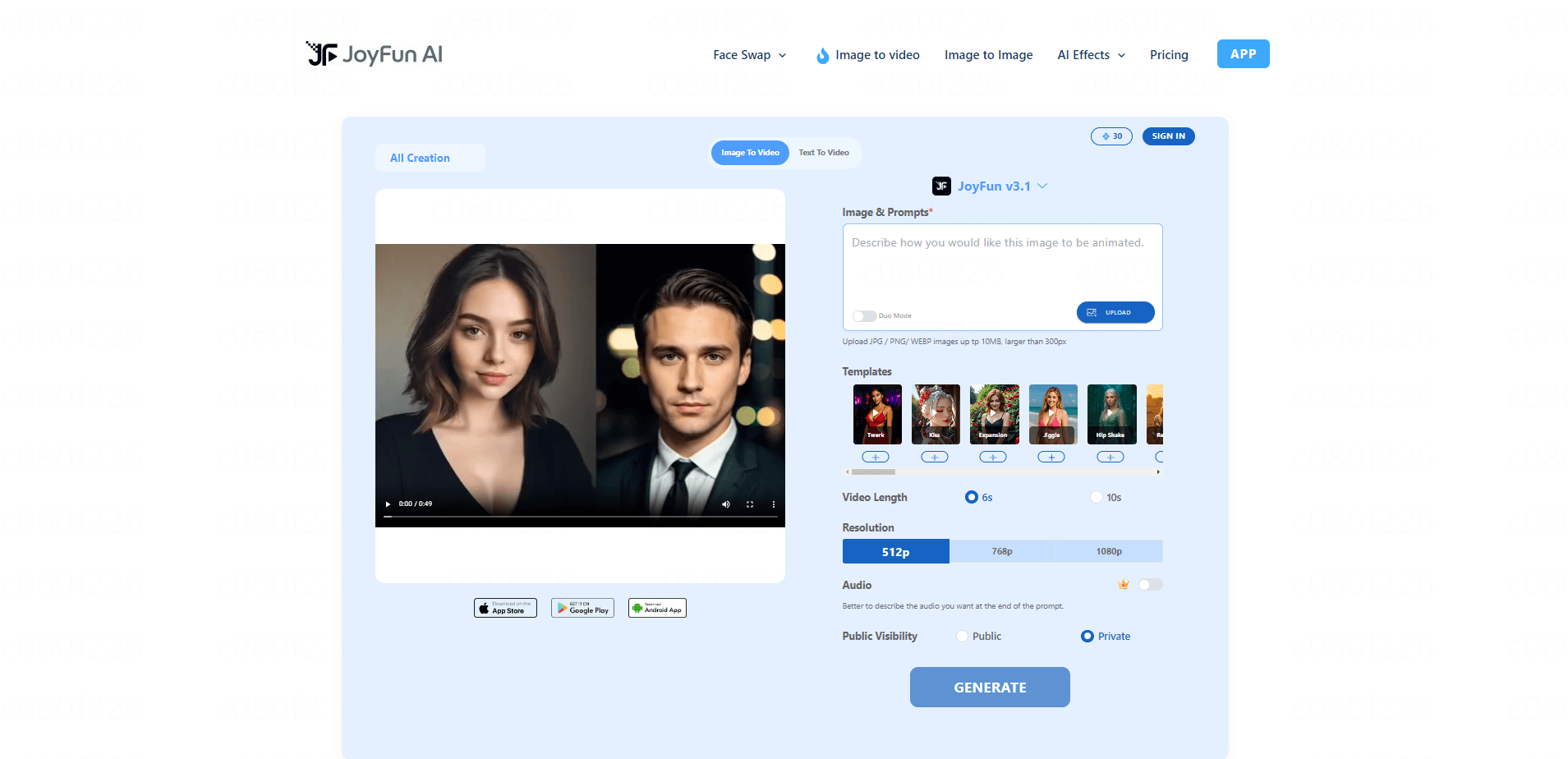
JoyFun AI is a free, browser-based AI creative suite that turns static photos and text prompts into short videos up to 1080p. It bundles an image to video generator, text to video, face swap, and one-click AI video effects into a single page you can use without signing up. It suits casual creators who want quick animated clips for social posts rather than a full production studio.
About JoyFun AI: Image to Image, Video
What Is JoyFun AI
JoyFun AI is an online AI video generator built around one idea: get a usable clip out of a single photo fast. You upload an image or type a scene, pick an effect, and the site returns a short animated video, usually capped around 10 seconds at 1080p. There's no timeline editor and no software to install, which is the whole appeal if you just want something moving to post.
The tool leans hard into novelty. Face swap works on both photos and videos, and a library of preset effects (dance, kiss, and similar character animations) covers the trends people actually ask for. According to the platform, everything runs free with no credit system or paywall, and you don't need an account to start.
The catch is the same thing that makes it cheap. Clips are short. Output control is thin compared to pro tools, and the site is largely unfiltered, which means you'll run into adult-oriented templates alongside the ordinary ones. So who is this actually for? Casual creators who want something moving to post, not teams producing commercial footage. If you need long-form or commercial-grade video, this isn't the tool.
Getting Started
- Open joyfun.ai in any browser. No signup or login is required to begin.
- Choose a mode: Image to Video, Text to Video, Face Swap, or a preset video effect.
- Upload your source photo or video, or type a text prompt describing the scene you want.
- Pick an effect and any available options, then hit generate and wait for the render.
- Preview the clip and download it to your device in 1080p.
Product Information
A quick look at JoyFun AI: Image to Image, Video's pricing, supported platforms, and performance.
Best for
The users, tasks, and scenarios where this tool fits best.
Users
- Casual social media creators who need a quick animated clip from one photo and don't want to learn editing software.
- People experimenting with face swap for fun memes or party content, provided they only use images they have the rights to.
- Users who want to try AI video generation before paying for anything, since the tool is free and needs no account.
Tasks
- Animating a still portrait into a short moving clip for a profile or post.
- Swapping a face into an existing photo or short video for a joke or trend edit.
- Turning a one-line scene description into a short text to video test clip.
Scenarios
- Making a fast piece of content the night before it needs to go up, when there's no time for a full editor.
- Trying out a viral effect you saw in a feed to see how it looks with your own image.
- Doing a low-stakes first run at AI video so you can judge whether the category is worth investing in.
Key features
Image to Video Animation
This is the core function: upload a photo, add a short prompt, and JoyFun AI brings the image to life with motion. It handles portrait-style shots best. A small amount of movement reads as natural there. Results land at 1080p and are short by design, which keeps renders fast.
Face Swap for Photos and Videos
You can swap one face onto another in either a still image or a video clip. The tool handles the alignment automatically. No lining up features by hand. It's built for entertainment use, and the realism holds up best when the source face is well lit and facing roughly the same direction as the target.
Text to Video Generation
Type a scene description and the generator produces a short clip from it. You get less control than you would with an image reference, since the model is inventing everything, but it's the fastest path when you have no source material. Treat the prompt like a quick brief. Not a precise script.
One-Click Video Effects
A preset library covers the popular character-animation looks, like dance and kiss templates, that people search for after seeing them trending. Each one applies in a single click, no manual keyframing. It's the part of the tool that's least about craft and most about speed.
No-Signup, No-Credit Workflow
Everything is gated behind nothing. There's no account wall and, per the platform, no credit balance to top up, so you can generate, redo, and move on without hitting a paywall. That makes it easy to test an idea on a whim. It also means there's little account history to fall back on.
1080p Output with a Short Clip Cap
Clips render at up to 1080p, which is sharp enough for most social platforms. The tradeoff is length: output is short, so this is built for single-loop clips, not scenes or sequences. Plan on one clear moment per render rather than a story.
Pros and cons
Pros
- Free to use with no signup, credit system, or subscription in the way.
- Combines image to video, text to video, face swap, and preset effects in one browser page.
- Renders at up to 1080p, which is enough for most social platforms.
- Fast to start: upload one image, pick an effect, and you have a clip in minutes.
Cons
- Clips are short, so you can't build a longer scene or narrative in a single render.
- Control over output is limited compared to a timeline-based editor; you get presets, not fine-tuning.
- The site is largely unfiltered, so adult-oriented templates sit next to ordinary ones and the content isn't suitable for kids.
- No confirmed public API, which rules it out for automated or app-integrated workflows.
Frequently asked questions
It's used to turn photos and text into short animated videos, mainly for social media. The main jobs are image to video animation, face swap, text to video, and preset character effects like dance clips.
Related content
Explore related tools, skills, and articles for JoyFun AI: Image to Image, Video.
JoyFun AI: Image to Image, Video Alternatives

ngram 2.0
ngram · Video · Marketingngram 2.0 is an AI video generator for teams. It turns a prompt, a screen recording, or a product URL into a narrated explainer, product demo, or AI avatar video, and every scene stays editable.

OpenScreen 2
OpenScreen (open-source project) · Video · ProductivityOpenScreen 2 is a free, open-source screen recorder and demo video editor for Windows, macOS, and Linux, with automatic zooms, styled frames, local captions, and agent edits.

Skreno
Skreno · Video · ProductivitySkreno is a browser screen recorder that captures a tab, a window or your whole display, then attaches AI transcripts, summaries and console logs to one share link.