

Jupitrr AI
Jupitrr AI · Video
Jupitrr AI is an AI video editor that turns raw talking-head footage into finished short-form videos, adding B-roll, subtitles, hooks, and music automatically for Reels, TikTok, and Shorts.
About Jupitrr AI
What Is Jupitrr AI
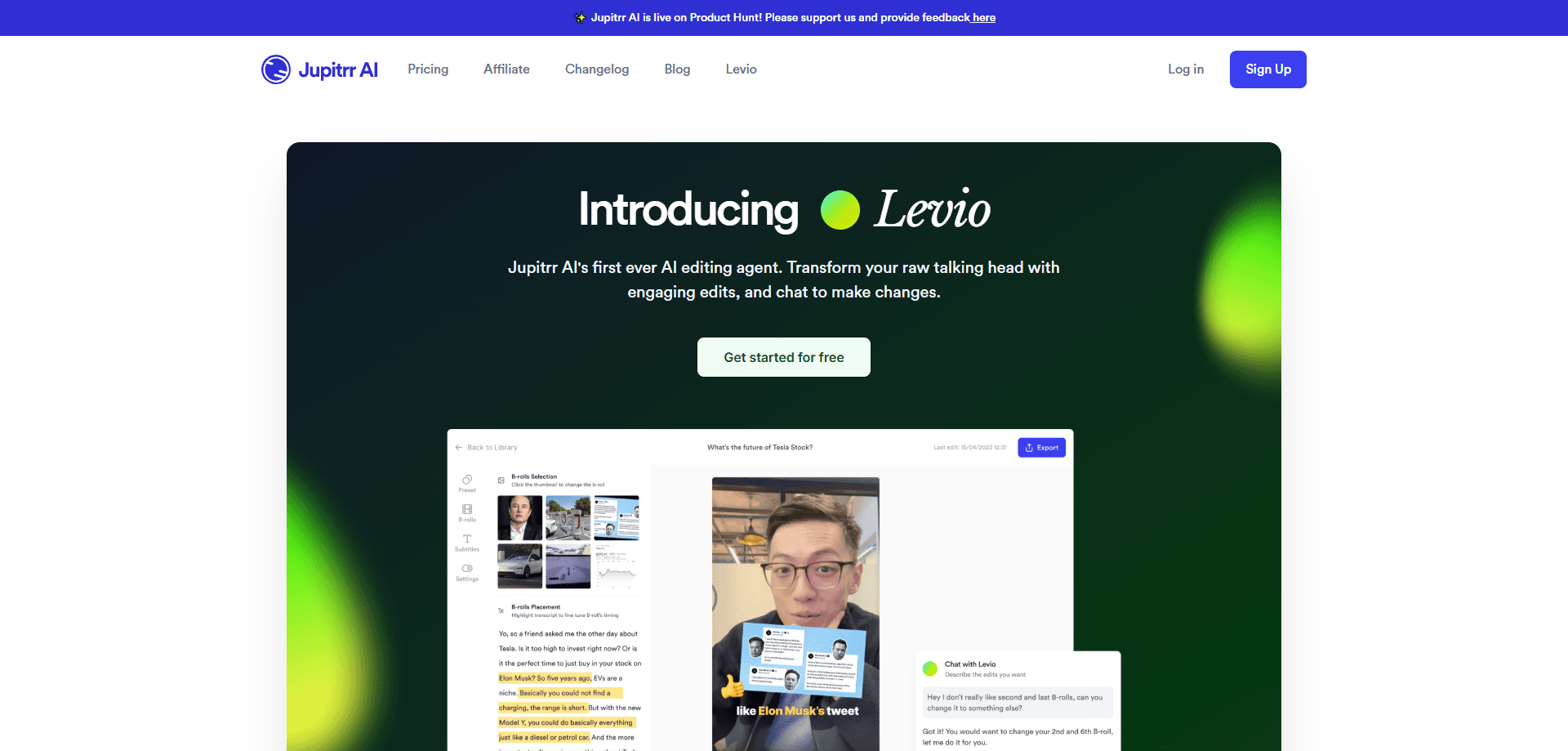
Jupitrr AI is a cloud video editor built for coach video marketing, for coaches, consultants, and creators who record themselves talking and want a finished clip without learning a timeline. The pitch is simple. You upload a raw video of you speaking to camera, and Jupitrr returns a first cut that already has B-roll matched to your script, animated subtitles, a hook, text overlays, and background music in place.
It also stretches beyond editing. The Pro and Team plans add an AI scriptwriter, viral video research, a content calendar, and one-click publishing to YouTube, Instagram, TikTok, and LinkedIn. That turns it into a full record-to-post workflow rather than a single editing tool.
The limits matter as much as the features. Jupitrr is not built for multicam edits, motion graphics, or cinematic color grading. If your project needs frame-level compositing or heavy visual effects, a traditional editor still does the job better. It works on talking-head content and short social clips, whether vertical or widescreen.
Getting Started
- Sign up on the Jupitrr website and watch the free sample video to see what the AI edit looks like.
- Record a video of yourself talking to camera, or use the built-in teleprompter to read a script while you film.
- Upload the clip and let the AI produce a first cut with B-roll, subtitles, and a hook.
- Review the edit on the interactive timeline or through the transcript, then swap B-roll, rewrite lines, or describe a change to the Jupitrr Agent.
- Schedule and publish to YouTube, Instagram, TikTok, and LinkedIn with captions written for each platform.
Product Information
A quick look at Jupitrr AI's pricing, supported platforms, and performance.
Best for
The users, tasks, and scenarios where this tool fits best.
Users
- Coaches and consultants
- Solo creators and freelancers
- Small agencies and teams
Tasks
- Video repurposing
- Editing talking-head videos fast
- Scripting and planning content
Scenarios
- Recording a client story or testimonial
- Running consistent social marketing on a tight schedule
- Explaining a service in 60 seconds
Key features
Instant AI First Cut
Upload talking-head footage and Jupitrr returns an edited video with a hook, animated subtitles, B-roll, GIFs, emojis, transitions, a brand logo, and an outro already placed. The editing pass runs on upload, so the time you spend is on recording and reviewing, not assembling clips. Most users publish their first video the same day they sign up.
Script-Matched B-roll
The editor picks a visual for nearly every sentence, pulling from Getty Images and iStock licensed stock on paid plans, Pexels free stock on every plan, Google Images, and GIFs. Each source carries its own licence, so you check the rights before using a clip in paid ads. You can swap any pick for your own footage.
Animated Subtitles in 54+ Languages
The AI detects your audio language and writes subtitles automatically, covering more than 54 languages including Spanish, French, Hindi, and Vietnamese. You edit captions line by line for wording, styling, and language, and Jupitrr can regenerate subtitles in a different language from the same recording.
Interactive Timeline and Transcript Editing
No blank timeline greets you at the start. You click, drag, and trim B-roll, text, and the hook on the timeline, or edit the wording straight through the transcript. You can also describe a change in plain language to the Jupitrr Agent and it applies the edit for you.
AI Scriptwriter and Content Research
On Pro and above, Jupitrr drafts scripts, searches for viral video ideas in your niche, and organizes them on a content calendar. This moves the tool past editing into planning, which is where a lot of creators lose consistency.
One-Click Multi-Platform Publishing
Schedule and post to YouTube, Instagram, TikTok, and LinkedIn from one place, with captions written for each platform. The Team plan adds multi-account publishing so agencies can run several client channels from a single workspace.
Pros and cons
Pros
- Turns a raw talking-head clip into a finished edit with B-roll and subtitles in minutes, not hours.
- Starter costs $15 a month billed annually and includes premium stock B-roll and no watermark.
- The AI edit is fully editable, so you can swap any clip, caption, or music track without rebuilding the video.
- Subtitles cover 54+ languages and can be regenerated from the same recording.
- Pro and Team plans fold scripting, planning, and publishing into the same app.
Cons
- The free tier only lets you watch a sample video, so you need a paid plan to upload your own footage and export.
- Monthly allowances for briefs, uploads, and exports reset each cycle and do not roll over, which can bite busy months.
- It is not made for multicam, motion graphics, or advanced color work, so those projects still need a separate editor.
- B-roll from Getty Images and iStock carries per-source licence terms, and you have to check rights before commercial use.
Frequently asked questions
It is a talking-head video editor. You upload a clip of yourself speaking and it returns a first cut with automatic B-roll matched to your words, captions, zooms, text overlays, and a hook, in vertical or widescreen. You can also research ideas, write scripts, record with a teleprompter, and handle social media publishing to YouTube, Instagram, TikTok, and LinkedIn.
Related content
Explore related tools, skills, and articles for Jupitrr AI.
Jupitrr AI Alternatives
Griffin by Tavus
Tavus · Voice & Language · Video · ChatbotGriffin by Tavus is the first Human Interaction Model: a full-duplex, video-to-video system that watches, listens, and answers during a live video call in real time.

Syllaby AI Avatar 2.0
Syllaby · Video · MarketingSyllaby AI Avatar 2.0 turns a script into a presenter-led video with a reusable AI avatar, natural voice, B-roll and automatic subtitles, all in one browser workflow.

Vitra.ai
Vitra.ai · Voice & Language · Video · MarketingVitra.ai is an agentic content platform that creates, translates, reviews, and publishes video, images, documents, and app content in 120 languages from one shared brief.