

Kadabra
Kadabra · Coding · Productivity
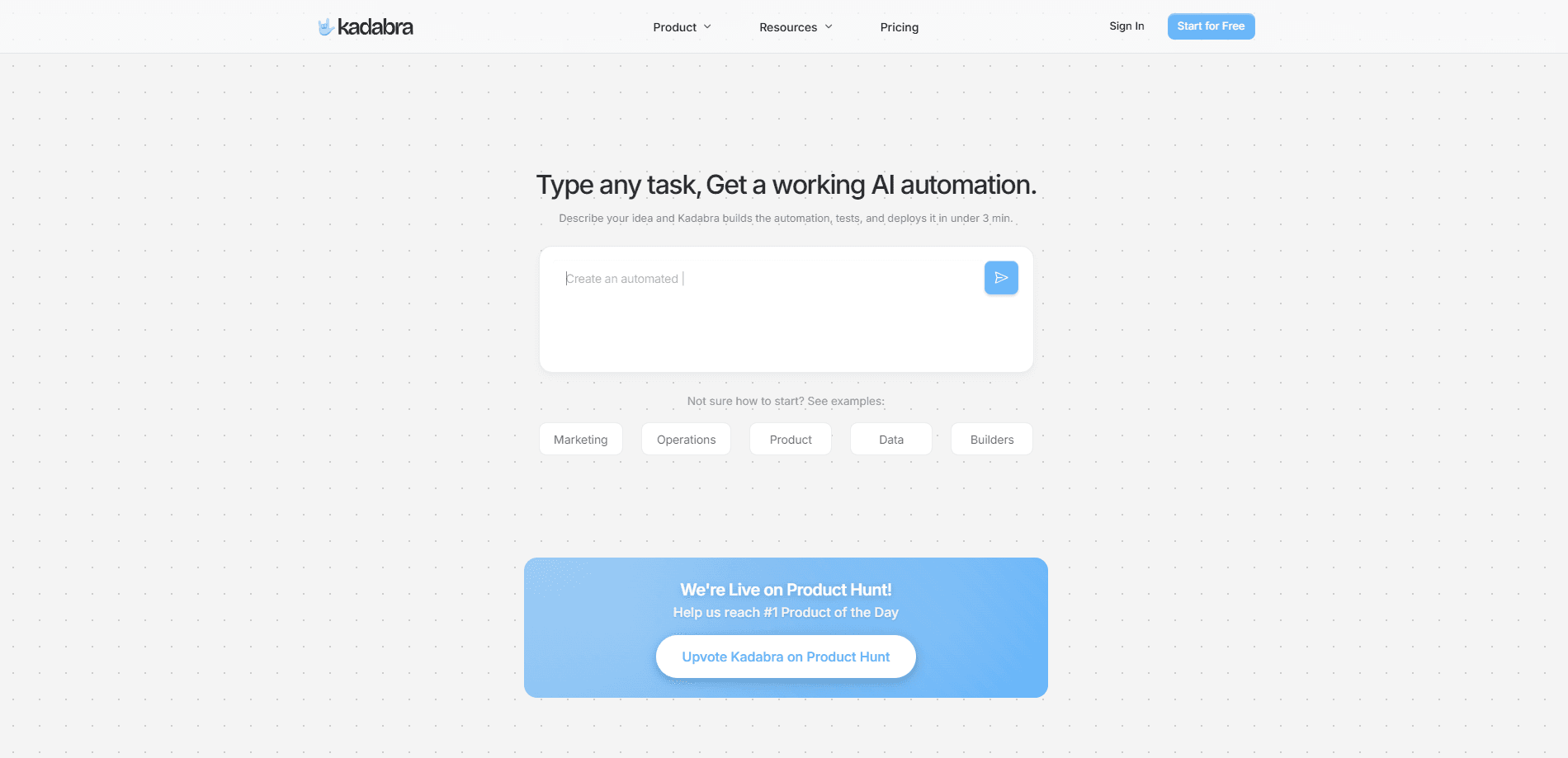
Kadabra is an AI automation platform that builds custom data workflows from plain-English task descriptions. Instead of wiring up nodes and connectors by hand, you describe what you want done, and Kadabra's AI agents generate, test, and deploy the automation on a visual canvas. It targets GTM (go-to-market) and operations teams that need repetitive data work handled without hiring engineers.
About Kadabra
What Is Kadabra
Kadabra is a no-code, low-code automation platform built around a simple promise: describe a task in plain English, and the platform turns it into a working workflow. The product markets itself as "your GTM, run by AI, backed by a human team," which signals its main audience of go-to-market and operations teams rather than dedicated engineers.
The core idea is that most business automation still requires someone who understands APIs and connectors. Kadabra removes that requirement. It lets AI agents assemble the workflow for you on a visual canvas. You can then inspect, edit, and extend what the AI built rather than starting from a blank grid.
Its main limitation is scope. Kadabra is aimed at data and operations workflows, not at general-purpose app building, and its most advanced controls, inline Python API calls and direct database connections, assume some technical comfort. Pricing isn't published openly, so you'll need to talk to the team before you can evaluate cost. That's a real gap.
Getting Started
- Sign up on the Kadabra site and describe the task you want automated in everyday language.
- Let the AI agent generate a first draft of the workflow and review it on the visual canvas.
- Adjust the nodes, data tables, and connections to match how your team actually works.
- Connect the tools and data sources the workflow needs, such as your CRM or spreadsheets.
- Run the workflow, check the output, then deploy it to handle the task on an ongoing basis.
Product Information
A quick look at Kadabra's pricing, supported platforms, and performance.
Best for
The users, tasks, and scenarios where this tool fits best.
Users
- GTM and sales operations teams
- Operations managers
- Data teams with light technical needs
Tasks
- Building custom data workflows
- Managing and exploring data
- Connecting existing tools
Scenarios
- Handling daily repetitive work
- Early project research
- Cleaning and organizing data
Key features
Plain-English Workflow Generation
You describe what you want done, and Kadabra's AI agents build the workflow for you. The biggest advantage here is speed, because a task that would take an afternoon to wire up node by node in a traditional builder can produce a runnable draft in minutes once you've written the description. The finished draft appears on the canvas, ready for you to review and adjust.
Visual Node-Based Canvas
Workflows live on a clean, node-based canvas where you can see how data moves from step to step. Editing is drag-and-drop, so changing a step doesn't mean rewriting a script. It keeps the whole automation readable at a glance. Simple as that.
Built-In Data Tables
Kadabra includes data tables for tracking and exploring the records your workflows touch. You can inspect what a run produced without exporting to another tool. Spotting problems early gets a lot easier.
Ready-Made Integrations
The platform connects to a range of common business tools out of the box, so you can link your CRM, spreadsheets, and other services quickly. Fewer custom connectors means faster setup and less maintenance down the line. Setup stays short.
Advanced Controls for Power Users
When you need more than the visual builder offers, Kadabra supports inline Python API calls and direct database connections. That gives technical users room to extend workflows without leaving the platform. No separate scripts required.
AI Agents That Test and Deploy
Kadabra's agents don't just draft a workflow. They test and deploy it as part of the build. You get a runnable automation rather than a half-finished diagram. It lowers the bar for teams that aren't sure how to launch an automation safely.
Pros and cons
Pros
- Turns plain-English descriptions into working workflows, which cuts the time to build an automation.
- The visual canvas makes it easy to inspect and adjust what the AI generated.
- Built-in data tables let you track and explore workflow output without extra tools.
- Ready-made integrations reduce the setup work for connecting common business apps.
- Advanced options like inline Python and database connections suit users who need more control.
Cons
- Pricing isn't published, so you can't estimate cost without contacting the team.
- The advanced controls assume some technical comfort, which may slow down non-technical users.
- It's focused on data and GTM workflows, so it isn't a fit for general app building.
Frequently asked questions
Kadabra is an AI automation platform that turns plain-English task descriptions into working data workflows. You describe the job, and its AI agents build, test, and deploy the automation on a visual canvas. Think of it as a builder that takes instructions, not code.
Related content
Explore related tools, skills, and articles for Kadabra.
Kadabra Alternatives
Forefront
Forefront · CodingForefront is a web platform for building with open-source AI. It lets you fine-tune leading open-source language models on your own data, evaluate how they perform, and run them through an API or export them to host yourself. Developers who want the convenience of a closed-source platform but insist on owning their models and data are the target audience here.

Startkit
StartKit.AI · CodingStartkit is a boilerplate for building AI SaaS and AI wrapper products. Think of it as an AI startup boilerplate with the boring parts already wired up: authentication, Stripe and Lemon Squeezy payments, usage limits, transactional email, and an AI API starter that talks to OpenAI, Anthropic, Groq, or Llama. You clone the repo, set your price, and start on the part of your product that people actually pay for. It's Next.js under React and Tailwind, so most of the boilerplate code already feels familiar.
Testim
Tricentis · CodingTestim is an AI-powered test automation platform for building and running end-to-end tests across web, mobile, and Salesforce applications. It leans on machine learning to keep tests stable when an interface changes, so teams spend less time fixing broken selectors. Not bad for an automated testing tool you can start using today. You create tests by recording actions in a browser, then optionally add JavaScript when you need more control. It's a solid pick for busy QA teams.