

Keevx
Keevx · Video
Keevx is a web-based AI avatar video studio. It turns scripts, product links, and documents into presenter-led videos, and translates existing clips into dozens of languages with cloned voices.
About Keevx
What Is Keevx
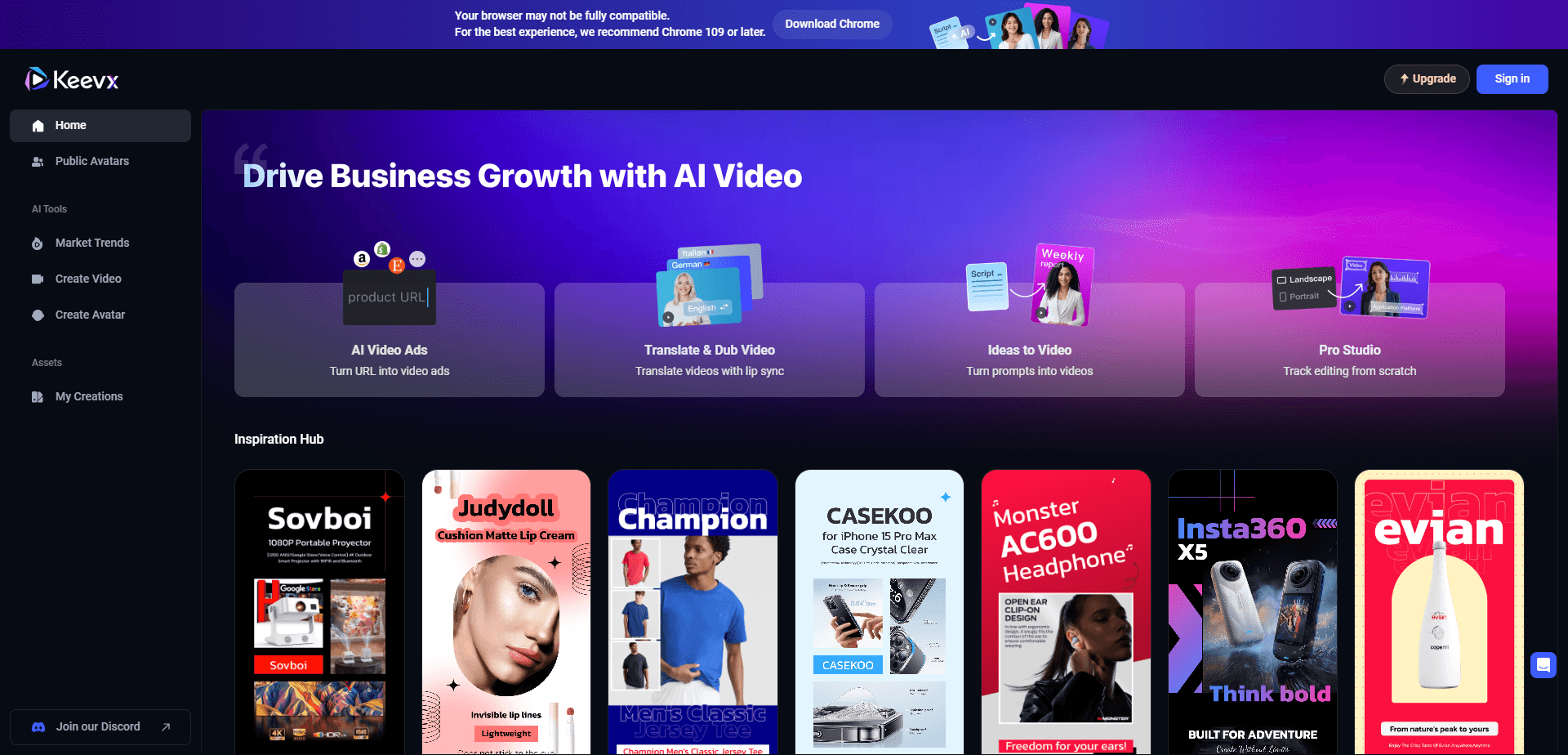
Keevx is an AI video platform for creating presenter-style videos with digital avatars. You type a topic or paste a product link, the tool writes a script, and an avatar delivers it in the language and voice you pick. The result looks like a filmed spokesperson, but nobody had to appear on camera.
It targets small businesses, ecommerce sellers, and solo creators who need steady output but cannot afford a studio. Instead of booking talent and editors, you generate clips from text and reuse them across TikTok, YouTube, and product pages.
The main limits are control and cost. Avatars and templates come from a shared library, so videos can look similar to those made by other users, and heavier production volume pushes you toward the higher tiers.
Getting Started
- Create a free Keevx account at keevx.com and start a new project.
- Choose a starting point: type a topic, paste a product link, upload a video for translation, or add a PPT or PDF.
- Pick an avatar, a voice, and a target language from the library.
- Let AI generate the script and assemble the clip, then adjust scenes on the timeline editor.
- Preview the result and export it in 1080p for download or social sharing.
Product Information
A quick look at Keevx's pricing, supported platforms, and performance.
Best for
The users, tasks, and scenarios where this tool fits best.
Users
- Ecommerce sellers
- Marketing teams at small firms
- Training and HR staff
Tasks
- Translating an existing video
- Making an ad from a product URL
- Converting slides into a narrated video
Scenarios
- Launching the same campaign across markets
- Testing ad angles quickly
- Keeping a content calendar full
Key features
Avatar and Voice Library
Keevx ships a stock library of 210+ avatars and 80+ voices covering different ages, looks, and tones. You pick a presenter and a voice, then reuse both across projects, so a channel keeps a consistent face without hiring anyone.
AI Script Generation
Type a topic or a rough idea and Keevx writes a video script with scene breakdowns. The tool ties the script to the avatar and template you chose, moving straight from idea to finished clip.
URL to Video
Paste a product link from a marketplace like Amazon, eBay, or Shopify and the platform pulls the key details into a styled ad video. This cuts the manual work of writing copy and building scenes for each listing.
Video Translation
Upload a clip and Keevx produces a version in another language, pairing voice cloning with lip sync so the mouth movements match the new audio. The official site lists support for more than 170 languages.
Viral Video Cloning
Give Keevx a link to a high-performing video and it breaks the structure into a reusable model. You can replicate the format with your own footage or output translated versions to reach new audiences.
Document to Video
Upload a PPT or PDF and the tool turns it into a narrated video with an avatar presenter, which suits product briefings, training modules, and internal updates.
Timeline Editor
A manual editor lets you adjust scenes, swap backgrounds, and change voice or language after generation. It exists for users who want to move past the template presets and fine-tune the cut.
Pros and cons
Pros
- Combines avatar video, dubbing, and translation in one web tool, so teams avoid juggling separate apps.
- Language support is broad, which helps sellers reach multiple markets from a single script.
- A free trial lets you test the workflow before paying.
- Stock avatars and templates shorten setup for users with no editing background.
- Timeline editing gives more control than fully locked template tools.
Cons
- Shared avatar and template libraries mean videos can resemble those from other users.
- The free trial lasts only minutes, so real evaluation needs a paid plan.
- Pricing is built around annual minutes, which overshoots the needs of occasional creators.
- Detailed visuals and complex motion still need a dedicated editor outside Keevx.
Frequently asked questions
Keevx makes presenter-style videos with AI avatars. You can generate a video from a script, turn a product link or document into a clip, or translate an existing video into another language.
Related content
Explore related tools, skills, and articles for Keevx.
Keevx Alternatives
Griffin by Tavus
Tavus · Voice & Language · Video · ChatbotGriffin by Tavus is the first Human Interaction Model: a full-duplex, video-to-video system that watches, listens, and answers during a live video call in real time.

Syllaby AI Avatar 2.0
Syllaby · Video · MarketingSyllaby AI Avatar 2.0 turns a script into a presenter-led video with a reusable AI avatar, natural voice, B-roll and automatic subtitles, all in one browser workflow.

Vitra.ai
Vitra.ai · Voice & Language · Video · MarketingVitra.ai is an agentic content platform that creates, translates, reviews, and publishes video, images, documents, and app content in 120 languages from one shared brief.