

Kimi
Moonshot AI · Productivity · China AI
Kimi is an AI assistant from Moonshot AI that mixes chat, deep research, and agentic task execution in one place. It runs on the company's Kimi K2 and K3 model line, an agentic AI model built for long-context reasoning, coding automation, and multi-step workflows. You can use it in the browser, and developers can reach the same models through an API. ### At a Glance It reads a lot. It does the legwork. And it doesn't ask you to pay to try it. That combination is why Kimi keeps showing up in conversations about practical AI work, even as Moonshot ships new model versions so fast that any detailed spec sheet you read today may describe a product that no longer exists next month.
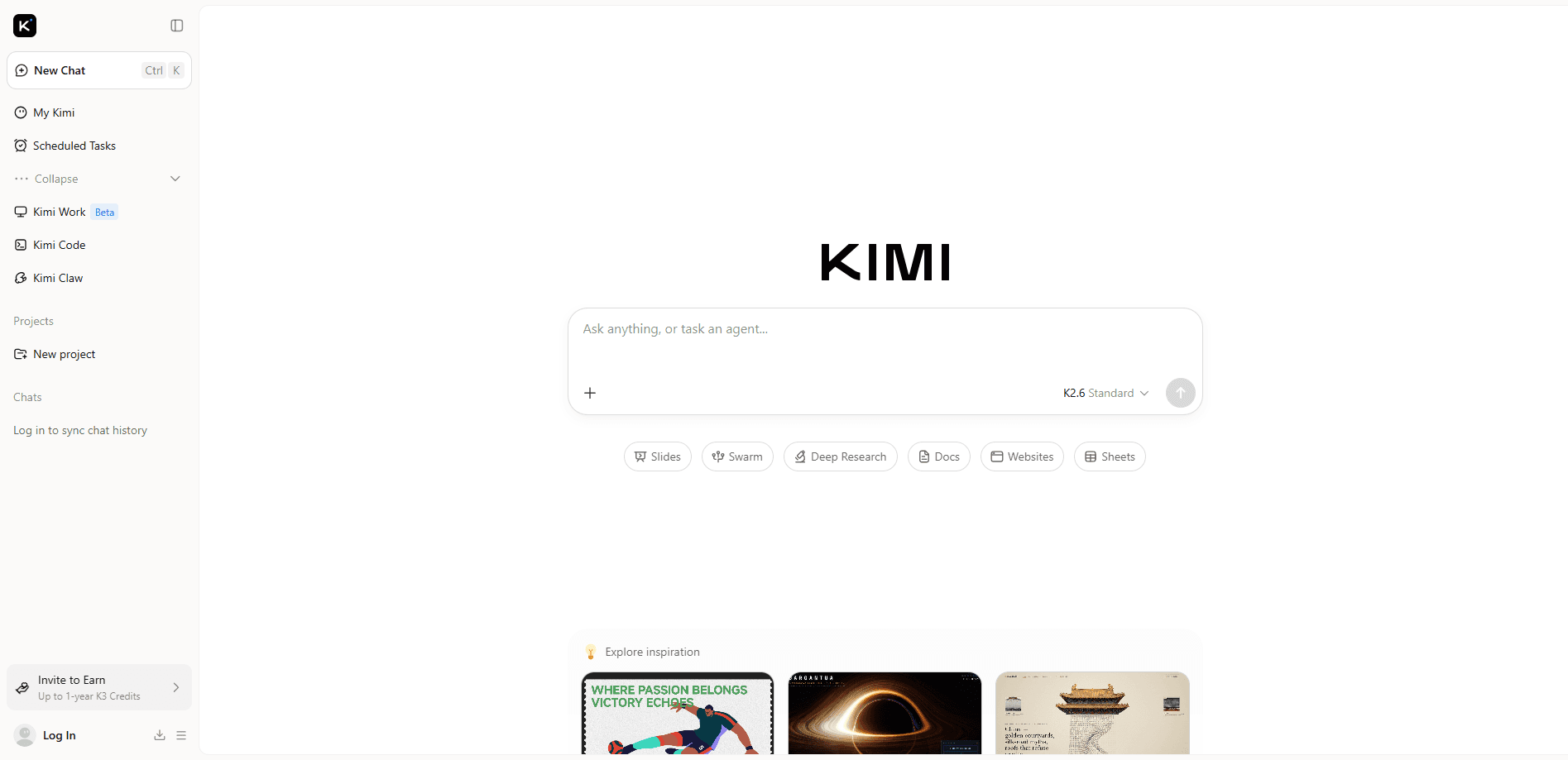
About Kimi
What Is Kimi
Kimi started life in 2023 as a chatbot focused on long documents. Feed it a contract, a paper, or a stack of reports and it would read the whole thing before answering. Moonshot AI has since pushed that same product toward agentic work: the assistant can plan a task, call tools, browse the web, and produce files instead of just text.
What does that change for you? It means the interesting work happens when you hand Kimi a job rather than a question. Chat is still the entry point, but the payoff comes when it writes and edits code, digs through sources, and assembles output like slides, docs, and simple sites on its own.
The catch is that Kimi is a generalist. It won't beat a dedicated coding IDE on deep refactors. Its feature set also moves fast, so specifics like model versions and pricing change often.
Getting Started
- Open kimi.com in a browser and sign in with an email or a linked account.
- Type a question in the chat box, or pick a task mode like deep research or slides.
- Attach files or a link when you need Kimi to work from your own material.
- Review the result, then follow up in the same thread to refine or extend it.
- For programmatic use, get an API key from the Moonshot platform and point your client at the endpoint.
Product Information
A quick look at Kimi's pricing, supported platforms, and performance.
Best for
The users, tasks, and scenarios where this tool fits best.
Users
- Students and researchers
- Developers
- Analysts and writers
Tasks
- Deep research
- Long-document review
- Coding automation
- Building quick deliverables
Scenarios
- Late-night study sessions where you need a long PDF explained and re-explained.
- Sprint work where boilerplate code and tests need to be drafted fast.
- Early project scoping, when you want a structured brief before committing to a plan.
- Comparing sources for a report without opening twenty browser tabs.
Key features
Long-context reasoning
Kimi's core strength is holding a lot of text at once. The K2 line moved from a 128K to a 256K token window. That's enough for a full technical document or a mid-sized codebase. This long-context AI behavior means fewer "it lost the thread" moments when you're working with dense material, and it's the base that everything else sits on.
Agentic task execution
Beyond chat, Kimi acts as a genuine agentic AI model. It can take a goal and break it into steps, calling tools and browsing as it goes. Moonshot's thinking models claim long chains of tool calls without human babysitting. That's the real shift. You stop asking questions and start assigning work. It's where the product feels least like a plain chatbot.
Coding assistance
The model is tuned for software work, and Moonshot reports strong results on coding benchmarks like SWE-bench. Think of it as an AI coding assistant that handles front-end generation and routine edits well. I wouldn't hand it a gnarly multi-file refactor and walk away, but for everyday coding tasks it holds up.
Research and browsing
Kimi searches the web and reads pages as part of a task, then writes up what it found. That makes it useful for questions where the answer isn't in its training data, and it turns a scattered pile of search results into a single structured brief you can actually read. The output is only as good as the sources it lands on, so check the citations before you trust a claim.
Document and slide generation
It can produce structured output like decks, docs, sheets, and simple websites from a prompt. None of these are as polished as a dedicated tool, but they're a fast first draft. Good for internal work. Less so for anything client-facing without a pass from you.
API access
Developers get the same models through an API, with compatibility that lets existing OpenAI-style clients connect with minimal changes. Pricing is per token. It sits below the top closed models, which matters if you're running agent workflows at volume.
Pros and cons
Pros
- Generous long-context handling for big documents and codebases.
- Strong agentic and coding performance for the price.
- Free tier is usable without a card. No catch.
- API compatibility keeps integration work light.
- Handles research and file generation, not just chat.
Cons
- Model versions and pricing change often, so anything you read can be stale within weeks.
- Less polished than dedicated tools for slides, docs, or heavy IDE work.
- Output quality tracks the sources it finds, which means you still need to verify anything you plan to act on.
- Some of the newest models are only reachable through the API rather than the chat interface, so a feature you read about may not be available where you actually type.
Frequently asked questions
General chat, long-document analysis, research, coding help, and agentic tasks that produce files. It covers a lot, which is both its appeal and why it can feel unfocused.
Related content
Explore related tools, skills, and articles for Kimi.
Kimi Alternatives

Swms
Swms AI · Writing · Productivity · BusinessSwms is an AI safety compliance tool that turns a plain description of a job into ready-to-use safety documents. Describe your project, trade, and known hazards, and it writes a safe work method statement, job hazard analysis, safe work procedure, RAMS, or safety data sheet in seconds. It also ships with Oscar, a chat assistant that answers workplace safety questions in any language. Teams in construction, mining, transport, and warehousing use it to cut the paperwork that usually eats into a workday.

Wordly AI Translation
Wordly · Voice & Language · ProductivityWordly AI Translation is a real-time AI translation and captioning platform built for meetings, conferences, and events. It delivers live translation, captions, transcripts, and summaries in more than 60 languages, and attendees join by scanning a QR code or opening a link instead of using dedicated headsets. The platform works with Zoom, Microsoft Teams, Google Meet, and Webex, and it's designed for organizations that want multilingual access without hiring human interpreters for every session. Simple as that.

Rows
Rows (Superhuman) · Productivity · BusinessRows is an AI spreadsheet and data analysis tool that imports live data from more than 50 sources, then lets you work with it using plain language instead of SQL queries or nested formulas. You can pull numbers out of PDFs, connect ad platforms, databases, and bank accounts, and ask the AI to build reports, merge datasets, or set up models that recalculate themselves. It runs in the browser, works like a spreadsheet, and now sits under the Superhuman umbrella.