

Kive
Kive · Image · Productivity
Kive is an AI product photography workspace for ecommerce brands. It builds a product model from your own photos, then generates studio shots, lifestyle scenes, and short product videos.
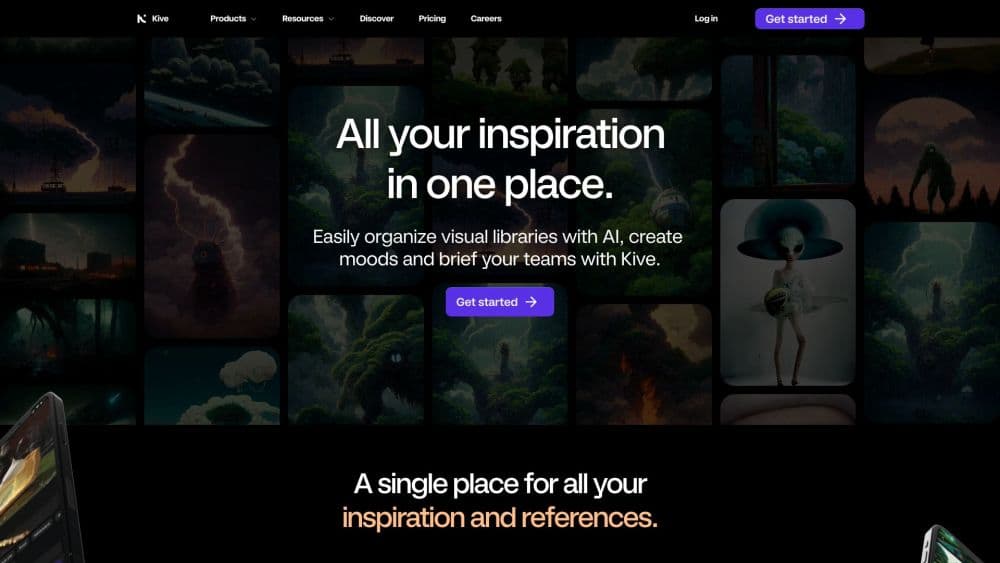
About Kive
What Is Kive
Kive is a workspace for ecommerce product photography, built by the Stockholm company Kive. You add a product once with one to four photos of the actual item, and every image generation is anchored to that product model. The workspace then holds your scenes, your edits, and your approved assets in one place.
The problem it solves is volume. Most product image generator tools open with a blank prompt, and the model has no idea what your item looks like. Kive starts from the item itself. A brand with 80 SKUs needs packshots, lifestyle images, ad variants, email headers, and a launch video for each season. A physical shoot covers a few of those well and leaves the rest to whatever the team can stitch together later. Kive works from photos you already have and lets a small team push one visual direction across a whole catalog.
Two limits matter from the start. Generated details such as label text, logos, and exact colors can drift from the real item, so every output needs a check against the source photo before it goes on a product page. And Kive generates new images. It doesn't batch-edit an existing photo library, so high-volume cutouts and resizing still belong to a dedicated retouching tool.
Getting Started
- Create a workspace at kive.ai, verify your email, and claim the 40 free credits.
- Add a product with one to four photos of the same item from different angles, or import a catalog from Shopify.
- Pick a Studio for your category, or start from an Idea in the curated library, then adjust the scene with a reference image or a short prompt.
- Generate, review each result against the real product, fix what's close with the editing tools, and save the approved files to a board.
Product Information
A quick look at Kive's pricing, supported platforms, and performance.
Best for
The users, tasks, and scenarios where this tool fits best.
Users
- DTC brand founders
- In-house ecommerce teams
- Small agencies
- Fashion and beauty sellers
Tasks
- Refreshing a product page
- Building a seasonal campaign
- Making short product video
- Testing ad angles
Scenarios
- A catalog refresh across dozens of SKUs
- A launch week with no photo budget
- Ongoing social output
Key features
Product Models Built From Your Own Photos
Each product gets a model made from one to four photos of the same item. Every generation references that model, which is what separates Kive from a general AI product photo generator that starts from a text prompt and invents the object. Labels, logos, and colors can still shift, so the review step stays in the workflow.
Studios That Hold One Look
A Studio saves lighting, camera angle, props, and background as a reusable preset. Kive ships studio presets by category, covering fashion, bags, cosmetics, skincare, haircare, jewelry, t-shirts, shoes, and accessories. You get a consistent style rather than identical frames, and the same direction can be reapplied months later.
Bulk Generate Across a Catalog
Bulk generate applies one Studio to a set of products in a single run, with per-item overrides when a SKU needs a different crop or angle. On a 60-product drop, that turns a week of one-off generations into an afternoon. It produces new images and doesn't retouch photos you already published.
Editing and Finishing Tools
Background swap and removal, expansion, retouching, object removal, and upscaling to 16 or 24 megapixels cover the fixes that separate a near miss from a usable asset. Frame extraction pulls a still from a clip when the video has a better moment than the generated image. Fixing a result costs a fraction of rerunning the whole scene.
Product Video From Stills
The AI product video tool turns a product shot or campaign still into a short clip, with draft output at 720p and premium or max runs at 1080p. A 5-second video costs about 100 credits, so ten clips fit inside a Basic plan's monthly allowance. It suits feed ads and product page loops, not a scripted brand film.
Asset Library, AI Search, and Team Review
Boards hold references, products, and finished assets, and AI search finds an image by describing it. Comments and version history keep approvals attached to the file. Basic includes 10,000 library items and 2 users, Pro raises that to 50,000 items and 10 users.
Shopify Import and Publish
The Shopify app opens a product in the admin, generates with a chosen Studio, aspect ratio, and quality, then adds the approved image back to that product's gallery. Import builds a product model from up to four existing product images. Products without photos need a source image added first.
MCP Access for AI Assistants
Kive runs an OAuth-protected MCP server with 31 tools, so an assistant such as Claude can create a product, remix a curated idea, generate or edit an image, and poll the job until it finishes. There's no public REST API for generation, which rules out a code-driven pipeline that runs without an assistant in the loop.
Pros and cons
Pros
- Generation starts from photos of the real product, which keeps packaging and label details closer to the item than a prompt-only tool.
- Studios and bulk runs make a consistent look repeatable across a large catalog without rewriting prompts.
- Editing, video, and the asset library sit in the same workspace, so a team doesn't export files to three other apps.
- The free tier includes 40 credits, and paid plans keep one free image every 20 minutes after credits run out.
- Shopify import and publish close the loop for stores that already sell there.
Cons
- Credits run out fast during iteration: about 10 per image and 200 per finished ad means a picky review round eats a Basic allowance in a week.
- Generated text, logos, and fine material detail can drift, so every asset needs a human check before publishing.
- Bulk generate is desktop-only and images-only, which leaves mobile users and existing photo cleanup out.
- No public REST API means automation depends on an MCP-capable assistant, not a scheduled script.
Frequently asked questions
Kive produces ecommerce product photography and campaign content from photos a brand already owns. It generates studio shots, lifestyle scenes, packshots, ad creative, and short product videos, then keeps them in a shared asset library.
Related content
Explore related tools, skills, and articles for Kive.
Kive Alternatives

X Ray Interpreter
X-ray Interpreter · ImageX Ray Interpreter is a web-based AI radiology tool that turns X-rays, CT scans, MRI, ultrasound, and PET images into plain-language reports. You upload a scan, get a preliminary X-ray interpretation in moments, then ask follow-up questions if something needs explaining. It works as a second opinion and a learning aid, not as a medical diagnosis.

Aieasypic
AIEasyPic · ImageAIEasyPic is an AI image generator that turns plain text prompts into finished artwork in seconds. You can also train custom models on your own photos, swap faces in existing images, and create short video clips from text, all from a browser. It suits casual creators who want quick visuals and hobbyists who want to build a personal model without touching any code.

Chargen
Chargen · ImageChargen is an AI character generator and worldbuilding toolkit built for Dungeons & Dragons and other tabletop RPGs. It turns a one-line idea into a painted character portrait, spins up NPCs, monsters, maps and encounters from the same session, and keeps every creature's details close at hand. The tabletop RPG art side runs on a credit system called Gold, while the text generators stay free for everyone.