

Kolors Virtual Try On
Kolors · Image
Kolors Virtual Try On is an AI clothes changer and virtual clothing try-on tool that puts any garment onto a model photo, for shoppers, designers, and sellers.
About Kolors Virtual Try On
What Is Kolors Virtual Try On
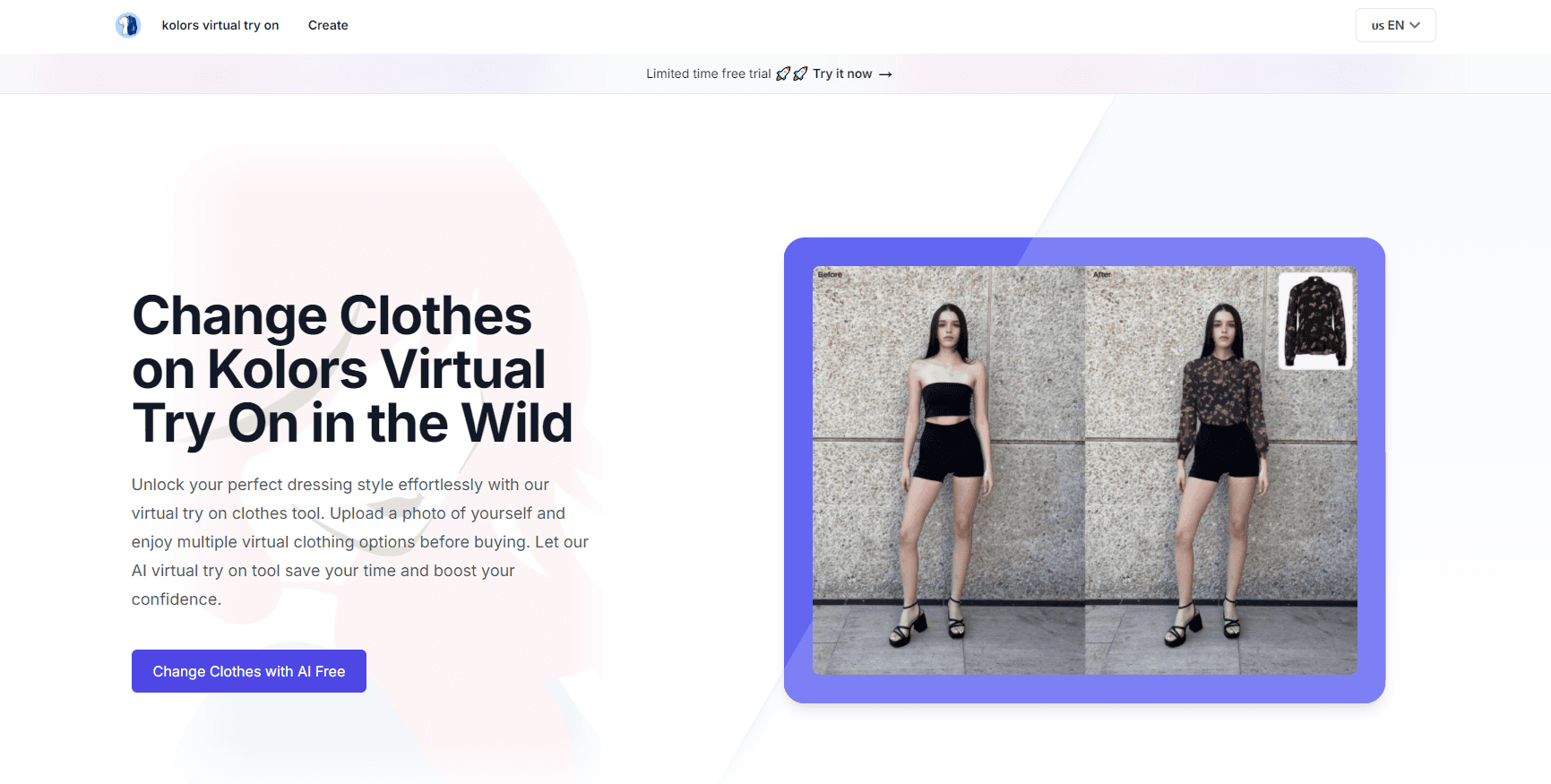
Kolors Virtual Try On is a web-based AI clothing visualization tool. You give it two photos, one of a person and one of a garment, and it builds a new image where that person wears that item. It's the kind of tool that used to require a full photo studio, a model, and a stylist. Now it takes seconds.
What separates it from simple image swaps? Texture handling. The fabric weave, stitching, and printed logos survive instead of getting painted over with a flat color. That matters if you sell branded apparel, because a smear of gray where your logo used to be makes the preview useless.
Getting started is easy. The output still depends on your inputs. Sharp, front-facing photos of the garment produce clean results. Low-resolution shots with heavy shadows carry over into the final image. The free plan also caps how many generations you get before you need to pay.
Getting Started
- Go to the Kolors Virtual Try On website and create a free account.
- Pick a model from the built-in library or upload a photo of yourself.
- Choose a clothing item from the style library, or upload your own garment image.
- Wait a few seconds while the AI transfers the clothing onto the model.
- Review the result, check the fit, fabric, and logos, then download it.
Product Information
A quick look at Kolors Virtual Try On's pricing, supported platforms, and performance.
Best for
The users, tasks, and scenarios where this tool fits best.
Users
- Online shoppers
- Fashion designers
- E-commerce sellers
- Ad designers
Tasks
- Visualizing a specific outfit
- Building product catalogs
- Prototyping a design
- Testing an ad concept
Scenarios
- Preparing a new clothing line for launch
- Deciding on an online purchase
- Reworking a campaign on a tight deadline
- Fashion school projects
Key features
AI Clothing Transfer
The core function takes a garment image and a person image and merges them into one scene. The model is dressed automatically, and you don't need to mask anything by hand. Results come back in a few seconds. No masking needed.
Fabric Texture Preservation
Rather than repainting clothing as a flat shape, the tool carries over the weave, material, and surface detail of the original garment. Denim still looks like denim, and knitwear keeps its texture. This is the feature that separates a useful preview from an obvious fake.
Text and Logo Retention
Printed text, logos, and fine details on a garment survive the transfer. For branded apparel, this is the difference between a usable catalog image and one you can't publish. It also holds up for graphic tees where the print is the entire point.
Accurate Fit Simulation
The AI adapts the garment to the body it's being placed on, adjusting how the fabric drapes across different shapes and sizes. You can put the same item on several body types to see how it reads on each. That's handy for inclusive fashion work and for shoppers who rarely match a brand's stock model. Everyone gets a fair preview.
Outdoor Scene Compatibility
Beyond plain studio backgrounds, you can place try-on results in varied outdoor settings. That lets sellers show a jacket on a city street or a dress in a garden without booking a location. It's the difference between a static product shot and something that looks like a real lifestyle image. Big gap.
Extensive Style Library
No garment photos on hand? The built-in library covers plenty of clothing items and styles. It runs from casual wear to formal pieces. Mix and match looks before you settle on one, and you can also change clothes with AI using items you don't own.
Pros and cons
Pros
- Free tier lets you test the tool with your own photos before paying
- Keeps fabric textures, logos, and printed text intact, which many cheap tools fail to do
- Works on any body type, so you can preview an item on a shape close to your own
- No software to install, it runs in the browser on desktop
Cons
- Results depend on your input photos, so blurry or poorly lit garment shots produce weak output
- No public API, so you can't wire it into an existing product pipeline
- Credit limits mean heavy users on the $9.9 tier run out fast and have to upgrade
- It's a web app only, there's no mobile app for quick phone-based try-ons
Frequently asked questions
It takes a photo of a person and a photo of a garment and generates a new image where that person wears that item. You get a realistic preview that keeps the fabric texture, logos, and fit of the original clothing.
Related content
Explore related tools, skills, and articles for Kolors Virtual Try On.
Kolors Virtual Try On Alternatives

X Ray Interpreter
X-ray Interpreter · ImageX Ray Interpreter is a web-based AI radiology tool that turns X-rays, CT scans, MRI, ultrasound, and PET images into plain-language reports. You upload a scan, get a preliminary X-ray interpretation in moments, then ask follow-up questions if something needs explaining. It works as a second opinion and a learning aid, not as a medical diagnosis.

Aieasypic
AIEasyPic · ImageAIEasyPic is an AI image generator that turns plain text prompts into finished artwork in seconds. You can also train custom models on your own photos, swap faces in existing images, and create short video clips from text, all from a browser. It suits casual creators who want quick visuals and hobbyists who want to build a personal model without touching any code.

Chargen
Chargen · ImageChargen is an AI character generator and worldbuilding toolkit built for Dungeons & Dragons and other tabletop RPGs. It turns a one-line idea into a painted character portrait, spins up NPCs, monsters, maps and encounters from the same session, and keeps every creature's details close at hand. The tabletop RPG art side runs on a credit system called Gold, while the text generators stay free for everyone.