
Krea AI
Krea · Video
Krea is a browser-based AI creative suite for generating, editing, and upscaling images and video, with real-time previews and access to 40+ models from designers in one workspace.
About Krea AI
What Is Krea
Krea is a creative AI studio that runs in your browser. It pulls image, video, and 3D tools into one place so you don't have to jump between a dozen separate sites to finish a single project.
The company is based in San Francisco. Victor Perez and Diego Rodriguez started it in March 2022, and the product has since grown into a suite used by designers, marketers, and founders for everything from product shots to short ad clips.
The biggest draw is real-time generation: you type a prompt or sketch a rough shape, and the canvas repaints as you adjust. That speed is great for exploring ideas, but the heaviest rendering, like long video or LoRA training, still takes minutes and eats compute units fast. The free tier also caps daily usage, so regular use runs into a paywall quickly.
Getting Started
- Sign up for free with an email or Google account, then confirm your workspace.
- Open the generator you want, such as Image or Video, from the left sidebar.
- Type a prompt or upload a reference image in the input box to set your subject.
- Adjust model, aspect ratio, and resolution, then generate and refine the result.
- Save the output to Krea's Asset Manager, or download it in full resolution.
Product Information
A quick look at Krea AI's pricing, supported platforms, and performance.
Best for
The users, tasks, and scenarios where this tool fits best.
Users
- Designers and art directors
- Social media and marketing teams
- Indie game and 3D creators
Tasks
- Iterating on image ideas fast
- Upscaling client assets to print resolution
- Training a custom style
- Turning a still into motion
Scenarios
- Late-stage concepting when a client wants three directions by end of day
- Cleaning up messy source photos before a product launch
- Building a repeatable content pipeline
Key features
Real-Time Image Generation
The canvas redraws as you type or sketch, so you shape a scene instead of waiting on one render at a time. It suits early exploration and quick client previews, where speed matters more than final resolution. For a fast AI image generator, the live canvas is the standout, and you can jump between models without losing your prompt.
Krea 2 Image Model
Krea 2 is the company's own image model, tuned for expressive lighting and texture rather than the flat look many generators default to. You pick it when you want a more authored feel, and swap to other models when a brief needs something else.
AI Video Generation and Motion Transfer
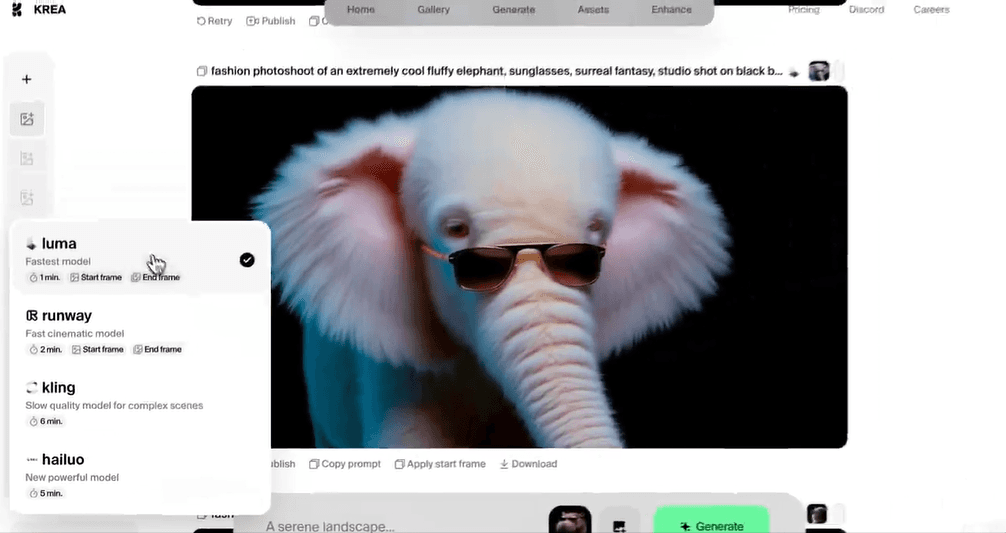
Text-to-video and image-to-video turn prompts or stills into short clips, and motion transfer maps movement from a reference video onto your subject. It's aimed at ads and social content, but video jobs consume compute units far faster than images.
Upscaling up to 22K
Topaz-powered upscaling resizes images up to 22K resolution using standard, bloom, or generative modes. Standard cleans up existing pixels, while generative adds new detail at large sizes. This is the tool for print-ready files, not casual thumbnails.
LoRA Finetuning and Sharing
You train a custom model on your own images to lock in a character, product, or style, then reuse it in every generation. Basic plans cap training at 50 images, and creators can also browse and share LoRAs built by others.
Node Editor for Visual Pipelines
A no-code node editor lets you chain models together by dragging connections instead of writing code. You can wire image generation into upscaling, or push outputs into video, then run the whole flow as a batch.
Desktop and App Integrations
Plugins for Photoshop, After Effects, Premiere Pro, DaVinci Resolve, and Blender bring generation into the tools you already edit in. There's also a ChatGPT integration, so you can create without leaving a chat.
Creative API
A REST API exposes 40+ image and video models through one endpoint and a single billing system. Developers build pipelines, train LoRAs, and upscale at scale, with prepaid balance and per-generation pricing.
Pros and cons
Pros
- The real-time canvas shortens the loop from idea to visual, so concepting feels closer to sketching than prompting.
- One subscription covers images, video, 3D, and upscaling, cutting the need for several separate tools.
- The 22K upscaling and Topaz models are strong for print and high-resolution product work.
- The API and node editor let teams turn one-off generations into repeatable, automated pipelines.
- Plugins drop generation into Photoshop, Premiere Pro, and Blender, so the workflow stays in tools you know.
Cons
- Video generation, high-res upscaling, and LoRA training drain compute units quickly, so heavy use costs more than the sticker price suggests.
- The free tier only offers a daily allowance, which runs out fast for anything beyond quick tests.
- Individual plans don't roll units over, so unused compute is lost at the end of each billing cycle.
- Real-time output trades fine detail for speed, and final renders still need a separate high-quality pass.
Frequently asked questions
Krea works as an AI image generator, an AI video generator, and an editing suite in one browser workspace. It covers text-to-image, text-to-video, motion transfer, 3D generation, upscaling, background removal, and LoRA training, with real-time previews and access to 40+ models in one place.
Related content
Explore related tools, skills, and articles for Krea AI.
Krea AI Alternatives

ngram 2.0
ngram · Video · Marketingngram 2.0 is an AI video generator for teams. It turns a prompt, a screen recording, or a product URL into a narrated explainer, product demo, or AI avatar video, and every scene stays editable.

OpenScreen 2
OpenScreen (open-source project) · Video · ProductivityOpenScreen 2 is a free, open-source screen recorder and demo video editor for Windows, macOS, and Linux, with automatic zooms, styled frames, local captions, and agent edits.

Skreno
Skreno · Video · ProductivitySkreno is a browser screen recorder that captures a tab, a window or your whole display, then attaches AI transcripts, summaries and console logs to one share link.