

Kreo Software
Kreo · Productivity · Business
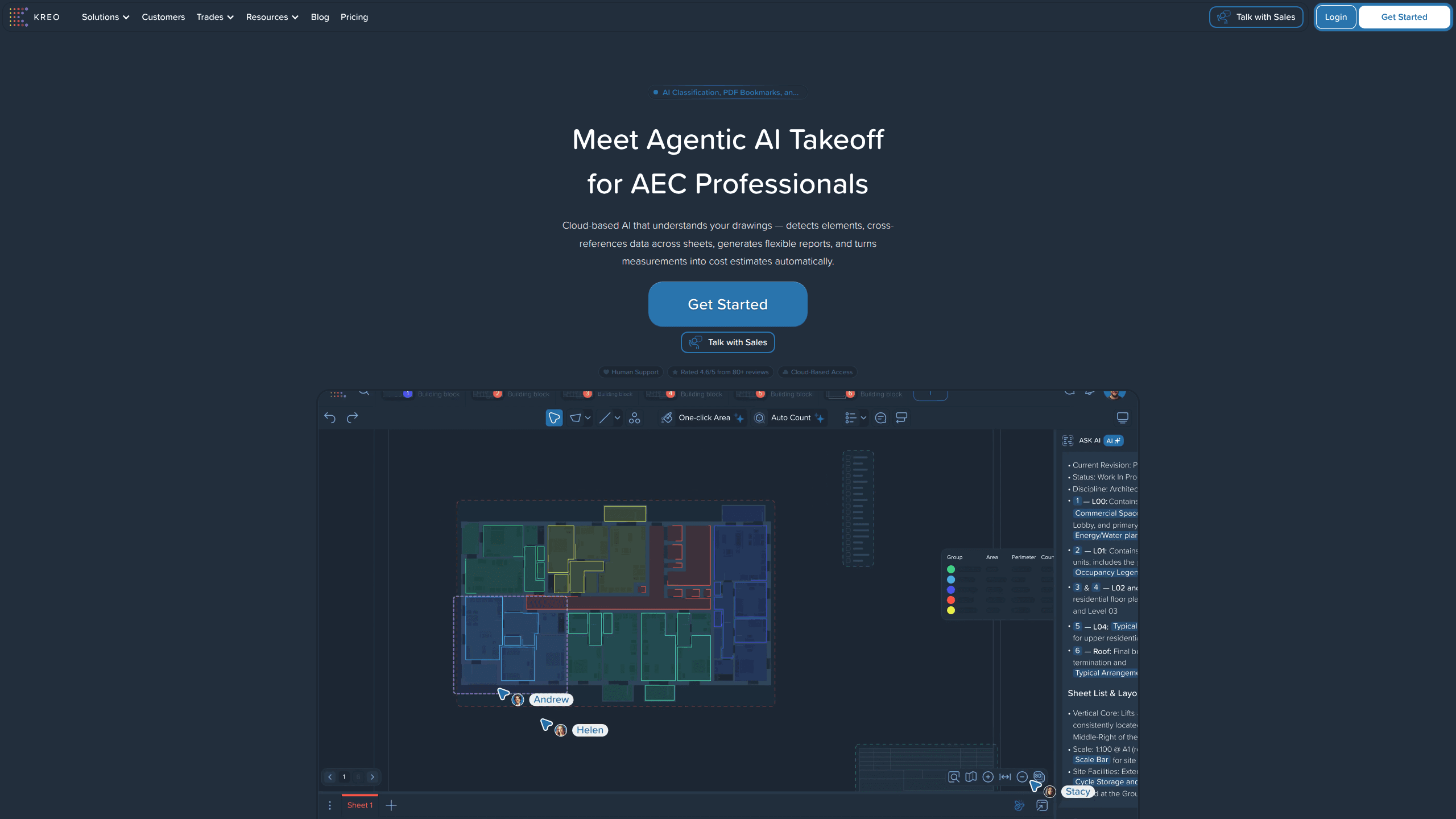
Kreo Software is a cloud-based AI takeoff and estimating tool built for construction teams. It reads your drawings, detects elements across sheets, and turns those measurements into cost estimates without the manual clicking that slows down a normal quantity takeoff. So who actually needs it? Estimators, quantity surveyors, and contractors who measure drawings regularly and want to get from blueprints to a priced bid faster.
About Kreo Software
What Is Kreo Software
Kreo Software is construction estimating software that runs in the browser, so there's nothing to install and it works the same on Windows and Mac. Under the hood it's an AI takeoff engine: it looks at your drawings, finds doors, windows, rooms, and finishes, and measures them for you. The point is to kill the repetitive part of takeoff, the part where a human traces every room on every sheet and hopes nothing got missed. Good blueprint measuring used to mean slow blueprint measuring.
Auto Measure is the headline feature, and the team keeps pushing its accuracy. The current version re-checks its own outlines against the drawing before handing you the result, which the company says brings outline accuracy to about 94% on busy plans. According to Kreo, that's roughly five times less error than the earlier auto measure. Take those numbers as vendor claims, not independent benchmarks.
The catch is scale. Kreo is aimed at professionals and teams, not casual users. There's a free trial, but the full workflow including automated estimating sits behind a paid plan, and you can't confirm the exact tiers without talking to sales. If you just need to measure one floor plan once, it's overkill. Simple as that.
Getting Started
- Sign up for the free trial from the Kreo website using your work email.
- Upload a drawing set, typically a PDF of your plans, into a new project.
- Run Auto Measure, then review the detected elements and fix anything the AI flagged as uncertain.
- Group and classify the measured items, then push them to a cost estimate.
- Export to Excel or Your pushed report and share the quantities with the rest of the team.
Product Information
A quick look at Kreo Software's pricing, supported platforms, and performance.
Best for
The users, tasks, and scenarios where this tool fits best.
Users
- Quantity surveyors
- Cost estimators
- Contractors
Tasks
- Automatic quantity takeoff
- Assembling cost estimates
- Checking areas on blueprints
Scenarios
- A tender deadline is close and you need quantities fast
- Testing the switch from spreadsheet takeoff
- Team estimating on shared projects
Key features
Auto Measure
Auto Measure detects and measures construction elements on your drawings with a single click, covering rooms, doors, windows, and finishes. A second review pass runs inside the model, re-fitting every outline against the drawing before giving you the result. On noisy plans Kreo claims outline accuracy near 94%, so there's less to fix by hand.
Caddie, the AI Agent
Caddie is an autonomous agent inside Kreo. It reads your drawings and runs measurements, and you steer it with leader-line comments that point to specific elements, useful for clarifications and review notes. A like or dislike on each step tunes its logic, so it remembers your conventions across sessions.
Automatic Classification
Detected elements get named and grouped by type and size automatically, so you skip manual labeling. That matters on big projects. Hundreds of doors and windows would otherwise take an afternoon to tag.
Flexible Reporting and Excel Export
Results move into reports and out to Excel, where most estimating teams still live. You keep working in the format your team already uses. No migration, no rebuild.
Cloud-Based Access
Kreo runs in the browser, so there's no install and no server to maintain. Windows and Mac users get the same interface, and anyone on the team can open the same project from anywhere.
Cost Estimating
Measured quantities flow into cost estimates inside the platform. You supply your own rates and assemblies, and Kreo handles the quantity side that eats most of the clock.
Pros and cons
Pros
- Auto Measure cuts the repetitive tracing that dominates manual takeoff, especially on large drawing sets.
- Cloud-based with no installation, so onboarding a new team member is fast and platform-agnostic.
- Handles scanned and digital plans, including scaled drawings.
- Excel export keeps results compatible with existing estimating workflows.
- Users consistently mention responsive human support in reviews.
Cons
- No public pricing. You have to contact sales for a quote, which slows down evaluation for smaller teams.
- Accuracy claims come from Kreo itself, not independent testing, so you'll want to validate on your own plans.
- No free plan beyond the trial, so trying it long-term isn't an option without paying.
- It's built for construction professionals, which means a steeper learning curve for occasional users.
Frequently asked questions
Kreo Software handles AI-assisted takeoff and estimating for construction. You upload drawings, it measures the elements, and you turn those quantities into a cost estimate.
Related content
Explore related tools, skills, and articles for Kreo Software.
Kreo Software Alternatives

Swms
Swms AI · Writing · Productivity · BusinessSwms is an AI safety compliance tool that turns a plain description of a job into ready-to-use safety documents. Describe your project, trade, and known hazards, and it writes a safe work method statement, job hazard analysis, safe work procedure, RAMS, or safety data sheet in seconds. It also ships with Oscar, a chat assistant that answers workplace safety questions in any language. Teams in construction, mining, transport, and warehousing use it to cut the paperwork that usually eats into a workday.

Wordly AI Translation
Wordly · Voice & Language · ProductivityWordly AI Translation is a real-time AI translation and captioning platform built for meetings, conferences, and events. It delivers live translation, captions, transcripts, and summaries in more than 60 languages, and attendees join by scanning a QR code or opening a link instead of using dedicated headsets. The platform works with Zoom, Microsoft Teams, Google Meet, and Webex, and it's designed for organizations that want multilingual access without hiring human interpreters for every session. Simple as that.

Rows
Rows (Superhuman) · Productivity · BusinessRows is an AI spreadsheet and data analysis tool that imports live data from more than 50 sources, then lets you work with it using plain language instead of SQL queries or nested formulas. You can pull numbers out of PDFs, connect ad platforms, databases, and bank accounts, and ask the AI to build reports, merge datasets, or set up models that recalculate themselves. It runs in the browser, works like a spreadsheet, and now sits under the Superhuman umbrella.