

KROCK.IO
KROCK.IO · Video · Productivity
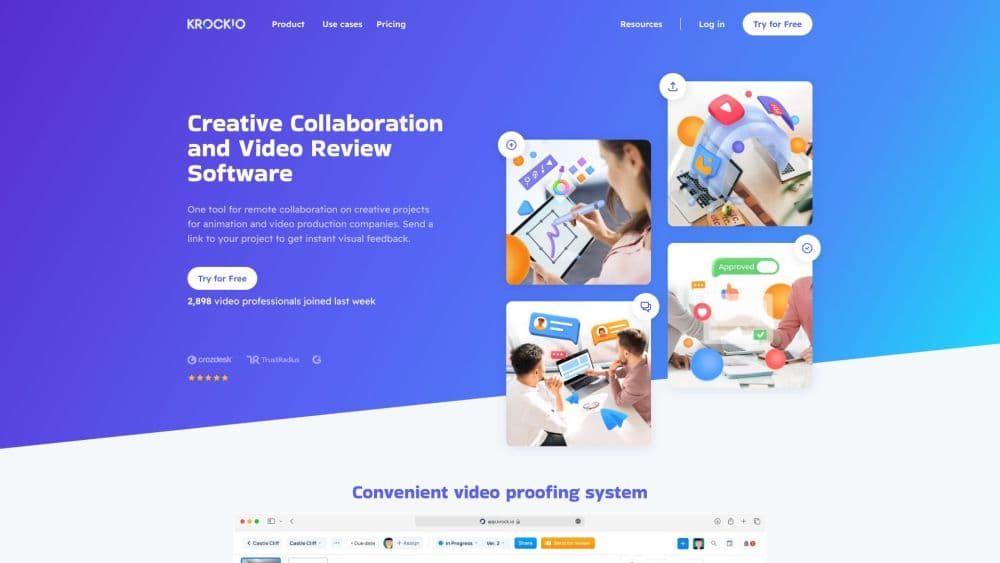
KROCK.IO is a browser-based video review and online proofing platform for creative teams. It combines frame-accurate comments, version comparison, storyboards, and client approvals in one workspace.
About KROCK.IO
What Is KROCK.IO
KROCK.IO is video review software built for the people who ship video: production companies, ad agencies, animation studios, and in-house content teams. The pitch is simple. You upload a cut, share a link, and everyone marks their notes on the exact frame instead of writing "around 0:42, the logo looks off" in an email thread.
The product works as a full video collaboration tool, not just a player. There's an online proofing platform for stills, audio, and PDFs, a storyboard creator with an animatic mode, and light creative project management with stages, due dates, and workload views. Integrations push review into Adobe Creative Cloud apps, DaVinci Resolve, and Final Cut Pro, so editors can read notes without leaving the timeline.
The limits are worth knowing before you pay. The cheapest paid plan runs on a monthly seat price with added storage sold separately, the top plan starts at $400 per month for 100 users, and the free tier caps AI usage at 50 tokens. KROCK.IO doesn't publish a public API, only webhooks. Teams that need to automate review at scale will feel that gap.
Getting Started
- Create a workspace from the signup page. The free plan needs no credit card and includes one workspace, two projects, and unlimited reviewers.
- Upload media into a project, or start from a preset template if your team runs the same kind of job every time.
- Set stages for the work, then invite the internal team and outside clients. Reviewers open a shared link, and since May 2026 they can upload attachments, record video comments, and leave notes without entering an email address.
- Review the cut: pause on a frame, draw on it, drop a comment, and tag the person who needs to fix it.
- Approve the version or send it back. The next upload lands beside the old one in compare mode, so nobody argues about which cut got signed off.
Product Information
A quick look at KROCK.IO's pricing, supported platforms, and performance.
Best for
The users, tasks, and scenarios where this tool fits best.
Users
- Post-production houses
- Advertising and digital agencies
- In-house video and content teams
Tasks
- Collecting frame-accurate feedback on a rough cut
- Getting client sign-off on a finished spot
- Planning a shoot with a storyboard creator
Scenarios
- Weekly client review rounds across time zones
- Pitching a TV or long-form project
- Handing a project to a new editor mid-campaign
Key features
Frame-Accurate Video Comments
Reviewers pause on a frame, draw directly on the image, and leave a note tied to that timecode. Comments update in real time for everyone in the project, so two producers can work the same cut without refreshing the page. Private comments let you hide internal notes from the client while the discussion continues in the same thread.
Version Comparison and Compare Mode
You can load two versions side by side and scrub both timelines at once. Timecodes and thumbnails appear as you drag, and you can jump straight to a specific note at any time code. Version management, added in April 2026, keeps old cuts attached to the project instead of scattered across drives.
Online Proofing for Images, Audio, and PDFs
The online proofing platform isn't limited to video. Teams mark up images, annotate audio waveforms, and review interactive PDFs with hidden navigation markers. A drawing tool works on images and video for every user, including people on the free plan, which matters when a designer needs to point at one pixel.
Storyboard and Animatic Builder
The storyboard creator turns a script into a shot list with frames you can draw or upload. Animatic mode adds timing so the board plays like a rough cut, and AI prompts help generate starting frames when a director needs options fast. You can send the board to a client for comments before production starts.
Production Planning with Stages and Templates
Projects run on stages, each with its own due date, owner, and status. A workload view shows who is overloaded across the team, and the Gantt chart gives a project-level read on the schedule. Project presets let you rebuild a recurring pipeline in one click, which saves the setup work on every new campaign.
Review Inside Your Editing Tools
Plugins for Adobe Creative Cloud, DaVinci Resolve, and Final Cut Pro bring comments into the editor. That removes the export, upload, and re-download loop that eats an afternoon on a tight deadline. Google Drive, Slack, Zoom, and Jitsi integrations cover storage and the meetings around a review.
Client Access Without Seat Fees
Every plan includes unlimited reviewers, and shared links let outside clients comment, upload attachments, and record video notes without an account. For a video approval workflow, that changes the math: you pay for the people who make the work, not for the client's marketing department.
Pros and cons
Pros
- Unlimited reviewers on every plan, including the free tier, which keeps client review costs flat as a project grows.
- Video, image, audio, and PDF proofing sit in the same workspace, so a campaign doesn't need a second tool for stills.
- Native panels for Adobe Creative Cloud, DaVinci Resolve, and Final Cut Pro cut the export and upload cycle for editors.
- The storyboard creator and animatic mode are included rather than sold as an add-on, which helps teams that pitch before they produce.
- Real-time comment updates and private notes make internal discussion and client conversation possible in one thread.
Cons
- Storage is metered on paid plans and extra space costs $10 per TB each month, so archives of raw footage get expensive fast.
- The Unlimited plan starts at $400 per month for 100 users, a steep jump from the $10 Pro plan for a team of five.
- No public API is documented, only webhooks, so custom automation and integrations with internal systems need manual work.
- The free plan allows two projects and 50 AI tokens, which is enough to test the workflow but not to run a production on it.
Frequently asked questions
KROCK.IO handles video review and approval for creative teams. You upload a cut, reviewers leave comments on specific frames, and the team tracks versions until the client signs off. It also covers storyboards and proofing for images, audio, and PDFs.
Related content
Explore related tools, skills, and articles for KROCK.IO.
KROCK.IO Alternatives

ngram 2.0
ngram · Video · Marketingngram 2.0 is an AI video generator for teams. It turns a prompt, a screen recording, or a product URL into a narrated explainer, product demo, or AI avatar video, and every scene stays editable.

OpenScreen 2
OpenScreen (open-source project) · Video · ProductivityOpenScreen 2 is a free, open-source screen recorder and demo video editor for Windows, macOS, and Linux, with automatic zooms, styled frames, local captions, and agent edits.

Skreno
Skreno · Video · ProductivitySkreno is a browser screen recorder that captures a tab, a window or your whole display, then attaches AI transcripts, summaries and console logs to one share link.