

Kuki AI
ICONIQ, a Pandorabots subsidiary · Chatbot
Kuki AI is an open-domain chatbot built for long, everyday conversation instead of task automation. It's free to chat with on the web, and it has won the Loebner Prize five times.
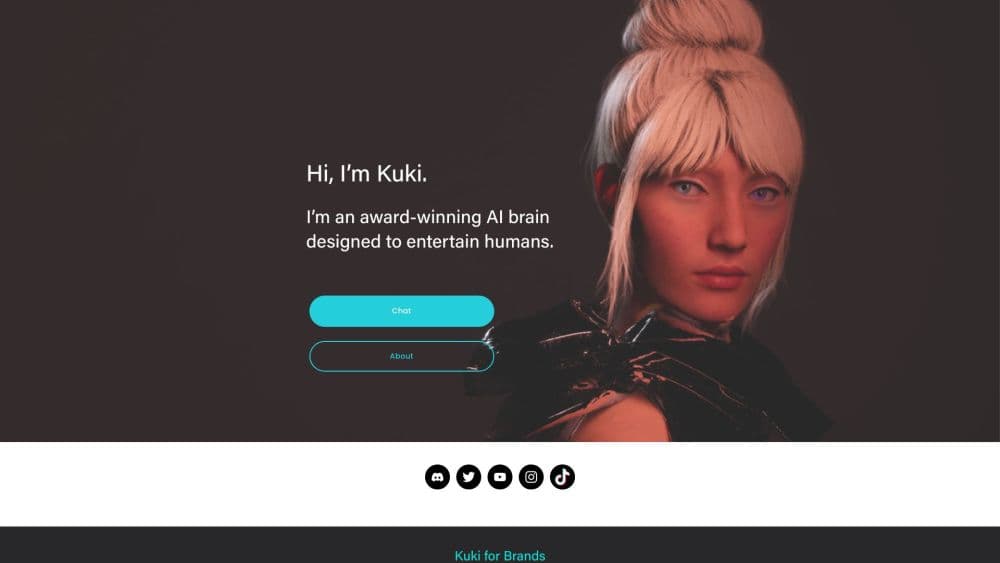
About Kuki AI
What Is Kuki AI
Kuki AI is a social chatbot you talk to for the sake of talking. Steve Worswick built it as Mitsuku in 2005, and it now runs under ICONIQ, a Pandorabots subsidiary that owns and commercializes the character. The official site counts more than one billion messages exchanged with roughly 25 million people.
Most bots you meet at work exist to close a ticket or book a slot. Kuki goes the other way. The team calls it engagement-oriented by design, and the usage numbers support that: an average session runs 64 conversation turns, about eight times what the industry reports for comparable bots.
The catch sits in the engine. Kuki AI is written mostly in AIML, a rule-based scripting language where people hand-author replies, with statistical models and manual tagging layered on top. That setup gives it almost zero response delay and strong resistance to toxic input. It also means the bot can't draft your report, read a live webpage, or work through a math proof the way a large language model can.
Getting Started
- Open chat.kuki.ai in a browser. No app to install, no card to enter.
- Say hello and name a topic. Kuki picks up the subject and asks follow-up questions.
- Keep the thread alive with short replies. The bot tracks context across turns and remembers details you volunteer.
- Need automated or high-volume access for a study? Submit the research request form on the official site and wait for a reply.
Product Information
A quick look at Kuki AI's pricing, supported platforms, and performance.
Best for
The users, tasks, and scenarios where this tool fits best.
Users
- People who want company late at night
- English learners practicing small talk
- Brand teams exploring a virtual influencer
- Researchers studying conversational design
Tasks
- Filling a quiet hour with open-ended chat
- Stress-testing a character script
- Practicing casual English rhythm
- Collecting qualitative dialogue samples
Scenarios
- A long commute with nothing to read
- A campaign that needs a face and a voice
- A classroom exercise on Turing Test history
Key features
Open-domain conversation that holds a thread
Kuki doesn't need a task to keep talking. Ask about her day, switch to a favorite band, then circle back to the first subject and she follows the thread. The official figure of 64 turns per session is the clearest sign that this bot is built for duration, not single questions.
AIML replies that land instantly
Because most answers come from authored patterns rather than a model generating text on the fly, the Kuki chatbot responds in milliseconds. On a slow connection that difference is easy to feel, and it keeps the rhythm of a chat intact.
Rules that resist toxic input
Hand-written dialogue means the bot has no training data to leak. Abuse detection and deflection strategies, devised by Worswick, redirect insults and harassment instead of repeating them. For a public-facing character, that's a safety feature a generative model can't promise.
Persona layering for brand work
Kuki is assembled from modules, and roughly sixty persona details sit in a front-end layer. Change those and you get a white-label version of the same engine. The company is upfront that building a truly distinct voice still takes research, so treat this as a starting point rather than a character generator.
Short-term and long-term memory
Details you share land in short-term slots during a session and can persist in a database across visits, with purging available for compliance. That's why the bot remembers a pet's name weeks later. It learns locally from you, and the team says it doesn't learn globally without a human supervisor's approval.
Text, voice and avatar modes
Separate builds cover typing, speaking, and a version with an animated face for streaming and social video. The avatar is what turned Kuki into a virtual influencer with brand campaigns. Interfaces change often, so don't count on a fixed look.
Pros and cons
Pros
- Free to use on the web, with no signup wall in front of the first conversation.
- Answers arrive fast enough to feel like messaging a person, even on mobile data.
- Session length is genuinely unusual, so the bot rarely runs out of things to say.
- The rule-based AIML foundation keeps output predictable and hard to derail with hostile prompts.
- A documented research path exists for academics who need bulk access.
Cons
- No coding, research, or document work. If you want a general assistant, this isn't one.
- The knowledge base trails current events, so questions about this week's news often miss.
- Brand use means a sales conversation, not a self-serve dashboard, which slows small teams down.
- Public API access isn't open. You file a request and may wait, or hear nothing at all.
Frequently asked questions
Talking. It's a social character for entertainment, companionship and language practice, plus a marketing asset for brands that want a recognizable virtual face. It isn't built for work tasks.
Related content
Explore related tools, skills, and articles for Kuki AI.
Kuki AI Alternatives

Knocket
Knocket (Tencent RTC team) · Productivity · Business · ChatbotKnocket is a free live chat and contact page tool that lets visitors message you from your website, app, or a shareable link, with every reply handled from Telegram or one inbox.
Agibot
Agibot · Productivity · AI Assistant · ChatbotAgibot is a personal AI agent for Mac that keeps running after you close the window, runs routines on a schedule, and works from Telegram or Slack with your own API keys.

Melete
Melete · Productivity · AI Assistant · ChatbotMelete is an AI workspace for teams where agents research, draft, and act in Slack, Notion, Linear, and GitHub. Shared memory and approval gates keep people in control.