

Label Studio
HumanSignal · Image · Coding
Label Studio is an open source data labeling platform for images, text, audio, video, and time series, with configurable interfaces, model pre-labeling, and exports to common ML formats.
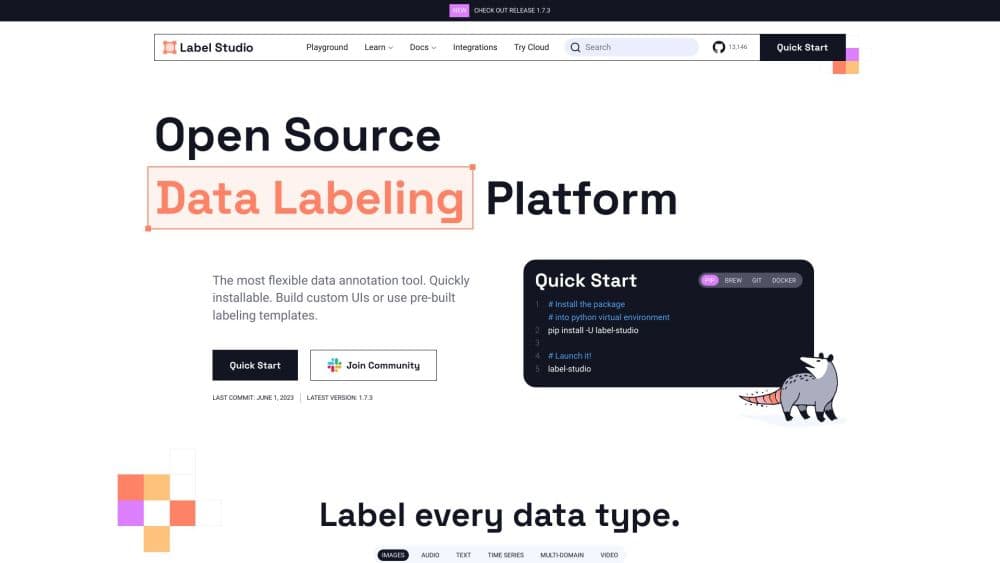
About Label Studio
What Is Label Studio
Label Studio is a data labeling tool from HumanSignal that handles image annotation, text annotation, audio transcription, video review, and time series work inside one project structure. You build the labeling screen yourself, connect a dataset, and collect human labels that export into the format your training code expects.
The problem it addresses is fragmentation. A computer vision team, an NLP team, and a speech team usually end up with three annotation tools and three export schemas, which makes a shared training pipeline expensive to maintain. Label Studio describes each interface in a short configuration block and stores every result in one JSON structure, so a single deployment can host unrelated projects. The code is Apache 2.0 licensed, and the GitHub repository passed 28,000 stars in 2026.
Where it stops short is team administration. The free Community edition has no role-based access control, no single sign-on, no project dashboards, and no automated active learning loop. Those live in Starter Cloud or Label Studio Enterprise. Self-hosting also means you own the database, the backups, the upgrades, and the storage permissions. For a two-person research team that's a reasonable trade. For a 40-person labeling operation, it usually isn't.
Getting Started
- Install the package with
pip install label-studio, or pull the Docker image and mount a data directory. Both routes start a local server on port 8080. - Create an account on the local instance, then open a project and give it a name, a description, and a color code for the project list.
- Import data from local files, a cloud bucket, or a URL list. JSON, CSV, and TSV cover most tabular and pre-annotated datasets.
- Pick a template for your task, then edit the label names and the configuration block until the screen matches the way your annotators actually work.
- Label a few tasks, check the export, and wire the project into your pipeline through the API, the Python SDK, or a webhook.
Product Information
A quick look at Label Studio's pricing, supported platforms, and performance.
Best for
The users, tasks, and scenarios where this tool fits best.
Users
- ML engineers on small teams
- Annotation leads running mixed projects
- Researchers and academics
Tasks
- Drawing bounding boxes, polygons, and keypoints for object detection
- Tagging named entities and classifying documents
- Transcribing speech and marking speakers
- Reviewing model output side by side
Scenarios
- Testing whether a paid labeling platform is worth it
- Keeping sensitive data on your own network
- Building a repeatable labeling pipeline
Key features
Configurable Labeling Interface
Every project starts from a configuration block that declares the data objects and the controls attached to them. You can put a rectangle tool on an image, a text span tool on a transcript, or both on the same task. The format is compact enough to edit by hand and structured enough that the app can validate it. That flexibility is the main reason teams stay with the tool after the first project.
Multi-Modal Data Support
Images, text, audio, video, HTML pages, and time series all run through the same task model. A call center recording can be transcribed and tagged in one screen, and a video can carry frame-level boxes plus a transcript. Label Studio Enterprise adds 3D imagery and LiDAR, which the Community edition leaves out.
Template Library
The template gallery covers the common jobs: object detection, semantic segmentation, named entity recognition, question answering, sentiment analysis, speaker diarization, and document OCR. Each template is a working configuration, not a screenshot, so you pick one and adjust the labels instead of writing the interface from scratch. Templates also serve as a readable reference when you build something custom.
ML Backend and Pre-Labeling
An ML backend is a small HTTP service that returns predictions for tasks. Connect one and the model's output appears as a pre-annotation your annotators can accept, correct, or reject. That turns a blank canvas into an editing job, which is usually faster and more consistent. The backend can also supply a prediction score, so the data manager can sort the least confident tasks to the front.
Cloud Storage and Export Formats
Source storage connections pull tasks from Amazon S3, Google Cloud Storage, Azure Blob Storage, Redis, or a local directory, and files are served through presigned URLs rather than copied into the app. Target storage writes each annotation back as a JSON file. Exports cover JSON, CSV, TSV, COCO, Pascal VOC, YOLO, CoNLL2003, and an ASR manifest, which removes most of the glue code around a training pipeline.
API, SDK, and Webhooks
The REST API exposes projects, tasks, annotations, predictions, and storage connections. A Python SDK wraps the same endpoints, and webhooks notify an external service when an annotation is created, updated, or deleted. Teams use this to trigger retraining, sync labels into a warehouse, or build a thin internal portal on top of the labeling service.
Pros and cons
Pros
- The Community edition is free, Apache 2.0 licensed, and runs on a laptop, a single server, or a Kubernetes cluster.
- One installation covers image, text, audio, video, and time series labeling, so you avoid buying three separate tools.
- The configuration format gives you control over the labeling screen without forking the codebase.
- Export formats line up with the datasets most training frameworks expect, which saves a conversion layer.
- The API, SDK, and webhooks make the tool fit into an existing pipeline instead of becoming a separate silo.
Cons
- Role-based access, SSO, dashboards, and active learning sit behind a paid plan, so the free edition stays a small-team tool.
- Self-hosting carries real maintenance work: database backups, version upgrades, and storage permission debugging all fall on you.
- Community exports run synchronously, and a project with hundreds of thousands of tasks can hit a proxy timeout before the file is ready.
- The configuration block has a learning curve, and a mistyped label name can invalidate a whole batch of annotations.
Frequently asked questions
Yes, the Community edition is free and open source under Apache 2.0. You can install it on your own hardware with no user limit. The hosted Starter Cloud plan starts at $99 per month for up to 12 users, and Label Studio Enterprise is quoted per contract.
Related content
Explore related tools, skills, and articles for Label Studio.
Label Studio Alternatives

Tractionwave
TractionWave · Image · MarketingTractionWave is an AI attention heatmap tool for static ads. Upload a PNG or JPG and it returns predicted attention, ranked hotspots, and fixes before you spend budget.

Imejis.io
Imejis.io · Image · MarketingImejis.io is an AI design studio for agents and marketing teams. Describe an image in plain words, and it writes the copy, builds the layout, reflows it to every size, then exports a finished file.

Layoutr
Van Dijk Ontwikkeling · Image · China AILayoutr is a browser floor plan tool that scales your own plan, places furniture at true size, shows the room in 3D and renders it with AI.