

LandingHero AI
LandingHero AI, Inc. · Coding
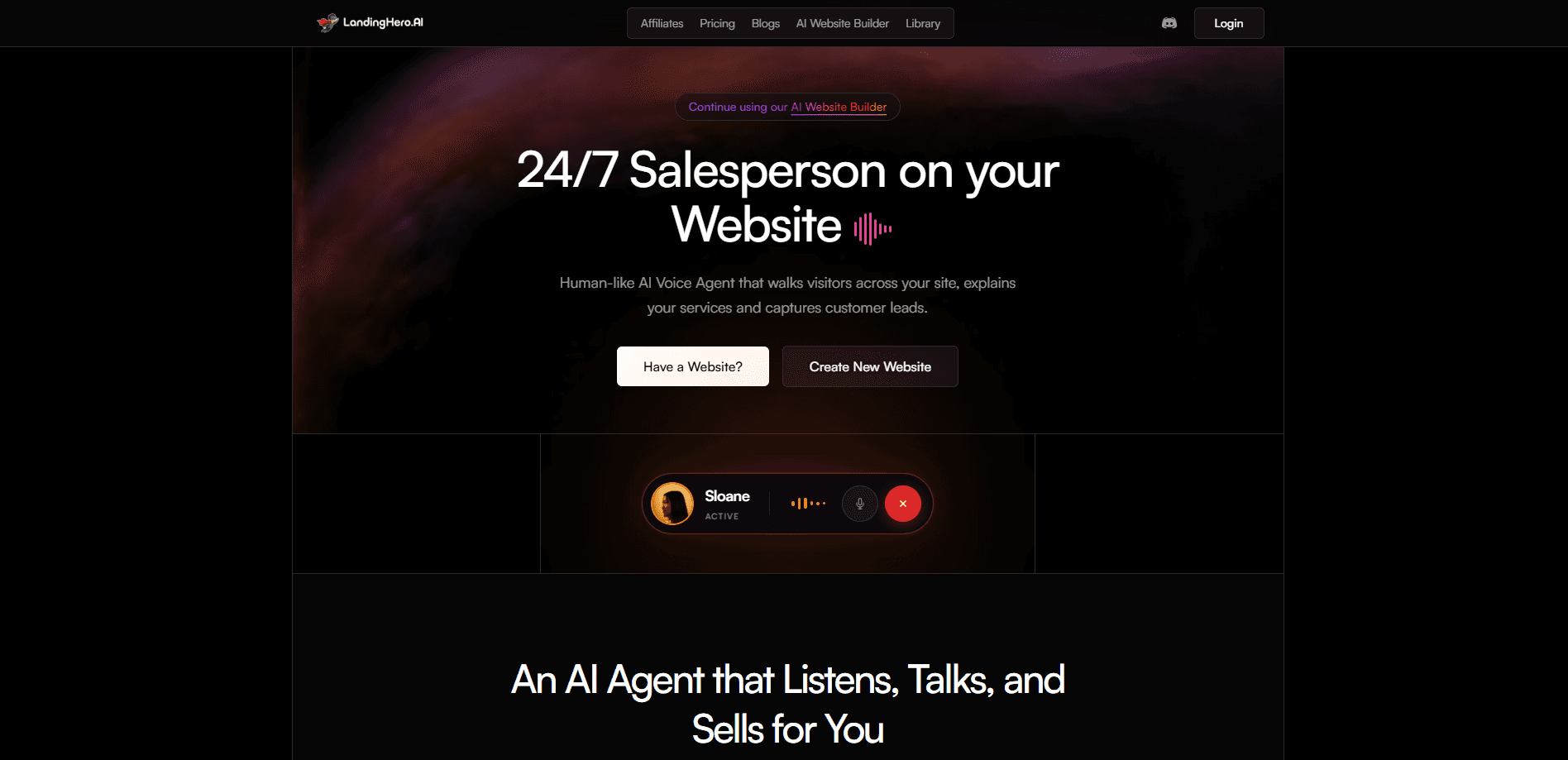
LandingHero AI is an AI website builder that turns a short prompt into multiple polished landing page designs, then adds a human-like voice sales agent that walks visitors through your site and captures leads around the clock. Edit any section in plain English. Publish instantly, or export the code if you want to host it elsewhere. It targets founders, freelancers, and agencies who need a live site fast without touching a page builder grid.
About LandingHero AI
What Is LandingHero AI
LandingHero AI splits into two parts that feed each other. The first is a no-code website builder that generates several design variations from one description, so you pick a direction instead of designing from a blank canvas. The second is a voice agent that sits on the finished page, answers questions about your business, and pushes visitors toward signup. Simple enough on paper.
The pitch is aimed at people who lose leads to static forms. A contact box just waits for someone to type. A voice agent starts a conversation, handles interruptions, and keeps going at 3 a.m. in Spanish or Hindi. According to LandingHero AI, the agent references your company knowledge base and captures transcripts, contact details, and intent data straight to a dashboard. That's the lead capture AI angle, and it's the part most website builders skip.
The obvious catch is that the voice agent is metered by credits. Building sites and running conversations draw from the same pool, so a busy month of sales calls eats into what you can spend on new pages. There's also little public detail on data retention, and the company hasn't published a fixed launch date. So test it first. Point it at a low-stakes page before you commit the main funnel.
Getting Started
- Sign up at landinghero.ai and pick a plan. The Personal tier is $9/mo and covers three websites.
- Describe your site in a sentence or two, then review the design variations the builder returns.
- Refine sections by typing plain-English edits rather than dragging elements around a canvas, which is where most no-code tools lose beginners.
- Add the voice agent by pasting one line of code into an existing site, or let the builder generate a new AI-native page.
- Publish live in one click, or export the code if you'd rather host it yourself.
Product Information
A quick look at LandingHero AI's pricing, supported platforms, and performance.
Best for
The users, tasks, and scenarios where this tool fits best.
Users
- Solo founders
- Freelancers
- Agencies
Tasks
- Generating a landing page from a brief
- Capturing leads on an existing site
- Editing copy and layout
- Serving multilingual visitors
Scenarios
- Launching a product page for a weekend campaign
- Qualifying inbound traffic on a high-intent landing page
- Testing a new offer
Key features
Prompt-to-Page Generation
LandingHero AI takes a short text prompt and returns several complete page designs rather than one draft. Seeing options side by side is faster than iterating on a single layout. Each variation covers the full structure: hero, features, and call to action. It's the core of the AI website builder, and it's what separates the tool from grid-based editors.
Plain-English Editing
You change the site by describing what you want, not by hunting through settings. Type something like "make the pricing section shorter" and the builder applies it. That lowers the skill floor a lot. After a week on a grid editor, this feels like cheating.
Human-Like AI Voice Agent
The agent talks to visitors, handles interruptions, and adapts to your brand's tone. According to the company, it captures your personality so interactions feel consistent with how you'd actually sell. It listens. It answers questions about your services. It moves the conversation toward a signup, and it does this without the visitor ever filling out a form. This is the feature that turns a static page into something that reacts.
Multilingual Conversations
The voice agent speaks 50+ languages, including French, Spanish, and Hindi. For a page with global traffic, that means one deployment rather than separate funnels per region. The agent also pulls from your company knowledge base, so its answers stay tied to your actual services instead of generic filler that makes visitors suspicious. One page, many markets.
Lead Intelligence Dashboard
Every conversation produces a transcript, contact information, and an intent read, all routed to your dashboard. That's more than a form submission tells you. You can see what a visitor asked, how interested they seemed, and whether the agent moved them toward signing up. Not bad for a feature you switch on with one line of code.
Instant Publish and Code Export
You can go live in a click, or export the code if you want to host the page yourself. Instant publish suits people who don't want to touch hosting, and export matters if your team already runs its own stack and only wants the design. Both paths come from the same build, which means you don't lose work by changing your mind later about where the page lives.
One-Line Embed
If you already have a site, you add the agent by copying a single line of code. No rebuild required. The builder doesn't replace your existing pages in that case, it just adds the conversational layer on top of them. That's the fastest route if you already like your current design and only want better lead capture.
Pros and cons
Pros
- Multiple design variations from one prompt mean less blank-canvas work.
- Plain-English editing removes the learning curve of a typical no-code editor.
- The voice agent captures transcripts and intent, not just a name and email.
- 50+ languages make it usable for pages with mixed international traffic.
- Code export keeps you from being locked into the platform's hosting.
Cons
- No free plan. You can't test the builder or the agent without paying at least $9/mo.
- Voice conversations and site building share one credit pool, so heavy usage on either side drains the other and forces you to budget both against the same monthly number.
- The company publishes thin detail on how long conversation data is stored and where.
- API availability isn't documented, so teams planning custom integrations should ask first.
Frequently asked questions
What does it change for you? It builds landing pages from a text prompt and adds a voice agent that talks to visitors and captures leads. The two parts work from one account and, on the paid plans, one credit pool.
Related content
Explore related tools, skills, and articles for LandingHero AI.
LandingHero AI Alternatives
Forefront
Forefront · CodingForefront is a web platform for building with open-source AI. It lets you fine-tune leading open-source language models on your own data, evaluate how they perform, and run them through an API or export them to host yourself. Developers who want the convenience of a closed-source platform but insist on owning their models and data are the target audience here.

Startkit
StartKit.AI · CodingStartkit is a boilerplate for building AI SaaS and AI wrapper products. Think of it as an AI startup boilerplate with the boring parts already wired up: authentication, Stripe and Lemon Squeezy payments, usage limits, transactional email, and an AI API starter that talks to OpenAI, Anthropic, Groq, or Llama. You clone the repo, set your price, and start on the part of your product that people actually pay for. It's Next.js under React and Tailwind, so most of the boilerplate code already feels familiar.
Testim
Tricentis · CodingTestim is an AI-powered test automation platform for building and running end-to-end tests across web, mobile, and Salesforce applications. It leans on machine learning to keep tests stable when an interface changes, so teams spend less time fixing broken selectors. Not bad for an automated testing tool you can start using today. You create tests by recording actions in a browser, then optionally add JavaScript when you need more control. It's a solid pick for busy QA teams.