

Landscape Design: AI Garden
Camel Caravan Labs · Image
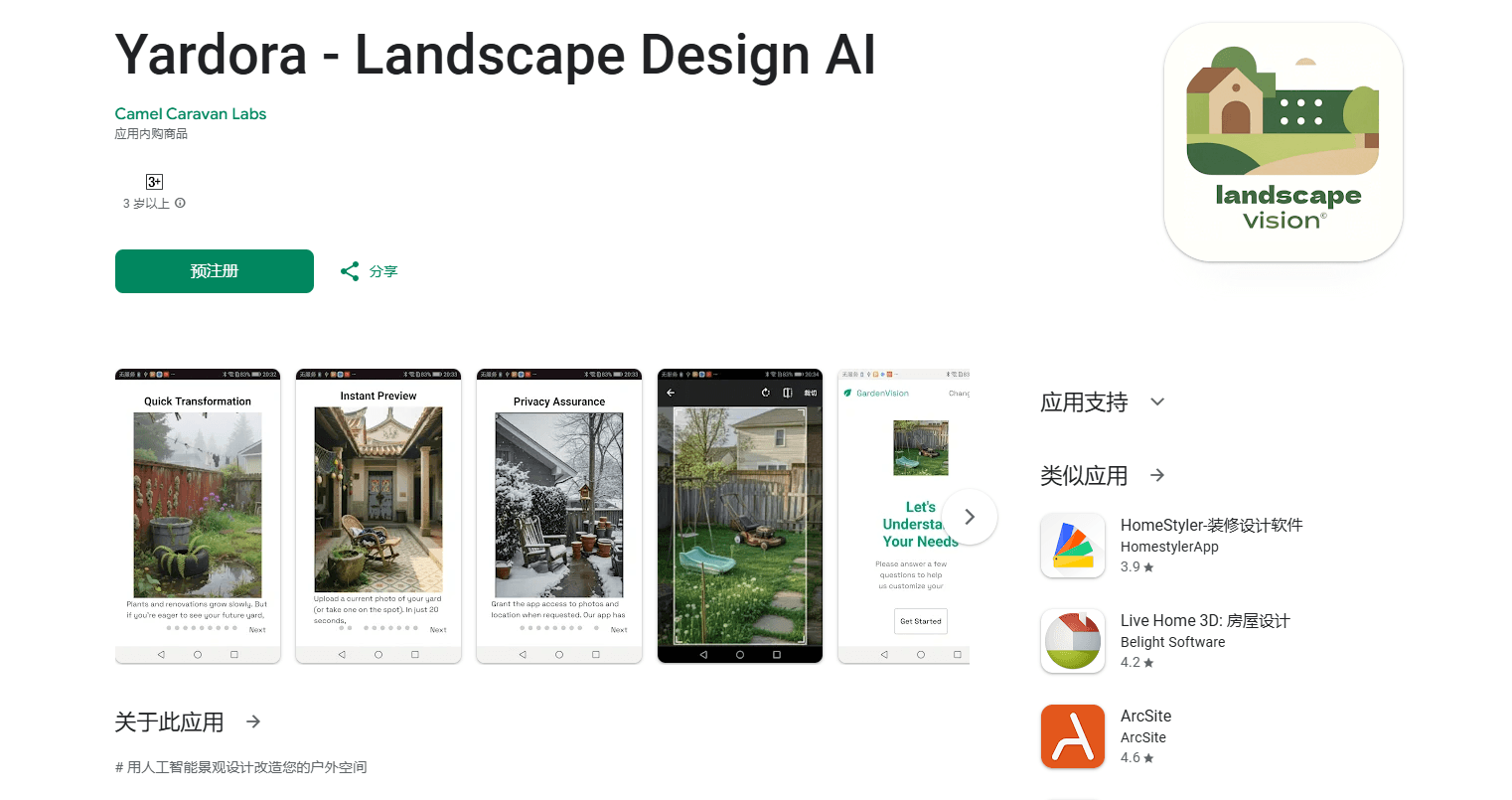
Landscape Design: AI Garden is an Android app that turns a photo of your yard into a finished garden design in about 10 seconds, with climate-aware plant picks and a free credit system.
About Landscape Design: AI Garden
What Is Landscape Design: AI Garden
Landscape Design: AI Garden is a mobile Android garden design app for people who want to see a new backyard before they dig anything up. You snap a photo of your current outdoor space, answer a short questionnaire about style, location, and colors, and the AI returns a finished design idea in seconds. It's built for homeowners and renters who'd rather spend a weekend on a project than hire a designer to sketch one first.
The app leans on your location. It reads the local climate and recommends plants meant to survive there, so a plan for sunny California doesn't hand you the same planting list as snowy Minnesota. You can explore styles from modern minimalist to Mediterranean drought-tolerant, and the app shows how a yard will look across all four seasons rather than just a single summer shot.
The limits are worth knowing up front. It's Android only, the design engine runs in the cloud so you need a connection, and the sharpest features sit behind the credit system or a subscription. Reviews are mixed at around 2.3 stars, so treat the output as a starting point for inspiration rather than a contractor-ready plan.
Getting Started
- Install Landscape Design: AI Garden from Google Play on an Android phone.
- Open the app and take a photo of your yard, patio, or courtyard with the built-in camera.
- Answer the style questionnaire about your preferences, your geographic location, and color choices.
- Wait roughly 10 seconds for the AI to return personalized garden designs for your space.
- Save the designs you like, then use the plant guidance to plan the real-world project.
Product Information
A quick look at Landscape Design: AI Garden's pricing, supported platforms, and performance.
Best for
The users, tasks, and scenarios where this tool fits best.
Users
- Homeowners planning a garden makeover app project
- Renters who want to visualize a patio or balcony
- New gardeners learning what grows nearby
- DIY weekenders sketching a small project
Tasks
- Turning a yard photo into a design concept
- Picking climate-appropriate plants
- Comparing several styles before committing
- Checking how a design holds up through the seasons
Scenarios
- Planning a patio or small courtyard refresh
- Dreaming up a zen garden or a purple flowerbed
- Budget-conscious homeowners weighing a designer's fee
- Pre-project research on a phone
Key features
Photo to design in about 10 seconds
The core loop is a single photo and a short questionnaire. You capture your outdoor space, answer a few questions about style and location, and the AI garden planner returns a design idea fast. That speed is the whole point: it turns a vague "I want to redo the backyard" into something concrete you can react to.
Climate-aware plant recommendations
The app reads your location and adjusts the suggested plants and design elements to your local growing conditions. If you're in a warm, dry region, you'll see drought-tolerant options, and colder areas get hardier picks. That regional filter is what separates it from a generic image generator.
Style range from minimalist to Mediterranean
You can push the same photo through several looks. Modern minimalist keeps lines clean and planting sparse, traditional designs lean on symmetry, and Mediterranean options favor drought-resistant arrangements. There's also a natural woodland direction meant to bring in local wildlife, plus contemporary layouts with bolder structures.
Seasonal visualization
Instead of a single idealized summer image, the app shows how a design changes across all four seasons. You'll see mature plant growth, seasonal color shifts, and the maintenance a layout will eventually need, which helps you judge whether a look still works in the off months.
Plant care and growing guidance
Beyond design, the app folds in some practical gardening help. It covers pruning basics and general advice on how to grow a garden successfully, so a beginner isn't left guessing what to do after the picture looks good.
Free credit system
The app is free to install and runs on a credit system, so you can generate a set of designs without paying first, which makes it easy to try an Android garden design tool before you commit. Amazon garden products are surfaced as part of the experience, and extra credits or a subscription unlock more output once you've used the free ones.
Pros and cons
Pros
- A photo turns into a design idea in about 10 seconds, which beats sketching by hand or browsing mood boards for an evening.
- Climate-aware suggestions reduce the risk of planting something that won't survive your region.
- Free credits let you try the AI garden design app before committing to a subscription.
- The style range covers modern, traditional, woodland, and Mediterranean looks from one photo.
- Seasonal views show how a yard matures, so you're not judging a plan on a single sunny render.
Cons
- It's Android only, so iPhone users can't use it at all.
- The design engine needs a cloud connection, so there's no fully offline mode.
- Reviews sit around 2.3 stars, and results can look more like inspiration than a buildable plan.
- The strongest features sit behind credits or a subscription, so heavy use means paying.
Frequently asked questions
It turns a photo of your yard, patio, or courtyard into an AI-generated garden design. You snap a picture, answer a short questionnaire about style and location, and get design ideas back in roughly 10 seconds.
Related content
Explore related tools, skills, and articles for Landscape Design: AI Garden.
Landscape Design: AI Garden Alternatives

Tractionwave
TractionWave · Image · MarketingTractionWave is an AI attention heatmap tool for static ads. Upload a PNG or JPG and it returns predicted attention, ranked hotspots, and fixes before you spend budget.

Imejis.io
Imejis.io · Image · MarketingImejis.io is an AI design studio for agents and marketing teams. Describe an image in plain words, and it writes the copy, builds the layout, reflows it to every size, then exports a finished file.

Layoutr
Van Dijk Ontwikkeling · Image · China AILayoutr is a browser floor plan tool that scales your own plan, places furniture at true size, shows the room in 3D and renders it with AI.