
Lanta AI
Lanta AI · Video
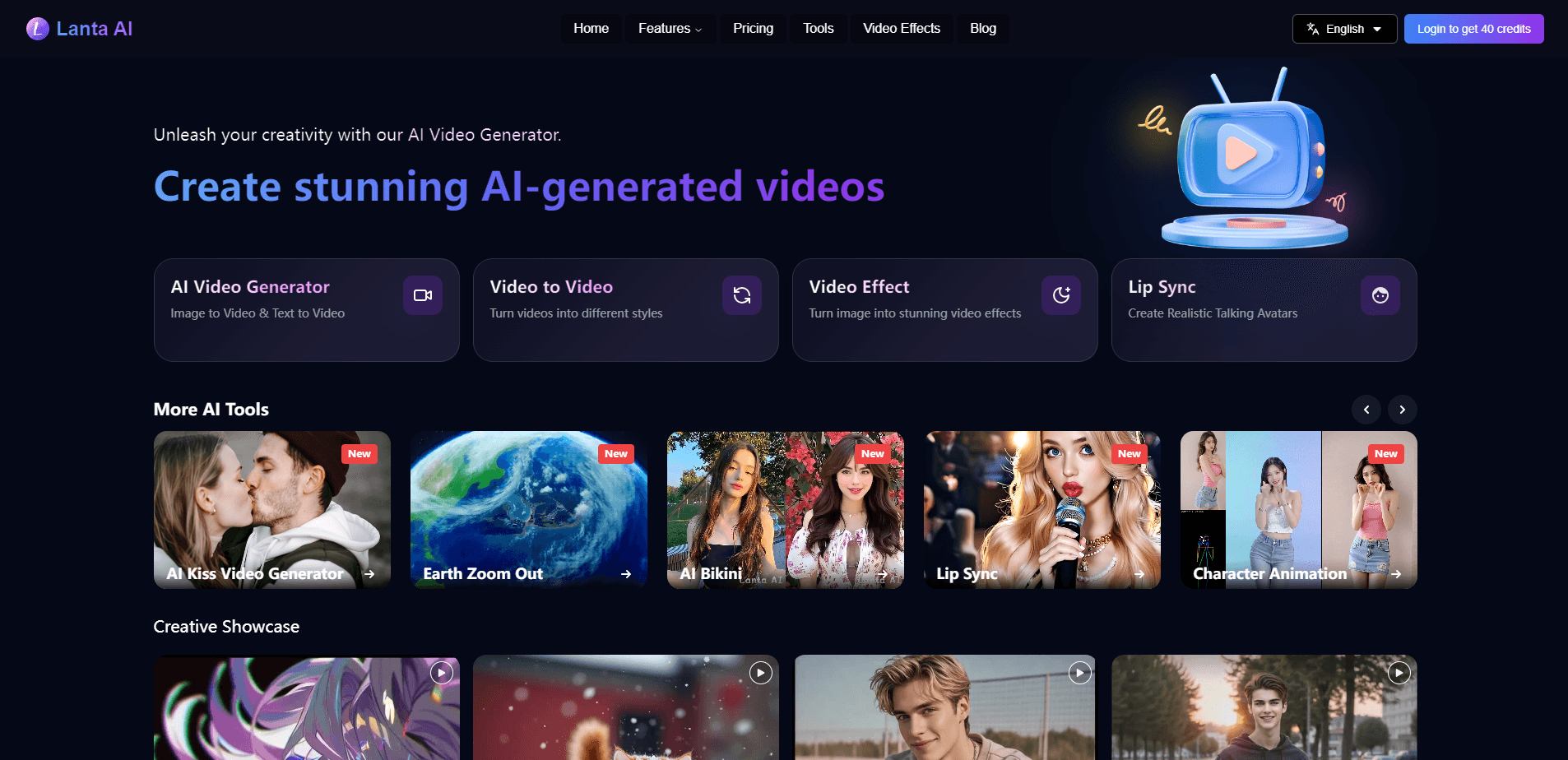
Lanta AI is an online AI video generator that turns text prompts, images, and reference clips into short cinematic videos. It runs several video models in one place, including Kling 3.0, Wan 2.6, and Grok Imagine, so you can compare results before settling on a final clip. The platform targets creators, marketers, and storytellers who want social media clips, product ads, or storyboard previews without a full editing suite.
About Lanta AI
What Is Lanta AI
Lanta AI is a browser-based AI video creation platform. You start with an image, a written prompt, or both, then generate a moving video from it. The pitch is simple: pick a model, describe the scene, and let the tool handle the motion.
The main problem it solves is model sprawl. Instead of paying for and learning a separate subscription for each video model, you try several of them under one roof and keep what works. That matters most for people testing ideas quickly. Not everyone needs that. But if you generate often, it adds up.
Its biggest limitation is control. You get strong camera and character tools, but you're still working inside what the models can render. Highly specific or unusual footage can come out inconsistent. That's the trade-off.
Getting Started
- Create a free account on the Lanta AI website.
- Choose a mode, either Text to Video or Image to Video.
- Upload a reference image or write a prompt covering the scene, action, style, and camera movement.
- Pick an AI video model and a clip duration.
- Generate the video, review the result, and export or refine it.
Product Information
A quick look at Lanta AI's pricing, supported platforms, and performance.
Best for
The users, tasks, and scenarios where this tool fits best.
Users
- Content creators
- Marketers
- Storytellers and animators
Tasks
- Turning a photo into a moving clip
- Writing a prompt into a cinematic scene
- Generating a social media video
Scenarios
- Testing several visual directions before a final edit
- Building storyboard previews
- Adding native audio to a scene
Key features
Multiple AI Video Models in One Place
Lanta AI runs several video models side by side, including Kling 3.0, Wan 2.6, Seedance 2.0 Fast, Happy Horse 1.0, Grok Imagine, and its own Lanta 2.1. You can compare outputs from the same prompt and pick the best one, so you're not locked into a single model's look. That's the feature that sets the platform apart from single-model tools.
Text to Video and Image to Video
You can start from a written prompt or from an uploaded image. Image to video is the stronger path for character and product work, since the source image anchors the look. Text to video is quicker for testing concepts before you have assets in hand. Both run inside the same AI video maker, so you don't switch tools mid-project.
Camera and Shot Control
The platform lets you direct shot types, angles, camera movement, and scene timing rather than relying on prompts alone, and it supports montage, long takes, dolly zooms, and transitions in a single generation pass. For anyone who thinks in shots, this control is the difference between a random clip and a planned one. Real control. That's rare here.
Character Consistency Across Shots
Lanta AI works to keep facial features, hairstyles, clothing, and body shape steady across shots, angles, and scenes. It's the tool's answer to one of the most common complaints about AI video, where a character changes face from frame to frame. Consistency isn't perfect, but it helps short narratives hold together.
AI Image Generator and 4K Export
A built-in image generator creates first frames, end frames, and storyboard references in batches. You can export 4K images and import them into the video generator with one click. That combination gives you a cleaner starting point for generation.
Native Audio and Sound Effects
Videos can ship with synchronized sound effects, ambient noise, dialogue, and music cues generated alongside the clip. Audio supports several languages, including English, Spanish, French, Japanese, Korean, and Chinese. That saves a separate pass in an audio tool for simple projects.
Physical Realism for Action Scenes
The models aim for more natural motion in running, jumping, skating, and landing. The goal is movement that feels grounded rather than floaty. It holds up best in short action beats and less so in long, complex sequences.
Pros and cons
Pros
- Combining several top video models in one subscription saves both money and tool-switching time.
- Camera and shot controls give you more direction over output than prompt-only tools.
- Native audio generation removes one step from the usual video workflow.
- Image to video with 4K reference exports helps anchor character and product shots.
Cons
- There is no public API, so developers can't script or automate generation.
- Character consistency still drifts in longer or more complex scenes, which means extra takes.
- Output quality depends heavily on the chosen model, so results vary between runs.
- Pricing is credit-based and hard to predict in advance if you generate a lot of test clips.
Frequently asked questions
Lanta AI creates short videos from text prompts, images, and reference clips. People use it for social media posts, product ads, cinematics, character videos, and storyboard previews.
Related content
Explore related tools, skills, and articles for Lanta AI.
Lanta AI Alternatives

Vadu AI
Vadu AI · Image · VideoVadu AI is a web-based AI video generator that turns written prompts or still images into short clips, and it can also generate images on its own. You type what you want, pick a model and style, and the platform renders the result in minutes. A free plan covers light testing, while paid tiers run from $9 to $77.40 per month based on how many credits you burn.

Mykaraoke Video
MyKaraoke Video · VideoMykaraoke Video is an online karaoke video maker and lyric video maker that turns any song into a finished, lyrics-synced video right in your browser. It handles the slow part for you. The AI pulls vocals out of the mix and locks the lyrics to the beat, then lets you customize background, fonts, and colors before exporting in 1080p MP4. If you make lyric videos for social media, party nights, or music promotion, it skips the software installs and manual timing work entirely. Want a karaoke video generator that doesn't eat your whole evening? That's the pitch here.

Finalframe
Finalframe · VideoFinalframe is a set of free, browser-based tools for grabbing exact frames out of a video clip. Its best-known feature, the Final Frame Extractor, lets you extract the last frame of any video so you can use it as the starting image for AI video tools like Luma Dream Machine, Runway, or Kling. Want to keep a clip going? That last frame is your starting point. The tool runs locally in your browser, needs no sign-up, and costs nothing. A separate paid AI video-generation app from the same team is currently offline while it's rebuilt.