
LaunchPadQuick
LaunchPadQuick · Coding
LaunchPadQuick is a Next.js 14 SaaS boilerplate with login, Stripe billing, database schema, AI routes, and email already wired together. You pay $49 once and keep lifetime access.
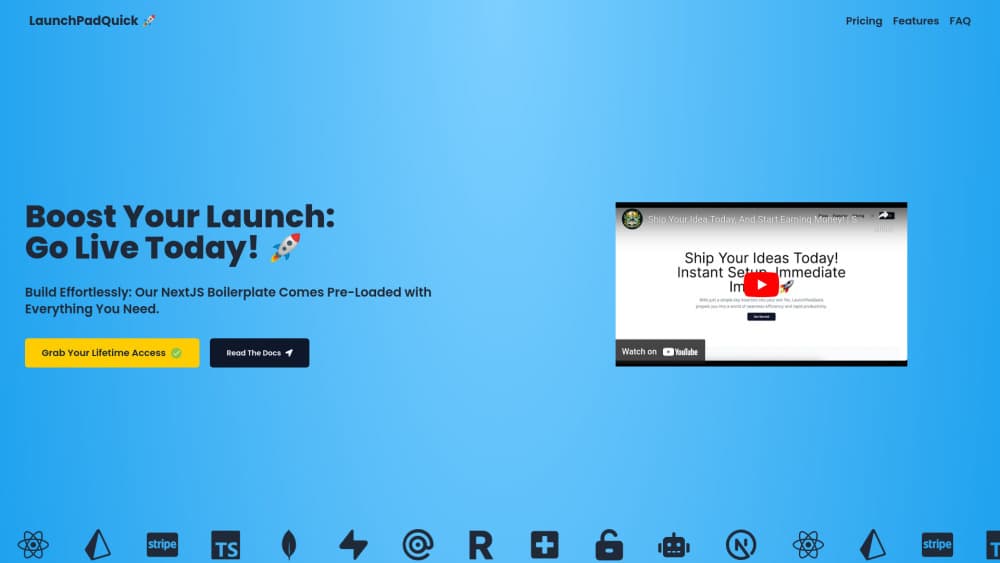
About LaunchPadQuick
What Is LaunchPadQuick
LaunchPadQuick is a downloadable Next.js 14 codebase that covers the dull half of shipping a subscription product. Sign-in, payments, database models, AI endpoints, and transactional email work the moment you clone it. Your first week goes to the idea instead of to auth flows.
The offer is narrow and plain: $49 once, lifetime access, no seat count, no monthly license. The trade is that you own the setup work. You still need accounts at Stripe, Supabase or MongoDB, Mailgun, and OpenAI or Anthropic before the first deploy.
It's built for developers and technical founders. The setup guide reads well if you write JavaScript. If you don't, a broken webhook will stop you cold, because the docs explain configuration rather than the language underneath it.
Getting Started
- Buy the template, download the repository, and install dependencies with your package manager.
- Create a Supabase or MongoDB project, then paste the connection string into the Prisma environment file.
- Add Stripe keys, register the webhook endpoint, and set your product and price IDs.
- Drop in an OpenAI or Claude 3 key plus Mailgun credentials for AI calls and email.
- Rewrite the landing page copy, then deploy to Vercel or any Node host.
Product Information
A quick look at LaunchPadQuick's pricing, supported platforms, and performance.
Best for
The users, tasks, and scenarios where this tool fits best.
Users
- Solo developers shipping a paid side project
- Technical founders testing an idea
- Freelancers building client MVPs
- Teams starting an AI SaaS template
Tasks
- Wiring subscription checkout
- Adding AI features
- Setting up passwordless login
Scenarios
- A weekend prototype that needs real payments
- A credit-based AI tool
- A content-led launch
Key features
Passwordless Auth With NextAuth.js
Magic link sign-in runs through Mailgun, and Google, GitHub, or any other NextAuth provider is a config entry. Route protection already covers the dashboard, so private pages stay private without a middleware rewrite.
Stripe Checkout, Webhooks, and Customer Portal
This Stripe billing template handles the three parts most tutorials skip: a checkout session, a webhook handler that writes subscription state to your database, and a hosted portal for cancellations and card updates. A credit ledger sits on top for usage-based products.
Prisma Schema for Supabase and MongoDB
A single Prisma ORM layer connects to Supabase or MongoDB, and the schema ships with user, subscription, and credit tables. Change the provider string, run a migration, and the models match what the auth and billing code expects.
OpenAI and Claude 3 Endpoints
The AI integration includes API routes for OpenAI and Claude 3, covering text and image generation. Keys live in environment variables, so switching a model means editing one request body rather than rebuilding the feature.
Transactional Email and Contact Forms
Mailgun sends receipts, magic links, and password resets with settings tuned to stay out of spam folders. A contact form wired through EmailJS gives you a support inbox without another service to configure.
Admin Dashboard, Blog, and SEO
Shadcn UI components back a light and dark theme, an admin dashboard for users and subscriptions, and a Markdown blog. Metadata, sitemap, and Open Graph tags come preset, which matters when organic search is part of the plan.
Pros and cons
Pros
- One payment of $49 with lifetime access, no recurring license fee and no seat limit.
- Six modules that usually eat a fortnight are connected already: auth, database, Stripe, AI, email, and admin.
- Next.js 14 with Shadcn UI leaves the front end fully editable, with no proprietary page builder in the way.
- The docs walk through each integration in order, including webhook registration and where to find API keys.
- A credit system plus customer portal covers the two billing cases most starter kits leave for you.
Cons
- Stripe, database, Mailgun, and model providers bill you separately, so $49 is the license, not the running cost.
- Next.js only. A Django, Rails, or Laravel stack can't reuse this code, so you'd be rewriting the equivalent.
- No free trial and no public demo repository, which means you judge code quality after paying.
- Support runs by email and the docs are the main reference, so a broken integration can stall for a day.
Frequently asked questions
The Next.js 14 repository plus lifetime access to updates. That covers authentication, database schema, Stripe billing, AI routes, email, an admin dashboard, and a blog. There's no subscription and no per-seat charge.
Related content
Explore related tools, skills, and articles for LaunchPadQuick.
LaunchPadQuick Alternatives
Forefront
Forefront · CodingForefront is a web platform for building with open-source AI. It lets you fine-tune leading open-source language models on your own data, evaluate how they perform, and run them through an API or export them to host yourself. Developers who want the convenience of a closed-source platform but insist on owning their models and data are the target audience here.

Startkit
StartKit.AI · CodingStartkit is a boilerplate for building AI SaaS and AI wrapper products. Think of it as an AI startup boilerplate with the boring parts already wired up: authentication, Stripe and Lemon Squeezy payments, usage limits, transactional email, and an AI API starter that talks to OpenAI, Anthropic, Groq, or Llama. You clone the repo, set your price, and start on the part of your product that people actually pay for. It's Next.js under React and Tailwind, so most of the boilerplate code already feels familiar.
Testim
Tricentis · CodingTestim is an AI-powered test automation platform for building and running end-to-end tests across web, mobile, and Salesforce applications. It leans on machine learning to keep tests stable when an interface changes, so teams spend less time fixing broken selectors. Not bad for an automated testing tool you can start using today. You create tests by recording actions in a browser, then optionally add JavaScript when you need more control. It's a solid pick for busy QA teams.