

Layerpath
Layerpath · Video · Productivity
Layerpath turns screenshots and screen recordings into interactive product demos, step-by-step guides, and narrated videos, with an AI agent that answers requests inside Slack, ChatGPT, and Claude.
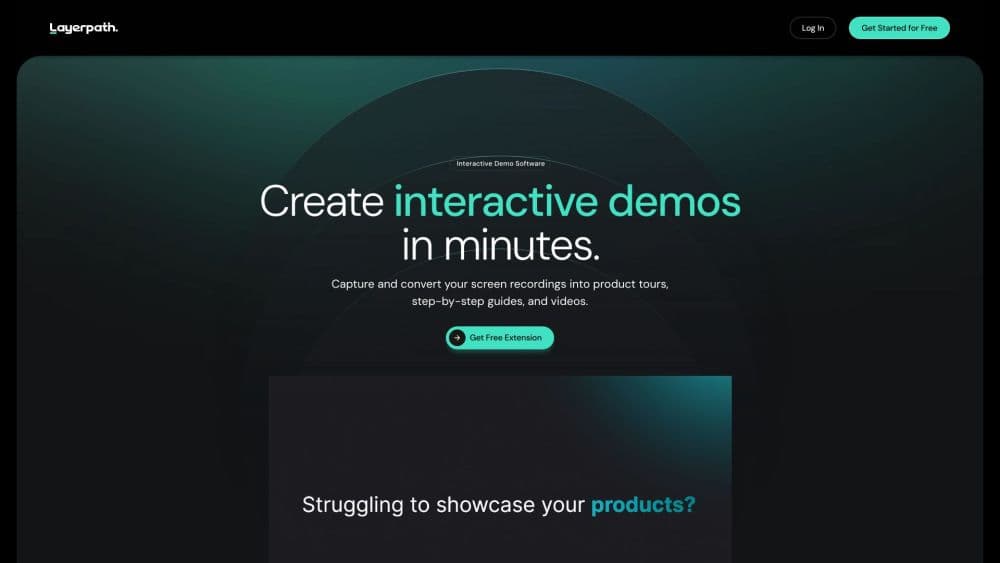
About Layerpath
What Is Layerpath
Layerpath is an AI demo builder for product education. You bring a recording, a set of screenshots, or a Loom clip, and it builds a clickable walkthrough of the workflow. The same project also exports as a written guide, a video, and a training path that team members have to complete.
The problem it targets is the repeated explanation. Support reps, sales engineers, and customer onboarding leads describe the same five clicks dozens of times a week, and the deck or doc they wrote last quarter no longer matches the interface. Layerpath keeps one source project and lets you change a single step instead of rebuilding the whole thing.
The limits matter too. It's a hosted web product with no visible public API, so anything beyond its share links, embeds, and connectors has to fit the formats it already produces. Companies that need deep LMS integration or full white-label control will run into the edges of the plan structure.
Getting Started
- Create a free account at app.layerpath.com, or invite Layerpath into a Slack thread if your team already works there.
- Add source material: drop a screen recording, upload screenshots, or capture a workflow with the Chrome extension.
- Review the draft steps, then fix wording, crop screenshots, and blur anything private.
- Choose the output, share the walkthrough link or embed, and export a guide or video if you need one.
Product Information
A quick look at Layerpath's pricing, supported platforms, and performance.
Best for
The users, tasks, and scenarios where this tool fits best.
Users
- Customer support teams
- Product marketers
- Sales engineers
Tasks
- Turning a Loom or Zoom recording into a first draft
- Writing onboarding docs that stay current
- Training new hires on internal tools
- Producing a silent walkthrough in several languages
Scenarios
- A support team drowning in repeat questions about one settings screen
- A product launch where the feature demo has to exist before the feature ships to everyone.
- An agency handing clients a branded walkthrough
Key features
Drafts From Recordings You Already Have
Drop in a Loom, a Zoom recording, or a training clip and Layerpath pulls out the workflow as structured steps with screenshots. For teams with a backlog of recorded calls, this is the shortest path to a usable product tour, and you skip the screen-by-screen capture.
One Project, Four Outputs
A single project publishes as a clickable walkthrough, a step-by-step guide for readers who skim, a video for people who prefer watching, and a training path for teams that need proof of completion. Support pages, sales follow-ups, and internal enablement end up using the same source, which is where most of the time saving comes from.
Layerpath Agent Inside Slack, ChatGPT, and Claude
Tag the agent in a Slack thread with screenshots attached and it returns a walkthrough in the thread. The same request works from ChatGPT or Claude. This matters for teams that live in those tools and don't want another dashboard tab open.
Editing by Prompt, Plus AI Voiceover
Edit with Agent lets you ask for changes in plain language: rewrite steps, adjust callouts, remove noise. Voiceover is generated in 28 languages with over 100 voices, so a walkthrough can be shipped to a non-English audience without booking a narrator. AI use is included under fair use on paid plans, with no separate credit balance to manage.
Brand Memory
Upload your logo, fonts, and colors once and new demos inherit them. It removes the per-demo styling pass, which is the step most teams skip when they're in a hurry.
Insights on Completion and Drop-off
The demo analytics view shows viewers, completion rate, leads, and engagement rate, plus where people stop. That data is what turns a demo into something you can fix: a step that loses half the audience is a step worth rewriting.
Pros and cons
Pros
- One source project covers demos, guides, videos, and training paths, so updates happen once.
- The Slack, ChatGPT, and Claude connectors remove the "open another tool" friction that kills adoption.
- Free plan allows unlimited projects with three published at a time, enough to test the full workflow.
- No separate AI credits: agent use and voiceover are bundled into the paid plans.
- Editing a single step is genuinely faster than rebuilding a demo from scratch.
Cons
- Pro starts at $50 per month for one creator, which is steep for a solo founder who publishes occasionally.
- Additional creators cost $50 per month each, so small teams scale in $50 steps.
- No documented public API, and no LMS or CRM integration listed on the pricing page. Teams that need either should plan for manual work or an enterprise conversation.
- Demos reflect the state of the product when recorded, so a fast-changing interface means frequent re-recording.
Frequently asked questions
It converts screen recordings, screenshots, or a prompt into an interactive product walkthrough, then publishes that same project as a step-by-step guide, a video, or a training path. The point is to explain a workflow once and reuse it everywhere.
Related content
Explore related tools, skills, and articles for Layerpath.
Layerpath Alternatives

Vadu AI
Vadu AI · Image · VideoVadu AI is a web-based AI video generator that turns written prompts or still images into short clips, and it can also generate images on its own. You type what you want, pick a model and style, and the platform renders the result in minutes. A free plan covers light testing, while paid tiers run from $9 to $77.40 per month based on how many credits you burn.

Mykaraoke Video
MyKaraoke Video · VideoMykaraoke Video is an online karaoke video maker and lyric video maker that turns any song into a finished, lyrics-synced video right in your browser. It handles the slow part for you. The AI pulls vocals out of the mix and locks the lyrics to the beat, then lets you customize background, fonts, and colors before exporting in 1080p MP4. If you make lyric videos for social media, party nights, or music promotion, it skips the software installs and manual timing work entirely. Want a karaoke video generator that doesn't eat your whole evening? That's the pitch here.

Finalframe
Finalframe · VideoFinalframe is a set of free, browser-based tools for grabbing exact frames out of a video clip. Its best-known feature, the Final Frame Extractor, lets you extract the last frame of any video so you can use it as the starting image for AI video tools like Luma Dream Machine, Runway, or Kling. Want to keep a clip going? That last frame is your starting point. The tool runs locally in your browser, needs no sign-up, and costs nothing. A separate paid AI video-generation app from the same team is currently offline while it's rebuilt.