

Leadde AI
Leadde · Video · Productivity
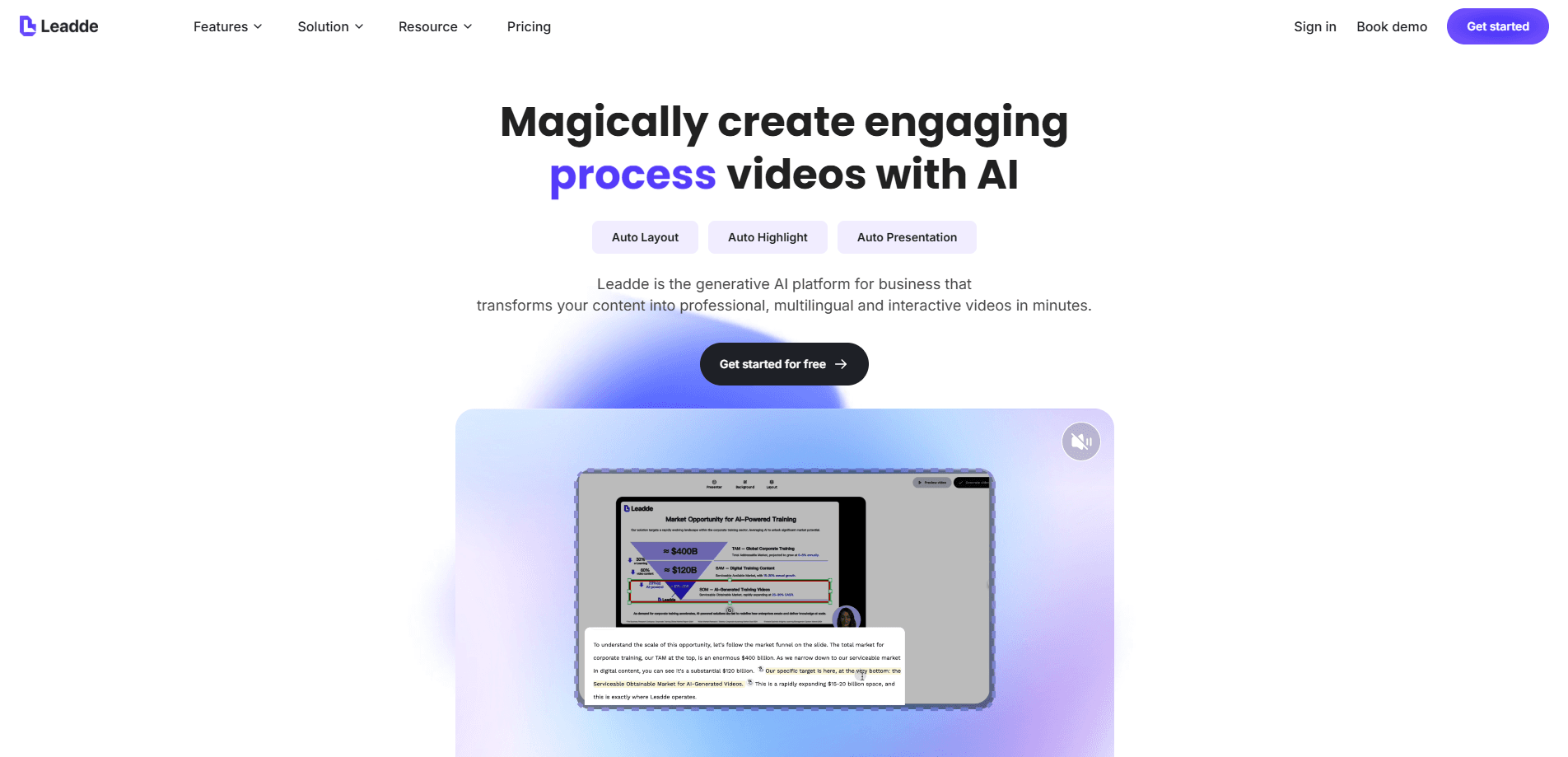
Leadde AI is a generative video platform that turns documents, slide decks, and scripts into finished AI presentation videos with avatars and voiceovers. You upload source content, and the tool structures it into scenes, narrates it, and can localize the result into dozens of languages. It's a multilingual video generator built for teams that need training, product, or marketing clips at scale. No production crew required. No editing skills either, for that matter.
About Leadde AI
What Is Leadde AI
Leadde AI is a web-based AI video generator aimed at business content rather than short social clips. Its core idea is that a document, a slide deck, or a script already contains the structure of a video. Leadde reads that structure, splits it into scenes, picks or accepts an avatar, and produces a narrated video with captions and highlights.
The pitch is speed. According to Leadde, teams can cut production time by up to 90% compared to filming and editing, because localization, narration, and layout all happen in the same pass instead of being handed off between separate video, voice, and translation teams. That matters most for content that changes often, like onboarding decks, compliance updates, or product walkthroughs.
Speed isn't everything. The output still looks like template video.
The main limitation is that you're working within the platform's avatar and template system. If you need bespoke motion graphics or live-action footage, this isn't the tool. It also sits behind a credit system, so heavy video volume pushes you toward paid tiers quickly.
Getting Started
- Sign up at leadde.ai with an email or work account and claim the free credits offered on the homepage.
- Start a project and upload your source material: a document, a PPT or PDF, or a plain script.
- Pick a template and an AI avatar, then choose a voice and a target language.
- Let Leadde generate the first cut: scenes, narration, captions, and auto highlights.
- Review the draft, edit any text or timing, then export as MP4 or share it by link.
Product Information
A quick look at Leadde AI's pricing, supported platforms, and performance.
Best for
The users, tasks, and scenarios where this tool fits best.
Users
- Learning and development teams
- Sales enablement teams
- Marketing teams
- Small teams without editors
Tasks
- Turning a PPT or PDF into a presented video
- AI video translation and dubbing
- Building avatar-led training videos
- Generating a first cut from a script
Scenarios
- Refreshing compliance or policy content that changes every quarter
- Localizing a product walkthrough for a new market
- Producing onboarding videos for a growing team
- Creating a quick product update for sales
Key features
Document and slide to video
Leadde's headline feature takes a document, PPT, or PDF and turns it into a structured video. It reads the logic of the source, splits it into scenes, and lays out a flow rather than just dumping text onto slides. Slide imports support up to 50 slides and files up to 200MB. That covers most training decks.
AI avatar video
Leadde builds avatar-led video without a camera. The platform offers 250+ public and professional avatars on paid tiers, plus unlimited custom photo avatars you can create from a single image, which means a presenter can stay visually consistent across an entire library of onboarding, training, or product videos instead of being reshot for every update. Voice cloning is included, with 100+ built-in AI voices and up to 10 avatar and voice clone slots depending on your plan. You pick a presenter, set a voice, and the avatar delivers the script.
Multilingual generation
Leadde generates in 88 languages and 175 dialects. Translation covers video, images, and slides, and the output stays editable rather than locked as a finished dub. For teams shipping the same message to several markets, that's the feature that saves the most rework.
Auto structure and highlights
Instead of you cutting and pacing an edit, Leadde handles auto presentation, auto layout, and auto highlights. It decides where the emphasis goes and adds motion and caption cues. You can still adjust, but the first pass is meant to be usable without editing skills. Not perfect. Close enough for most internal content.
AI image and media generation
Beyond video assembly, the tool can auto-generate stock imagery and AI images to fill gaps, and it includes a media generator for images, videos, and motion. Some plans add avatar video templates for specific formats. Background music is handled in the same workspace, so you don't stitch assets together elsewhere.
Video chat and interactivity
Some plans add chat-with-video and interactive role-training features, plus link sharing with embedded calls to action. That turns a passive training clip into something viewers can question or click through.
Pros and cons
Pros
- Source-to-video workflow means you don't need editing skills to get a finished cut.
- Language coverage of 88 languages and 175 dialects is unusually wide for a platform in this price range.
- Custom photo avatars and voice cloning keep the presenter consistent across a whole library of videos.
- Free tier with 200 credits lets you test the workflow before paying.
- Enterprise features like SAML/SSO and SOC 2, GDPR, and ISO commitments make it viable for regulated teams.
Cons
- Credit-based pricing means cost scales with video volume, so heavy users can't predict spend as easily as a flat fee.
- There's no clear public API, which rules it out if you need to trigger video generation from your own systems.
- You're limited to the platform's avatars and templates, so the visual style will look like other Leadde output.
- The free tier caps videos at 10 minutes each, and only 16 public avatars are available on it.
Frequently asked questions
It converts documents, slides, and scripts into narrated videos with AI avatars. You upload source content, pick a presenter and language, and it produces a structured video with captions and highlights.
Related content
Explore related tools, skills, and articles for Leadde AI.
Leadde AI Alternatives

ngram 2.0
ngram · Video · Marketingngram 2.0 is an AI video generator for teams. It turns a prompt, a screen recording, or a product URL into a narrated explainer, product demo, or AI avatar video, and every scene stays editable.

OpenScreen 2
OpenScreen (open-source project) · Video · ProductivityOpenScreen 2 is a free, open-source screen recorder and demo video editor for Windows, macOS, and Linux, with automatic zooms, styled frames, local captions, and agent edits.

Skreno
Skreno · Video · ProductivitySkreno is a browser screen recorder that captures a tab, a window or your whole display, then attaches AI transcripts, summaries and console logs to one share link.