

Ledgerize
Ledgerize · Productivity · Business
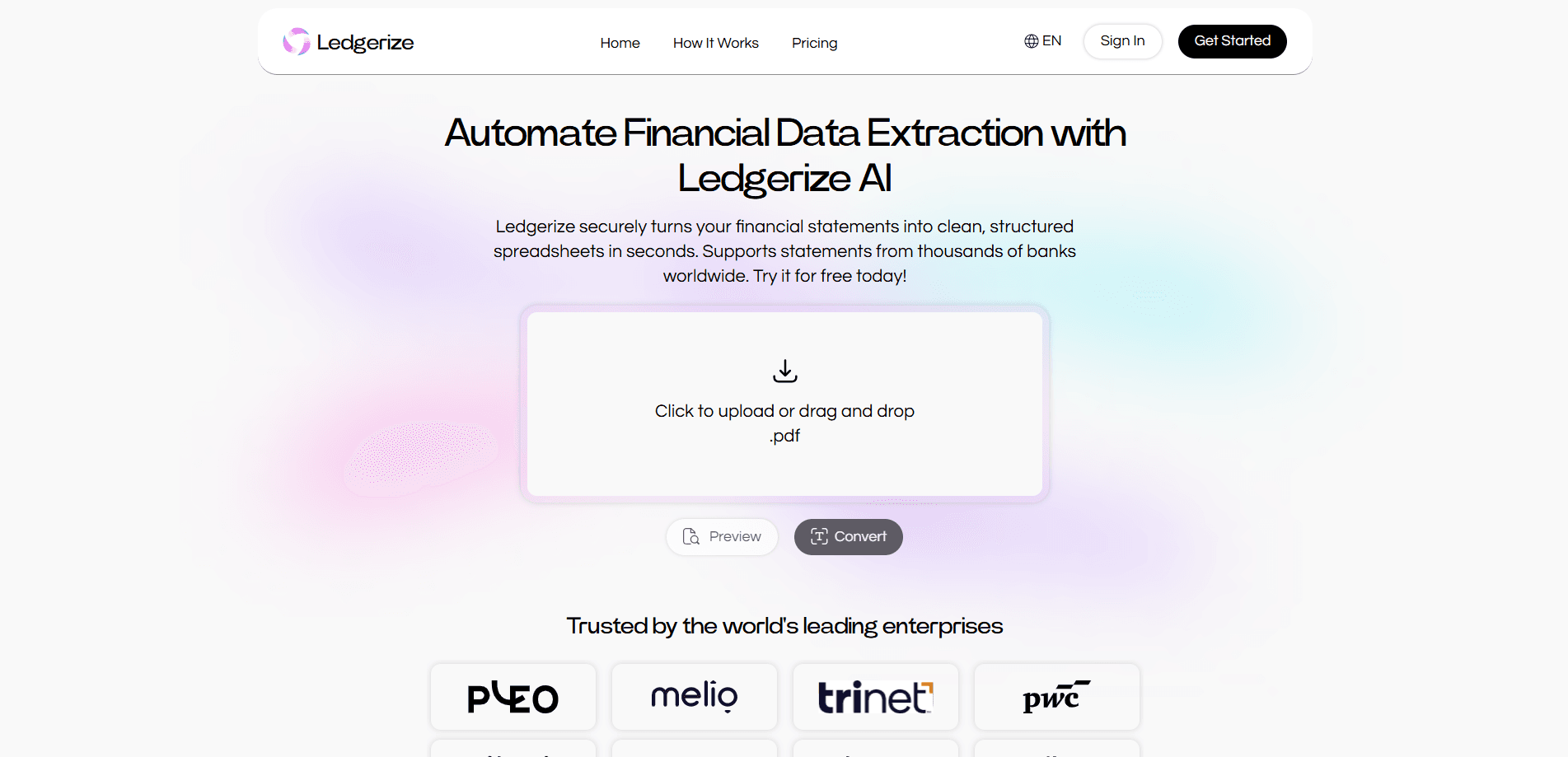
Ledgerize is an AI financial data extraction service that converts bank statements and financial PDFs into clean, structured Excel or CSV spreadsheets in seconds. It detects complex tables spanning multiple pages and merges deposits, withdrawals, and card activity into a single unified table. Think of it as a bank statement parser that handles the messy parts of PDF to Excel work for you. The tool targets accountants, bookkeepers, and small business owners who are tired of retyping transactions by hand, and it supports statements from thousands of banks worldwide.
About Ledgerize
What Is Ledgerize
Ledgerize is a web-based bank statement converter built for people who deal with financial PDFs all day. You upload a statement, the algorithm pulls out dates, amounts, payees, and transaction details, then hands you a spreadsheet you can actually work with. No manual retyping, no copy-paste drift.
The problem it solves is a familiar one. Bank PDFs are messy. Tables break across pages, debit and credit sections sit in different spots, and the layout rarely survives a normal copy-paste. Ledgerize reads that layout and keeps it intact, so the resulting spreadsheet matches what the statement showed. That matters most for bookkeepers reconciling accounts, freelancers tracking expenses, and small finance teams doing month-end close under a deadline they can't move.
The catch worth knowing up front: the free tier caps you at a handful of pages a day, and heavier use needs a paid plan. Everything happens in the cloud, so sensitive statements leave your machine. The company says all data is encrypted end-to-end and stored under GDPR, CCPA, and HIPAA standards. It's a browser tool, not a desktop app. There's no mobile app.
Getting Started
- Open ledgerize.ai and create a free account, or stay on the free tier without registering for a few pages a day.
- Drag and drop a PDF bank or credit card statement into the upload box.
- Let the extraction engine detect the table and structure dates, amounts, and payees.
- Review the parsed table to confirm the transactions landed correctly.
- Download the result as Excel, CSV, or another format you prefer.
Product Information
A quick look at Ledgerize's pricing, supported platforms, and performance.
Best for
The users, tasks, and scenarios where this tool fits best.
Users
- Accountants and bookkeepers
- Small business owners
- Freelancers and solo operators
- Finance teams doing month-end close
Tasks
- Converting bank statements to Excel
- Turning financial PDFs into CSV
- Reconciling transactions
- Extracting payee and amount data
Scenarios
- Month-end bookkeeping
- Tax season document prep
- Expense tracking for a side business
- Migrating records into new accounting software
Key features
Multi-page table detection
Ledgerize reads complex tables that run across several pages and keeps the layout intact. Statements that split deposits, withdrawals, and card activity into separate sections get consolidated into a single unified table. This is where most naive PDF tools fall down, and it's the feature that decides whether the output is usable.
Layout-preserving extraction
The engine mirrors the statement's own structure rather than dumping text into a blob. Columns for money in, money out, and balance stay aligned with the original. That's the whole point. For anyone who's tried copying a bank PDF into a spreadsheet by hand, the difference is obvious.
Multiple export formats
Results download as Excel, CSV, or other formats, so the file slots into whatever accounting workflow you already run. A CSV import into bookkeeping software is about as painless as data entry gets. No reformatting. No cleanup.
Broad bank coverage
Ledgerize handles statements from thousands of banks worldwide, which matters if your accounts aren't all at one institution or you deal with foreign statements. Currency details such as exchange rates and non-sterling transaction fees ride along in the extracted rows, which saves you from hunting those numbers down separately when a client banks abroad.
Batch uploads
You can queue a stack of statements instead of feeding them in one at a time. That's the difference between a five-minute job and an afternoon when a client hands over a year of PDFs. Big time saver.
API access
Every plan, including the free tier, lists API access. That opens the door to wiring extraction into your own scripts or an internal tool if you'd rather not click through the web interface, and it means a developer can automate the whole bank statement to Excel pipeline without any manual uploads at all.
Security and compliance posture
The company states that all data is encrypted end-to-end and stored in the cloud under GDPR, CCPA, and HIPAA standards. For anyone handling financial records, that compliance list is worth checking against your own obligations before uploading anything sensitive, because a tool can claim certification while your specific regulator still expects something the vendor never mentions on the page.
Pros and cons
Pros
- Handles multi-page tables and merges split sections into one clean table.
- Fast turnaround, with most statements converted in seconds.
- Free tier is genuinely usable for light, occasional conversion.
- Exports to Excel and CSV, so it fits existing bookkeeping workflows.
- Covers statements from thousands of banks worldwide.
Cons
- Free plan caps you at 5 pages a day, so any real volume pushes you to a paid tier.
- Web-only, with no desktop or mobile app for offline or on-the-go use.
- Cloud processing means sensitive statements leave your device, which some users may not want regardless of the stated encryption.
- Paid plans run up to $90/month, which adds up for occasional users who only need a burst now and then.
Frequently asked questions
It converts bank statements and financial PDFs into structured Excel or CSV spreadsheets. You upload a statement and get back a clean table of dates, amounts, and payees.
Related content
Explore related tools, skills, and articles for Ledgerize.
Ledgerize Alternatives

Swms
Swms AI · Writing · Productivity · BusinessSwms is an AI safety compliance tool that turns a plain description of a job into ready-to-use safety documents. Describe your project, trade, and known hazards, and it writes a safe work method statement, job hazard analysis, safe work procedure, RAMS, or safety data sheet in seconds. It also ships with Oscar, a chat assistant that answers workplace safety questions in any language. Teams in construction, mining, transport, and warehousing use it to cut the paperwork that usually eats into a workday.

Wordly AI Translation
Wordly · Voice & Language · ProductivityWordly AI Translation is a real-time AI translation and captioning platform built for meetings, conferences, and events. It delivers live translation, captions, transcripts, and summaries in more than 60 languages, and attendees join by scanning a QR code or opening a link instead of using dedicated headsets. The platform works with Zoom, Microsoft Teams, Google Meet, and Webex, and it's designed for organizations that want multilingual access without hiring human interpreters for every session. Simple as that.

Rows
Rows (Superhuman) · Productivity · BusinessRows is an AI spreadsheet and data analysis tool that imports live data from more than 50 sources, then lets you work with it using plain language instead of SQL queries or nested formulas. You can pull numbers out of PDFs, connect ad platforms, databases, and bank accounts, and ask the AI to build reports, merge datasets, or set up models that recalculate themselves. It runs in the browser, works like a spreadsheet, and now sits under the Superhuman umbrella.