
LetsTok UGC AI Studio
LetsTok · Video
LetsTok UGC AI Studio makes UGC video ads, posts them to 28 channels, and builds Meta and Google campaigns from one chat. You run it in ChatGPT, Claude, or LetsTok's own assistant.
About LetsTok UGC AI Studio
What Is LetsTok UGC AI Studio
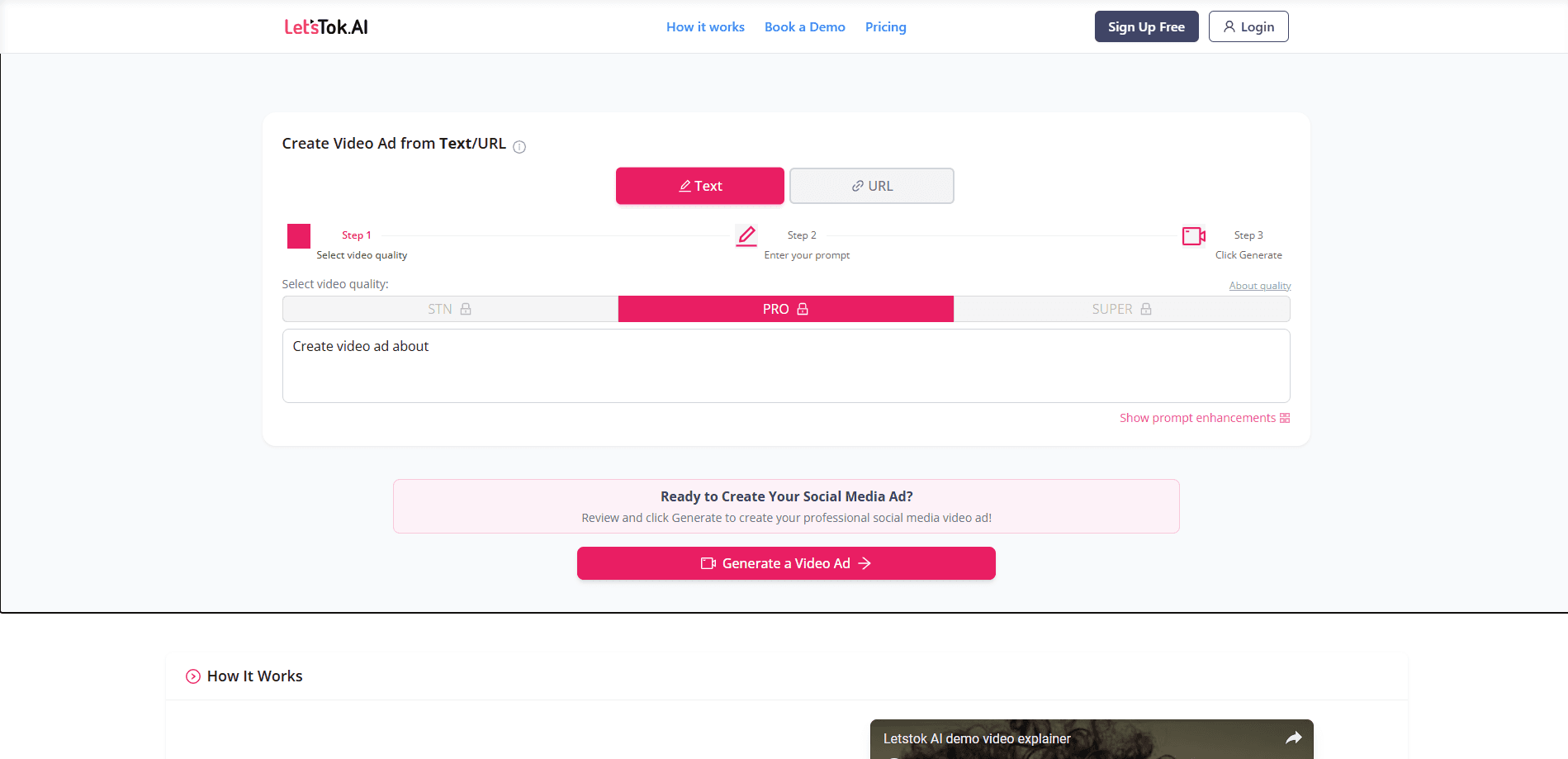
LetsTok UGC AI Studio is an agentic ad platform built around a single chat. Instead of spreading the work across an AI video generator, a social scheduler, and two ad managers, it handles all of those in one conversation. You describe the ad you want, and the studio generates the clip, writes the post, schedules it, and drafts the campaign around it.
The product targets the part of advertising that most tools skip. A video generator stops once the file exists. From there you still have to post it, boost it, build the campaign, set budgets, and read the numbers. LetsTok folds those five steps into the same window, so Friday's results shape Monday's plan without exports or app switching.
The biggest limit is how the account behaves by default. Every campaign, ad set, and ad is created paused, and nothing spends or publishes until you reply with approval. That safety net means you can't fully fire and forget. A plan you never confirm simply sits there and never runs, so the studio still needs a human in the loop.
Getting Started
- Sign up for a plan or start the $1 three-day trial, which covers up to 10 videos.
- Open the chat, either inside LetsTok or by connecting LetsTok to ChatGPT or Claude through its MCP connector.
- Connect your social channels and ad accounts from within the chat, then describe the ad you want.
- Review the generated video, post, and draft campaign, and reply with approval to make them live.
Product Information
A quick look at LetsTok UGC AI Studio's pricing, supported platforms, and performance.
Best for
The users, tasks, and scenarios where this tool fits best.
Users
- Small ecommerce brands
- Solo founders and marketers
- Agencies and multi-brand operators
Tasks
- Producing a batch of UGC video ads in different angles
- Posting one video to many channels
- Building Meta and Google campaigns
- Reporting on cost and results
Scenarios
- Weekly ad refresh
- Launching a product across regions
- Running many brands from one seat
Key features
UGC video ads from one prompt
Acting as an AI UGC generator, the studio turns a short description into a finished UGC-style video ad, drawn from a library of AI actors. Custom actors are trained on faces you own the rights to, with 10 on Premium and 50 on Creator. Once an actor exists, it can carry every ad the account makes, so your output builds a recognisable cast instead of a new stranger each week.
Posts to 28 social channels
The studio handles social media autoposting across TikTok, Instagram, YouTube, Facebook, X, LinkedIn, Threads, Pinterest, Reddit, and nineteen more, all connected from inside the chat. The same video is resized and scheduled for each channel, so you don't download a file and upload it six times. Starter covers 6 channels, Premium 10, and Creator 30.
Meta and Google campaign creation
Ask for a campaign and LetsTok builds the budget, audience, and ad sets, or full Google Search ads with keywords and sitelinks. Everything lands paused, and one approval makes it live. Because the studio can't spend on its own, pushing a half-baked campaign by accident isn't possible.
Results back in the same window
Meta and Google insights return to the chat that produced the ad, alongside social analytics. You see what the clip cost and what it made next to the creative that earned it, which is the link most teams lose when the numbers live in a separate dashboard.
Native-speech video, no lipsync
The video models generate spoken audio directly, so an ad in Spanish, Hebrew, or another language is spoken rather than dubbed over a mouth that was moving to English. For brands selling into several regions, that keeps a local ad sounding local instead of translated.
One chat across GPT, Claude, or LetsTok
This ChatGPT advertising tool works in the assistant you already use. You can run the whole studio inside ChatGPT, Claude, or LetsTok's own assistant through an MCP connector. If you already pay for an assistant, the work happens there. If you don't, the built-in chat covers everything on any plan, with no separate subscription required.
Pros and cons
Pros
- Combines video generation, autoposting, and Meta and Google campaign tools that would otherwise mean six subscriptions.
- Every campaign and post is created paused, so nothing spends or publishes without a clear go-ahead.
- Native-speech video output keeps ads in the buyer's language rather than sounding dubbed.
- Per-brand memory keeps each client's voice, claims, and channels separate under one login.
- Full commercial rights and watermark-free files start from the first paid plan.
Cons
- No AI ads are made without your approval, so you can't set the studio to spend on its own.
- The pricing runs on tokens tied to specific engines, so the cost per ad depends on the model and clip length you pick.
- API access sits on the Creator tier and above, which puts automation out of reach for the cheapest plans.
Frequently asked questions
It's an AI advertising platform that makes UGC-style video ads, posts them to social channels, and builds Meta and Google campaigns from a single chat. You can run it inside ChatGPT, Claude, or LetsTok's built-in assistant.
Related content
Explore related tools, skills, and articles for LetsTok UGC AI Studio.
LetsTok UGC AI Studio Alternatives

ngram 2.0
ngram · Video · Marketingngram 2.0 is an AI video generator for teams. It turns a prompt, a screen recording, or a product URL into a narrated explainer, product demo, or AI avatar video, and every scene stays editable.

OpenScreen 2
OpenScreen (open-source project) · Video · ProductivityOpenScreen 2 is a free, open-source screen recorder and demo video editor for Windows, macOS, and Linux, with automatic zooms, styled frames, local captions, and agent edits.

Skreno
Skreno · Video · ProductivitySkreno is a browser screen recorder that captures a tab, a window or your whole display, then attaches AI transcripts, summaries and console logs to one share link.