

Lightfield
Lightfield · Coding · Marketing
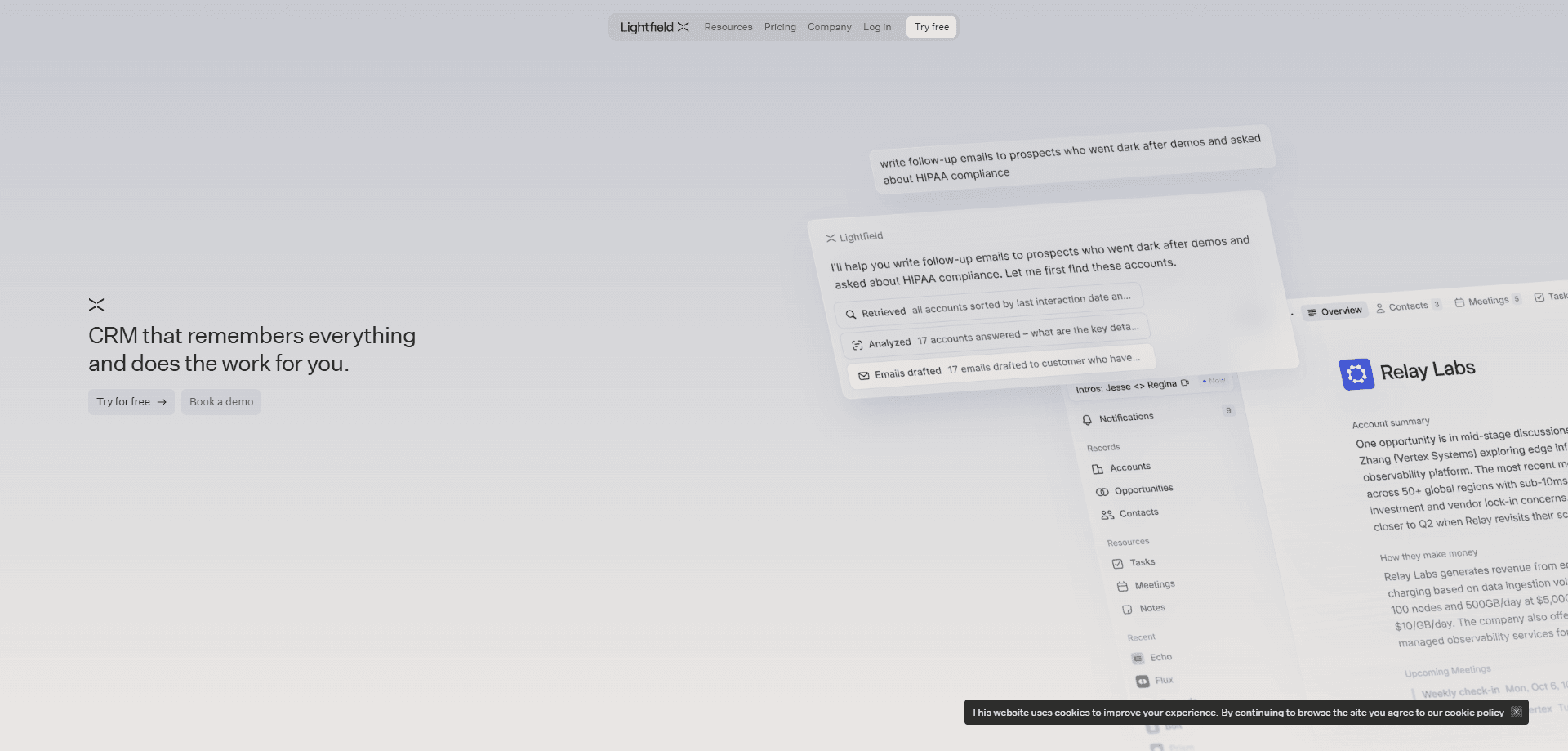
Lightfield is an AI-native CRM that builds and maintains itself from customer conversations. Connect email, calendar, Slack, and LinkedIn, and its customer interaction capture pulls in every call, email, and meeting, then keeps accounts, contacts, and opportunities structured without manual entry. It's aimed at founders and customer-facing teams who are tired of reps skipping CRM updates. Beyond the record, Lightfield runs agents that find prospects, book meetings, and handle follow-ups. Call it an agentic CRM, not a database you babysit. It's a system that works alongside you.
About Lightfield
What Is Lightfield
Lightfield is a customer relationship management platform rebuilt around AI agents rather than around forms and fields. Legacy CRMs were designed for humans to type data in. Lightfield assumes agents will do much of the reading, reasoning, and writing. It ingests calls, emails, meetings, and Slack threads, then assembles a context graph that links every interaction to the right account, contact, or opportunity and remembers how that data changed over time.
The core problem it targets is data quality. When reps treat the CRM as a chore, records go stale and the pipeline stops matching reality. Lightfield responds with CRM automation that captures interactions and updates records on its own. That's the whole pitch of a self-updating CRM. It also exposes records through API, MCP, and CLI, so you can build agents, automations, and workflows on the same shared data your team sees.
The main limits are worth knowing up front. Lightfield is a business tool sold to teams, not a free personal app. Pricing starts at $89 per user per month on the Starter tier and climbs to custom Enterprise contracts, so solo users and very small budgets will find it expensive. Several of the more advanced pieces, including sequences, are tied to the Pro plan. And the platform assumes you'll connect your email, calendar, and messaging tools rather than keep everything inside Lightfield. Treat it as a sales pipeline tool for teams, not a personal notebook.
Getting Started
- Book a demo or sign up for the 14-day Starter trial, then connect email, calendar, Slack, and LinkedIn so Lightfield can start capturing interactions.
- Review the data model it proposes, or describe in chat how your business works and let the agent configure custom objects and relationships.
- Point Lightfield at your existing CRM if you have one. Its agent can ingest legacy records and recreate your data model on day one, or run a two-way sync alongside Salesforce or HubSpot.
- Set up the automations and workflows you want, describing each process in chat and letting the agent program the steps.
- Work from the shared record, reviewing the commitments, follow-ups, and funnel issues the agents surface.
Product Information
A quick look at Lightfield's pricing, supported platforms, and performance.
Best for
The users, tasks, and scenarios where this tool fits best.
Users
- Founders and small sales teams
- Customer-facing teams at growing companies
- Revenue and GTM leaders
Tasks
- Capturing calls, emails, and meetings automatically
- Finding and booking meetings with prospects
- Diagnosing funnel problems
- Migrating off a legacy CRM
Scenarios
- A founder who needs sales context without maintaining a database by hand
- A team scaling outbound
- A company that wants to keep Salesforce or HubSpot running during a transition
Key features
Self-Updating Records
The record updates itself. Lightfield connects to email, calendar, Slack, and LinkedIn, captures every customer interaction, and keeps accounts, contacts, and opportunities structured automatically. No fields to fill in after a call. The call already updated them. This is what separates it from a traditional CRM, where the record only knows what someone remembered to type.
Data Model Built for Agents
Lightfield ships a data model designed for agents rather than for humans clicking through screens. Custom objects and relationships mirror how your business works, and a temporal context graph connects every interaction while preserving how the data changed over time. Why does the history matter? Because questions like why a deal stalled need an answer, not a guess. You can follow the change back to the call or thread that caused it.
Agent Infrastructure
Agents need a reliable place to run, and Lightfield provides one. A standardized SDK, a deterministic code sandbox, and continuous evals give agents consistent access to records and more dependable output across runs. The point is consistency. An agent that drafts the same email twice and gets two different structures is hard to trust, so Lightfield checks outputs instead of hoping for the best.
Agents That Do Customer-Facing Work
Lightfield's agents go past summarizing. They find prospects that resemble your best customers, book meetings, capture commitments from conversations, handle follow-ups, and learn from your top sellers to codify what works. Each of these is the kind of task a sales development rep would otherwise do by hand, and Lightfield runs it against the same record your team works from. That's the shift.
Open Platform and Integrations
You can read and write every record through API, MCP, and CLI, which means you're not locked into the vendor's interface. Teams build agents, automations, and workflows on the shared data and connect them to tools they already use. That openness is a real difference from CRMs that keep your data behind a proprietary wall. No wall here.
Automations and Sequences
Automations execute a defined process on a schedule or trigger, described in chat and programmed by the agent, so steps like interpreting a webhook or upserting records stay maintainable. Sequences run per-contact outreach cadences across email and LinkedIn over days or weeks and stop when a contact replies. Both are tied to the Pro plan, which is worth noting if you're evaluating the entry tier.
Shared World Model for the Whole Company
Lightfield is built for everyone at the company, not just sales. Every call, email, and decision feeds into a shared model of the business, so product can trace a roadmap bet back to the specific calls that prompted it, and leadership can size how many accounts a problem actually touches. The value here is fewer arguments about what customers want, because the evidence sits in one place.
White-Glove Migration
Switching CRMs is usually the hardest part of adopting one. Lightfield's agent ingests your legacy CRM data and recreates your data model on day one. You tell it what to move and describe the automations you want, and the team handles the rest. That lowers the risk of a migration stalling halfway through.
Pros and cons
Pros
- Automatic capture from email, calendar, Slack, and LinkedIn keeps the CRM current without manual data entry.
- Agents handle prospecting, meeting booking, and follow-ups, work that would otherwise fall to a sales rep.
- Open access through API, MCP, and CLI avoids the data lock-in common in legacy CRMs.
- Migration is handled for you, including two-way sync with Salesforce and HubSpot during a transition.
- A shared company-wide view lets product and leadership draw on the same customer evidence as sales.
Cons
- No free plan. Starter runs $89 per user per month, so individuals and very small budgets pay from day one.
- Starter caps at three seats, and the more advanced pieces like sequences and multi-channel outreach sit on the Pro tier.
- You need to connect email, calendar, and Slack for it to work well, which won't suit teams that keep tools siloed.
- Pricing beyond Starter is quoted per workspace on annual billing, so total cost depends on seats and record volume rather than a flat rate.
Frequently asked questions
Lightfield is a CRM for sales and customer-facing teams. It captures customer interactions automatically, keeps records current, and runs agents that prospect, book meetings, and handle follow-ups.
Related content
Explore related tools, skills, and articles for Lightfield.
Lightfield Alternatives
Forefront
Forefront · CodingForefront is a web platform for building with open-source AI. It lets you fine-tune leading open-source language models on your own data, evaluate how they perform, and run them through an API or export them to host yourself. Developers who want the convenience of a closed-source platform but insist on owning their models and data are the target audience here.

Startkit
StartKit.AI · CodingStartkit is a boilerplate for building AI SaaS and AI wrapper products. Think of it as an AI startup boilerplate with the boring parts already wired up: authentication, Stripe and Lemon Squeezy payments, usage limits, transactional email, and an AI API starter that talks to OpenAI, Anthropic, Groq, or Llama. You clone the repo, set your price, and start on the part of your product that people actually pay for. It's Next.js under React and Tailwind, so most of the boilerplate code already feels familiar.
Testim
Tricentis · CodingTestim is an AI-powered test automation platform for building and running end-to-end tests across web, mobile, and Salesforce applications. It leans on machine learning to keep tests stable when an interface changes, so teams spend less time fixing broken selectors. Not bad for an automated testing tool you can start using today. You create tests by recording actions in a browser, then optionally add JavaScript when you need more control. It's a solid pick for busy QA teams.