

LinkedBase
LinkedBase · Marketing
LinkedBase is an AI LinkedIn automation tool that scans profiles, picks out ideal prospects, and sends personalized messages on autopilot to generate leads around the clock.
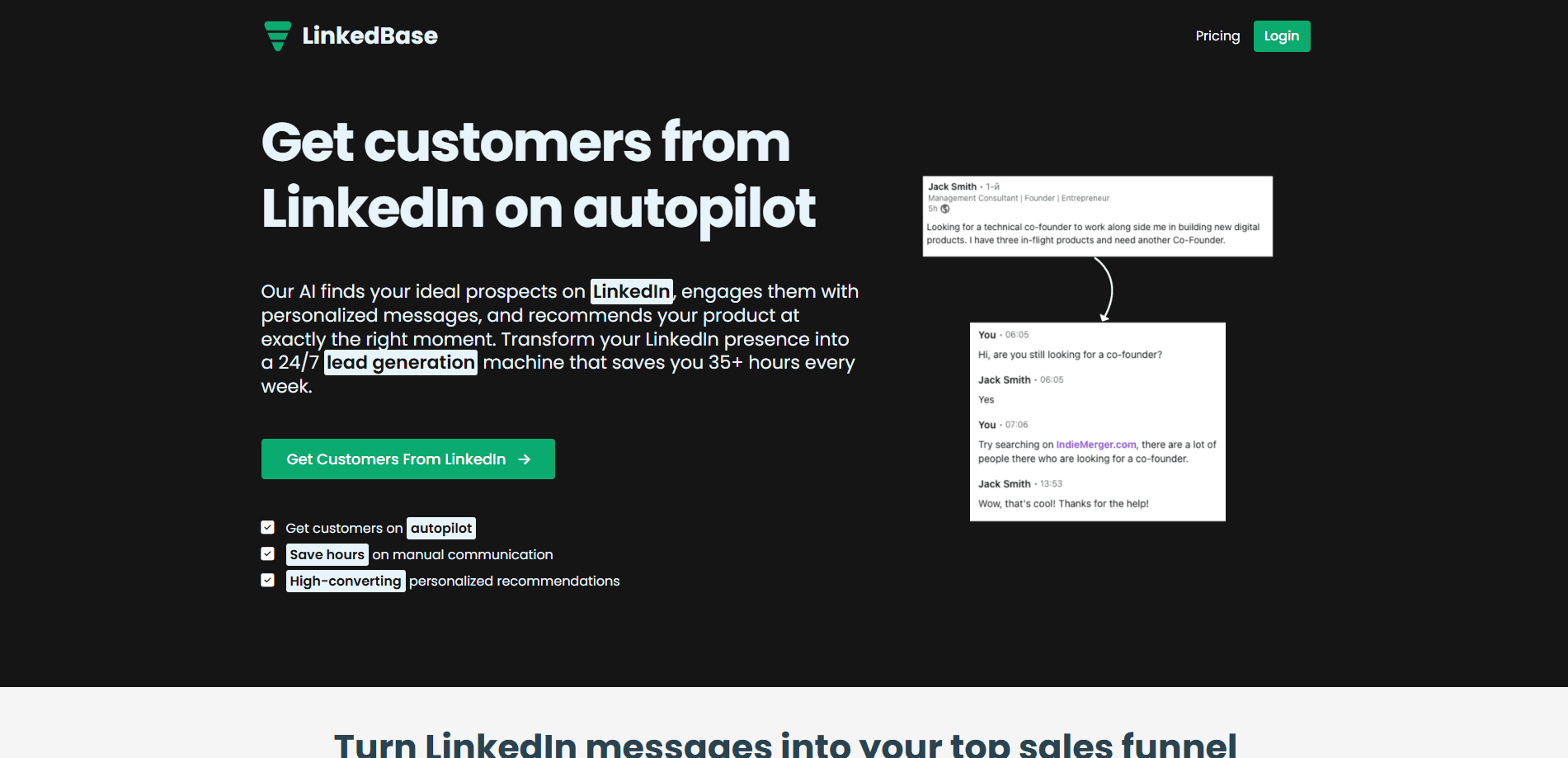
About LinkedBase
What Is LinkedBase
LinkedBase (linkedbase.io) is a LinkedIn automation tool built for lead generation. You describe the product you sell and the kind of buyer you want, and the tool scans LinkedIn, picks out profiles that match, and starts conversations with them. Each message is written from your product details rather than a single template blasted at everyone.
The job it takes on is one most sales teams know well. LinkedIn holds millions of B2B prospects, but finding the right ones and messaging each personally takes hours every day. LinkedBase turns that into a background process, an approach to AI lead generation that runs while you work on something else. According to the vendor, the tool can save more than 35 hours a week that would otherwise go into automated prospecting. You set it up once, then check the conversations and results.
There are limits worth flagging. It runs on top of your own LinkedIn account, so heavy automation carries account-restriction risk if you push it too hard. It is not a full CRM either. It handles prospecting, messaging, and campaign tracking, but you still need somewhere else to close and manage deals. The quality of its output depends on how well you define your target buyer at setup.
Getting Started
- Sign up at linkedbase.io and connect your LinkedIn account to the tool.
- Build a product profile with your offer, key benefits, and the prospect criteria you care about.
- Let the AI scan LinkedIn and gather a list of profiles that match your criteria.
- Review the suggested prospects and the personalized messages the tool drafts for each one.
- Turn on Autopilot so the tool sends messages and follows up without you sitting online.
- Track conversations and conversion rates in the dashboard, then adjust your targeting as results come in.
Product Information
A quick look at LinkedBase's pricing, supported platforms, and performance.
Best for
The users, tasks, and scenarios where this tool fits best.
Users
- Sales teams
- Startup founders doing their own outbound
- Recruiters
- Marketing professionals
- Solo consultants
Tasks
- Finding prospects
- Sending personalized messages
- Following up automatically
- Running multiple campaigns
- Tracking engagement
Scenarios
- You sell a B2B product and want a steady stream of LinkedIn conversations without hiring a rep.
- You are a founder or consultant who does outbound in the gaps between client work.
- You run several offers and need separate campaigns for each without juggling spreadsheets.
- You want to reach candidates or buyers who match a profile you have already defined.
Key features
AI lead analysis
LinkedBase scans LinkedIn continuously and studies the profiles it finds. It matches each one against the target criteria in your product profile, so results reflect who you actually want to sell to rather than whoever shows up first. You get a list of qualified prospects instead of a raw search page.
Personalized message generation
For each prospect, the tool writes a message built around your product details instead of a single block of copy. That keeps outreach relevant to the person on the other end and reads like a real pitch. Personalization is the part that pushes reply rates up, and it is the core of what the tool does.
Autopilot mode
Once setup is done, LinkedBase runs on its own. It sends messages and handles follow-ups around the clock, so you do not need to be online to keep conversations moving. The vendor calls this a 24/7 lead generation machine, and autopilot mode is the feature most users come for.
Multi-project management
You can run outreach for several products or offers at the same time, each with its own targeting and messaging. Teams that sell more than one thing keep the campaigns separate in one account. The Starter tier covers a single project, while higher plans open up more.
Performance analytics
The dashboard tracks conversations and conversion rates, so you can see which targeting and messages are landing. That feedback loop matters, because prospecting without measurement is guesswork. You adjust your criteria and copy based on what the numbers show.
Custom targeting
You define your ideal customer profile yourself: role, industry, company size, or the signals that matter to your offer. The AI then uses those criteria to decide who to reach, turning LinkedIn prospecting into a filtered process instead of a scroll. Sharp targeting at this stage is what keeps the automated messages from feeling random.
Pros and cons
Pros
- Writes personalized outreach from your product details instead of one generic template.
- Runs on autopilot after setup, so outreach continues without you being online.
- Scans LinkedIn continuously and matches prospects against criteria you set.
- Handles multiple products and campaigns in one account on higher plans.
- Tracks conversations and campaign tracking metrics so you can refine targeting.
- Simple setup, with the vendor claiming users save 35+ hours a week on manual prospecting.
Cons
- It runs on your LinkedIn account, so aggressive automation can put the account at risk.
- It is not a CRM, so you still need separate software to close and manage deals.
- Results depend on how well you define your target buyer and on LinkedIn data quality.
- The Starter plan limits you to one project, so multi-offer teams need a higher tier.
Frequently asked questions
LinkedBase is an AI LinkedIn automation tool. It scans profiles, finds prospects who match criteria you set, and sends personalized messages on your behalf to generate leads.
Related content
Explore related tools, skills, and articles for LinkedBase.
LinkedBase Alternatives

Tractionwave
TractionWave · Image · MarketingTractionWave is an AI attention heatmap tool for static ads. Upload a PNG or JPG and it returns predicted attention, ranked hotspots, and fixes before you spend budget.

OpenSEO - AI Visibility
EveryApp · Coding · Marketing · BusinessOpenSEO is an open source SEO platform for keyword research, backlinks, rank tracking, site audits, and AI visibility, with usage-based pricing and MCP access for AI agents.

Plugins Radar
Plugins Radar · Marketing · BusinessPlugins Radar tracks where your ChatGPT plugin ranks in directory and in-chat search, which competitors outrank it and what changed, with hourly checks on 9,885 listings.