

LiveLink
LiveLink · Video · Marketing
LiveLink is an AI video clipping tool that turns long-form video into short, vertical clips. It adds speaker tracking, auto captions and scheduled posting to YouTube, TikTok and Instagram.
About LiveLink
What Is LiveLink
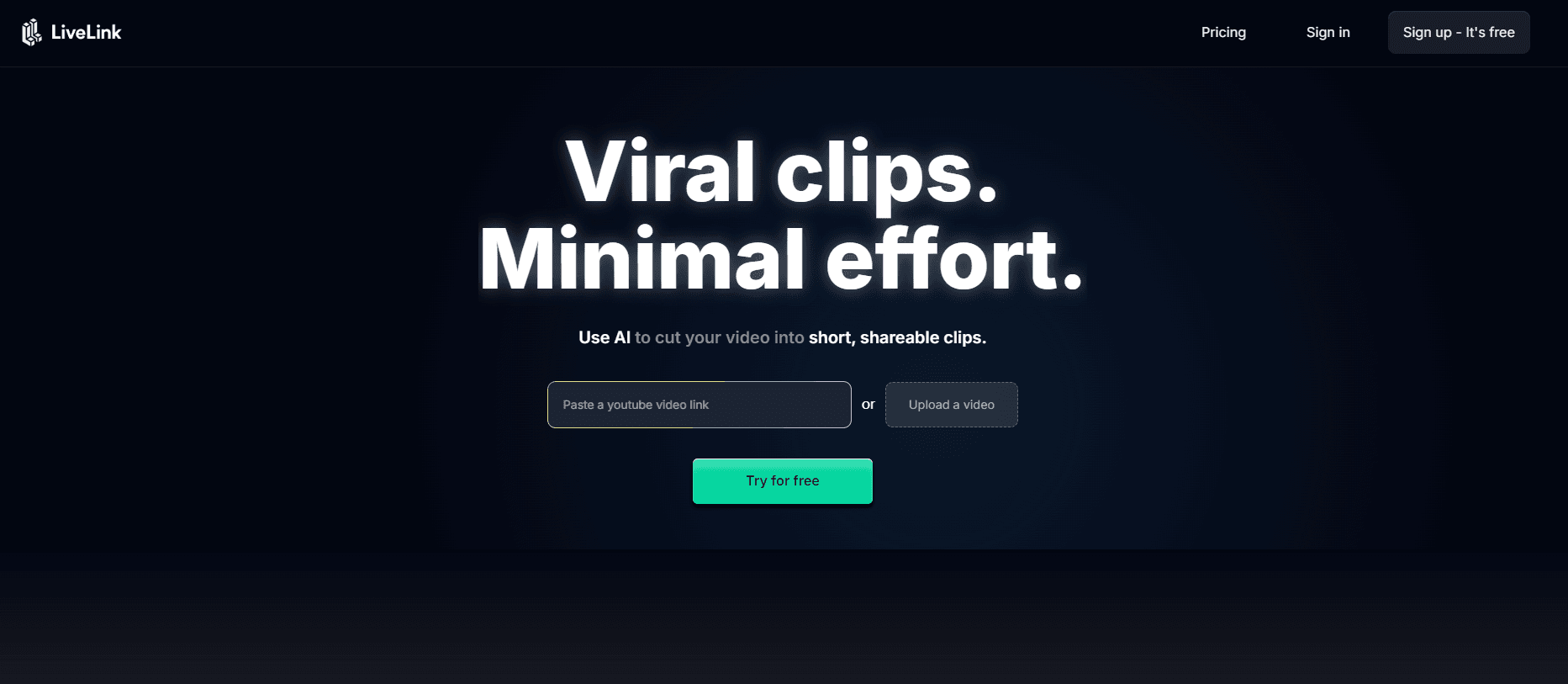
LiveLink is a web app that cuts long videos into short, shareable clips with a single upload. You drop in a recording and it finds the moments worth keeping, formats them for social, and hands you a set of clips you can schedule.
The pitch on the homepage is direct. Over 50,000 creators use it to skip the manual editing that clips usually demand. Instead of scrubbing a two-hour stream for highlights, you let the tool pick them, then adjust.
What separates it from a plain video resizer is the stack around the cut. Speaker tracking uses face recognition to keep the person talking inside the frame, so a cropped face does not wander off screen. Captions run from pre-made templates or your own, and a scheduler connects your YouTube, TikTok and Instagram accounts so clips post themselves.
The editor stays for the fine work. You can trim a clip, rewrite a caption, and fix timing before it goes out. Templates save the repeated steps, so each new clip starts from your brand's layout rather than a blank canvas.
Everything happens in the browser, and the workflow aims at people who publish often. The current site leans on an access request rather than open self-serve signup, so plan for a short onboarding step before you are fully in.
Getting Started
- Open the site and upload the long-form video you want to cut.
- Let the AI find the moments worth turning into clips.
- Add your brand template and captions so each clip matches your look.
- Turn on speaker tracking and resize clips into vertical format for social.
- Connect your YouTube, TikTok and Instagram accounts, then schedule or auto-post the clips.
Product Information
A quick look at LiveLink's pricing, supported platforms, and performance.
Best for
The users, tasks, and scenarios where this tool fits best.
Users
- Creators who publish often
- Podcasters and streamers
- Social media marketers
- Small teams without an editor
Tasks
- Turning a long video into short clips
- Keeping the speaker in frame
- Adding captions
- Resizing for social
- Scheduling and auto-posting
Scenarios
- A weekly podcast
- A gaming stream
- A brand's social calendar
- A solo creator's backlog
Key features
AI clipping
LiveLink's core job is finding the moments worth clipping inside a long video. You upload once and get a set of short cuts rather than an empty timeline. The fast AI clip maker is the reason creators use it: it removes the step where you scrub a two-hour recording looking for the good parts.
Speaker tracking
Speaker tracking follows whoever is talking and keeps them in frame after the crop to vertical. It leans on facial recognition, so a talking head stays centered instead of drifting to the edge. That matters for interviews and podcasts where a cropped face would otherwise fall out of view.
Auto captions
Captions come from pre-made templates or one you build to match your brand. You can apply a style across clips so every post reads the same way. The editor lets you update captions after the fact, which helps when a word is picked up wrong or you want a cleaner line.
Vertical video resizer
The resizer converts horizontal footage into vertical format for social. It is aimed at the shift from a 16:9 recording to a 9:16 feed, so you do not rebuild the framing by hand. Combined with speaker tracking, the crop tends to keep the subject where it belongs.
Templates
Custom templates remove the steps you repeat on every clip. You set up your brand's layout once, then apply it to any clip. That is the difference between editing each short from scratch and stamping your look onto a batch.
Video editor
The editor is where you fine-tune. You can trim a clip, update captions and adjust the details that decide whether a short works. It sits on top of the automatic clipping, so you start from a good cut and polish it rather than building from nothing.
Scheduling and auto-posting
You connect your socials, pick clips and let LiveLink post them. Auto-posting covers YouTube Shorts and Instagram Reels, and a calendar view shows every upcoming scheduled post in one place. It turns a folder of clips into a posting plan without a separate scheduler.
Pros and cons
Pros
- One upload, many clips: the AI finds highlights so you skip the slow scrub through long footage.
- Speaker tracking keeps the subject framed: facial recognition holds a talking head centered after the vertical crop.
- Captions built in: templates and edits cover the text step without a separate tool.
- Auto-posting to three platforms: YouTube, TikTok and Instagram connect from one place with a calendar view.
- Templates keep a feed consistent: apply a brand layout to a whole batch of clips.
Cons
- Access is not instant: the site routes you through an access request rather than open signup, so plan for a wait.
- Web only: there is no mobile app, so recording on the go stays separate from clipping.
- Pricing is not published: you have to request access to learn the plans and what they cost.
- Output quality still needs a check: auto captions and auto crops can miss, so a quick review before posting stays wise.
- Tuned for social shorts: if you need long-form editing, this is not the tool for that job.
Frequently asked questions
LiveLink turns long-form video into short, shareable clips. You upload a recording and it finds the moments worth keeping, then formats them into vertical clips with captions, ready to post to YouTube, TikTok and Instagram.
Related content
Explore related tools, skills, and articles for LiveLink.
LiveLink Alternatives

ngram 2.0
ngram · Video · Marketingngram 2.0 is an AI video generator for teams. It turns a prompt, a screen recording, or a product URL into a narrated explainer, product demo, or AI avatar video, and every scene stays editable.

OpenScreen 2
OpenScreen (open-source project) · Video · ProductivityOpenScreen 2 is a free, open-source screen recorder and demo video editor for Windows, macOS, and Linux, with automatic zooms, styled frames, local captions, and agent edits.

Skreno
Skreno · Video · ProductivitySkreno is a browser screen recorder that captures a tab, a window or your whole display, then attaches AI transcripts, summaries and console logs to one share link.