

LoadMuscle AI Workout Planner
Papak Yazılım Ticaret Limited Şirketi · Leaning · AI Assistant
LoadMuscle is an AI workout planner for gym and home training. It builds a weekly plan from 4,000+ exercises, tracks each session and adjusts the load as you get stronger.
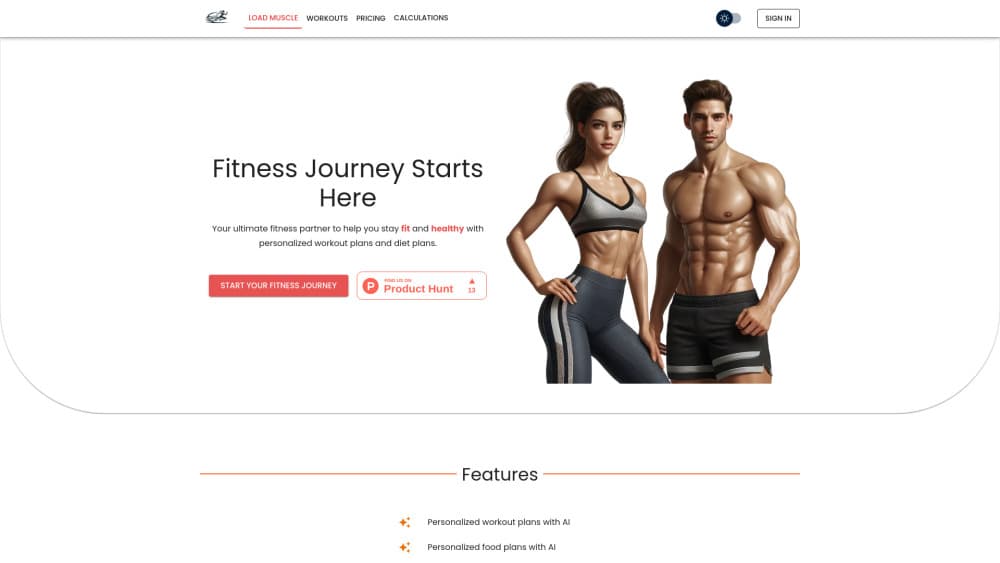
About LoadMuscle AI Workout Planner
What Is LoadMuscle
LoadMuscle is a fitness app from Papak that turns your goal, equipment and schedule into a weekly training plan. You answer four questions about how you train, the app returns a schedule with exercises, sets, reps and time estimates, and every movement links to a short demo.
Most people don't stall from lack of effort. They stall because they have no plan they can repeat next Monday. LoadMuscle covers that planning layer: it picks the split, fills the days with work, and keeps a log so the next week starts from real numbers instead of memory.
The limit is coaching depth. LoadMuscle plans and records training, but it doesn't watch your form or call out a sloppy rep. If you need hands-on correction, treat this as a planning tool rather than a substitute for a trainer.
Getting Started
- Download LoadMuscle from the App Store or Google Play, then create an account.
- Enter your goal, experience level, training days and available equipment. Bodyweight only is a valid answer.
- Pick a ready-made routine or let the AI workout generator build a personalized workout plan for the week.
- Check each day, then adjust exercises, sets, reps or rest times if something doesn't fit your gym.
- Train, log the session in the workout tracker, and review monthly stats before the plan moves again.
Product Information
A quick look at LoadMuscle AI Workout Planner's pricing, supported platforms, and performance.
Best for
The users, tasks, and scenarios where this tool fits best.
Users
- Beginners who want structure
- Gym members chasing strength
- Home trainers with limited gear
- Lifters coming back after a break
Tasks
- Building a weekly gym workout plan
- Planning a home workout plan around one piece of equipment
- Logging sets, training time and body measurements
- Swapping an exercise mid session
Scenarios
- The first month back in the gym
- A travel week with a hotel gym
- Three short sessions between work and family
Key features
Personalized Plans From Four Inputs
You enter a goal, a level, the days you can train and the equipment you can reach. LoadMuscle builds the split, the exercise order and the sets and reps from those answers. Change one input, like going from four days to three, and the week rebuilds around the new limit. This is the core of the workout planner app, and it's the part that saves the most time.
Exercise Library With Demos
The exercise library holds more than 4,000 movements, each with an animated demo and written instructions. You can filter by body part, equipment and skill level, which matters when a machine is taken or a hotel gym has three dumbbells. Muscle targeting info sits on the same screen, so you can judge whether a substitute hits the same area.
Ready-Made Routines and Splits
Prebuilt programs cover full body, upper lower and three-day push pull legs structures, plus shorter sessions for busy weeks. Each one lists days per week and a time range, so you can rule out a plan before reading it. They're a fast start if you don't want to answer questions, and a reasonable reference for building your own.
Custom Workout Builder
You can create a routine from scratch or edit a generated one. Exercises, sets, reps and rest times are all editable, and the changes stick for future sessions. This matters for anyone with a coach's program or a preferred order they won't give up.
Workout Tracker and Monthly Stats
The workout tracker records completed sessions, training time, estimated calories and the muscle groups you hit. Monthly stats then show whether the balance matches what you intended, which is easy to get wrong when you train by feel. It's manual logging, so the charts are only as good as your consistency.
Body Measurement Charts
Weight and body measurements go into the same app, with simple charts that show direction over weeks rather than day to day noise. Pair it with the training log and you get a fuller picture than scale weight alone, especially during a strength block when the scale stalls.
Pros and cons
Pros
- The free tier is usable: exercise library, plan creation and workout logging all work without a subscription.
- Demos and written cues on 4,000+ exercises remove the guesswork on unfamiliar movements.
- Plans key off your equipment list, so home and gym users get sessions they can actually finish.
- Body measurement charts and training logs share one app, which makes progress easier to read.
Cons
- Unlimited AI-generated plans sit behind PRO, so anyone planning several mesocycles will hit the paywall early.
- There's no form feedback. You can log a sloppy rep as easily as a clean one, and the app won't flag it.
- Everything is manual entry. Skip logging for two weeks and the stats stop reflecting your training.
Frequently asked questions
Yes. The free tier includes the exercise library, workout plan creation and workout tracking. PRO adds unlimited AI-generated plans and extra features, and it's billed monthly or yearly.
Related content
Explore related tools, skills, and articles for LoadMuscle AI Workout Planner.
LoadMuscle AI Workout Planner Alternatives
Coddy
Coddy · Coding · LeaningCoddy is a gamified platform to learn to code through short interactive lessons in 20+ languages, with a browser editor, an AI tutor and free certificates.

Marv
Cameron (independent developer) · Coding · Productivity · LeaningMarv is an AI cursor companion for Windows and Mac. It sees your screen, answers out loud, and draws arrows and highlights that show you the next click.

Teachoo
iAsk AI · Leaning · ChatbotTeachoo is a free AI homework helper that walks students through math, science, writing and coding problems one step at a time, with photo input, hints and flashcards.