

AtomC
COALS · Coding
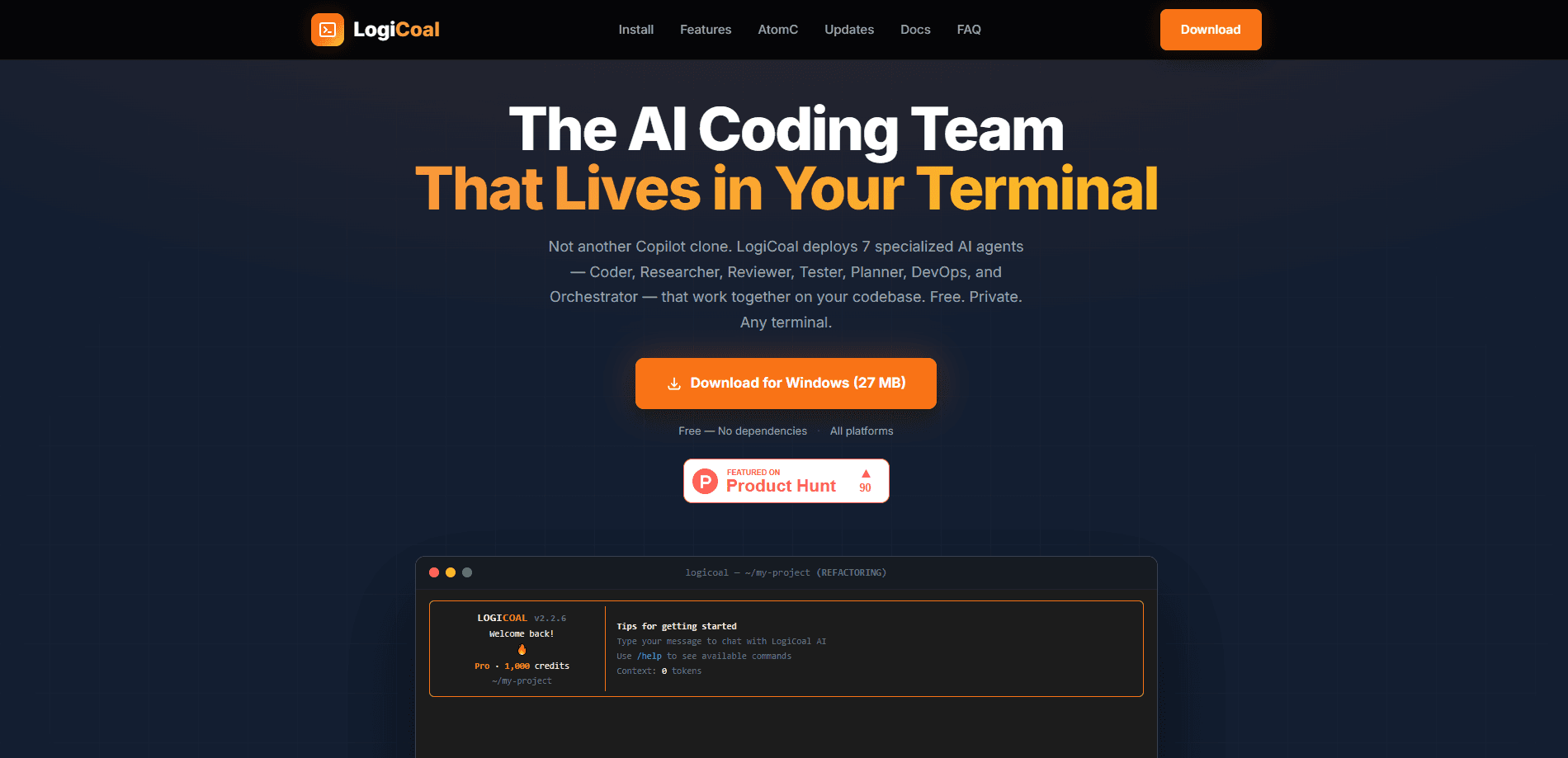
AtomC is a free AI coding assistant that lives in your terminal and splits work across seven specialist agents instead of one general model. The CLI build ships as LogiCoal, while the same engine powers desktop, mobile and web apps under the AtomC name. You bring a free COALS account, point the tool at a codebase, and agents take over planning, editing, reviewing and testing.
About AtomC
What Is AtomC
AtomC is the umbrella name for a family of AI coding products built by COALS. The command-line version, LogiCoal, is a CLI coding assistant that runs directly in your terminal and is the one most developers meet first. Where a typical assistant answers one prompt at a time, AtomC breaks a request into parts and hands each part to a specialized agent. That makes it a terminal AI agent rather than a chat window you have to leave your workflow for.
The draw is fit over raw power. A quick rename doesn't need the same muscle as a full migration, so a small classifier reads your request and picks a model to match. That's how the tool stays cheap to run while still handling heavy code generation when you actually need it.
The catch is that AtomC expects you to work in a terminal. If you live in an IDE, you'll be copying commands rather than clicking buttons. Installing it also assumes you're comfortable at a shell prompt, and every session needs a COALS account before it will authenticate.
So who is this actually for? Mostly people who already spend their day in a shell.
Getting Started
- Create a free COALS account at coals.ai/register so the CLI has something to authenticate against.
- Install AtomC. On macOS or Linux use
npm install -g logicoalor the Homebrew tap; on Windows grab the one-click installer. No Node.js runtime is required beyond that. - Open a terminal in your project folder and launch the tool, then describe the task in plain English.
- Tag a specific agent with an @mention, or let the Orchestrator decide which specialists to pull in.
- Review the diff an agent proposes, approve it, and continue the session later from saved history.
Product Information
A quick look at AtomC's pricing, supported platforms, and performance.
Best for
The users, tasks, and scenarios where this tool fits best.
Users
- Solo developers who want a coding assistant without a monthly bill
- Teams that already work in the shell
- Developers juggling several languages in one repo
Tasks
- AI code review
- Refactoring across many files
- Test writing and running
Scenarios
- Onboarding into an unfamiliar codebase
- Quick scripts on a laptop
- Picking work back up tomorrow
Key features
Seven-Agent System
AtomC is a multi-agent coding tool, and it runs seven named agents: an Orchestrator, plus Coder, Researcher, Planner, Reviewer, Tester and DevOps specialists. The Orchestrator reads a complex request, splits it into pieces, and delegates each piece to the agent best suited to it. You can override that decision at any time by tagging an agent with an @mention in your prompt. No guesswork required.
Smart Model Routing
A lightweight classifier inspects each request and sends it to the model that fits. Small jobs go to a fast 7B model, while heavier code generation is routed to a more capable 30B model. The point is that you don't pick the model by hand; the tool spends the least compute that gets the job done. Fast when it can be.
Semantic Code Search
AtomC indexes your codebase with vector embeddings, so search works on meaning rather than exact text. You can ask a question in natural language and get back the files that matter, even across thousands of files and repositories where the wording never matches your query. That's a big time saver.
Rich Terminal UI
The interface is built for the terminal rather than bolted onto it. Code arrives with syntax highlighting, agent status updates live as work progresses, and markdown renders inline. Progress indicators show which agent is active, which matters when several are running at once. Nothing new to learn.
Full Tool Suite
Agents can read, write and edit files, run bash commands, search the web, and scan code with grep and glob. That set covers an end-to-end loop: find the problem, change the files, run the command, check the result. You approve the commands before they execute. Nothing runs behind your back.
Session Persistence and Checkpoints
Conversations and context survive between sessions. History is kept, checkpoints mark points you can return to, and a paused multi-agent task can be resumed rather than restarted. For long refactors split across days, that continuity is the difference between finishing and starting over.
Cross-Device with AtomC Apps
The same engine backs the desktop, mobile and web apps. Start a conversation on your phone and continue it on a laptop, since sessions sync across devices. If you'd rather skip the terminal entirely, the web app runs in any browser with nothing to install. Handy on the road.
Pros and cons
Pros
- Free to download and use, with no paywall behind the core coding features.
- Seven specialist agents suit multi-step work better than a single general-purpose chat model.
- Automatic model routing keeps small tasks fast instead of burning a large model on everything.
- Semantic code search finds relevant files by meaning, which helps on large or unfamiliar repos.
- Installers are standalone, and the npm and Homebrew routes keep setup to a single command.
Cons
- A COALS account is required, so you can't run it fully offline or anonymous.
- The CLI assumes comfort with a terminal, which rules it out for developers who only work in a graphical editor.
- API availability isn't documented clearly, so building your own integrations on top isn't an obvious path yet.
Frequently asked questions
Yes. The CLI is free to download and run, and the desktop, mobile and web apps are free too. You do need a free COALS account for authentication, but that doesn't come with a charge.
Related content
Explore related tools, skills, and articles for AtomC.
AtomC Alternatives
Forefront
Forefront · CodingForefront is a web platform for building with open-source AI. It lets you fine-tune leading open-source language models on your own data, evaluate how they perform, and run them through an API or export them to host yourself. Developers who want the convenience of a closed-source platform but insist on owning their models and data are the target audience here.

Startkit
StartKit.AI · CodingStartkit is a boilerplate for building AI SaaS and AI wrapper products. Think of it as an AI startup boilerplate with the boring parts already wired up: authentication, Stripe and Lemon Squeezy payments, usage limits, transactional email, and an AI API starter that talks to OpenAI, Anthropic, Groq, or Llama. You clone the repo, set your price, and start on the part of your product that people actually pay for. It's Next.js under React and Tailwind, so most of the boilerplate code already feels familiar.
Testim
Tricentis · CodingTestim is an AI-powered test automation platform for building and running end-to-end tests across web, mobile, and Salesforce applications. It leans on machine learning to keep tests stable when an interface changes, so teams spend less time fixing broken selectors. Not bad for an automated testing tool you can start using today. You create tests by recording actions in a browser, then optionally add JavaScript when you need more control. It's a solid pick for busy QA teams.