

Lookio
Lookio · Productivity · Leaning
Lookio is an AI knowledge retrieval platform that turns your company documents into assistants you can query through an API, an MCP server, or a website widget. You upload PDFs, CSVs, webpages, and sitemaps, then point a request at the resulting knowledge base to get sourced answers. It's built for teams that want the accuracy of a RAG assistant without assembling a retrieval pipeline from scratch.
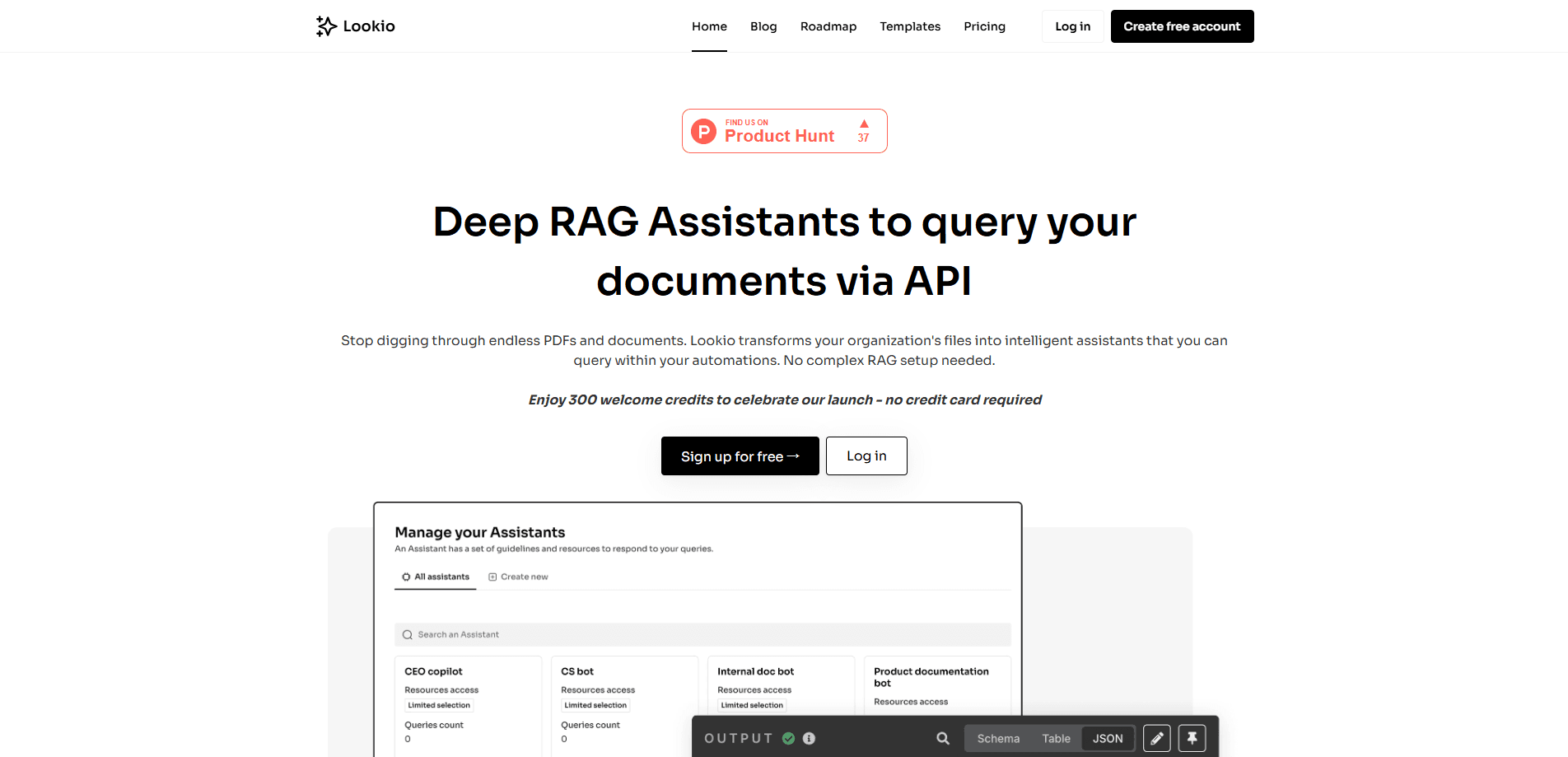
About Lookio
What Is Lookio
Lookio is a hosted knowledge retrieval service built around RAG. The idea is simple. The AI pulls the relevant passages from your own documents before it writes a response, which cuts down on made-up facts. Lookio handles the whole layer for you. Ingestion, cleanup, indexing, the query endpoint. All of it.
The pitch is simplicity. You drop your manuals, guides, and docs into the dashboard, turn them into a knowledge base assistant, grab an API key, and wire the thing into n8n, Make, or Zapier. No vector database to run. No embedding model to pick. The platform also ships an AI assistant widget for your website and a CLI for people who'd rather work in a terminal.
The main limits are worth knowing up front. It's a hosted service, so your documents live on Lookio's infrastructure rather than your own. The free tier caps your knowledge base at 125k words. And the answer quality still depends on how clean your source files are, even with the automatic cleanup on upload.
Getting Started
- Create a free account at dashboard.lookio.app to claim your 100 sign-up credits.
- Upload your source documents, whether that's PDFs, CSVs, Markdown, raw webpages, or a full sitemap.
- Build an Assistant and configure its instructions, context, and which documents it can reach.
- Copy your API key, then query the Assistant from your own workflow or embed the widget on your site.
- Pick a query mode for each task and start automating.
Product Information
A quick look at Lookio's pricing, supported platforms, and performance.
Best for
The users, tasks, and scenarios where this tool fits best.
Users
- Customer support teams
- Sales engineers
- Developers and automation builders
- Marketing and strategy teams
Tasks
- Querying a document library by API
- Building a website chatbot
- Automating RFP responses
- Wiring retrieval into an agent
Scenarios
- Supporting a complex B2B product
- Scaling a support desk without hiring
- Researching a market
Key features
Document-to-Assistant Pipeline
Upload your files and Lookio handles the rest. The platform automatically cleans PDFs to make them retrieval-ready, which matters because a scanned or badly formatted manual will otherwise produce junk answers. Supported inputs include PDFs, CSVs, Markdown, plain text, webpages, and sitemaps.
API, MCP, and CLI Access
Every Assistant can be reached three ways. The REST API is the default for custom integrations, and it doubles as a document Q&A API for teams that want to query files directly. MCP integration connects the same Assistant to tools like Claude Desktop, Cursor, and OpenAI Codex. The CLI gives developers and agents a fast, token-efficient path to the same knowledge base. That overlap means you pick the interface that fits your stack instead of adapting your stack to the product.
Four Query Modes
Lookio gives you a mode for every tradeoff between speed, cost, and depth. Eco returns cost-effective answers at roughly 14 seconds and costs one credit. Flash is built for high-velocity workflows like chatbots, answers in about 6 seconds, and costs three credits. Europe runs on Mistral for about 15 seconds at five credits. Deep is for complex research and content work, taking roughly 25 seconds. You choose the mode per query, so a quick FAQ lookup doesn't pay for deep analysis.
Sourced Answers
The platform runs a metadata system that keeps track of where each answer came from. Instead of a confident paragraph with no provenance, you get output tied back to specific documents. Is that worth much in practice? For anyone building a customer-facing assistant, yes. That traceability is the difference between something you can trust and something you have to double-check by hand.
Embeddable Chat Widget
The website widget drops the same Assistant onto your site, no custom front-end work needed. Lookio rebuilt its loading path to be up to 60% faster, so the widget doesn't drag down your page. Paid plans remove the Lookio watermark. It just works.
Flexible Credit Pricing
Lookio doesn't force a subscription. You can buy credit packs on any plan, including the free one, and purchased credits never expire. Subscription credits roll over for three months. If you're testing the waters or your usage swings month to month, that flexibility is the point.
Pros and cons
Pros
- Free tier with 100 sign-up credits and no subscription required to start.
- Three access paths (API, MCP, CLI) plus a website widget, so it fits most stacks.
- Purchased credits never expire, which suits variable or occasional use.
- Query modes let you trade speed against cost per task.
- Sourced output makes answers traceable to specific documents.
Cons
- Hosted only, so documents sit on Lookio's servers rather than your own infrastructure.
- Free knowledge base tops out at 125k words, which a large document set will blow past fast.
- Answer quality still leans on the cleanliness of your source files, cleanup or not.
Frequently asked questions
It converts your documents into queryable AI assistants. You upload files, and Lookio indexes them so you can ask questions by API, MCP, CLI, or a website widget and get answers pulled from your own content.
Related content
Explore related tools, skills, and articles for Lookio.
Lookio Alternatives

Swms
Swms AI · Writing · Productivity · BusinessSwms is an AI safety compliance tool that turns a plain description of a job into ready-to-use safety documents. Describe your project, trade, and known hazards, and it writes a safe work method statement, job hazard analysis, safe work procedure, RAMS, or safety data sheet in seconds. It also ships with Oscar, a chat assistant that answers workplace safety questions in any language. Teams in construction, mining, transport, and warehousing use it to cut the paperwork that usually eats into a workday.

Wordly AI Translation
Wordly · Voice & Language · ProductivityWordly AI Translation is a real-time AI translation and captioning platform built for meetings, conferences, and events. It delivers live translation, captions, transcripts, and summaries in more than 60 languages, and attendees join by scanning a QR code or opening a link instead of using dedicated headsets. The platform works with Zoom, Microsoft Teams, Google Meet, and Webex, and it's designed for organizations that want multilingual access without hiring human interpreters for every session. Simple as that.

Rows
Rows (Superhuman) · Productivity · BusinessRows is an AI spreadsheet and data analysis tool that imports live data from more than 50 sources, then lets you work with it using plain language instead of SQL queries or nested formulas. You can pull numbers out of PDFs, connect ad platforms, databases, and bank accounts, and ask the AI to build reports, merge datasets, or set up models that recalculate themselves. It runs in the browser, works like a spreadsheet, and now sits under the Superhuman umbrella.